 NexBrowser指纹浏览器-官方博客Blog

How to Use Rotating Proxies with Antidetect Browsers: Choose Rotation Mode by Task, Then Bind Sessions and Verify Egress
Antidetect browsers isolate each environment's local data and fingerprint, while rotating proxies provide the egress IP; whether they work well together depends on matching the rotation mode to the task, so add sticky sessions or static IPs for logged-in accounts, and verify egress, timezone, language, and WebRTC inside each environment.
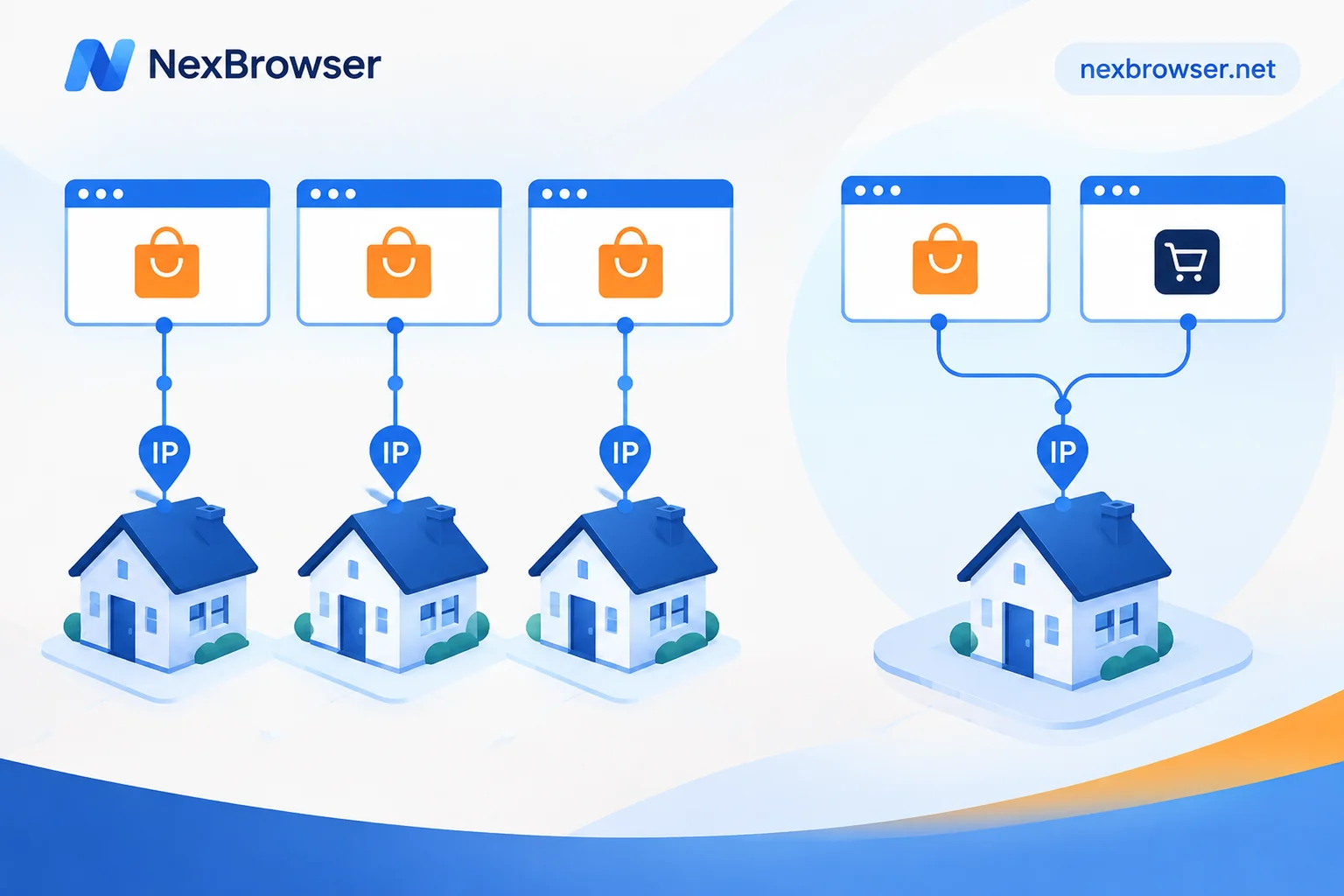
Does Each Account Need Its Own Static Residential IP? Separate Same-Platform Accounts, Reuse Across Platforms
Whether each account needs its own static residential IP depends on if accounts are on the same platform and how critical they are; separate same-platform accounts, reuse across platforms.

Static Residential IP vs Dynamic IP for Account Farming: Static for Long-Term Logins, Dynamic for Scraping Tasks
Long-term login, continuously operated accounts are better suited to static residential IPs (ISP IPs), while rotating dynamic IPs are better for scraping tasks that don't require staying logged in. This article explains the differences and how to choose by scenario, plus what to check before the first login after binding a proxy in a browser environment.
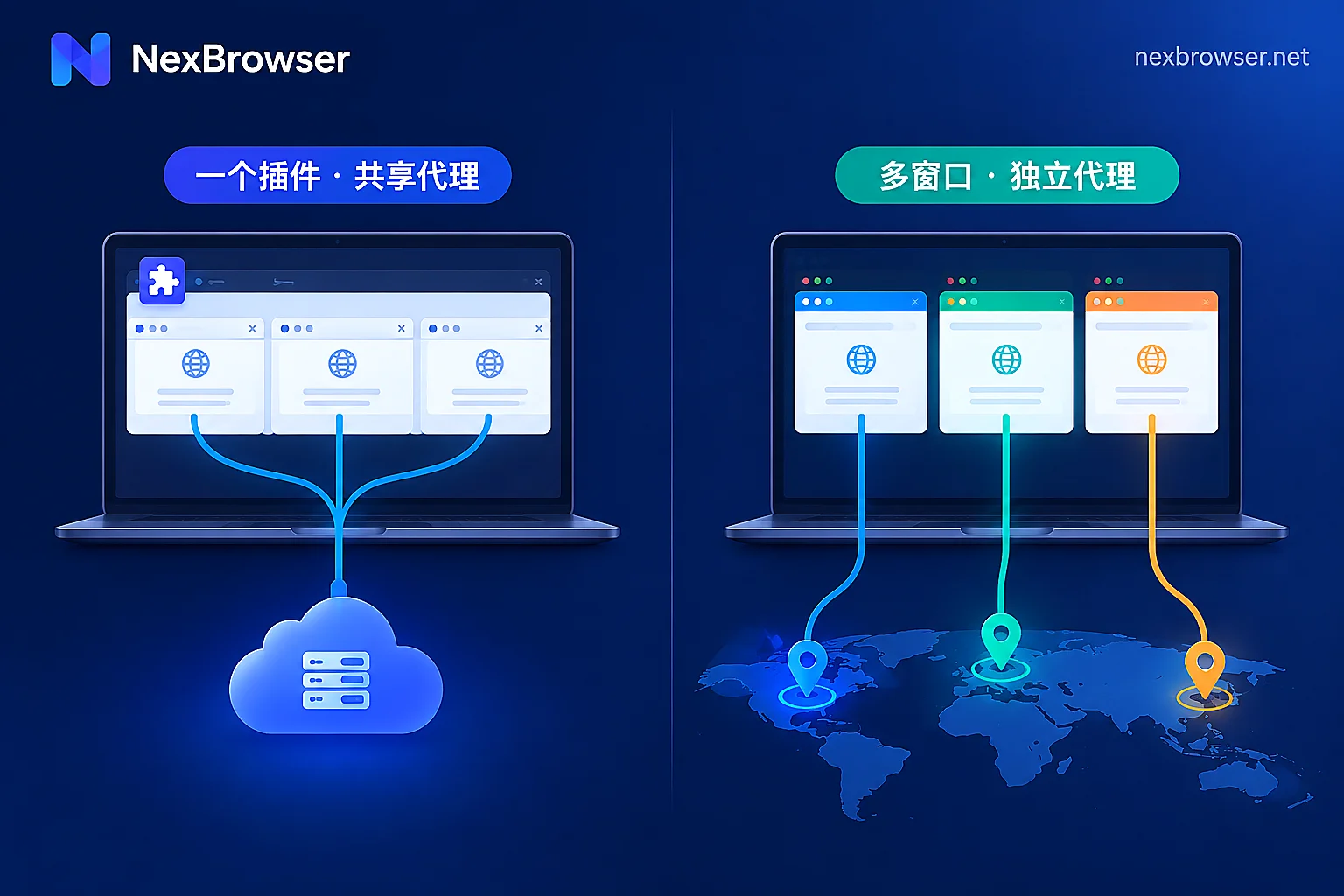
Browser Extension Proxy vs. Built-in App Proxy: Choose by How Many Accounts You Manage
The difference between extension proxies and built-in app proxies isn't which one "changes IPs better" but at which layer the proxy takes effect: extensions modify requests sent by the browser, while built-in proxies lock down the network exit when the environment starts—so one browser with occasional routing only needs an extension, but running multiple independent accounts on one machine calls for built-in proxies with per-environment exit verification.

How to Set a Separate Proxy for Each Fingerprint Browser Profile: Fill, Test, Align, and Verify
A step-by-step guide to binding one proxy per browser profile: fill in the proxy, test connectivity, align timezone, language and WebRTC with the exit, and verify the exit IP after launch.