 NexBrowser指纹浏览器-官方博客Blog
Here's the conclusion first. Whether each account needs its own static residential IP depends mainly on two things: whether these accounts are on the same platform, and how important the accounts are to your business.
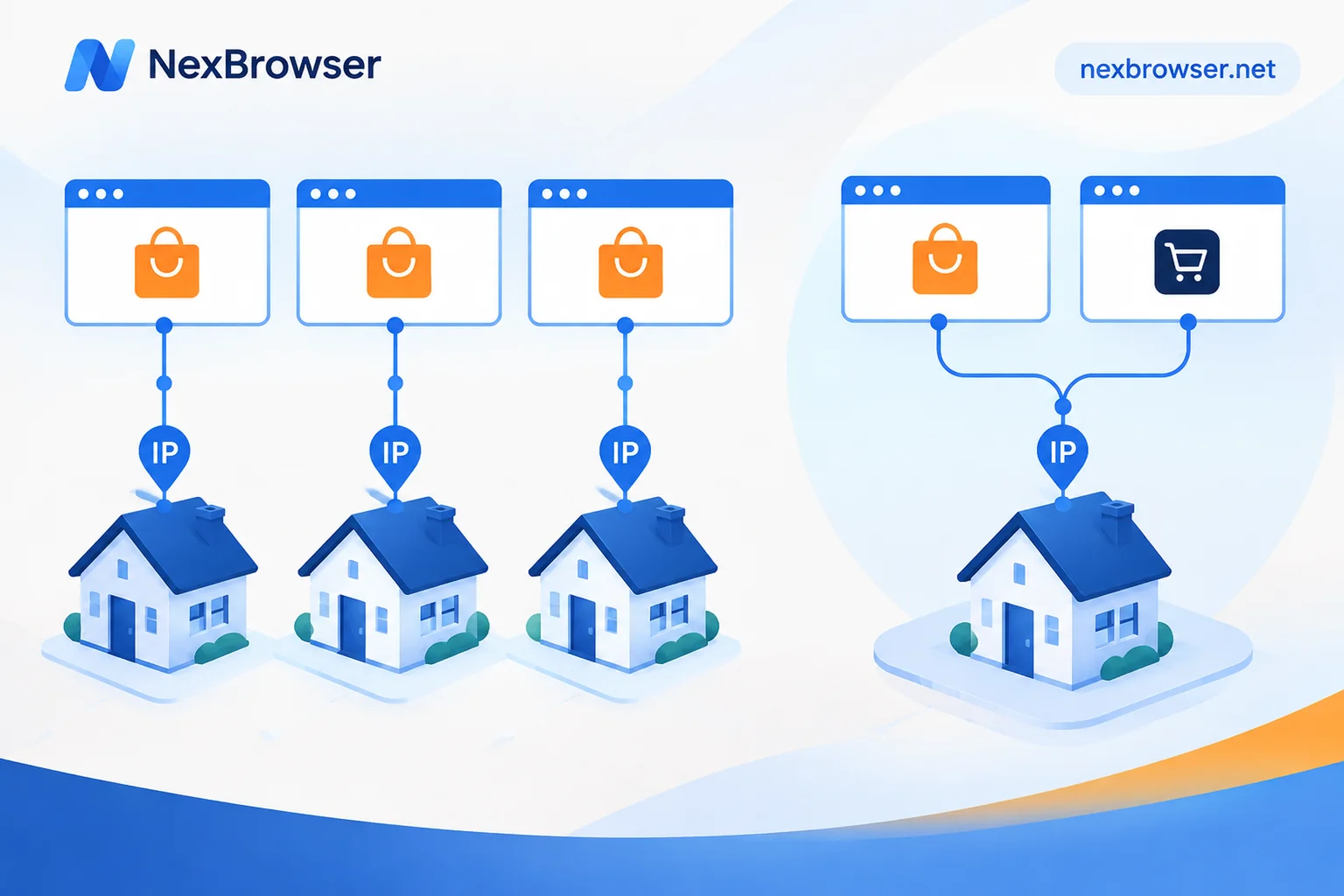
- Accounts on the same platform that carry business operations, such as multiple Amazon stores, multiple Facebook ad accounts, or multiple TikTok accounts, should each be bound to a dedicated static residential IP, not shared.
- Accounts on different platforms can share an IP. For example, putting a Google account and an Amazon store on the same IP is technically feasible. The prerequisite is that within the same platform, this IP corresponds to only one account.
- Low-sensitivity uses like read-only or monitoring can share to a moderate extent, but don't put them on the same platform and same IP as core accounts.
There's also a prerequisite: one-account-one-IP only separates the network egress. If these accounts are still switched back and forth in the same regular browser, no matter how cleanly the IPs are separated, they may still be judged as the same entity due to browser fingerprints and cookies.
Why same-platform accounts need to be separated
Platforms with stricter risk control, such as Amazon, Facebook, and TikTok, often use the login history of the same public IP as one basis for determining whether accounts belong to the same entity. If several stores log in from the same IP for a long time, once one gets into trouble, the others may be linked and handled together, or suffer collateral demotion.
There are no public specific thresholds for "how many accounts can share one IP" on each platform. So no one can responsibly tell you "3 is fine". For core accounts, the safest approach is not to share.
Also confirm one thing first: whether the platform itself allows you to hold multiple accounts. One-account-one-IP solves the problem of avoiding interference among your own accounts; it cannot be used to bypass platform restrictions on multiple accounts.
Why different platforms can reuse
Different service providers generally do not share login-related risk control data. Amazon cannot see which IP you used on Google, and vice versa. So the same IP can simultaneously host a Facebook ad account and a cross-border e-commerce store.
When reusing, note two points:
- Remain unique within the same platform. If this IP already has an Amazon store, don't put a second Amazon store on it.
- Products under the same parent company should be treated as the same platform. For example, Facebook and Instagram both belong to Meta, so don't treat them as two unrelated platforms when allocating.
An easily overlooked risk: shared static IPs
Static residential IP providers usually don't restrict how many devices you connect or how many requests you send at the network layer. The limitation on shared IPs mainly comes from the target website's own risk control.
The problem lies with shared static IPs. They are cheaper because the same IP is sold to multiple customers at the same time. If other users use it for violating operations, the IP's reputation drops, and your accounts on it will be affected—and you have no control over this.
So:
- For high-value accounts like stores, ad accounts, and long-term managed pages, choose dedicated static residential IPs.
- For uses like price monitoring or viewing public pages where even if affected it doesn't hurt the business, shared IPs can be considered.
How to arrange an IP allocation table
When there are many accounts, relying on memory for allocation is error-prone. It's advisable to first list a table, then bind proxies.
- List all accounts by platform and mark importance: core operations / auxiliary / read-only.
- Assign a dedicated IP to each core account on the same platform. The IP's region should ideally match the account's registration or operating region.
- Use the remaining IPs for cross-platform reuse. Record one row per IP, noting which platform accounts are already on it, ensuring at most one account per platform.
- Categorize read-only accounts separately; they can share, but don't occupy IPs used by core accounts.
- After binding, keep it fixed long-term; don't rotate. Long-term logins are naturally suited for static IPs; see Static residential IP vs dynamic IP: which is better for account nurturing. If you really need to change, refer to Can an account change proxies midway?.
A simplified example:
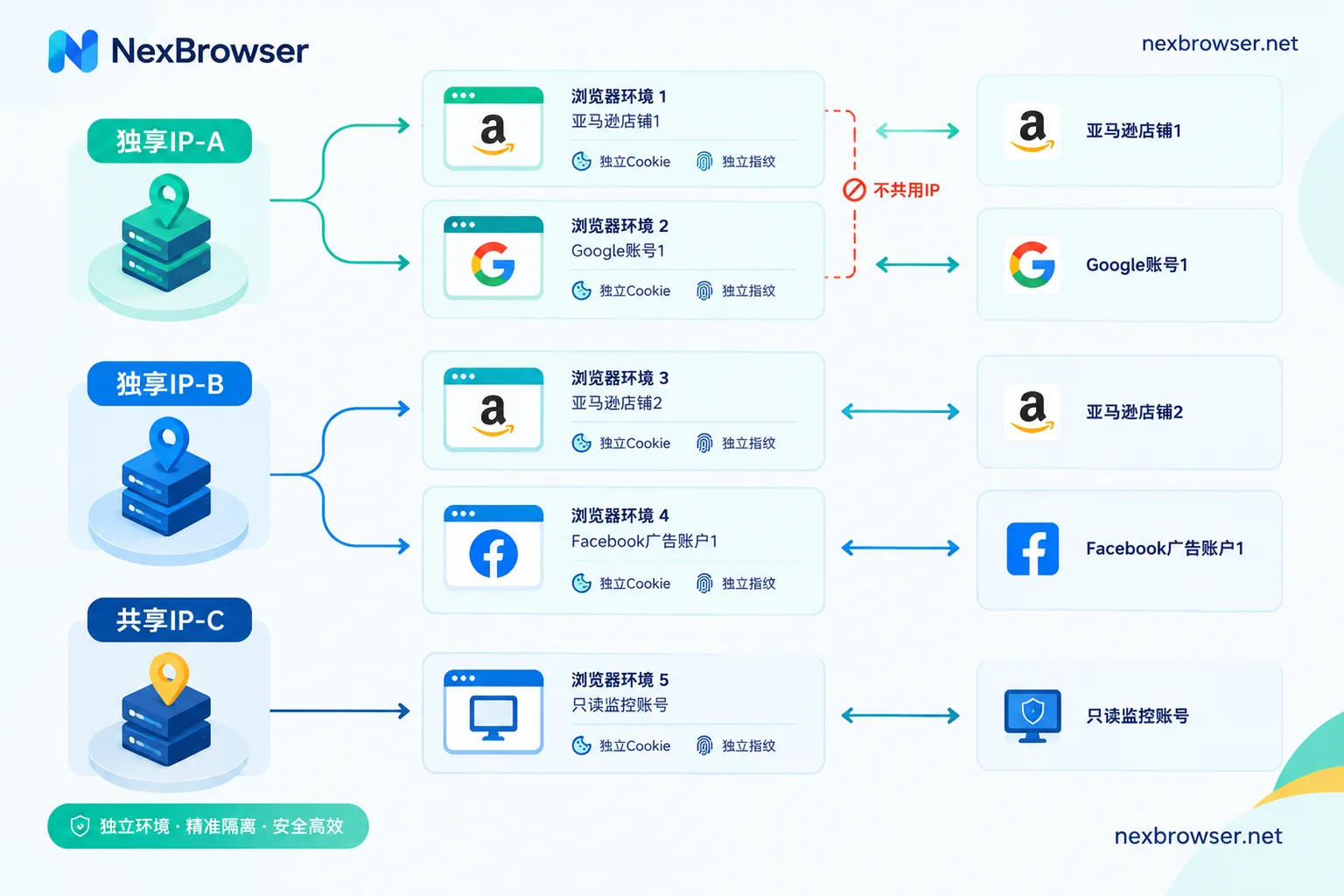
| IP | Accounts hosted | Notes |
|---|---|---|
| Dedicated IP-A | Amazon store 1, Google account 1 | One per platform |
| Dedicated IP-B | Amazon store 2, Facebook ad account 1 | No same-platform overlap with IP-A |
| Shared IP-C | Read-only account for price monitoring | No core accounts |
Once IPs are separated, browser environments must also be separated
When multiple accounts are switched in the same regular browser on the same computer, fingerprints like Canvas, WebGL, and User-Agent are identical, and cookies and local caches are mixed. This information is enough for platforms to link accounts, regardless of whether IPs are separated.
So the real way to implement one-account-one-IP is: each account gets an independent browser environment, with the proxy bound to the environment, rather than setting a global proxy in the system. What fingerprints are and why multiple instances get linked have been covered in the official basic concepts guide, so we won't repeat here.
In NexBrowser, each environment has its own independent cookies, cache, local storage, and proxy, with fingerprint parameters configured separately per environment. Operate according to the allocation table above:
- Create one environment per account. For accounts on the same platform, fill in their respective dedicated IPs.
- When reusing across platforms, fill the same proxy into two environments for different platforms. The two environments share the egress IP, but cookies, storage, and fingerprints remain independent.
- Proxies support batch import of HTTP/HTTPS/SOCKS5, and you can import your own proxies or bind NexIP residential IPs with one click. For details, see Binding proxies and verifying egress.
How to confirm it's effective after binding
An allocation table is just a plan. Only after the following checks pass can you say it's truly executed according to the table.
- Use one-click detection to see the egress IP and confirm it matches the one for this environment in the allocation table, without mistakenly filling in another account's IP.
- Open an IP detection page within the environment to see if the displayed IP matches the proxy egress, and whether DNS and WebRTC leak the real local address. If the detection page shows inconsistency, troubleshoot item by item according to Proxy connected but detection page shows inconsistent IP.
- Check timezone and language to confirm they match the IP's region. For handling mismatches, see IP and browser timezone/language mismatch triggers risk control.
- Write the check results back into the allocation table. Later, when adding accounts, changing IPs, or handing over to a colleague, you can directly see which platforms are already on which IP.
A final reminder: one-account-one-IP plus environment isolation can reduce the chance of your own accounts being linked due to shared network and browser, but no configuration can guarantee accounts won't be associated. Whether platform rules allow multiple accounts and whether the account's own operations are compliant remain the prerequisites for account security.


Comments(0)