 NexBrowser指纹浏览器-官方博客Blog
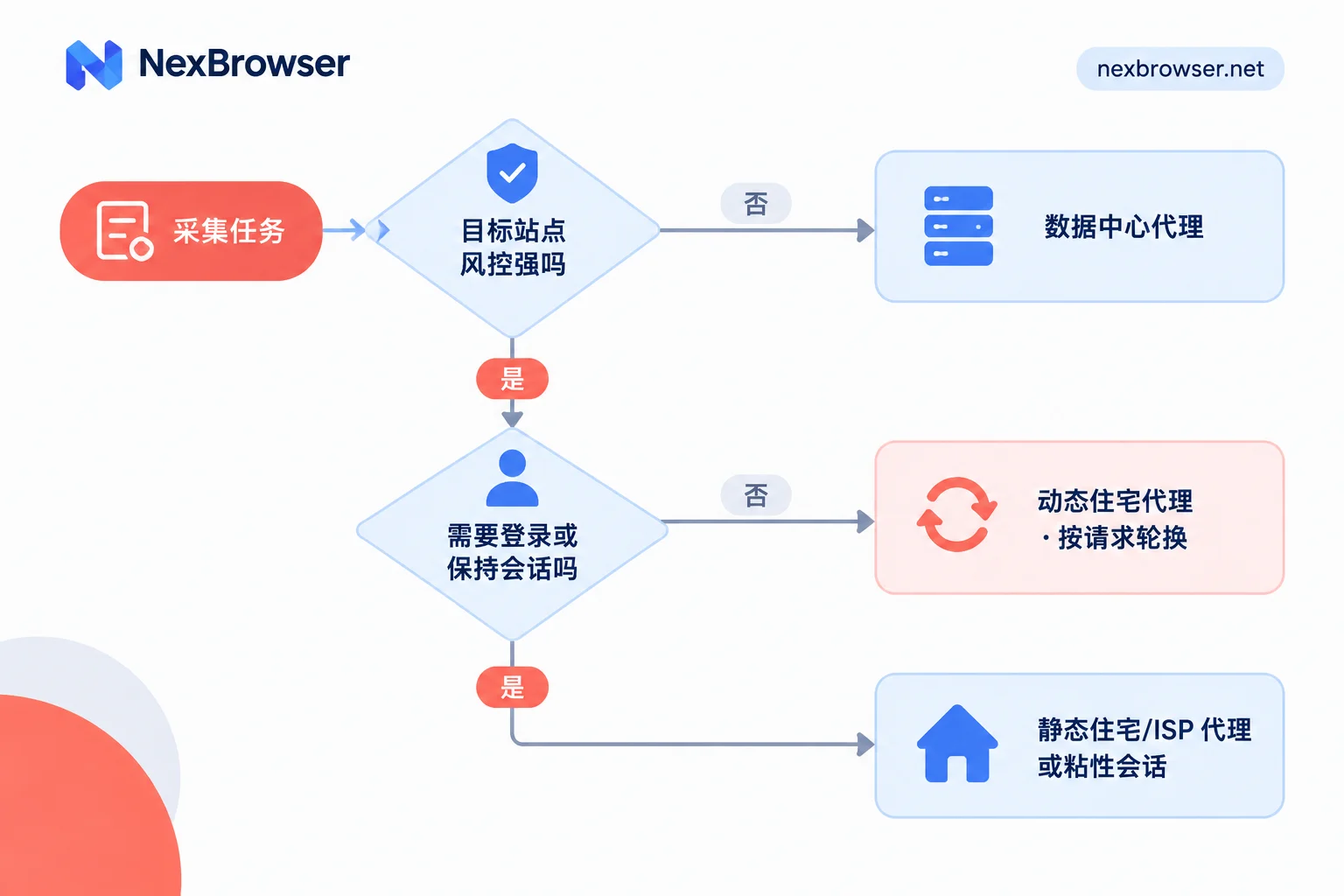
When choosing a scraping proxy, two things matter most: how strictly the target site blocks traffic, and whether the task needs to maintain the same identity over time, such as logging in, keeping a shopping cart, or sequential pagination that depends on the previous page. A rough mapping looks like this:
- Weak site protection, public pages, high volume: use datacenter proxies. They are cheap and fast.
- Public data, but strict site protection (major e-commerce sites, public pages on social platforms, search result pages): use rotating residential proxies. When each page is independent, set them to rotate per request.
- Login required or multi-step flow: use static residential/ISP proxies, or sticky sessions on rotating residential proxies, to keep the exit IP unchanged throughout the session.
The sections below first explain how to identify which category your task falls into, then how to configure the proxy and verify it is actually working.
Start by judging two things
How strictly does the target site block traffic?
Datacenter proxy IPs are assigned by cloud providers and data centers, and their ASNs and IP ranges are public information. Protections such as Cloudflare and DataDome can identify these IPs, and sometimes block entire ranges. So the strength of the site’s protection largely determines whether datacenter proxies are still viable.
If you do not know what protection the target site uses, test with a small amount of datacenter proxy traffic first to save money: send requests at a normal pace to tens or hundreds of pages, and measure the share that return 403s, CAPTCHA pages, blank pages, or truncated content.
- A very low rate means there is no need to pay extra for residential IPs.
- If you are blocked broadly from the start, switch to residential proxies.
Do not rely only on status codes when measuring. Some sites still return 200 for suspicious requests, but the page content is actually a challenge page or incomplete data. It is best to sample some pages and check the actual content.
Does the task have state?
- Stateless: each request is independent, such as scraping product lists, category pages, or detail pages in bulk. Which IP fetches which page does not affect the result.
- Stateful: you need to log in, keep cookies, paginate based on parameters returned by the previous page, or simulate clicks through a multi-step flow. If the exit IP changes mid-session, the site may show a CAPTCHA or require a new login.
Cross these two judgments, and the proxy type is usually determined.
What each of the three proxy types is good for
Datacenter proxies
They offer low latency and high bandwidth, are usually billed by number of IPs or fixed bandwidth, and have the lowest unit cost. They suit static web pages, lightly protected sites, and high-throughput scraping of public APIs.
Their weakness is the ease of identification mentioned above. If an entire IP range is blocked, switching to other IPs in the same data center often does not help.
Rotating residential proxies
Their exit IPs are assigned by home broadband carriers, so they look more like ordinary users to risk models and usually have the lowest block rate. They are generally accessed through a gateway, and the same gateway address supports two modes:
- Rotate to a new IP for each request;
- Sticky session: keep the same exit for a period ranging from a few minutes to about half an hour, depending on the provider’s settings.
They are mostly billed by traffic (GB), so they are best for tasks with "strict site protection but small per-page data," such as public e-commerce pages, public social platform data, and search result pages. If the site has many images, videos, or very heavy page assets, traffic costs can rise quickly. If you can fetch only HTML or API data, do not load unnecessary resources.
Static residential / ISP proxies
Their IPs are assigned by broadband carriers but hosted on data center servers. So they combine the trust of residential IPs with the stability and long-connection capability of data center lines, and the exit remains fixed for a long time.
They suit scraping that requires account login, multi-step flows, and tasks that need persistent cookies. A fixed exit avoids frequent IP changes that trigger cross-location login checks or forced logout.
Rotation must match task state
Choosing the right type is only half the job. If the rotation strategy is wrong, even residential IPs will be blocked or lose login state.
- Stateless bulk scraping: rotate per request. Requests are spread across many IPs, lowering the request frequency per IP.
- Stateful flows: use sticky sessions (commonly set to 5–30 minutes), or fix one static IP per environment. With sticky sessions, make sure the duration covers the whole flow. For example, if login plus 20 pages takes 15 minutes, do not set the session to 10 minutes.
- Mixed tasks: for example, log in first, then bulk scrape detail pages. You can route login-related steps through a fixed exit and route public detail pages through a rotating pool. The precondition is that the detail pages themselves do not require login state.
For more on when dynamic IPs cause logout, see Do rotating proxies cause logout?. For a more detailed comparison of which IP type suits long-term login versus scraping, see Static residential IP vs dynamic IP for account warming.
When scraping with a browser, changing IP alone is not enough
If you scrape with a browser that has a UI, or drive a browser with tools such as Playwright or Puppeteer, the site looks beyond IP and also examines browser fingerprints such as Canvas, WebGL, audio, Client Hints, and TLS. If multiple scraping instances share the same fingerprint and cookies, the site may still recognize them as coming from the same machine no matter how many IPs you change.
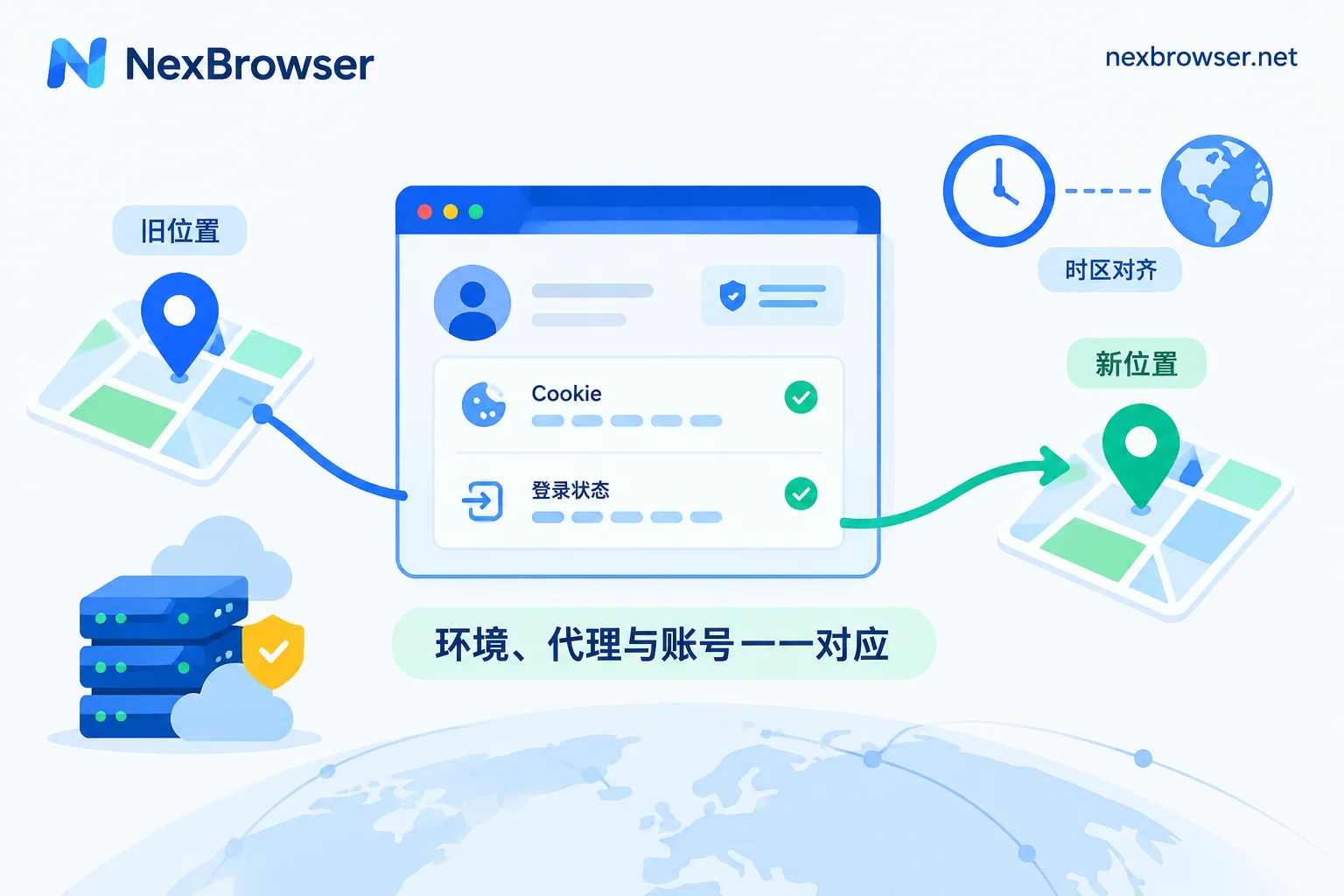
A safer approach is one environment per scraping instance: independent cookies, cache, local storage, and fingerprints, with the proxy bound to that environment, and parameters such as timezone and language matching the exit IP’s location. For what goes wrong when parameters do not match and how to troubleshoot, see IP and browser timezone/language mismatch triggers risk control.
How to implement this in NexBrowser
If you use NexBrowser for browser scraping, follow this order:
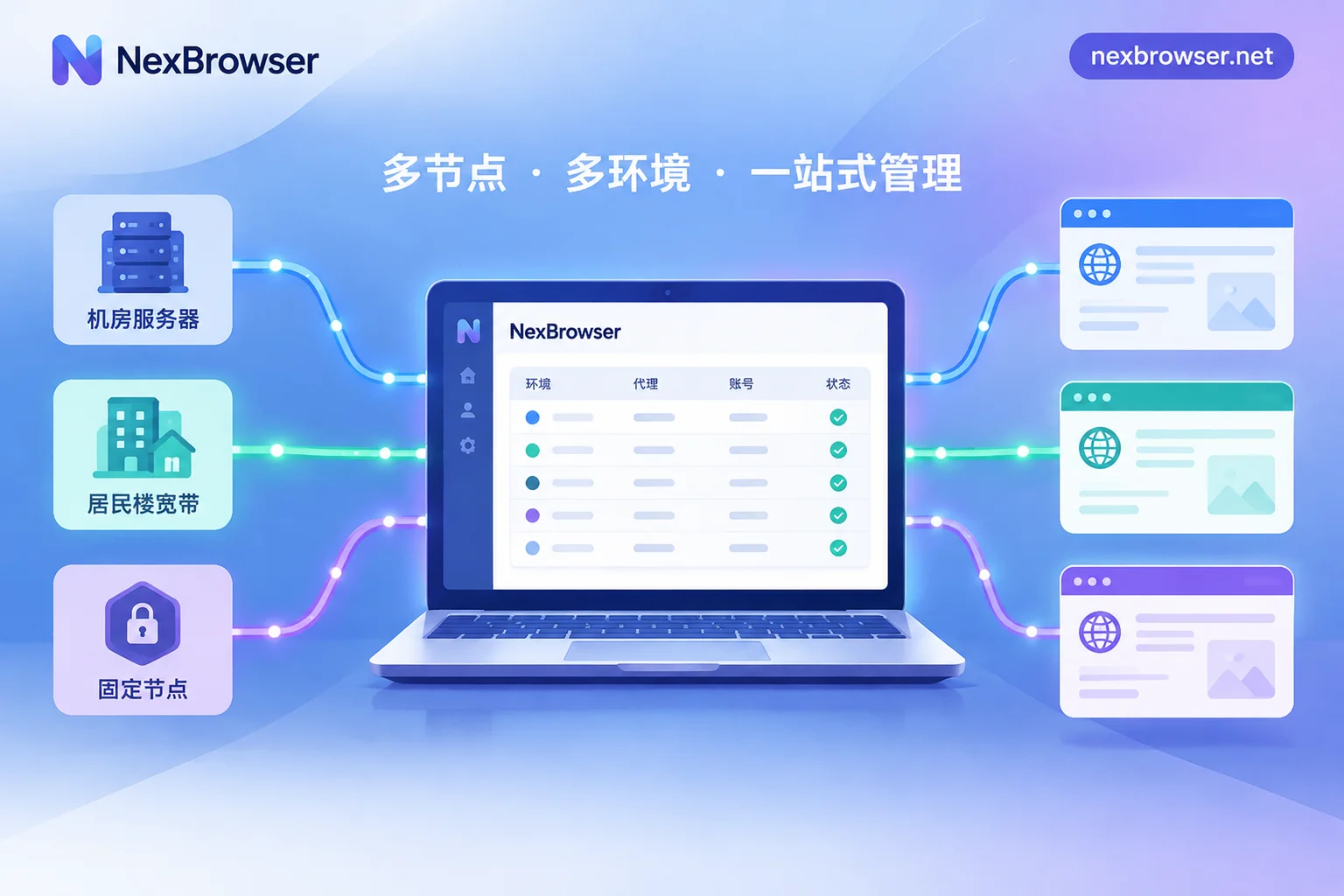
- Create and group environments by task. For example, split them into "login scraping" and "public page scraping" groups. Each environment has independent cookies, cache, local storage, and proxy.
- Bind proxies. You can bulk import your own HTTP/HTTPS/SOCKS5 proxies, or bind NexIP residential IPs with one click. Give environments for stateful tasks a fixed exit; if using a rotating residential gateway, fill in the sticky session parameters in the provider’s format. For details, see Do fingerprint browsers support rotating proxies?.
- Verify the exit is working. After binding, use the one-click check to confirm the proxy connects, then open the environment and confirm the exit IP and location match expectations. See Bind proxy and verify exit.
- Hand it over to scripts. Through the Local API, Selenium, Puppeteer, Playwright, and browser-use can connect to a specified environment. The Local API is free and has no call limit.
Currently the client is only available for Windows; the macOS version is still in development.
Common pitfalls
- Comparing only unit price: datacenter proxies have a low unit price, but if half your requests are blocked, plus retry costs, they are not necessarily cheaper than residential proxies. It is better to calculate cost per "successfully retrieved valid page."
- Setting concurrency too high: no matter how many residential IPs you have, an overly dense request pace will still trigger rate limiting. Control frequency first, then consider adding IPs.
- Using per-request rotation for login scraping: this is one of the most common causes of logout.
- Compliance boundaries: scrape only public data or data you have the right to access, follow the target site’s terms of service and robots rules, keep request frequency within a range that does not affect their service, and use only your own accounts for scraping that requires login. Also, no proxy or environment configuration can guarantee you will not be identified or limited; after launch, keep monitoring success rates.


Comments(0)