 NexBrowser指纹浏览器-官方博客Blog
The answer is: Yes, and the risk level mainly depends on two things: which rotation method the proxy uses, and how sensitive the target platform is to IP changes.
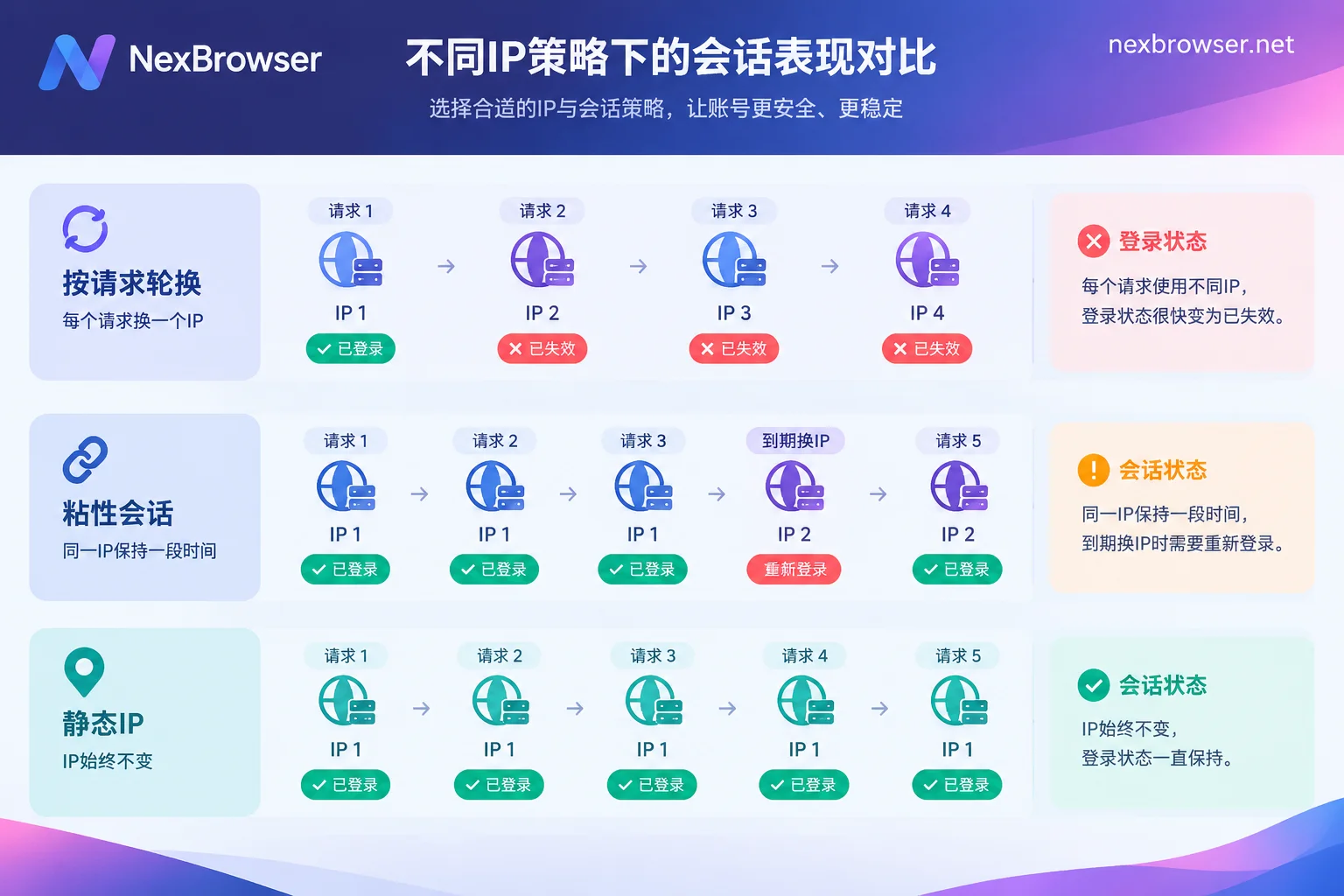
- Per-request rotation (changing the exit IP for each request): Not suitable for accounts that need to log in. Login drops and repeated verification pop-ups are very common.
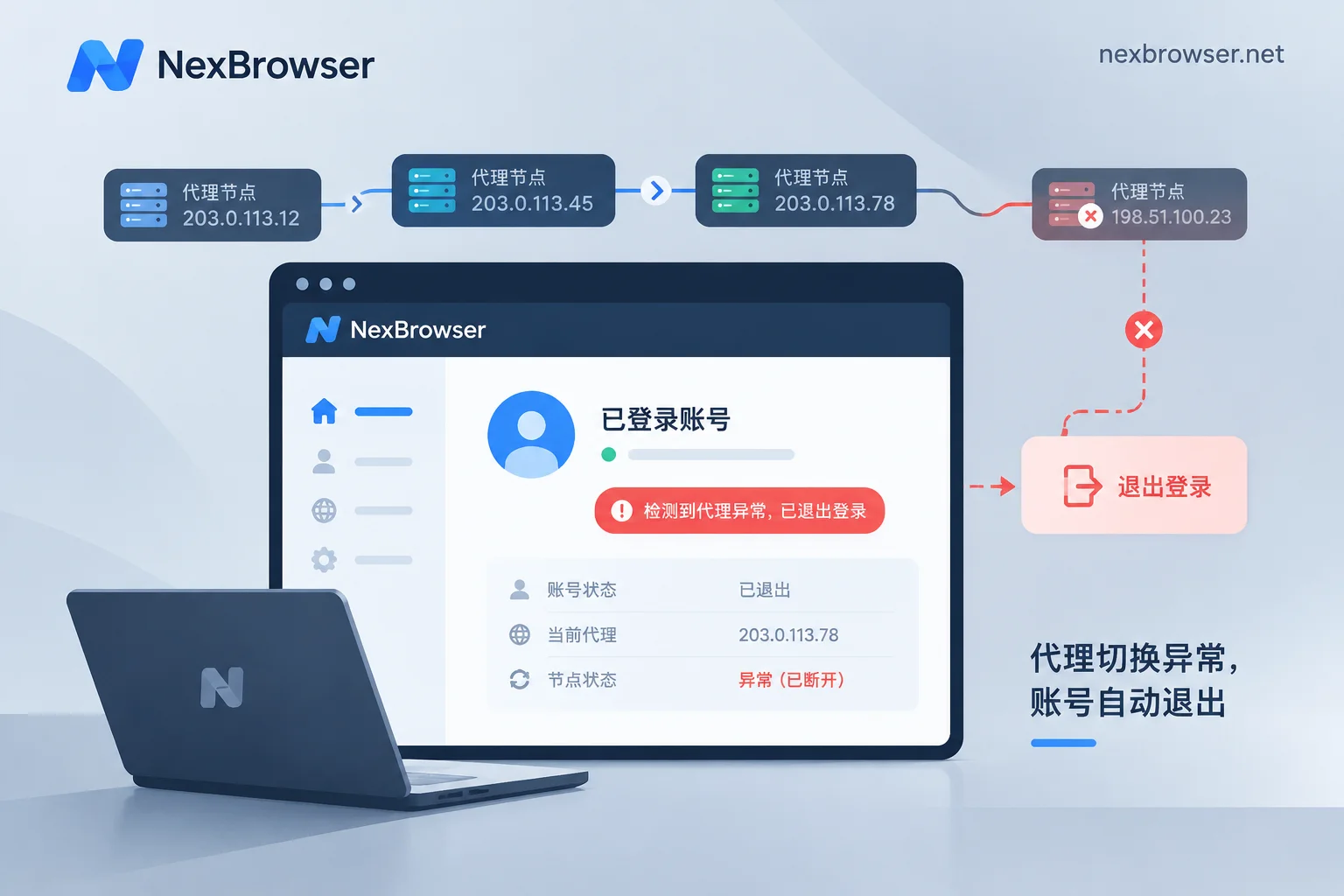
- Sticky sessions (keeping the same IP for 1 to 60 minutes): Basically stable within the valid period. When it expires or the node goes offline, the IP still changes, and the login state may be interrupted at that time.
- Static IP (fixed long-term): Most suitable for accounts that need to stay logged in long-term and are opened every day.
If you manage your own store, ads, or social media accounts and need to stay logged in for days or weeks, it is recommended to switch directly to static residential or static datacenter IPs. Dynamic rotating proxies are more suitable for large-scale scraping that does not require login.
Why Changing IP Invalidates Sessions
1. Sessions are tied to IP
After a successful login, the website sends a session credential (Session ID, Token, or security cookie) to the browser. Some websites record the client IP at that time on the server side. Later, if a request carries the same credential but originates from a different IP, the server may treat it as session hijacking. The usual response is to invalidate the session immediately and kick you back to the login page.
This approach is a common anti-session hijacking measure, but the strictness varies across platforms. Some platforms are lenient with IP changes within the same city or ISP network segment, while others destroy the session as soon as the IP changes. So the same proxy might work on platform A but frequently disconnect on platform B.
2. Rapid cross-region jumping triggers risk control
More troublesome than login drops is risk control. If an account was in the eastern US ten minutes ago, now appears in the western US, and then jumps to another country, the platform will identify it as an 'impossible travel'. The lighter consequence is forced logout and requiring a CAPTCHA; the heavier one is requiring a password reset, two-factor authentication, or even temporarily restricting the account.
If the IPs in the dynamic pool are not region-limited, this kind of jumping is very likely.
3. Multi-step operations are interrupted
Filling multi-page forms, changing account settings, checking out, or submitting pages with anti-forgery tokens (CSRF Token) all require several consecutive requests from the same identity and network context. If the IP changes midway, common results are form expiration prompts, page errors, or the operation being blocked. These situations may not log you out entirely, but they waste the operation you just did.
Already Using a Dynamic Proxy? How to Reduce the Chance of Login Drops
If you cannot switch to a static IP in the short term, you can adjust in the following order:
- First, change per-request rotation to sticky sessions. Most proxy providers enable sticky sessions through a username parameter or gateway port. Check the provider's documentation for the exact syntax.
- Set the sticky duration to the maximum allowed by the provider. The shorter the duration, the more frequent the rotation, and the more chances for login drops.
- Lock the country, and lock the city if possible. Even if the IP changes, try to keep it in the same region to reduce the chance of cross-region risk control.
- One account corresponds to one session identifier. Do not let multiple accounts share the same sticky session, and do not let one account's requests spread across multiple session identifiers.
- Avoid doing important operations across rotation cycles. For operations like changing passwords, payment information, or submitting for review, first confirm that the current IP has enough remaining valid time. If it is about to expire, wait for the new IP to stabilize and start over.
- Check the exit IP before each opening. Compare it with the region and ISP at the last login. If there is a noticeable change, do not operate first.
Even if all these are done, sticky sessions only delay the time of IP change, not avoid it. Residential nodes themselves go offline, and the gateway forces rotation when the time is up. If the account needs to stay logged in long-term, you ultimately need to switch to a static IP. For details on whether it can be integrated and how to configure sticky sessions, refer to Does the fingerprint browser support dynamic rotating proxies.
Logged Out? How to Determine if the Proxy Caused It
Login drops are not necessarily caused by the proxy. Troubleshoot first before taking action:
- Compare the timestamps. If the time of the login drop matches the time of the exit IP change, it is basically caused by the proxy. You can compare using the proxy provider's backend or browser detection records.
- Look at the prompt content. If it says 'abnormal login detected' or 'login from new device or location', it is likely related to IP or environment changes. If it is just a normal session expiration, it may be the platform's own login validity period.
- Check if cookies are still there. If the browser cache has been cleared, or multiple accounts share the same browser profile, it can also manifest as login drops. These cases are unrelated to the proxy.
- Check time zone and language. If the IP shows the US but the browser time zone is Beijing time, this contradiction itself may trigger verification. For troubleshooting methods, see IP and browser time zone/language mismatch triggers risk control.
- Confirm if it was triggered by your own actions. Changing the password or logging in on another device may cause the platform to actively log out old sessions.
If the IP has been stable and the environment consistent, but the account still drops login, check the platform's help center for login validity and security policies, and stop worrying about the proxy.
Fix the Proxy in the Browser Environment
In multi-account scenarios, a safer approach is one account per browser environment, with each environment bound to a fixed exit. This way, if one account's cookie and IP have issues, it won't affect other accounts.
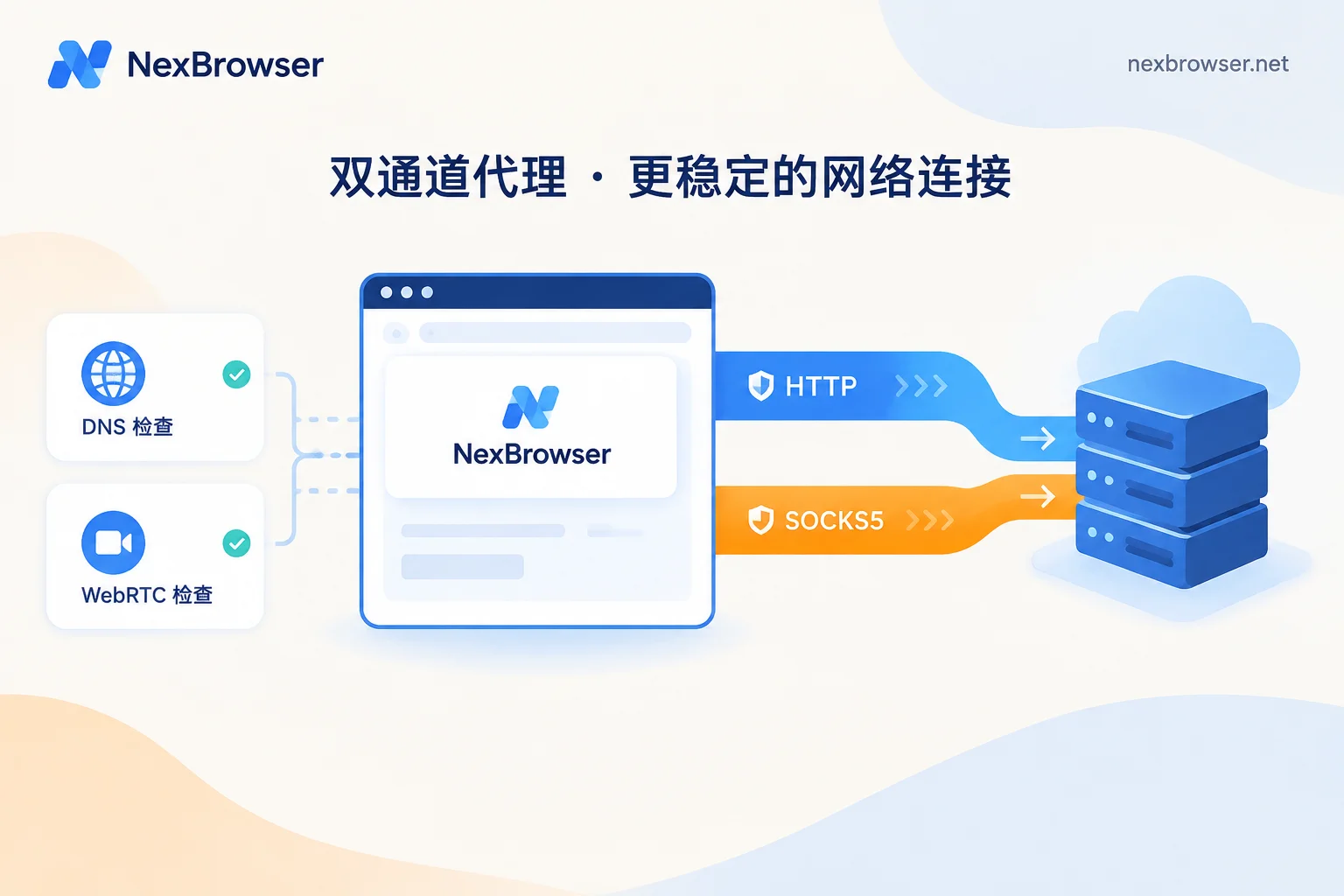
In NexBrowser, each environment has independent cookies, cache, local storage, and proxy configuration. The proxy supports HTTP, HTTPS, and SOCKS5, and can be batch imported and checked with one click, showing the actual exit IP of that environment. It is recommended to operate in this order:
- Fill in a static proxy (or set up a sticky session proxy with duration and region) for the environment, test first to confirm the exit region matches expectations.
- After opening the environment, visit an IP detection page again, verify against the previous test result, and then log in to the account.
- Thereafter, check whether the exit is the same as last time each time you open the environment. If inconsistent, troubleshoot first and temporarily do not operate the account.
For detailed steps on setting proxies for each environment, refer to How to set up proxies separately for each environment in a fingerprint browser. If you don't have a suitable static IP yet, you can learn about one-click binding of residential IPs and importing your own proxies on the Bind proxy and verify exit page.
It should be noted that a fixed exit can only solve the problem of 'login drops caused by IP changes'. The platform's login validity period, security policies, and the account's own status are still determined by the platform. No configuration can guarantee that the account will never go offline, nor can it guarantee that accounts will not be associated.


Comments(0)