 NexBrowser指纹浏览器-官方博客Blog
Here's the conclusion up front: If you only use one browser and occasionally switch exits for certain sites, an extension proxy is easier; if you need to run multiple independent account environments on one computer at the same time, an extension proxy won't hold up—you should use a built-in app proxy.
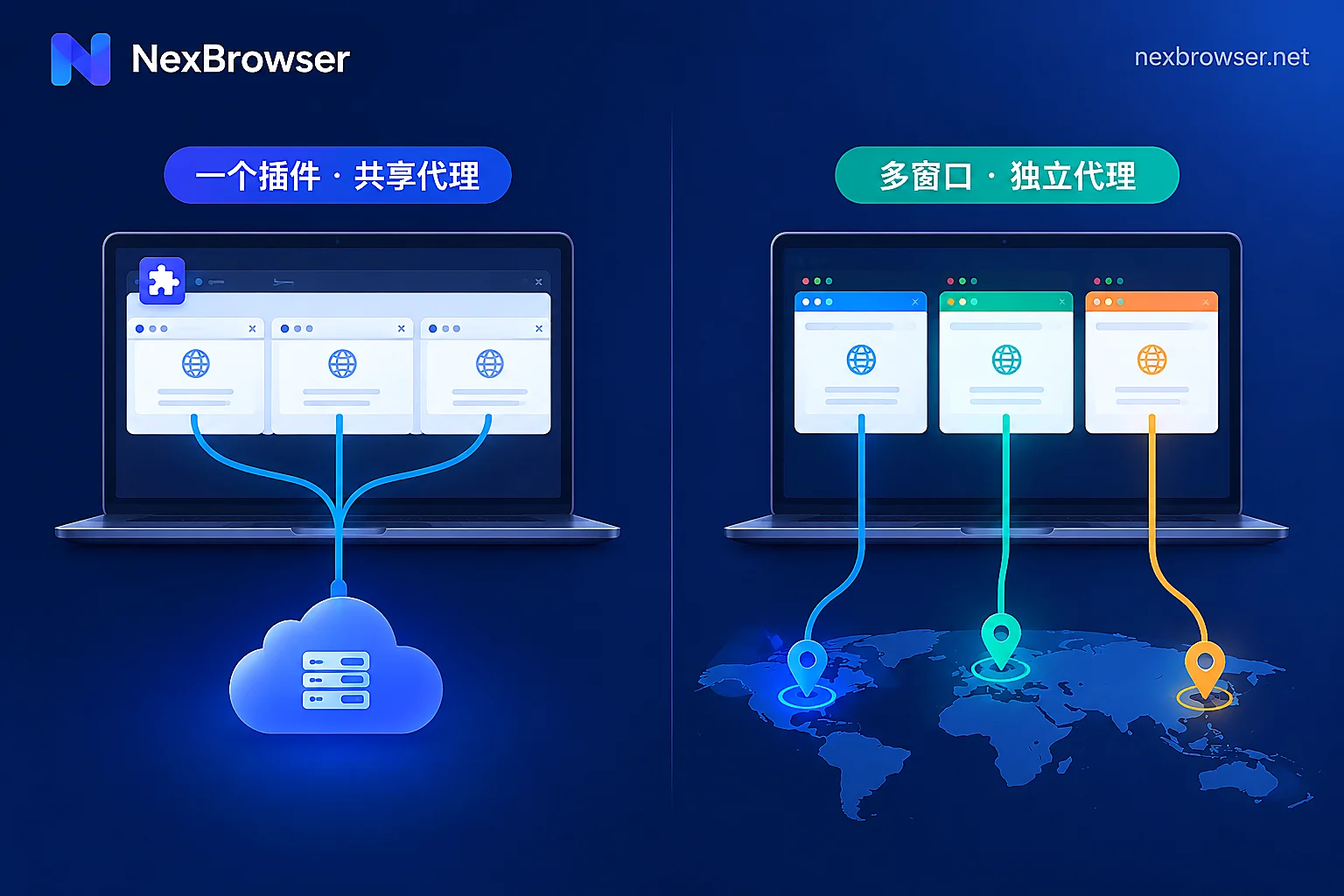
The reason isn't complicated: an extension goes back and changes the direction of requests after the browser is already open, while a built-in proxy fixes the network exit of an environment the moment it launches. Different layers mean different degrees of isolation.
The difference lies in "which layer" takes effect
Extension proxies (like SwitchyOmega and ZeroOmega) rely on the browser's proxy extension API or PAC rules, and their configuration applies to the entire browser instance. The same cookies, local storage, cache, fingerprint, and network route are shared by all tabs. You can use it for domain-level routing—say, a company backend goes direct while a scraping page goes through the proxy—but you can't make two tabs in the same window use different IPs, and account isolation isn't even on the table.
Built-in proxies are injected through environment startup parameters (such as --proxy-server) or at a lower-level network stack. Each browser profile has its own independent network pipeline and runtime sandbox, so multiple environments can run simultaneously, each using its own exit without cross-contamination. Proxy protocol (HTTP/HTTPS/SOCKS5) parsing, bulk import, and connectivity checks are usually integrated into the client as well, with no external extension required.
Leaks: the two things extension proxies get asked about most
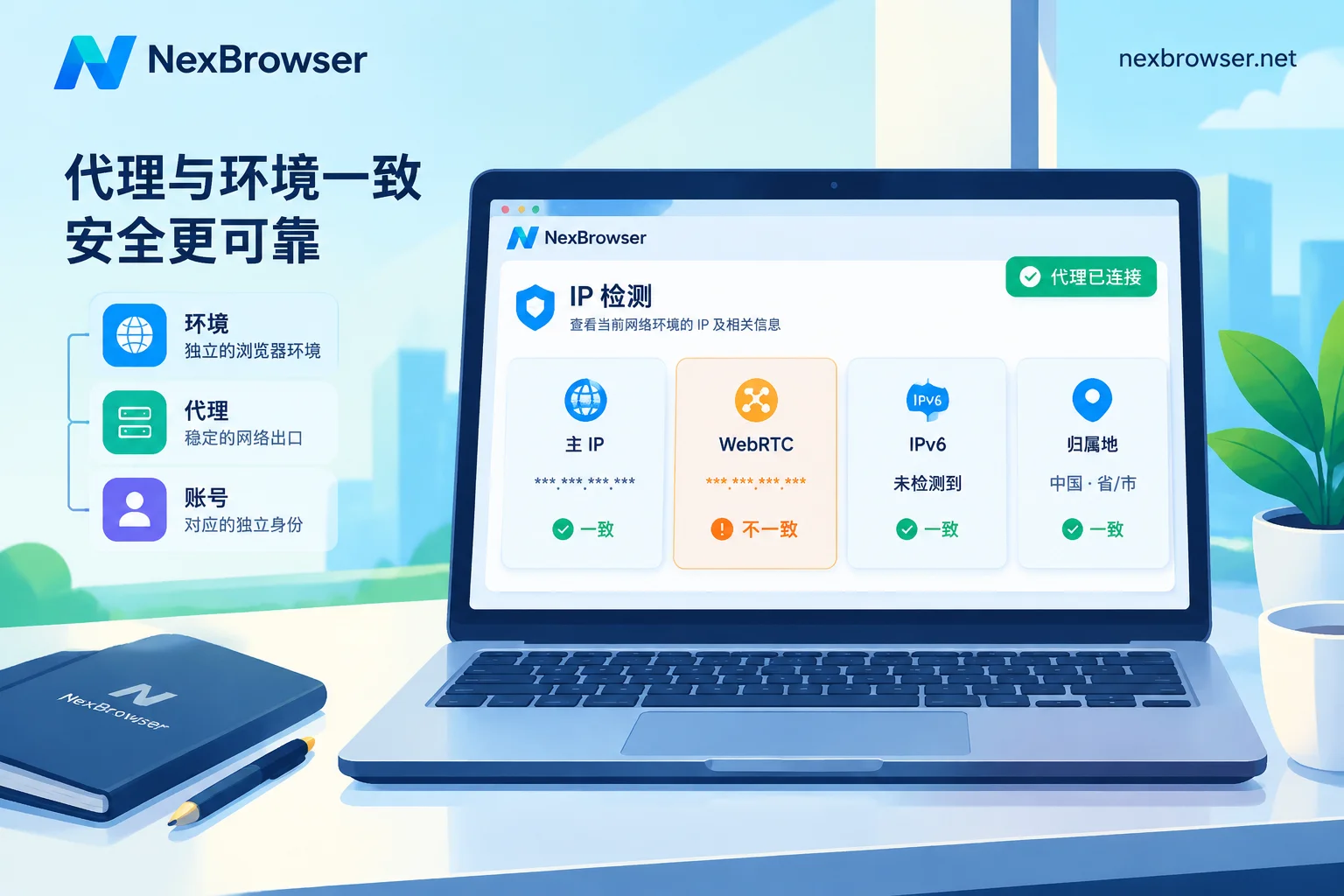
WebRTC. WebRTC uses STUN/ICE to discover local network interfaces over a UDP channel, while most extensions only proxy HTTP/TCP requests. That channel is easy to bypass and can expose your real public or private IP. You can install another helper extension to disable WebRTC, but that's "turning it off," not "aligning it"—once disabled, the environment appears to the target platform as having WebRTC unavailable, which may not match how typical users in the proxy IP's region behave. A built-in proxy, by contrast, can arrange WebRTC behavior according to the environment's proxy exit so it stays consistent with the exit IP.
DNS. If domain resolution doesn't follow the proxy, the request target may expose the local ISP's resolution result. This is worth verifying on both extension and built-in proxies, and the method is the same: after connecting, open a detection page and check whether the exit IP, geolocation, time zone, and language are all in the same place.
For how to verify whether an environment is actually leaking, see this checklist—three types of issues, three tools, and you'll have your answer after going through it once.
Proxy IP and environment fingerprint must match
What's more likely to cause trouble than "whether the proxy connected" is contradictory characteristics: the exit IP is overseas, but the system time zone, language, and geolocation are still local; the proxy shows one country while WebRTC reveals an address in another region. This kind of contradiction is itself an anomaly signal.
An extension proxy can't manage fingerprints—it can only change network routing. A built-in proxy environment can sync parameters like time zone, language, and coordinates to the bound exit IP. As for the specific order of operations, setting up a proxy separately for each environment means filling in the proxy first, then testing, then aligning the fingerprint, and finally doing an online review; the difference between SOCKS5 and HTTP in web scenarios isn't as big as you'd think, and what really needs attention is DNS and WebRTC.
Maintenance and automation
The extension route requires manual rule maintenance: switching providers, changing ports, or extension version upgrades causing failures—you have to keep up with it all yourself. Third-party extensions also carry permission and update risks.
The built-in proxy route folds these into the client: bulk import, one-click testing, environment grouping, and template duplication. If you need to write scripts, you can launch environments with specified proxies through the Local API, and Selenium, Puppeteer, Playwright, browser-use, and Playwright MCP can all take over—the extension approach has essentially no equivalent here.
Which one to choose and when
- Individual, one account, occasional browsing or domain-level routing only: extension proxy—ready in minutes.
- Multi-account matrix operations: built-in proxy. Extensions can't give accounts in the same browser independent exits.
- Team collaboration, handing environments to colleagues: built-in proxy. Environments and their proxies can be shared with role-based access, while extension configs follow an individual's browser.
- Connecting to RPA or script automation: built-in proxy, for the same reasons as above.
How to bind it in an environment and confirm it works
Take NexBrowser as an example—just three steps: fill in the proxy directly when creating an environment (supports HTTP/HTTPS/SOCKS5, with bulk import), click test once before saving to check whether the exit IP, geolocation, and time zone are consistent, then open the environment and do a homepage review. Each environment has its own cookies, cache, local storage, and proxy, with no need to install any proxy extension.
The specific locations for binding a proxy and verifying the exit are in Residential IP and environment proxy; get the client from the download page. The free tier doesn't cut features, and you can scale up when window and member capacity isn't enough.
One reminder: no configuration equals "won't be linked." A clean exit, a consistent fingerprint, and behavior matching the account itself must all hold true together. If something doesn't match on the detection page, don't rush to go live—troubleshooting item by item based on the cause is more effective than repeatedly switching proxies.


Comments(0)