 NexBrowser指纹浏览器-官方博客Blog
In cross-border e-commerce, social media matrices, ad placement, and data collection businesses, a trend that gives operations teams headaches is spreading: platform 'Cascading Bans' and Device-Graph scrutiny have become the norm.
In the past, a single account triggering risk control was often just a single-point loss; but under today's anti-fraud systems, platforms no longer rely solely on a single Cookie or IP address to identify users. Instead, they cross-compare Canvas rendering hashes, WebGL, AudioContext, hardware concurrency, font lists, and network exit characteristics to build a three-dimensional device graph. Once an environment shows parameter contradictions or network leaks, not only will the current account be blocked, but all accounts sharing similar underlying features or with environmental overlaps will be traced and batch-reviewed.
Many teams wonder: we're already using an anti-detection browser, so why do accounts still suddenly blow up after half a month of warming up, or the day after being handed over to a colleague?
The core issue is that anti-detection confrontation has long passed the stage where 'changing a few parameters randomly can fool the system.' To choose a truly robust anti-detection browser, you can't just look at its detection score when creating the first window; you need to examine its real performance on the four lines of defense: internal parameter consistency, session continuity on second open, team handover flow, and automated operations.
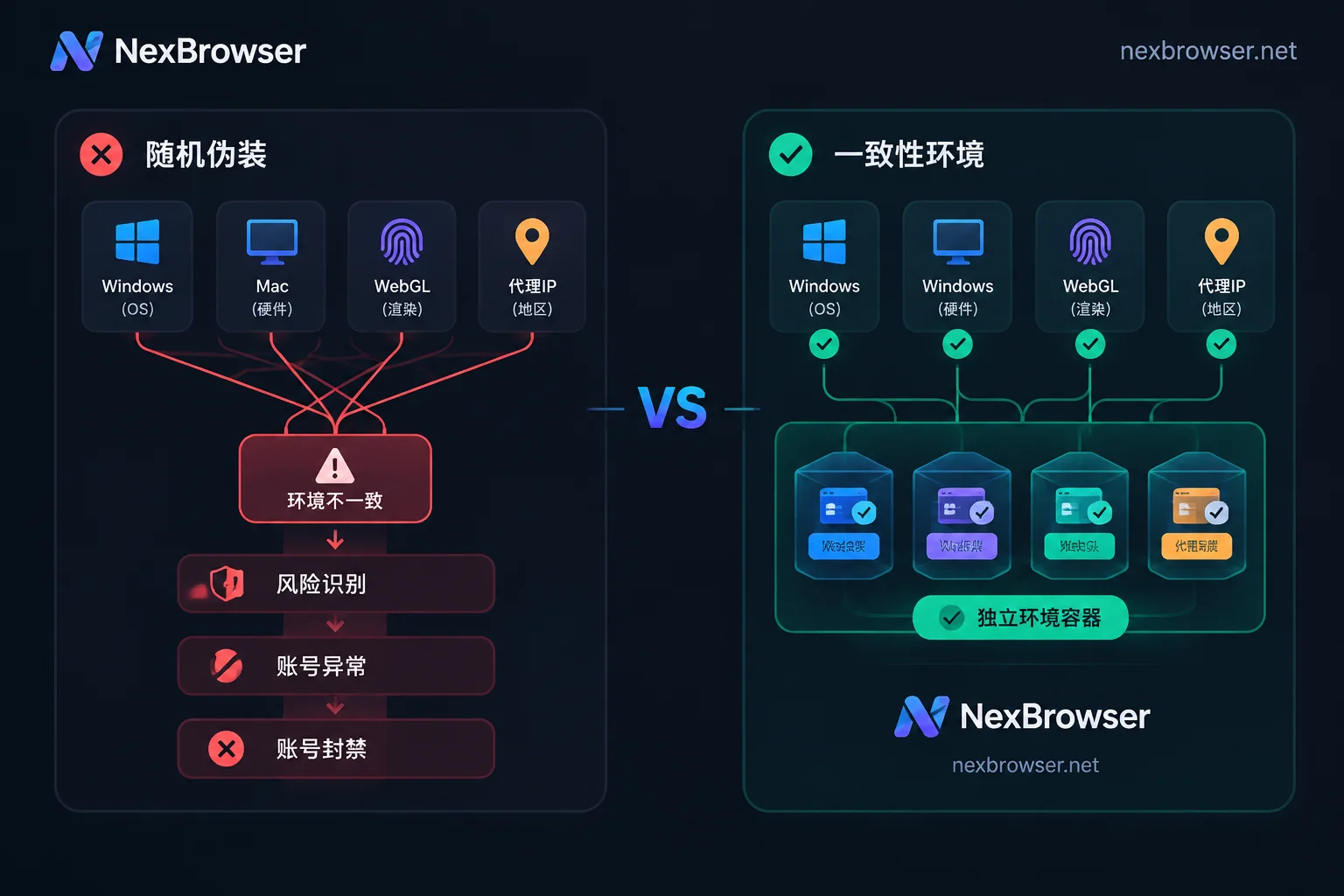
Defense Line 1: Reject 'Patchwork Disguise'—Fingerprint Parameters Must Be Internally Consistent
Many early tools used a 'random lottery' logic when generating environments—forcing together different operating system features, graphics card rendering parameters, and resolutions. In the eyes of risk control machine learning models, a browser claiming to be Windows 11 but exposing a font list only available on macOS, or a User-Agent with a Chrome version that has long iterated while underlying WebGL features remain two years old—such 'self-contradiction' is itself the most obvious anomaly signal.
If you're still unclear about which underlying metrics platforms are reading, you can first refer to why accounts get associated and previous troubleshooting ideas on how to detect the authenticity and disguise leaks of fingerprint browser environments.
When evaluating an anti-detection browser's fingerprint parameters and privacy protection capabilities, two core aspects matter:
- Consistency of parameter generation: Take NexBrowser as an example. Each environment's Canvas, WebGL, fonts, Audio, screen, hardware, User-Agent, and other parameters are independently generated and mutually consistent. The software includes built-in parameter templates for Windows, macOS, Android, and iOS, supporting both one-click generation of compliant configurations and manual specification by advanced operators.
- Cloud synchronization of kernel and templates: If the browser kernel is not updated for a long time, the disguised environment becomes a 'rare species' on the internet. NexBrowser is built on the Chrome kernel, and its built-in parameter templates are updated in the cloud with Chrome kernel versions, ensuring generated environments always match the feature distribution of current mainstream real devices.
Defense Line 2: Control the 'Second Day Open' Flaw—Hold the Line on Network and Storage Continuity
In recent industry tests, a high-frequency pitfall has emerged: many anti-detection browsers perform perfectly when first launching a new environment, but on the second day when reopening or switching proxies mid-way, they are extremely prone to local state loss or real network feature flashes (Leaks).
For cross-border stores and long-term ad accounts, the account's 'memory' and network attribution must be highly stable:
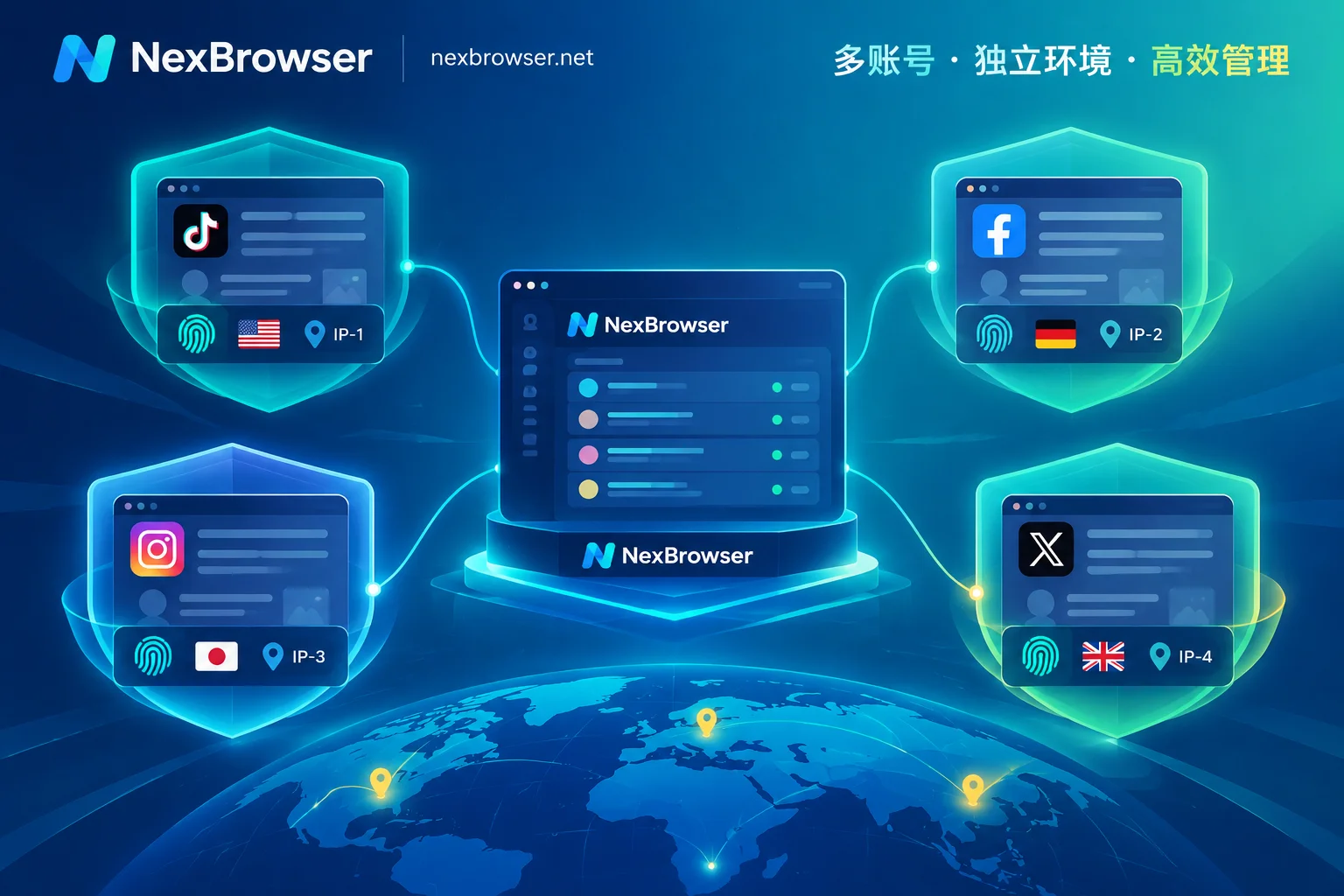
- Deep storage isolation and cloud relay: Beyond regular cookies, modern web pages heavily use local storage (including IndexedDB) to record device state. Under NexBrowser's multi-account environment isolation mechanism, each environment's cookies, cache, local storage, and proxy are completely independent and do not read each other. When closing the environment, this data is encrypted and synchronized to the cloud according to the selected scope; even when logging in from another machine, it can be restored exactly as is, avoiding platform secondary verification triggered by cache loss (Note: passwords stored within the window remain only on the local machine and are not migrated with cloud synchronization, balancing asset security).
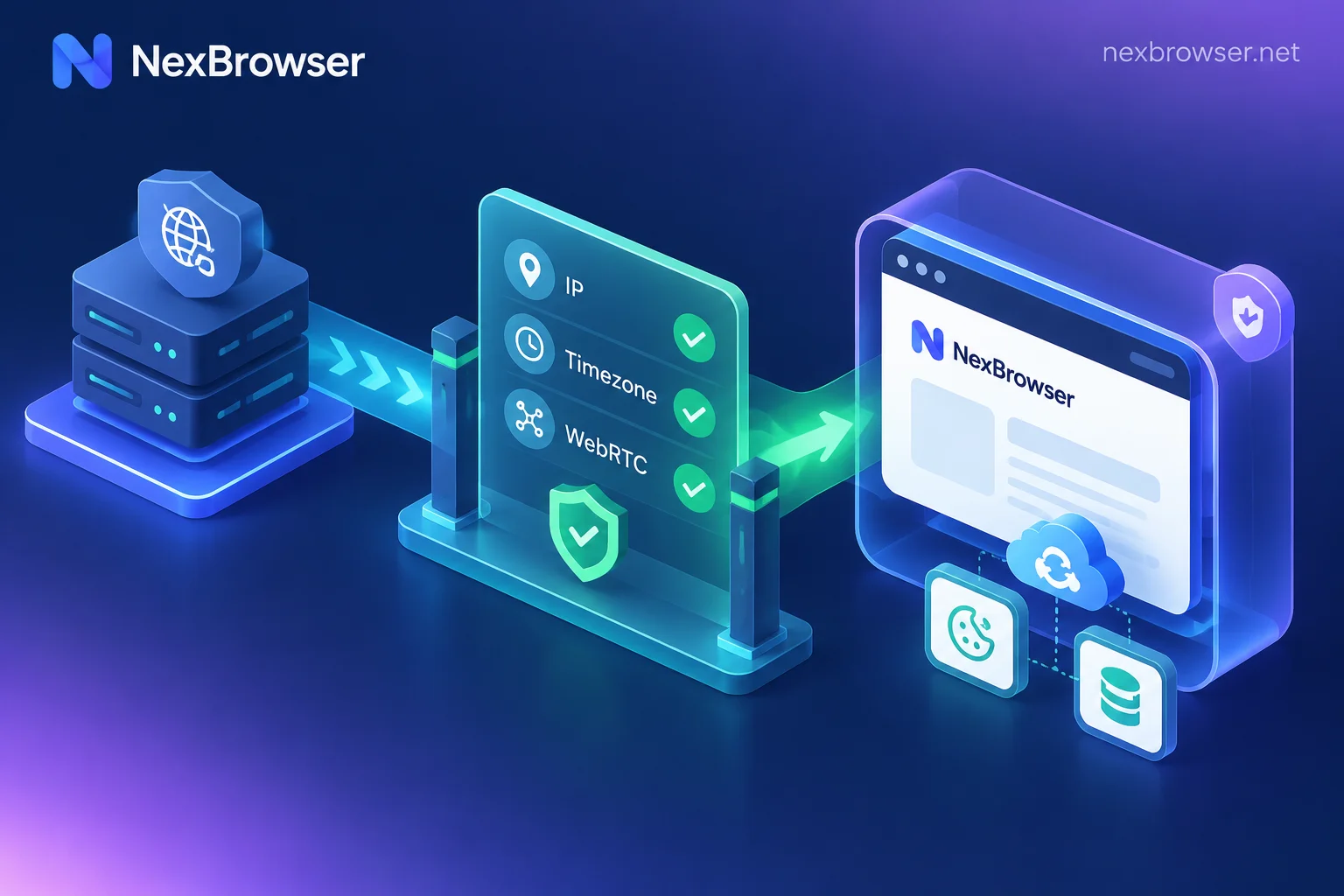
- Pre-launch check to block 'naked running' risks: Proxy failure is the number one killer leading to real IP exposure. We have detailed the correspondence between IP and environment features in IP and browser timezone/language mismatch triggering risk control. To mechanically eliminate mistakes, NexBrowser's proxy and residential IP solution includes a mandatory pre-launch check—before the environment starts, it checks the proxy exit's connectivity, latency, and attribution; if the check fails, the environment will not start; meanwhile, WebRTC policy, timezone, language, and geolocation automatically align with the proxy exit IP. Even if the proxy needs to be changed mid-way, the original cookies and local storage will not be cleared.
- Closed-loop verification code handling: When platform spot checks require SMS verification, no need to scramble between multiple physical phones. Directly use the built-in cloud phone number (NexSMS number center) in the environment sidebar to get a number by country/region and target platform, receive SMS, and fill in the verification code; key accounts requiring long-term maintenance can also be converted to long-term rental, billed by usage, independent of browser plans.
Defense Line 3: Say Goodbye to 'Sending Passwords, Passing Spreadsheets'—Bring Team Handover into Risk Control Guardrails
When business scales from individuals to teams, the cause of multi-account blowups is often no longer technical confrontation failure but 'human error'—such as sending account passwords in plaintext via chat tools, or two people simultaneously opening the same store environment from different locations causing session conflicts (see what happens when multiple people log into the same browser environment simultaneously).
A truly mature anti-detection browser must be a workstation that enables team collaboration to land safely:
- Password-free sharing and auto-fill: After a team admin binds platform accounts to an environment, they can directly share the environment password-free with operations members. When members launch the environment, the system automatically fills in the login, and they never come into contact with plaintext passwords.
- Concurrency conflict lock: The same environment can only be opened by one member at a time, fundamentally eliminating abnormal concurrency and data overwrites caused by 'one person editing products while another logs out.'
- Fine-grained roles and auditing: Founders can create custom roles and precisely define 'which groups members can see' and 'which functions they can operate' in the role and permission matrix. All permission changes and member operations are traceable. Combined with batch environment creation, batch proxy binding, and template copying (copying a template automatically generates new fingerprint parameters), new employees can take over standardized independent environments within minutes.
Defense Line 4: From Mechanical Scripts to Intelligent Takeover—Make Batch Operations More Natural
After solving environment isolation, how to improve human efficiency without triggering behavioral risk control is the fourth key dimension of selection. Different business actions require tools at different levels (for further reading, see how AI browser automation can implement multi-account business):
- Temporary concurrency requiring human judgment—use window synchronization: Clicks, inputs, scrolls, and URL navigations in the main window can be synchronized in real-time to multiple slave windows, each still running under its own independent fingerprint, cookies, and proxy. To avoid platform alerts caused by mechanical synchronization, you can individually toggle synchronization items and set operation intervals and throttling.
- Fixed repetitive daily processes—use RPA scripts (Beta): Drag and drop variables, conditional judgments, loops, and waits on a no-code canvas. Each step supports failure retry, execution logs are recorded per environment and per step, and errors can be precisely located.
- Non-standard complex tasks—hand over to AI Agent: The client includes Nex Agent. Simply describe the task in natural language, and it can open environments, operate pages, fill forms, or take screenshots, and even decompose tasks into multiple windows for parallel execution. Login state is saved per environment and resumes directly on the next run; for irreversible operations like payment or publishing, you can set 'request human approval first' for safety and control.
- Developer deep customization—connect directly to Local API and MCP: If you have an in-house team, NexBrowser freely opens unlimited local HTTP interfaces (OpenAPI) with the Windows client, supporting Selenium, Puppeteer, Playwright, and browser-use frameworks to read CDP takeover; it also provides NexBrowser MCP Server, allowing clients like Claude Code and Cursor to directly schedule independent fingerprint environments.
Conclusion: Reject Feature Crippling, Validate Your Business Loop with Transparent Costs
Many anti-detection browsers on the market advertise low prices, but in actual use, they split Local API, window synchronization, RPA, or team seats into expensive enterprise editions charged per item.
In NexBrowser's pricing system, we insist on no feature tiers—whether it's multi-account isolation, window synchronization, RPA orchestration, or free Local API and MCP integration, all features are fully open in the free tier (no credit card required, quota never expires; specific window and member quotas are subject to the current terms on the campaign page). When your account scale expands and you need to upgrade, payment is only for purchasing additional window and member capacity.
If you're looking for an anti-detection browser that can withstand the rigorous device fingerprint scrutiny of 2026 and smoothly connect teams and automated workflows, visit the client download page to get the Windows 10/11 (64-bit) installer, or open the official comparison center to view detailed parameter comparisons with mainstream tools, and run through your secure growth loop in a real business environment.


Comments(0)