 NexBrowser指纹浏览器-官方博客Blog
Bottom Line Up Front: The Role of TLS and JA3 Fingerprints in Cross-Border Risk Control Is to Move Judgment to the Handshake Phase
When your fingerprint detection page shows all JS parameters as green, yet the platform repeatedly demands identity verification, the issue likely lies at a deeper level. The role of TLS and JA3 fingerprints in cross-border risk control is to move judgment from page scripts to the network handshake—before you see any page content, the server has already determined your trustworthiness via TLS fingerprint.
Clarify Two Things First: JS-Layer Fingerprint Readings vs. TLS Handshake Signatures Are Not on the Same Layer
Many people equate “browser fingerprint” with Canvas, WebGL, AudioContext—data that JS can read. But TLS fingerprint and browser fingerprint are not the same. Browser fingerprint is rendering-layer data collected by JavaScript after page load, whereas TLS fingerprint is generated during the TLS handshake, before any JS executes. When you open an HTTPS page, the browser completes TLS handshake first, then downloads and executes page scripts. Thus, a “all green” detection page covers only the JS layer and is oblivious to JA3/JA4 signatures at the handshake layer. If handshake characteristics don't align with subsequent HTTP declarations, even if JS layer is all green, risk control may still deem it high-risk. The mismatch between JS and network layers isn't unique to TLS; WebRTC fingerprint leak prevention is another face of the same issue.
How JA3 Is Computed: Cipher Suites, Extensions, and Curves in ClientHello
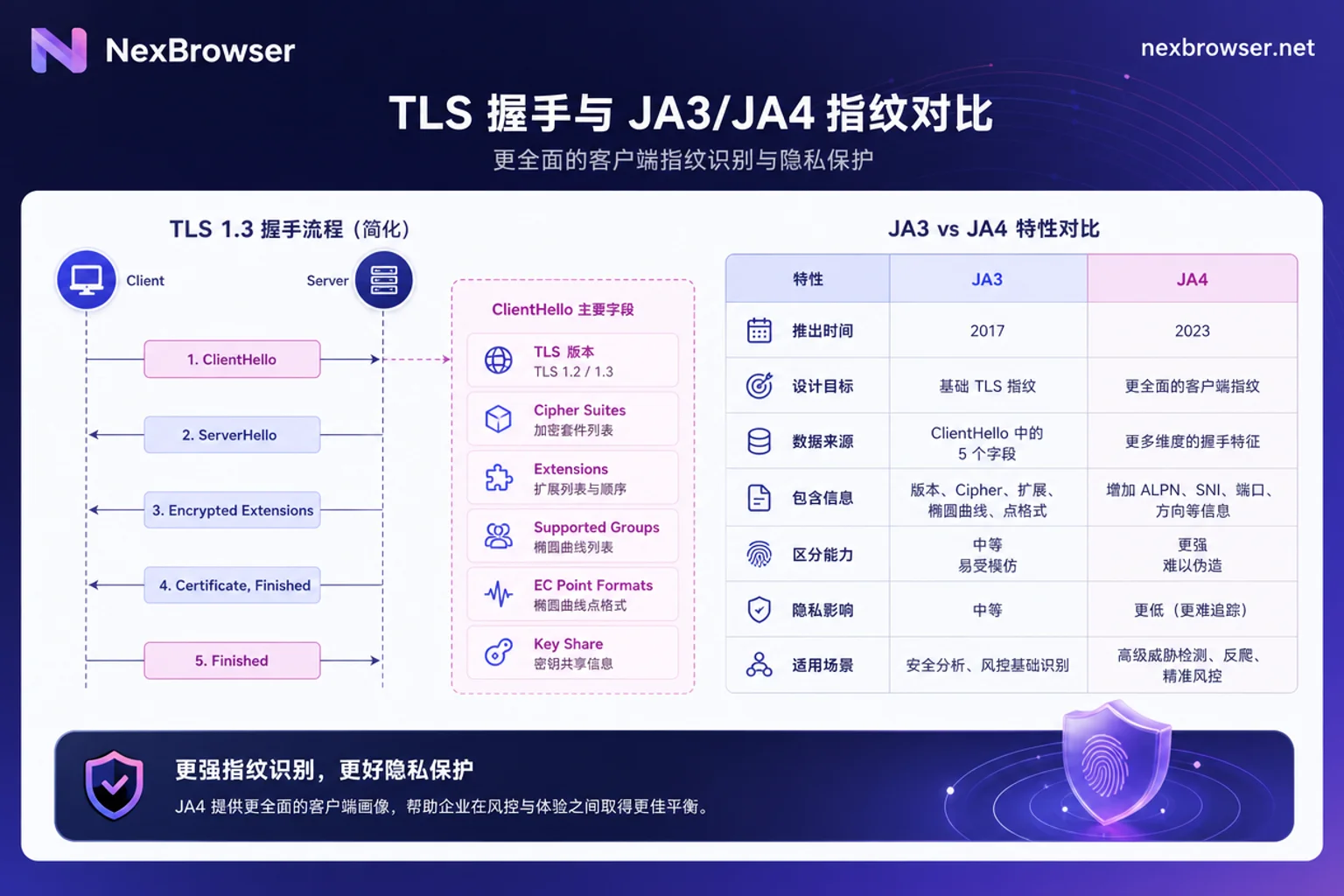
What is a ja3 fingerprint and how is it generated? When a client initiates a TLS handshake, it sends a plaintext ClientHello message containing five key items: TLS version, cipher suite list, extension list, supported elliptic curve list, and elliptic curve point formats. The JA3 fingerprint is the MD5 hash of these five items joined by commas in order. These fields are determined by the underlying crypto library (e.g., BoringSSL, OpenSSL) and the system's network stack, not configurable at the page layer. Therefore, changing JA3 via simple page settings is unrealistic.
What JA4 Sees More Than JA3, and Why Risk Control Keeps Both Variables
What is the difference between ja3 and ja4? Simply put, JA3 is an early scheme sensitive to extension ordering, while JA4 is improved, using alphabetical sorting and a structured format for stability, and additionally includes protocol type and ALPN identifier. Modern browsers (like Chrome) randomize TLS extension order, causing JA3 fingerprints to vary frequently—the same browser may produce different JA3 values each connection, challenging risk control stability. JA4 (open-sourced by FoxIO) addresses this with an a_b_c structured format that sorts extensions alphabetically and includes protocol type and ALPN (Application-Layer Protocol Negotiation). This yields a more stable JA4 fingerprint that better reflects real browser characteristics. Because both have different focuses, Cloudflare provides both cf.bot_management.ja3_hash and cf.bot_management.ja4 variables in its rules engine, enabling flexible combinations in risk control strategies. AWS WAF also supports JA3/JA4 hash matching and rate aggregation in CloudFront and ALB, showing industry attention to handshake-layer fingerprints.
Does JA3 Fingerprint Change After Switching Proxy IP? Why Tunnel-Type Proxies Don't Alter Handshake Characteristics
Does ja3 fingerprint change after switching proxy ip? The answer is no. SOCKS5 proxies and HTTP CONNECT forward proxies only establish a TCP tunnel, transparently forwarding the byte stream between client and server without terminating or decrypting the TLS handshake. Thus, the ClientHello sent by the client reaches the server unchanged, and the JA3/JA4 signature remains the same. This also explains why you might still face risk control after switching IP—the change is in egress IP ownership and reputation, not handshake characteristics. Does socks5 proxy alter tls handshake characteristics? Similarly no; it's just a relay at the transport layer.
Why Changing User-Agent Makes You More Likely to Be Blocked: How Three-Layer Cross-Validation Detects Conflicts
Risk control systems typically cross-check three layers of information: TLS handshake characteristics, HTTP headers (like User-Agent, Client Hints), and JS-layer environment readings. If you modify the UA declaration at the browser extension level, but the underlying network stack still sends ClientHello with old or non-matching kernel features, the system will detect a mismatch between protocol-layer and application-layer declarations, flag it as feature conflict (Spoofing), and trigger stricter challenges. This is the essence of why changing user agent makes interception more likely. We only explain the mechanism; we do not provide evasion methods.
Layer-by-Layer Self-Check Order: First Egress Ownership, Then Handshake Consistency, Finally JS-Layer Declarations
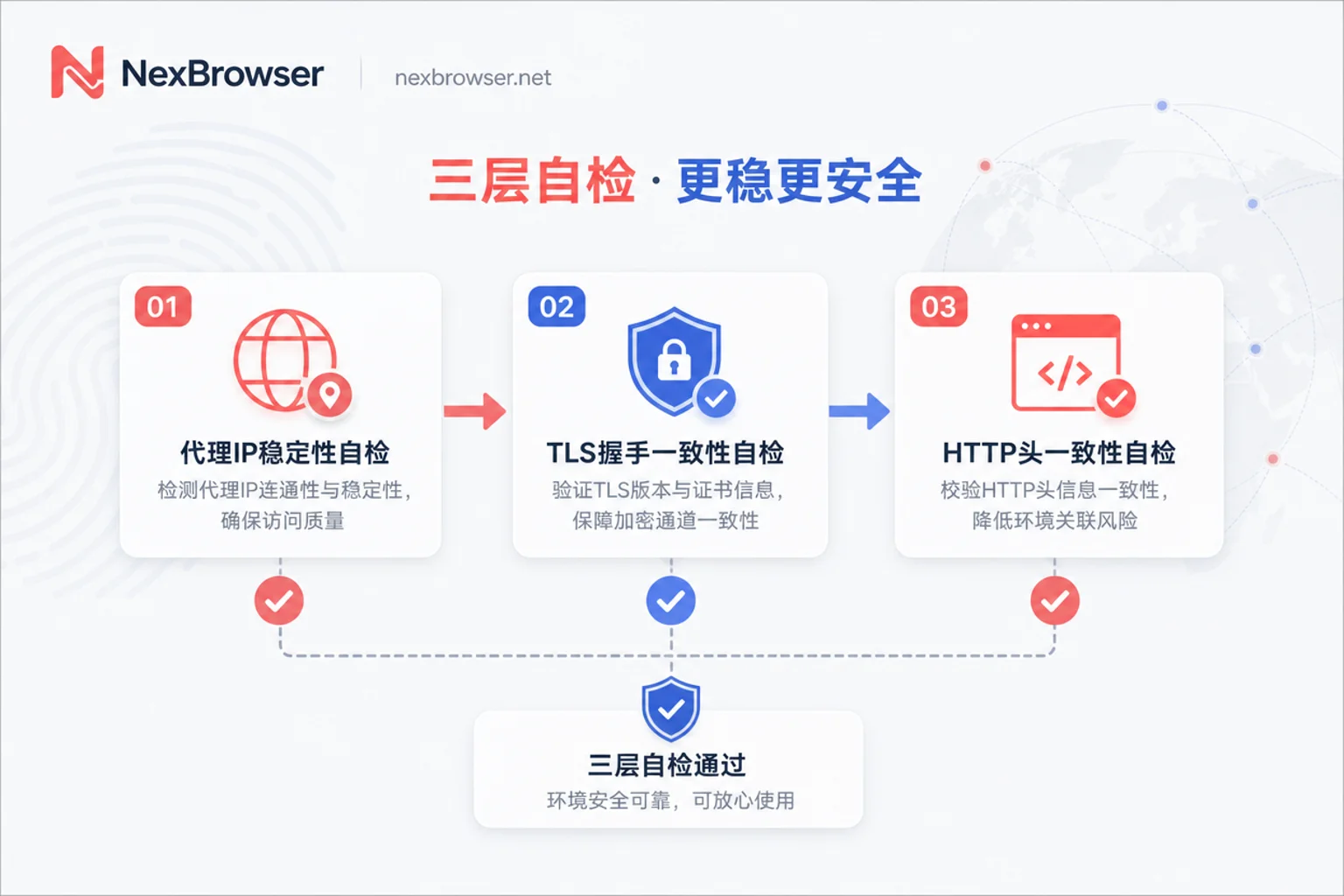
Understanding the role of TLS and JA3 fingerprints in cross-border risk control gives a clear basis for troubleshooting order. When you encounter “parameters correct but still challenged,” follow this order:
| Layer | Check Item | Description |
|---|---|---|
| Layer 1: Egress Ownership | Is proxy IP stable? Does its geographic location match the target market? | Tunnel proxies may cause frequent IP changes, affecting IP reputation. |
| Layer 2: Handshake Consistency | Is browser kernel version mainstream? Have extensions modified request headers? | Handshake features are determined by the kernel and crypto library; extensions can't change them. |
| Layer 3: Declaration Consistency | Do UA, Client Hints, and JS-layer readings match the kernel and system? | Ensure three-layer declarations are consistent, not contradictory. |
This order helps you locate the root cause: if egress IP changes frequently, first address link stability; if kernel is outdated, upgrade browser; if UA is tampered by extensions, restore original declaration. Note that handshake signature is determined by the kernel; operators can only ensure the three layers don't conflict, not construct a specific signature value. The exact triggers inside platforms are not public; only observation via logs and gray testing is possible.
What You Can Check and Cannot Check in NexBrowser
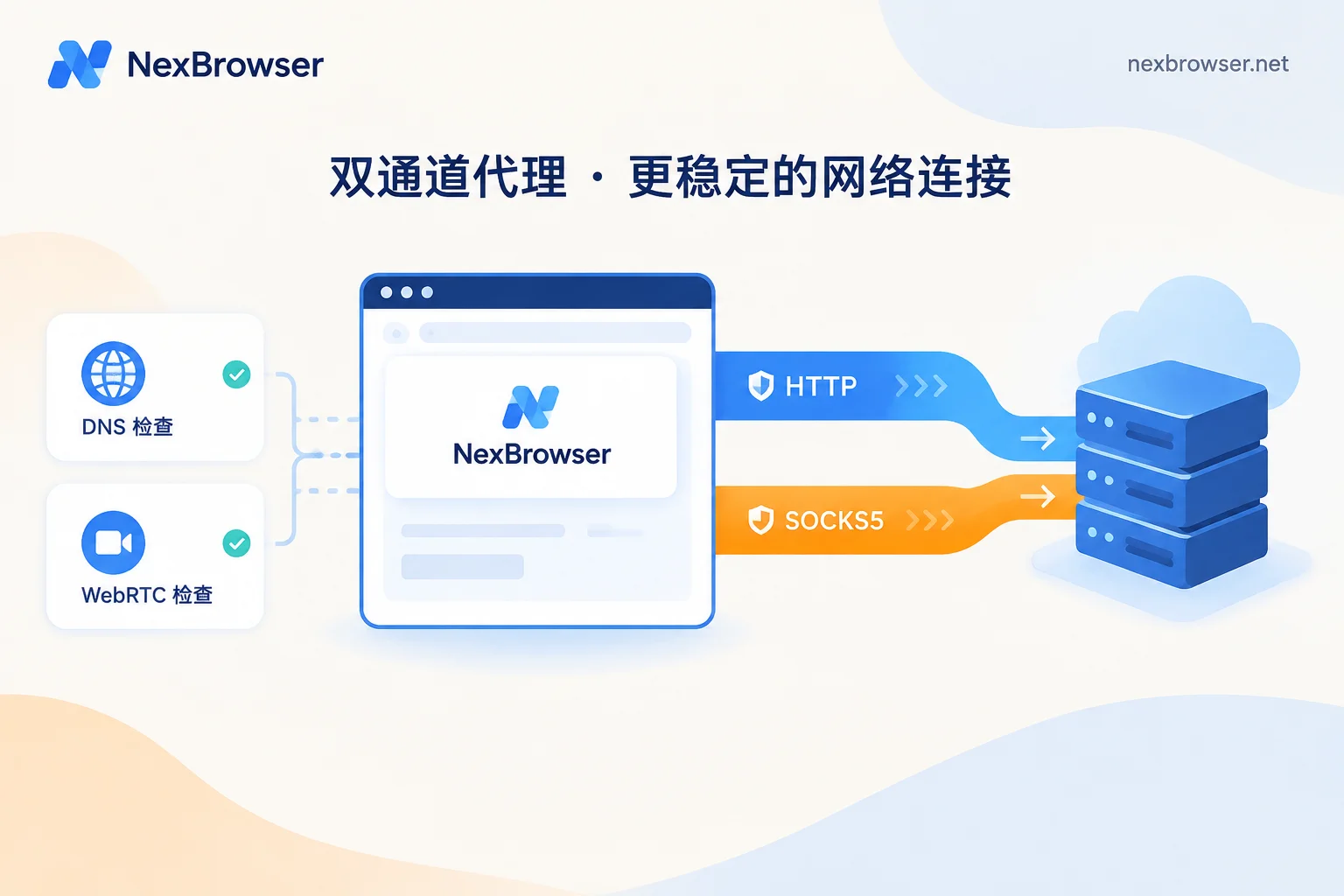
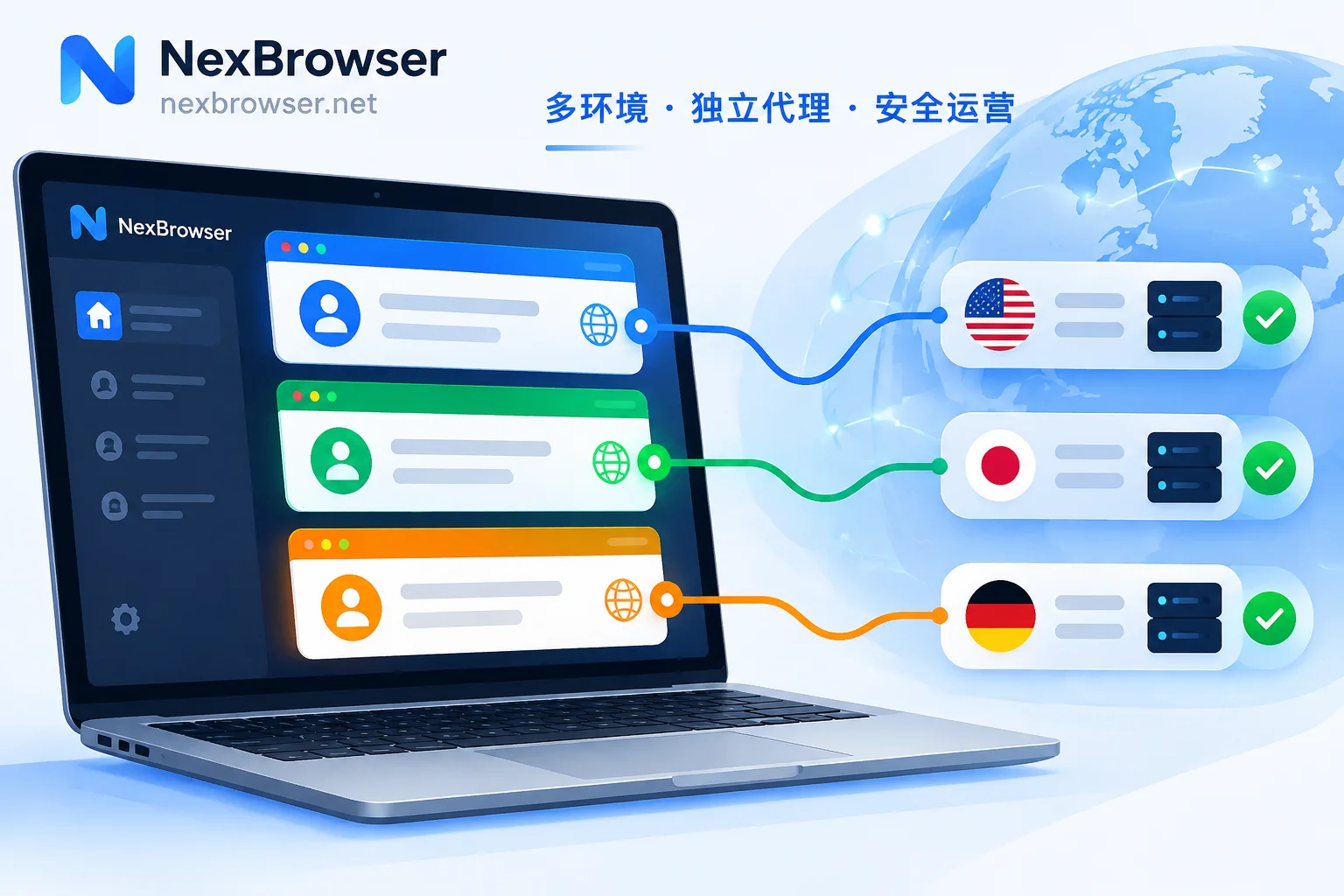
NexBrowser helps you manage proxy bindings for multiple isolated environments, ensuring stable and controllable egress IPs. You can use the proxy IP binding browser feature to assign exclusive proxies per environment, avoiding IP mixing. In the fingerprint browser configuration tutorial, you can centrally view and manage UA, Client Hints, and other parameters across environments to ensure consistency. For batch checks, you can use the Local API for automation. However, it's crucial to note: NexBrowser does not provide modification or simulation of TLS handshake signatures, because handshake characteristics are determined by the environment's kernel and network path. It must be clear that TLS handshake features are determined by the underlying crypto library and kernel negotiation process; any claim that you can arbitrarily customize JA3/JA4 and guarantee no risk control triggers lacks verifiable evidence.
Common Claims vs. More Accurate Statements, and a One-Page Self-Check List
Here's a comparison table for popular claims:
| Popular Claim | More Accurate Statement |
|---|---|
| “Buying a dedicated IP avoids risk control” | Dedicated IP only improves egress ownership; TLS handshake signature remains unchanged; risk control may identify via other layers. |
| “Randomizing UA with extensions is safer” | It may cause handshake-UA conflict, increasing risk of being flagged as spoofing. |
| “Tools can customize arbitrary JA3 values to ensure no triggers” | Handshake features are determined by the underlying crypto library; manual tampering often leaves anomalies in cryptographic parameters and extension structures; risk control also considers behavior, IP reputation, and business rules, so no such guarantee can be made. |
Self-check list:
- Confirm egress IP ownership and proxy link stability.
- Check that browser kernel is a current mainstream version and not modified by local middle layers.
- Verify UA and Client Hints align with kernel and system declarations.
- Observe over time, recording challenge frequency as basis for adjustment.
Frequently Asked Questions
How to check my browser's ja3 fingerprint?
Visit public TLS fingerprint detection sites (e.g., tls.browserleaks.com/tls, ja3er) to view the JA3/JA4 hash corresponding to your browser's ClientHello. Different sites may compute slightly differently; use the same site for before/after comparisons. Alternatively, packet capture can analyze TLS handshake messages, but that's more complex. The simple method is to visit a detection site and see the JA3 value.
Why does my proxy IP change frequently?
If you use rotating or shared proxies, the egress IP may change frequently. This can degrade IP reputation and make it harder for risk control to establish a stable association. It's important to emphasize that proxy IP changes only affect egress ownership and IP reputation, not JA3/JA4 fingerprint; handshake characteristics remain consistent, so changing IP cannot alter TLS fingerprint. It's recommended to use fixed IP or dedicated proxies for critical environments and ensure proxy link stability.
Does browser auto-update affect TLS fingerprint?
Yes. Browser updates change TLS library versions, affecting extension ordering and cipher selection in ClientHello, leading to JA3 changes. Therefore, after upgrading your browser, re-check consistency with UA declarations to avoid version mismatch triggering risk control.
Is setting Client Hints important?
Yes. Client Hints (like Sec-CH-UA) are device information proactively sent by the browser to servers, complementing UA declarations. Given the three-layer cross-validation logic, Client Hints like Sec-CH-UA must be version-consistent with UA and underlying kernel; if an extension rewrites only one of them, a detectable mismatch forms. Specific weights are not public; only consistency requirements are explained here. It's recommended to keep default settings and avoid arbitrary changes.


Comments(0)