 NexBrowser指纹浏览器-官方博客Blog
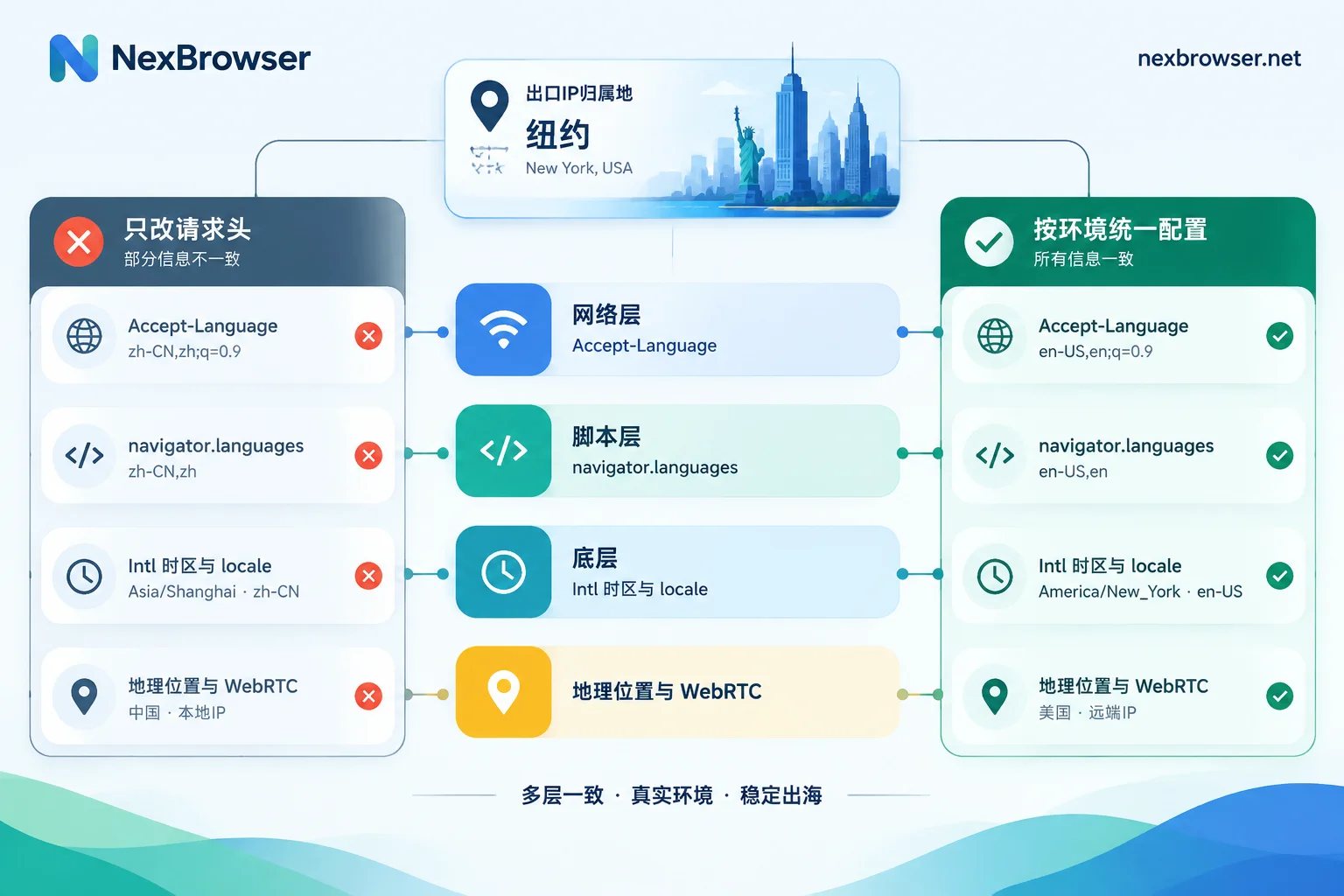
When the exit IP and the browser's timezone and language don't match, risk control systems typically focus not on the fact that a proxy is used, but on contradictions among several pieces of information within the same session. For example, the exit IP is in New York, but the browser reports a timezone of Asia/Shanghai, the preferred language is zh-CN, and the date format is also the local Chinese format.
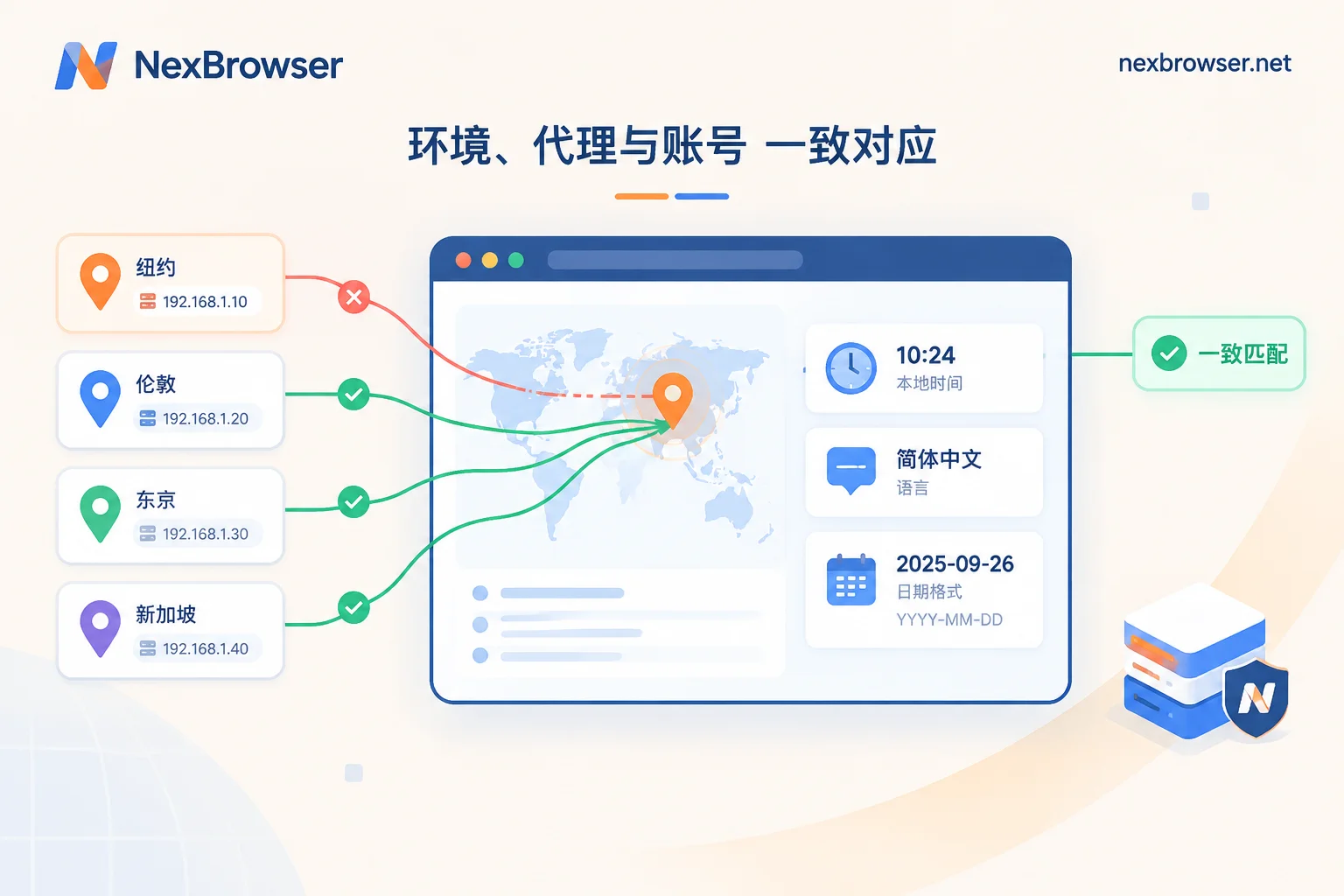
The solution is: in each account's own browser environment, align the exit IP, timezone, language, regional format, and geolocation to the same region, then use detection pages to confirm there are no residual contradictions. The order matters: first confirm the actual location of the exit IP, then adjust parameters, and finally verify.
Why Risk Control Looks at This Inconsistency
Anti-fraud and bot detection systems, when a session is established, use the exit IP to look up GeoIP location, then cross-check with the environment information reported by the browser. If the two regions don't match, the risk score rises. Common manifestations include frequent CAPTCHAs, additional verification required at login, and in severe cases, login blocks.
Such signals are low-cost and easy to detect because most information is inherently reported by the browser:
- Timezone: JavaScript can read
Intl.DateTimeFormat().resolvedOptions().timeZoneto get IANA timezone names likeAsia/Shanghai,America/New_York, and can also readnew Date().getTimezoneOffset()to get the UTC offset in minutes. A proxy only changes the network exit, not the operating system or browser kernel timezone. - Language: Exposed at multiple layers. At the network layer, it's the request header
Accept-Language; at the script layer, it'snavigator.languageandnavigator.languages; at a deeper level, it's the locale ofIntl, which determines the date, number format, and sorting rules output bytoLocaleString(). - Geolocation: Latitude and longitude read after the webpage requests location permission.
- WebRTC: When improperly configured, it may expose an address different from the proxy exit.
It should be noted that such contradictions raise the risk score but are not the sole cause of risk control triggers. Account history, operational behavior, and the reputation of the IP itself are also considered. Aligning regional information is a first step to eliminate a clear and easily fixable problem; it does not guarantee that CAPTCHAs will never appear again.
First Locate: Which Layer Has the Discrepancy
Don't rush to change settings. First figure out which layer is mismatched. In the problematic browser window, open the developer console and execute the following in sequence:
Intl.DateTimeFormat().resolvedOptions().timeZone   // 时区名
new Date().getTimezoneOffset()                     // UTC 偏移,单位分钟
navigator.language                                 // 首选语言
navigator.languages                                // 语言列表
Intl.DateTimeFormat().resolvedOptions().locale     // 区域格式
The sign of getTimezoneOffset() is opposite to everyday notation: UTC+8 returns -480, New York winter time (UTC-5) returns 300.
Then open a detection page like Whoer, Iphey, or BrowserLeaks, look at the identified IP location, and compare item by item with the above results. There are three common conclusions:
- Timezone mismatch: IP is in the US, but timezone is still
Asia/Shanghai. This is the most common and obvious one. - Internal language layer inconsistency:
Accept-Languageis alreadyen-US, but the locale ofIntlis stillzh-CN. This is usually caused by only modifying request headers with an extension. - The exit itself has problems: The IP shown on the detection page is not the proxy address, or WebRTC exposes another address. In this case, fix the proxy first; changing timezone and language is meaningless.
Why Changing System Timezone or Installing Extensions Is Not Enough
Many people's first reaction is to change the computer's system timezone to US time, or install an extension to modify language. Both approaches have obvious limitations:
- Changing system timezone is a global operation. If multiple accounts on the same computer use different regional exits, the system timezone can only match one of them, making the others even more inconsistent.
- Extensions usually only change the surface. Changing headers or
navigator.language, while the underlyingIntlformatting still uses the host system's locale, results in internal contradictions within the browser. This is more suspicious than a simple regional mismatch.
A more reliable approach is to configure per account at the browser environment level, so that each environment returns the same set of regional information from request headers to low-level APIs.
Align in the Environment: Follow This Order
The following uses NexBrowser as an example. Other tools can follow the same approach, with specific option names as per their interfaces.
1. One account, one environment. Each environment in NexBrowser has independent cookies, cache, local storage, and proxy, and fingerprint parameters are configured per environment. First confirm that each account to be handled is in a separate environment; do not share one window for multiple accounts switching proxies.
2. Bind the proxy and confirm where the exit actually is. In the environment configuration, enter the proxy (supports HTTP, HTTPS, SOCKS5, and batch import), use the one-click detection to confirm the proxy is connected, and note the country and city of the exit. All subsequent parameters should be based on this detection result, not on the region labeled by the proxy provider, as they occasionally differ. For specific entry points for binding and detection, see Residential IP and proxy binding.
3. Fill in the timezone as an IANA name, not a fixed offset. If the exit is in New York, fill in America/New_York; if in Los Angeles, fill in America/Los_Angeles. Use timezone names instead of manually writing UTC-5, so the offset automatically adjusts during daylight saving time changes.
4. Language list consistent with the region, and internally consistent. Set the preferred language to the common language of the exit region, e.g., en-US, and you can append other languages. The key is that Accept-Language, navigator.languages, and locale give the same answer across all three layers.
5. Align geolocation or deny on demand. If the business website requests location, the latitude and longitude should fall near the exit city. For sites that don't need location, you can also have the environment uniformly reject location requests, which is also common behavior for regular users.
6. Handle WebRTC. Ensure that the WebRTC address seen on detection pages does not expose the real public IP of the local machine.
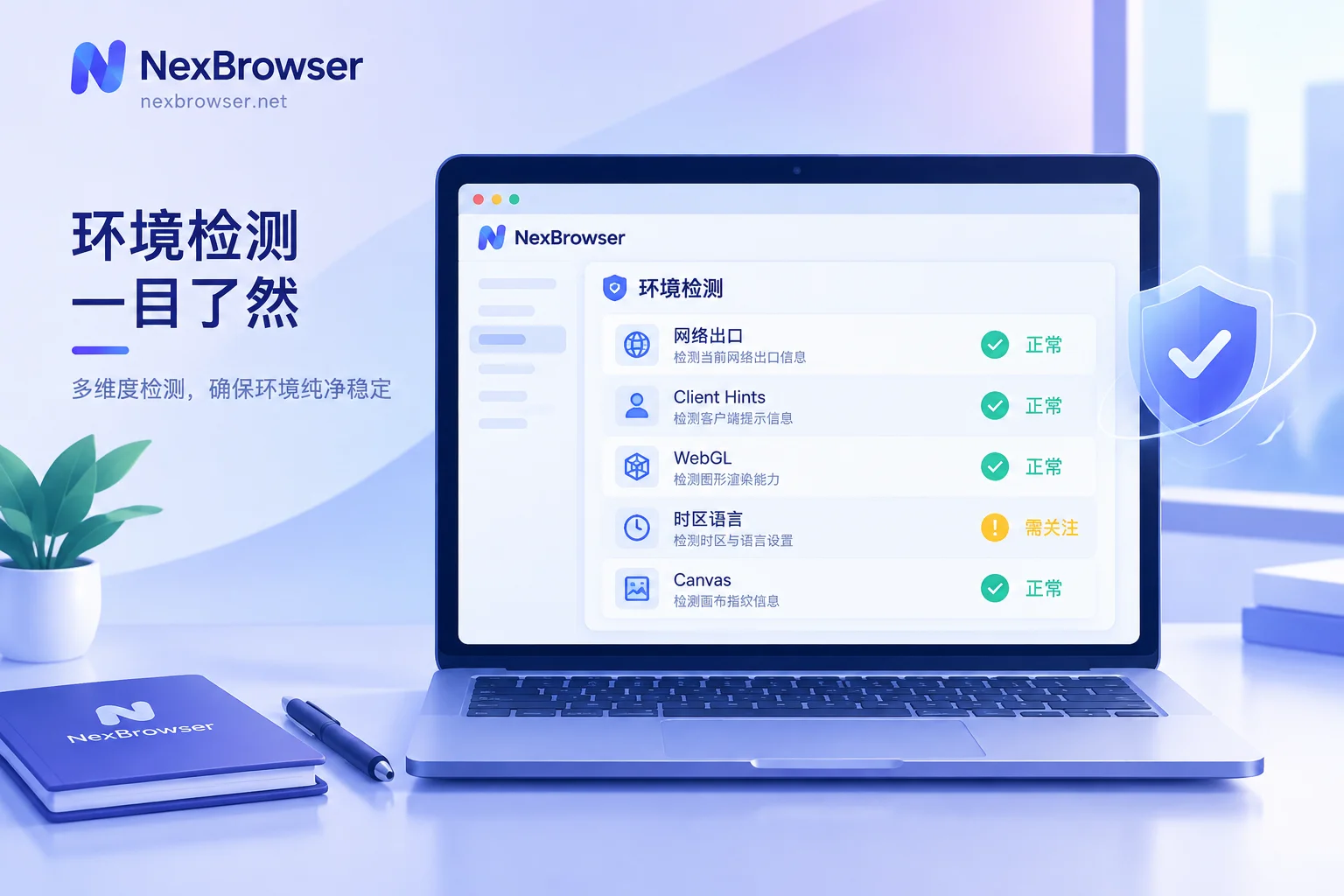
7. Re-verify after startup. In this environment, run the console commands and detection page again. Only when the IP location, timezone, language, and locale all point to the same region, and there are no inconsistency or WebRTC leak warnings, is the configuration complete. For a more complete checklist, refer to How to detect the authenticity and disguise leaks of a fingerprint browser environment.
Several Error-Prone Situations
- Multi-timezone countries should be aligned by city. The US, Canada, Australia, Russia, and Brazil span multiple timezones. Knowing the exit is in 'the US' is not enough; you need to look at the city or state in the detection result, otherwise you might have an IP on the West Coast but Eastern Time. If the proxy only provides country-level location, prioritize switching to an exit that can determine the city.
- Daylight saving time. Environments with manually filled fixed offsets will be off by one hour after the annual DST switch, an easily overlooked misalignment. Using IANA timezone names uniformly avoids this.
- Bilingual or multilingual regions. In regions like Canada, Switzerland, and Belgium, local users' preferred languages are naturally more than one. Which language to choose should be based on the market the account targets and actual usage habits. As for whether platforms have special tolerance for such regions, no unified answer can be found in public information; it depends on the specific platform you operate.
- Changed proxy but didn't update parameters. After switching the exit from Germany to the UK, if the timezone and language remain German, you've artificially created an inconsistency. Every time you change the proxy, re-detect and re-align. For logged-in accounts, try to use a fixed exit; frequently rotating IPs will cause regional information to fluctuate.
- Using templates to batch copy environments. Templates fix a general baseline, but timezone, language, and geolocation must follow each environment's own proxy and cannot be copied wholesale from the template. For methods, see How to save browser environments as templates for batch copying.
What to Do If Verification Still Appears After Alignment
If all regional information is aligned and the detection page shows no warnings, but the account still frequently requires verification, you can investigate these directions: the type and reputation of the exit IP itself (data center IPs and residential IPs are treated differently on many platforms), whether the account's recent login locations have jumped too much, and whether the operation rhythm is abnormal. These problems cannot be solved by adjusting timezone and language; they need to be addressed item by item.
If you don't yet have a tool that can configure proxy and regional parameters per environment, you can first download NexBrowser (currently offering a Windows client), and try the above sequence with a problematic account.


Comments(0)