NexBrowser指纹浏览器-官方博客Blog
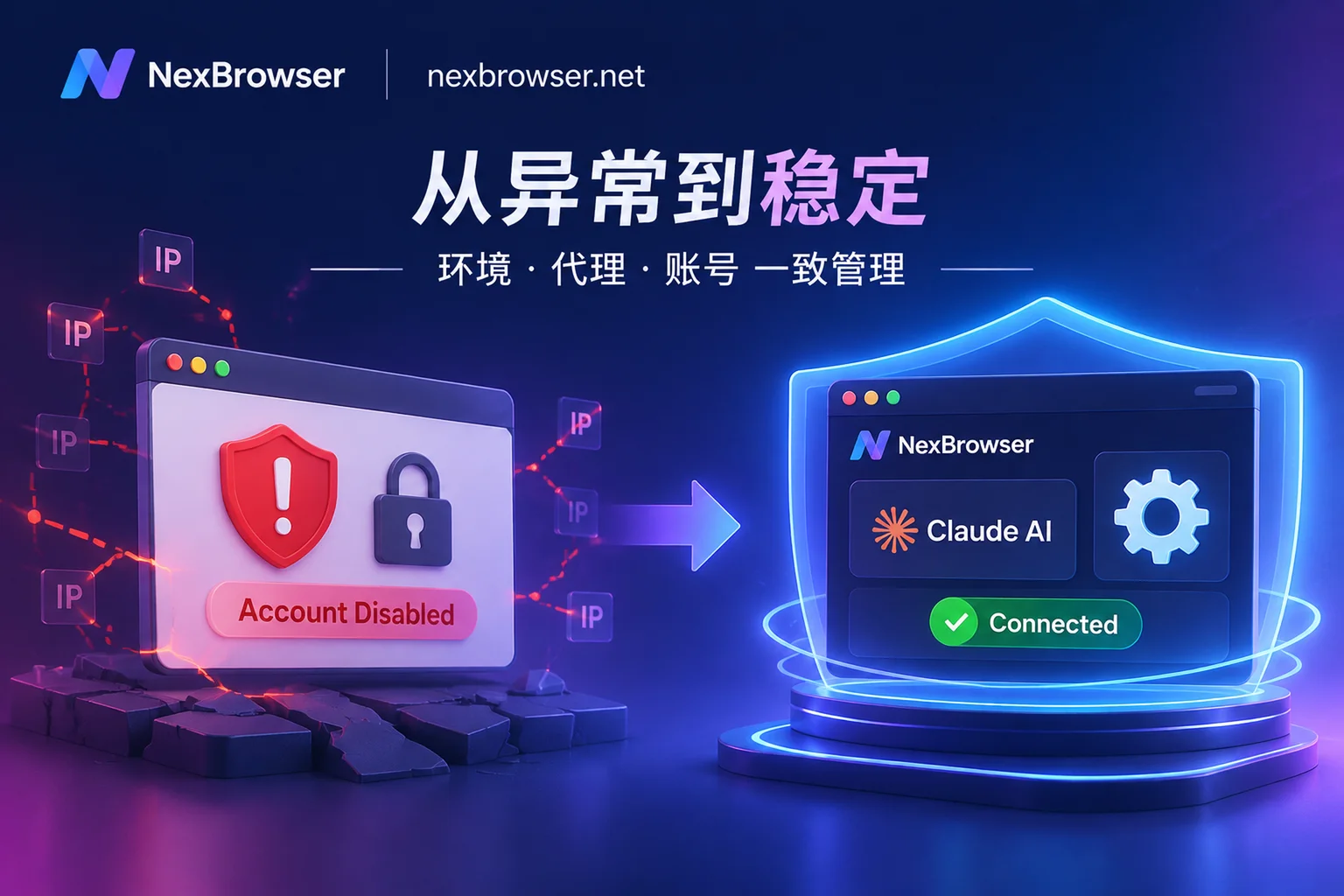
When an operator managing a dozen store accounts resigns, the first thing admins often do is log into the platform backend and change the password. This step is actually the riskiest: many e-commerce and social media platforms treat master password changes as sensitive operations, triggering cross-location checks, requiring two-factor authentication, or even logging out all devices—including the successor's machine that isn't set up yet. What was just a personnel change turns into a dozen accounts going offline simultaneously and requiring re-verification.
A safer order is: first cut the person's permissions in the browser workspace, move the environment assets entirely under the successor's name, confirm the business runs normally, and finally handle passwords and sessions according to each platform's own rules.
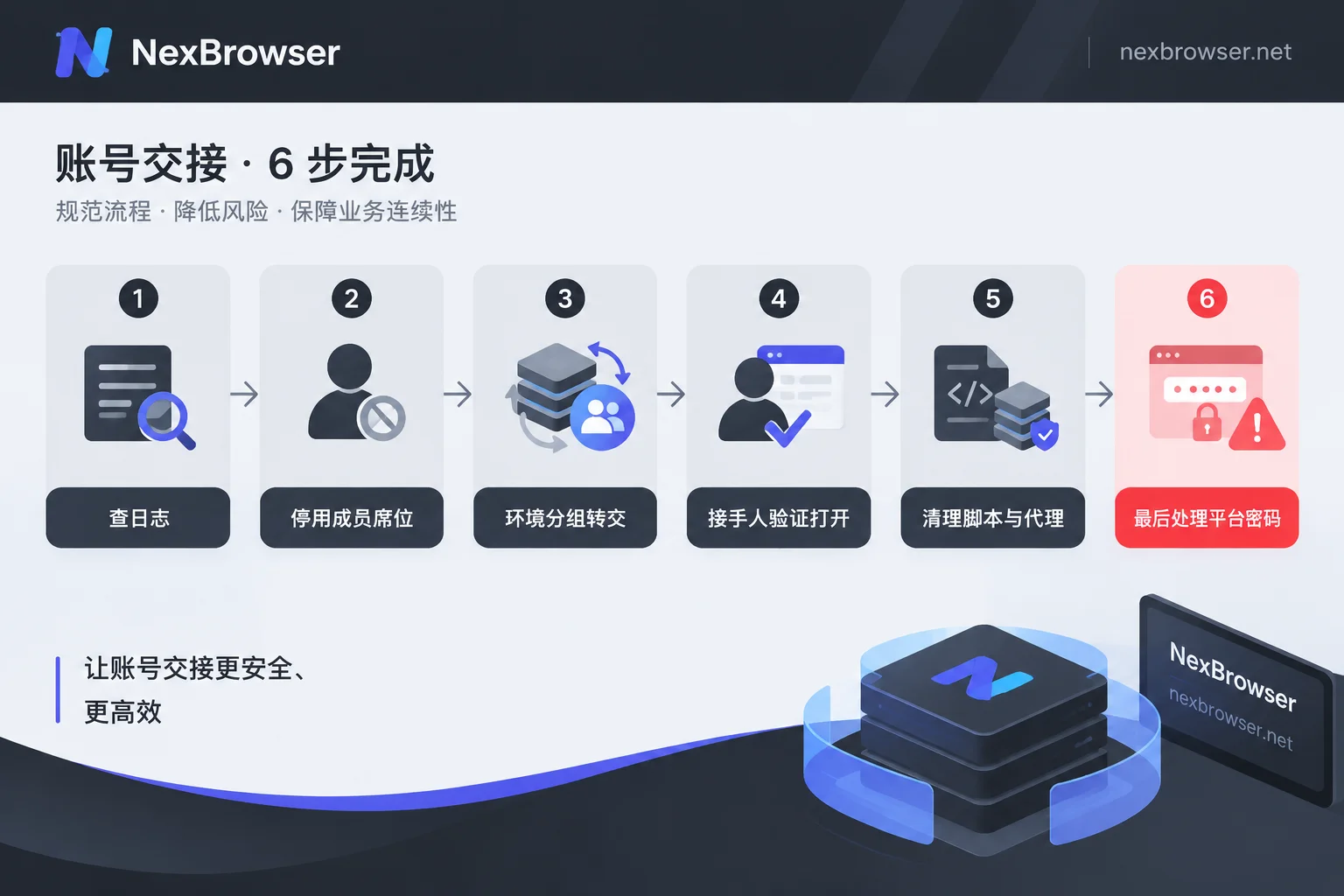
The six-step order on departure day
- Check operation logs first to confirm environment assets are still in normal status;
- Disable or remove the member in the team backend, cutting their client's connection to cloud configurations;
- Transfer the environment groups they were responsible for entirely to the successor (or first reclaim to the admin group);
- Have the successor open a few of these environments and run daily actions to confirm usability;
- Clean up peripheral assets: automation scripts, Local API callers, proxy authentication and whitelists;
- Finally, handle passwords, two-factor authentication, and 'log out all devices' according to each platform's rules.
Below, we explain step by step why this order is chosen and how to confirm each step actually takes effect.
Step 1: Check logs first, don't touch configurations yet
Before handover, pull up the operation records once, focusing on whether any of these actions occurred recently: batch starting environments without corresponding business actions, modifying fingerprint parameters, deleting environments, or attempting to export cookies or environment configurations.
The purpose of this step is not to assign blame, but to confirm that you are about to hand over an intact asset. If you find that a fingerprint parameter of an environment has been changed, and the successor encounters platform re-verification when opening it, at least you know the cause, rather than suspecting the tool or proxy.
Log capabilities vary in granularity across tools; some only record logins and environment switches, while others keep traces of configuration changes. Before acting, confirm what your setup can query; for parts it cannot, rely on the actual open-and-verify in step 4 as a fallback.
Step 2: Cut the seat, sever device access
This is the true 'permission recovery.' After you suspend or remove the departing member's sub-account in the team backend, their client loses the credentials to pull cloud configurations, and authorized environment windows can no longer be opened. This is cleaner than changing platform passwords: it cuts the access channel, without depending on any platform's risk control policy.
A few points to note:
- Disable first, delete later. If you're unsure how many environments they own or if there are unhanded materials, suspending first preserves the ownership relationship, making it easier to filter environment groups by person in step 3; after confirming the handover, remove them to free up member capacity.
- Local remnants on their computer are separate. Cutting cloud sync doesn't equal wiping the cache already stored on their machine. For company devices, reclaim and clean or reinstall uniformly; if BYOD was previously allowed, explicitly require uninstalling the client during handover and prioritize such accounts for platform-side handling in the next step.
- Shared account passwords need separate handling. If the employee could see plaintext account passwords in daily work, cutting the seat only blocks the browser environment path; the credentials themselves are already out of your control, so platform-side password changes are mandatory. This is also what the 'what to configure on day one' section below addresses.
NexBrowser's team collaboration is role-based; members use environments within the scope you define; member capacity is a paid expansion, so removing a departing member returns the seat to an assignable state. Specific role divisions and environment ownership are operated in the client's team management, and configurations themselves are synced encrypted via the cloud, part of the same system as environment assets.
Step 3: Transfer environment groups as a whole
The most convenient handover unit is a group, not individual environments. If groups are already built by dimensions like 'store-region-owner' in daily use, during departure you only need to change the ownership of the entire group to the successor, or first reclaim to the admin group for temporary management.
The benefit of group transfer is that everything inside the environments remains as is: cookies, local storage, fingerprint parameters, bound proxies are all in the cloud configuration; the successor logs into their own member account and can pull them, without rebuilding environments or re-logging into accounts. That's why 'cut seat' comes before 'change password'—as long as the session hasn't been forcibly invalidated by the platform, the successor will likely still be logged in when opening the environment, and business continues without interruption.
If the new colleague will take over on their own computer, the action order is the same as restoring after a device change: first confirm configurations are synced, then log in on the new machine to pull, and finally verify exits one by one. This order is covered in how to restore environment configurations after changing computers, so follow that during handover. For the basic mechanisms of grouping and isolation, see environment isolation and grouping.
Step 4: Have the successor run through it before proceeding
After handover, don't rush to wrap up. Have the successor pick 2-3 key environments to open and perform daily actions: enter the backend, check orders or data, send a draft. Also verify that the exit IP ownership and timezone/language are still consistent—after changing person and machine, whether the proxy still takes effect per environment is the most easily overlooked part; three-layer verification of exit ownership and timezone consistency provides the specific order.
If this step passes, the assets are alive; if not, the problem scope is still limited to the 'handover actions,' much simpler to troubleshoot than after changing passwords.
Step 5: Clean up automation, APIs, and proxies
If the departing person wrote scripts or set up automation workflows, just disabling their client account isn't enough; go through the assets:
- Where automation scripts run. Are RPA processes, Selenium / Puppeteer / Playwright scripts running on their local machine or on a company execution machine? The former is handled with device reclamation; the latter requires confirming whether the environment IDs and startup parameters in the scripts still point to the handed-over environments.
- Local API callers. Scripts typically start environments via local interfaces, get debug ports, and then take over. NexBrowser's Local API is free and unlimited, meaning as long as the client on that machine is accessible, calls themselves aren't quota-limited—so the key is to contain the interface exposure: confirm no ports are externally mapped, and switch the execution machine's login account to a team-wide ops member, rather than continuing on the departing employee's login state. For takeover methods, see Local API and start environment and get debug port.
- Proxy authentication and whitelists. If the proxy uses IP whitelisting, remove their home broadband or personal device exit from the whitelist; if using username/password authentication and they know the plaintext, change the password, then go back to step 4 to re-verify exits, so the proxy doesn't become an inaccessible environment after authentication changes.
Step 6: Finally, handle platform passwords and sessions
By this step, handling the platform side is much less risky: environments are with the successor, scripts are in place, exits verified, so even if the platform requires re-verification, someone can handle it immediately.
A few criteria:
- Follow each platform's own rules, don't apply others' experiences. Platforms differ on whether 'change password' or 'log out all devices' forcibly invalidates active sessions in the browser—some only invalidate other devices, some kick the current device too. Before acting, check the specific platform's help center or announcements; this is more reliable than third-party summaries.
- Use sub-accounts instead of the master account when possible. Most e-commerce and advertising platforms support creating sub-accounts for employees with roles. During departure, disable the sub-account; the master account password need not change, minimizing risk exposure. This is preparation that should be done daily anyway.
- Whether credentials were exposed determines action. If the employee never saw the plaintext password, the platform side can just 'deactivate that sub-account'; if they saw plaintext, you must change the password and reset the two-factor backup codes, and inform the successor in advance that they may need to receive a verification code. For scenarios where the code must be received in the corresponding environment, using the environment's code-receiving channel is more stable, avoiding switching devices and networks for one SMS; see receive verification codes in the environment.
- Schedule password changes when the successor is online. Don't do it before leaving work; if they go offline, no one can re-login, and the next morning a dozen accounts all need verification.
To make recovery simple, it depends on day-one configuration
No matter how smooth the departure process is, it can't make up for one thing: the employee may have already exported cookies and account passwords during their tenure. So the real defense is in permission settings; three items are worth establishing when a member joins.
First, least privilege. Members only see the groups they are responsible for, not others' environments, eliminating the possibility of 'casually exporting everything.' Think through group dimensions before creating them, so you can transfer the whole group on departure.
Second, account passwords never fall into hands. Let members open environments and operate business, but not see plaintext platform account passwords—distribute sessions, not credentials. This way, on departure, the platform side can just deactivate the sub-account; the master password doesn't need to change, reducing both risk and communication costs. For specifics, see let members log into environments but not see account passwords; NexBrowser's password-free sharing is designed for this scenario.
Third, export-type permissions are off by default. Operations like batch exporting cookies or exporting environment configurations aren't needed by regular members; if backup is truly needed, admins execute on a per-case basis. Export permission granularity varies across tools; before configuring, confirm whether your setup can separately disable this item; if not, restrict such operations to admin accounts.
With all three done, actions on departure day become very short: cut seat, transfer group, successor verifies, scripts in place, and platform passwords often need not be touched at all.
A checklist you can copy directly
- [ ] Pull operation logs, confirm no abnormal exports, deletions, fingerprint changes
- [ ] Suspend the member in team backend, confirm their client can no longer open authorized environments
- [ ] Transfer environment ownership by group to successor or admin group
- [ ] Successor opens sample environments, business actions and exit ownership are normal
- [ ] Automation scripts on execution machines, Local API callers switched to ops account, no externally exposed ports
- [ ] Remove personal exits from proxy whitelist, change username/password authentication as needed and re-verify
- [ ] After checking platform rules, handle sub-account deactivation / master password / two-factor, scheduled when successor is online
- [ ] Reclaim and clean company devices; for BYOD require client uninstallation and prioritize platform-side handling
- [ ] Confirm member seat is released, assignable to new colleagues
Note that any permission and isolation configuration only reduces the probability of asset leakage and misoperation; it does not guarantee accounts won't be subject to platform review or verification; platform-side rules are subject to each platform's announcements.
If you don't yet have a group-based permission structure, handovers will always be painful. You can first rebuild groups by owner and business line, set password-free sharing and export permissions once, and then discuss the departure process. NexBrowser's features are not tiered; the free tier allows building structures and testing permission models, and paid plans buy window and member capacity. The client is currently Windows (macOS in development); you can start from the download page.