NexBrowser指纹浏览器-官方博客Blog
Bottom line first: if you're choosing a multi-account browser, you can skip any claim like "topped multiple rankings in a row." Who made the ranking, what the scoring criteria are, whether paid seats were involved — outsiders can't check, and unverifiable information has no weight in selection.
What actually affects your daily operations are the four things below. You can verify all of them yourself on the day you install the software, without waiting for someone else's review.
1. Is the Free Tier "a Few Fewer Windows" or "Half the Features Missing"?
This is where similar products differ the most, and where trial users most easily get tripped up.
Most products take the feature-stripping route for their free versions: environments are capped very low, and API, team members, and automation are all turned off. According to public data as of 2026, AdsPower's permanent free version is usually limited to 2 environments and does not include team members; Dolphin Anty's free version gives 5 environments but removes some automation and API permissions; GoLogin's free version is 3 environments. A workflow you get working on the free tier may need to be rebuilt after upgrading, because those middle steps simply weren't available at the time.
The other approach is not tiering features at all: the free tier turns everything on, and paid plans buy capacity such as window count and team member count. NexBrowser takes this path — fully featured free tier, no credit card required, quota doesn't expire, and paid subscriptions expand window and member capacity.
Don't trust any hardcoded number of free windows written in any article, including this one. That quota is attached to a limited-time free plan page, and it adjusts with campaigns; go by what the page says the moment you open it.
To verify this yourself, two actions:
- Open the pricing page and find the "free version includes" section. See whether API, team members, and automation are marked "supported" or crossed out.
- Install the client and, on the free tier, try to open API settings and team management directly. If they open and you can generate a key, they're genuinely open; if it says "upgrade to unlock," features are tiered.
2. Do API and Automation Cost Extra?
If you plan to use scripts or AI agents to control the browser, this ranks higher than window count.
The common approach is to put API access in mid- or high-tier plans, or bill by call volume. This creates a very practical problem: you can't verify on the free tier whether a technical approach is feasible. You have to pay before you know whether it can connect.
NexBrowser's Local API is free with unlimited calls, and Selenium, Puppeteer, Playwright, as well as browser-use and Playwright MCP, can all take over already-started environments. The key here isn't the word "free" — it's that you can run the entire automation chain through once before deciding to pay.
The correct way to take over is to connect to an already-started environment, not let the framework launch a browser itself — the latter bypasses the fingerprint and proxy configured in the environment, which defeats the purpose. For specifics, see these two articles: How Local API starts an environment and gets the debug port, How browser-use and Playwright MCP connect to an antidetect browser.
3. At Which Layer Is Isolation Actually Done?
What a fingerprint is and whether multiple profiles can be linked have been covered in official guides; here we only discuss what to look at during selection.
Each environment must have its own independent cookies, cache, local storage, and proxy — that's the baseline. One layer up, look at fingerprint parameters: Canvas, WebGL, User-Agent, and so on must be configured separately per environment, and the items must be logically consistent with each other. A User-Agent claiming to be macOS paired with a Windows font list and GPU model is itself an anomaly signal. Approaches that only inject a few random values at the script layer while underlying parameters don't change will fail against even moderately strict risk control.
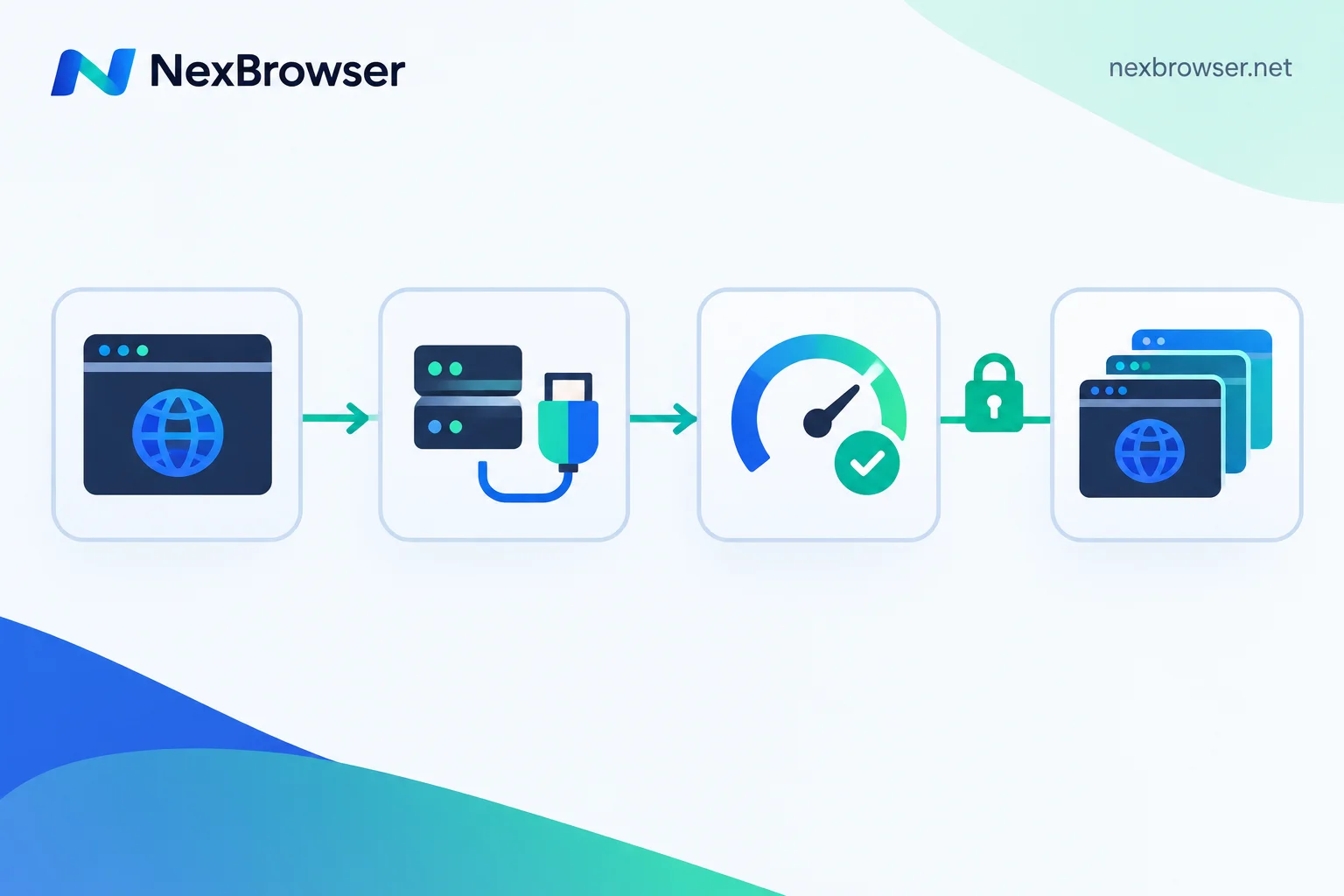
The verification method is direct: create two environments, bind proxies from different regions to each, open the same fingerprint detection site in both, and compare whether the parameters are genuinely different and mutually consistent.
One thing needs to be clear: no configuration can guarantee you won't be linked or banned. Platform risk control judges based on multiple signals such as behavioral patterns, the account's own compliance level, proxy quality, and WebRTC anomalies. What a tool can do is isolate environments cleanly and align exits; the rest depends on how you use it. Any claim promising "100% anti-detection" belongs to the same category as "ranked number one."
4. Can Setups Be Restored After Switching Machines or Handing Over?
This is hard to feel during the trial period, but it hurts most when problems arise.
Two scenarios: your computer breaks or you get a new one — do you need to reconfigure dozens of environments? A colleague takes over a batch of accounts — do you send them passwords, or let them use already-logged-in environments directly?
NexBrowser's configuration uses encrypted cloud sync, so environments can be restored after logging in on a new machine; on the team side, permissions are role-based and passwordless environment sharing is supported. This means handover distributes sessions, not credentials — members can operate inside the environment but can't obtain account passwords. For the exact sequence, see How to restore environment configuration after switching computers and Let members log into an environment without seeing the account password.
One hard prerequisite to confirm first: the NexBrowser client is currently Windows-only, and macOS is still in development. If someone on your team mainly works on a Mac, factor this in ahead of time, rather than discovering after procurement that it won't install.
After Choosing, Roll Out in This Order
Once the four items above are verified, build your first batch of environments in this order — don't change it:
1. Create one environment first; don't batch-create. Getting a single environment through the full workflow is much faster than creating twenty at once and troubleshooting each one.
2. Bind a proxy to this environment. The exit IP and the local environment are two separate things — NexBrowser only handles local environment and network-layer isolation. The exit can be bound to NexIP residential IPs with one click, or you can import your own HTTP/HTTPS/SOCKS5 proxy, with batch import supported. For entry instructions, see How to bind a separate proxy to each environment.
3. Before opening the environment, run the one-click check. Many people skip this step, then get asked for secondary verification on the login page and have to go back and investigate. The check should confirm not just "whether it connects," but also whether the exit region, time zone, and language match the environment configuration. For the three-layer verification sequence, see How to confirm exit location and time zone/language consistency after binding a proxy; the troubleshooting path when the check fails is in this article.
4. Once confirmed, save this environment as a template and batch-copy it. A fixed baseline with independent fingerprints is more stable than configuring each environment from scratch.
5. Only then connect automation or hand it to team members. If you connect scripts before the first four steps are fully verified, when problems arise you won't be able to tell whether it's the proxy or the code.
Back to the Original Question
The only selection principle worth remembering is: whatever you can verify yourself, verify it; whatever you can't verify, don't use as a basis.
How many windows the free tier gives, whether the API is free, whether fingerprint parameters are self-consistent, whether setups can be restored on a new machine — you can reach conclusions on all four within half an hour of installing the client. Rankings, scores, "destroys all competitors" — you can only choose to believe or not.
If you really want to compare, run the workflow you'll actually use on the free tier: create an environment, bind a proxy, verify the exit, copy the template, connect an API once. Whichever product gets stuck on this path isn't suited to your scenario, and that conclusion is more reliable than any ranking.
To start verifying, begin by downloading the client. The current free quota terms are subject to the campaign page.
A final boundary note: the above practices apply to compliant isolation and team collaboration for accounts of your own business. Fake engagement, identity forgery, and bulk registration where platforms explicitly prohibit it are not viable even with the best-configured tools, and the risk doesn't disappear just because you switch browsers.