 NexBrowser指纹浏览器-官方博客Blog
In cross-border e-commerce multi-store management, social media matrix account nurturing, and large-scale data collection, introducing an RPA browser to replace manual repetitive clicks has become a standard practice for teams scaling up. However, after two or three months of implementation, many teams often calculate a different account: the automation processes built to save manpower ultimately turn into a full-time engineering burden of fixing scripts.
A slight change in a button attribute on the target website's front end, network fluctuations stuck on a loading page, or a third-party software losing connection to the browser port can interrupt tasks across dozens of windows. To truly achieve manpower efficiency through automation, when selecting and building workflows, you must look beyond "running successfully the first time" and focus more on the subsequent script maintenance costs and debugging efficiency.
This article starts from the daily maintenance pain points of multi-account automation and analyzes how to use a natively integrated automation workbench to reduce the hidden costs of script development, error locating, and cross-tool collaboration.
I. Why Do Your RPA Browser Scripts Always Need Rework?
In multi-account production environments, unstable automation usually centers on three engineering aspects (for underlying isolation and basic error-prevention logic, refer to the previous "How to Choose an RPA Browser: Don't Just Look at Auto-Clicks, First Solve Multi-Account Isolation and Frequent Script Errors"):
- Long external tool chains and time-consuming environment alignment
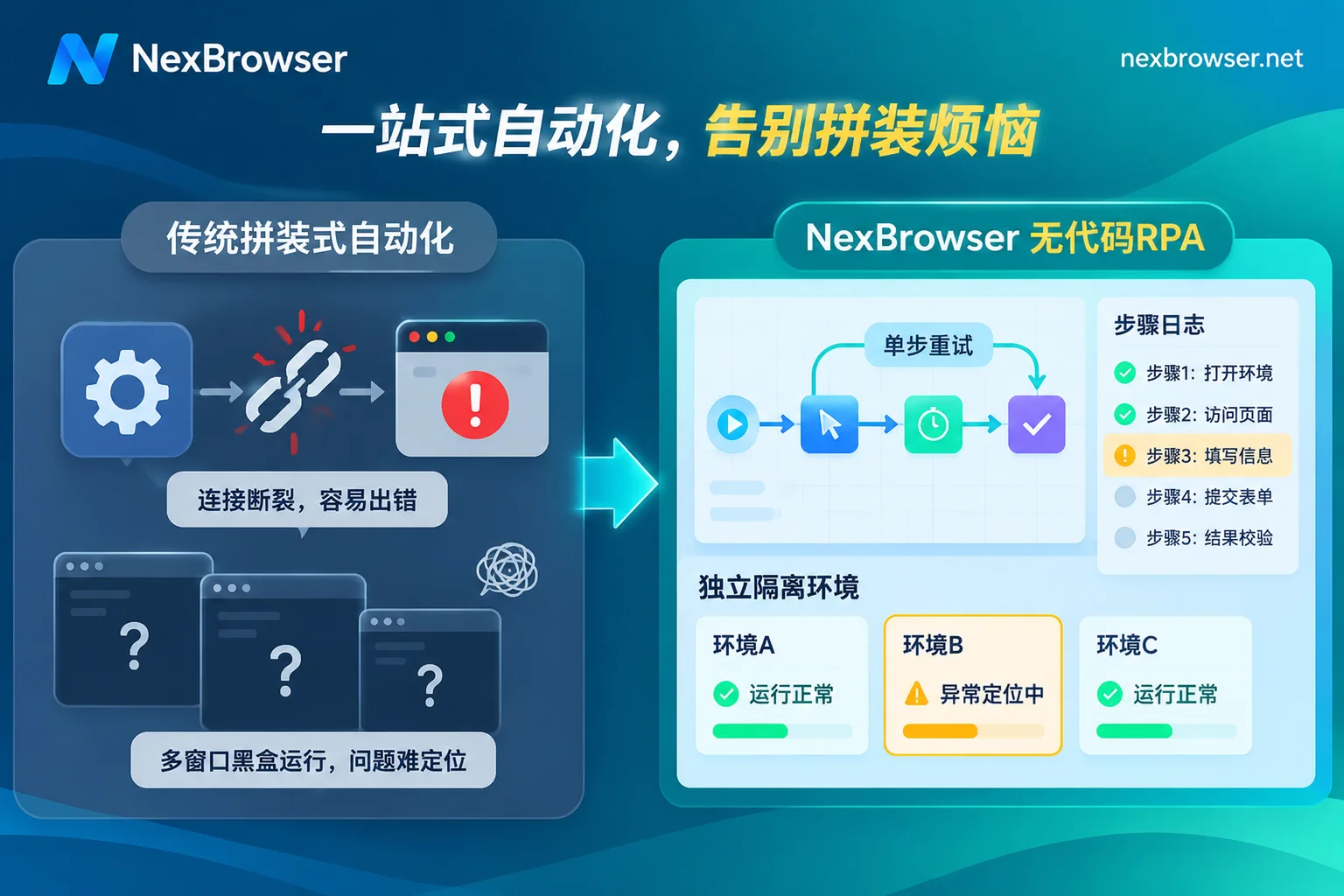
Many teams initially adopt a combined solution of "external independent RPA software + fingerprint browser." Before each task run, the external software needs to call an interface to launch the browser, obtain a dynamically assigned debugging port (CDP), and then inject control commands. Once the local network briefly disconnects or the browser is still in the pre-check stage, the external script will directly error out and exit due to lack of context. - Black-box batch execution makes errors hard to locate
When a workflow is bound to 30 account environments for batch execution, 5 of them fail. Without fine-grained logs, operators can only open each window to see which page it stopped on, guess and adjust wait times or rerun, and debugging time even exceeds manual operation. - Hard-coded rules collide with dynamic pages, leading to high modification costs
Scripts with fixed rules are good at handling standardized linear processes, but when encountering temporary pop-ups, dynamic forms, or scenarios requiring judgment based on page content, purely writing conditional branches makes the flowchart extremely bloated. In addition, some tools charge extra for RPA based on "number of actions" or "number of processes," and high-frequency debugging and retries consume real money.
II. Native No-Code Canvas: Build Fault Tolerance and Debugging Logs into Every Step
To reduce daily maintenance frequency, the most direct approach is to shorten the toolchain and embed the automation engine directly into the browser workbench. In the NexBrowser RPA Script (Beta) module, environment management and process orchestration are under the same local system, eliminating cumbersome cross-software handshakes and port alignment configurations.
When dealing with page fluctuations and batch debugging, the following mechanisms can reduce rework:
1. Drag-and-Drop Logic Control and Single-Step Failure Retry
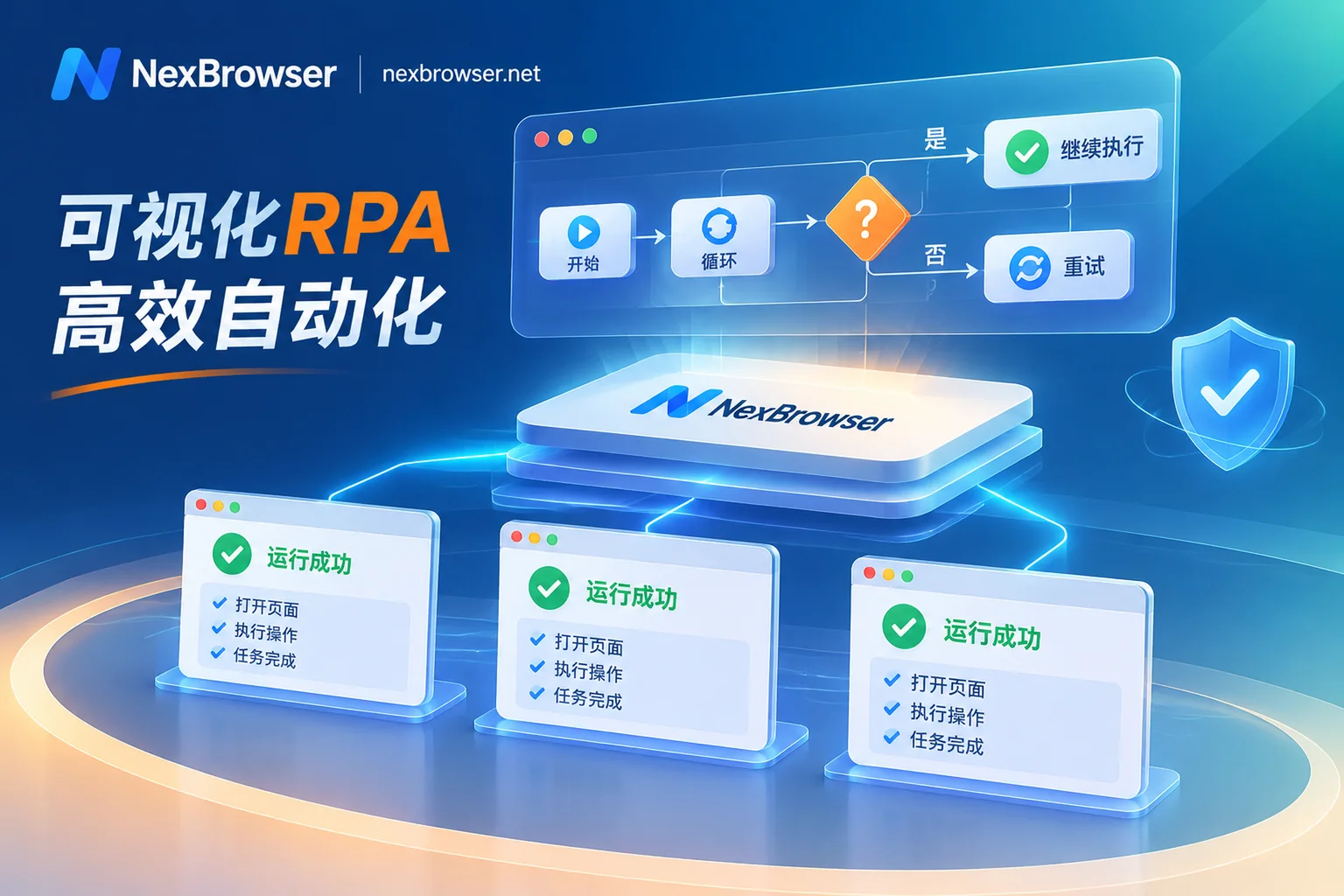
Slow web page loading is the number one cause of script crashes. When orchestrating processes on the no-code canvas, in addition to basic clicks and inputs, you can directly drag and drop variables, condition judgments, loops, and wait nodes.
More importantly, you don't need to abandon and rerun the entire chain just because a certain step occasionally stalls—the canvas supports setting failure retries for each step individually. When an element is not rendered in time due to network latency, the node will automatically retry according to the settings, greatly filtering out occasional false errors.
2. Per-Environment, Step-by-Step Log Localization
After batch tasks run, the time spent troubleshooting those few failed accounts determines maintenance efficiency. When a script is bound to a batch of environments for batch execution, each environment still strictly runs under its own independent Cookie, fingerprint parameters, and proxy exit; meanwhile, the system generates per-environment, step-by-step execution logs.
Which environment timed out at which step and which condition judgment failed are clearly visible in the log panel. Operators only need to fine-tune parameters for the specific error step, without blind testing from scratch.
3. Script Import/Export and Team Reuse
When a technical or senior operator has debugged a stable business process, they can directly export the script as a file, and other members can import it for reuse. Combined with the environment templates and batch grouping functions in Multi-Account Environment Isolation, newly added business accounts can be directly put into production by binding proxies and attaching existing scripts, avoiding repeated configuration of runtime dependencies on each computer.
III. Don't Use One Tool to Handle All Needs: Maintenance Costs of Four Automation Channels
Many times, high script maintenance costs arise because "the wrong hammer is used." For example, writing a complex loop script for a temporary campaign that will go offline in three days, or using rigid coordinate clicks to deal with dynamic web pages that vary from person to person.
In the NexBrowser workbench, automation is divided into four complementary channels (for specific business division of multi-channel work, you can also read "How AI Browser Automation Lands Multi-Account Business: Practical Division of Built-in AI Agent, RPA, and Window Synchronization"):
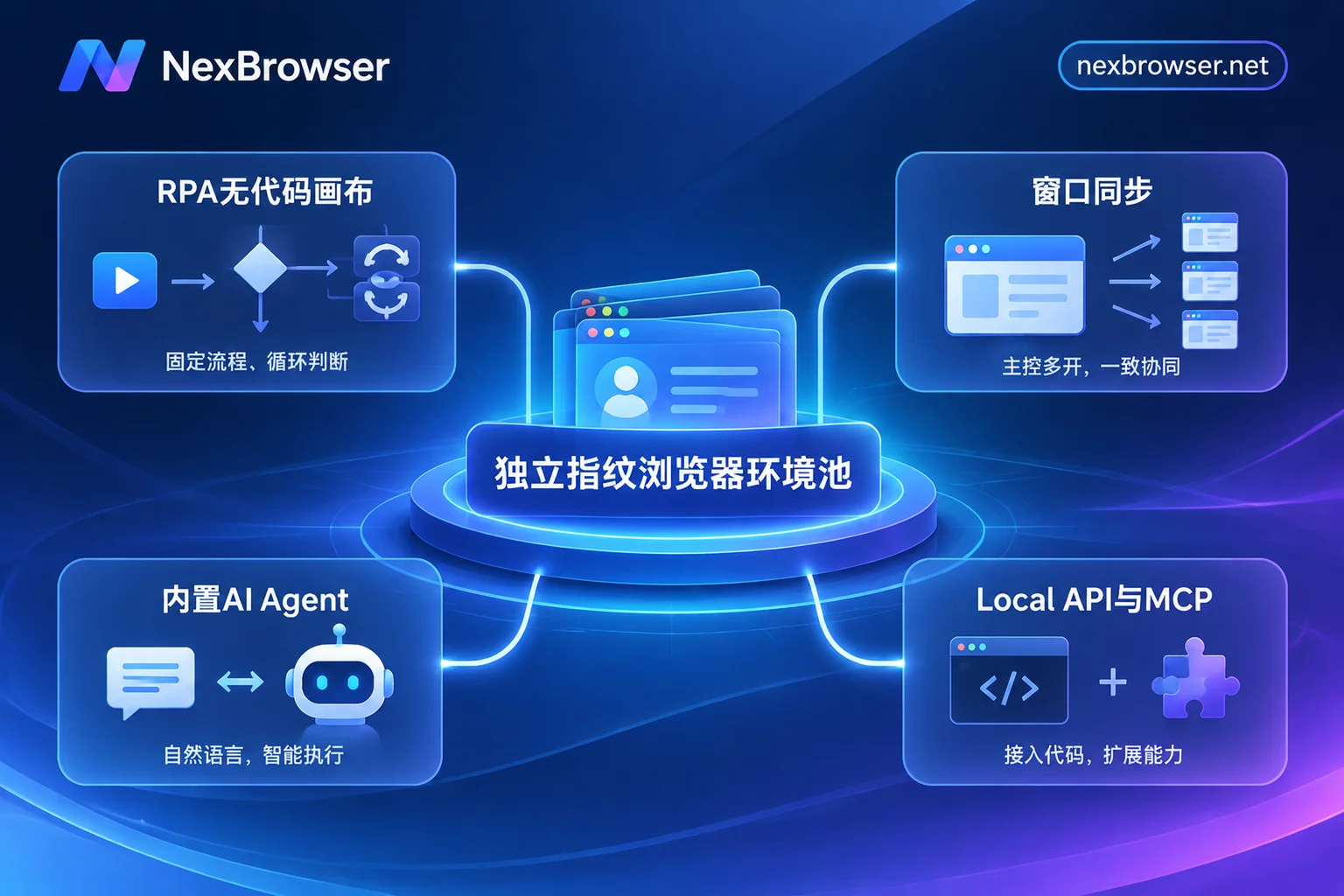
| Automation Method | Applicable Business Scenarios | Setup and Maintenance Investment | Core Operating Mechanism and Billing |
|---|---|---|---|
| RPA Script (Beta) | Daily standard actions with fixed rules and high frequency (e.g., scheduled daily inspections, fixed form submissions) | One-time drag-and-drop orchestration, long-term reuse; low-cost maintenance via step-by-step logs | No-code canvas, supports variables/loops/conditions/single-step retry; browser features not tiered, free to use |
| Window Synchronization | Temporary batch tasks, event registration, operations requiring real-time manual monitoring and judgment | Zero script writing cost, ready to use, stop when done | Main window operations synchronized in real-time to slave windows, supports individual toggles for sync items and throttling intervals; each window maintains independent fingerprint and proxy |
| Built-in AI Agent | Form filling with frequently changing page structures, tasks requiring semantic understanding, multi-window parallel task decomposition | No need to write selector positioning code, directly issue instructions in natural language | Automatically operates pages, takes screenshots, login state saved per environment for next continuation; supports requesting approval before irreversible operations; billed by model token consumption |
| Local API & MCP | Technical teams with existing mature external codebases, or using AI coding assistants to directly take over the browser | Reuse existing code assets, no need to rewrite from scratch | Supports Selenium / Puppeteer / Playwright and direct connection from MCP clients like Claude Code, Cursor; API free, unlimited calls |
Through this combination, operations teams can leave "fixed routines" to no-code RPA, hand "temporary rush tasks" to window synchronization, and leave "non-standard dynamic pages" that most easily crash traditional scripts to AI Agent.
IV. Advanced Burden Reduction: Unify External Development Stack with Local API & MCP
For teams with development capabilities that have already written a large number of business scripts in Python or Node.js, the biggest fear when migrating to a new RPA browser is "interface fees" or "protocol incompatibility."
In this regard, you can directly connect to existing toolchains via Local API & MCP Interface (for specific integration details, refer to "How to Use Fingerprint Browser API Without Pitfalls: A Practical Guide from Local API + CDP Takeover to MCP Direct Connection"):
- Seamless takeover of mainstream automation frameworks: Enable OpenAPI in the Windows client and call with an access key to complete environment creation, opening, closing, proxy binding, and reading CDP connection information through local HTTP interfaces. Your existing Selenium, Puppeteer, Playwright, WebDriver scripts, or emerging
browser-use,Playwright MCPframeworks can directly take over environments. - Native MCP Server direct connection: For developers accustomed to using AI tools like Claude Code, Codex, Cursor, by connecting to NexBrowser MCP Server, you can directly list, open specified fingerprint environments, and operate pages in the client, saving the effort of manually writing low-level glue code.
- Zero API call cost: Whether Local API or no-code RPA canvas, NexBrowser follows the principle of "features not tiered," API is free and unlimited calls, the free tier also opens all capabilities, and payment is only calculated based on the actual window and member capacity required by the team (see Pricing Plans).
V. Hold the Bottom Line: Let Scripts Run to Completion in a Clean Environment
No matter how robust the script is, if the underlying network and environment frequently trigger platform CAPTCHAs or remote login blocks, the automation process will still get stuck. To reduce such "interruptions not caused by the script itself," before starting RPA batch tasks, it is recommended to complete two basic configurations:
- Pre-launch Proxy Pre-check and Parameter Alignment
Network disconnection or exit IP drift is a common cause of automation tasks dying midway. In Proxy & Residential IP management, it not only supports batch import of HTTP / HTTPS / SOCKS5 proxies and one-click connectivity and latency detection, but also has a pre-launch detection mechanism—verify the proxy exit before environment startup, and if detection fails, block startup to prevent scripts from running blindly under naked connections or wrong networks. At the same time, the environment's WebRTC, time zone, and language automatically align with the proxy exit, reducing the probability of triggering abnormal risk control pop-ups. - Built-in SMS Reception and Password-Free Collaboration
When automation account nurturing or registration processes encounter SMS verification, there is no need to switch to an external webpage to find codes; you can directly use the Cloud Phone Number (NexSMS Number Center) in the environment sidebar to obtain numbers by country/region and target platform, receive SMS, and fill in verification codes. In teams where multiple people maintain scripts, through role permission matrix and password-free environment sharing, members can log in by relying on encrypted synchronized Cookies and auto-fill when opening the environment, ensuring the continuity of login state required for script operation while avoiding plaintext transmission of account passwords.
Conclusion
To evaluate whether an RPA browser is good, you should not only look at the smooth automatic clicks in the demo video, but also at how much effort the team needs to maintain it when facing dozens or hundreds of accounts, page revisions, and network fluctuations.
Leave fixed rules to the no-code RPA canvas with single-step retry and detailed logs, temporary tasks to window synchronization, and use AI Agent and Local API / MCP to complement dynamic semantics and external code ecosystems—only then can you truly free operations and developers from the quagmire of "fixing scripts every day." Now you can go to the NexBrowser Free Campaign Page or Download the Windows Client to build your high-availability multi-account automation workbench with zero threshold.