 NexBrowser指纹浏览器-官方博客Blog
In cross-border e-commerce multi-store management, overseas social media matrix operations, and ad placement, buying an independent proxy IP for each account is already an industry standard. However, many teams find in practice that even after purchasing expensive clean static residential IPs, accounts still receive secondary verification notifications from platforms one after another, or are even directly banned due to abnormal environments.
The problem often lies not in the quality of the proxy IP itself, but in the execution details of "proxy IP binding to browser".
If you only fill in the proxy's IP, port, and credentials into the tool, but ignore the traffic flow of the browser's underlying protocols, the linkage alignment of environment parameters, and the circuit breaker protection when the proxy fails, the so-called "independent IP isolation" can easily become a thin paper window. This article starts from the real pain points of frontline multi-account operations and explains how to truly weld the proxy IP and browser environment together, building a security defense line from single-window leak prevention to batch scheduling of hundreds of accounts.
I. Why Can Platforms Still Detect the Real Environment Even After Binding a Proxy IP?
The risk control systems of major platforms no longer only look at the exit IP address in HTTP request headers, but judge whether the current visitor is in a real physical network through multi-dimensional cross-verification. In daily troubleshooting, the "invisible killers" that cause proxy binding failure are mainly concentrated in the following four areas (if you encounter display anomalies after configuration, you can also refer to the previous troubleshooting article "Proxy Connected but Detection Page Shows Inconsistent IP: First Check Which Column, Then Troubleshoot by Cause"):
1. WebRTC Leak Caused by UDP Traffic Bypassing the Proxy
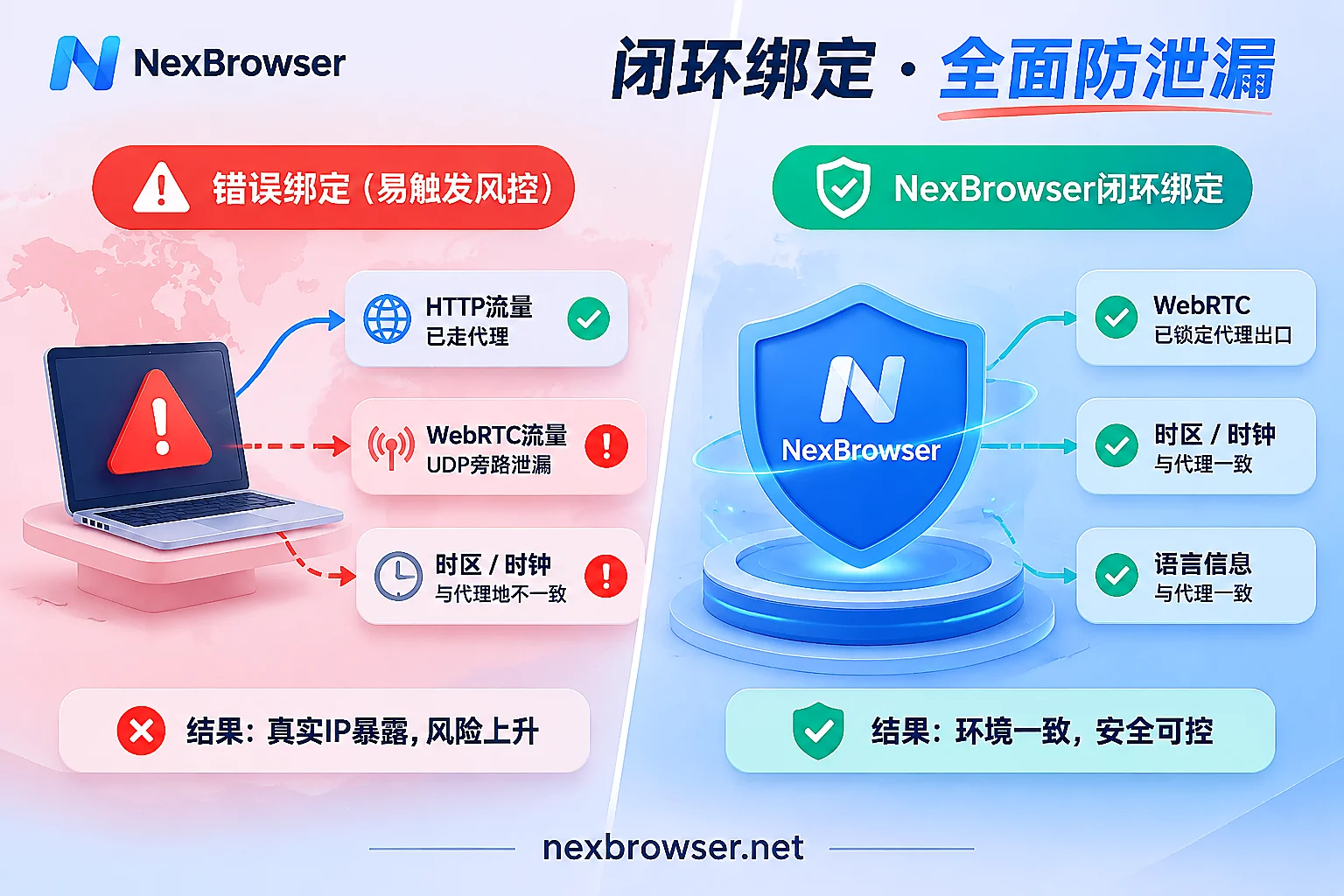
Conventional browser HTTP/HTTPS and even SOCKS5 proxy settings by default handle TCP-based web requests. However, the WebRTC (Web Real-Time Communication) component built into modern browsers uses the underlying UDP channel when performing STUN handshake detection. If the browser does not intercept or rewrite WebRTC policies at the kernel level, a webpage only needs to execute two simple lines of JavaScript code (calling RTCPeerConnection) to directly bypass the proxy channel and read your local network topology or even the real public IP of your domestic broadband.
2. "Conflict" Between Exit IP Location and Browser Software/Hardware Fingerprint
Suppose you bind a residential proxy located in New York, USA to a browser, but the browser's system timezone is still Asia/Shanghai (UTC+8), the preferred language in the request header is zh-CN, and the latitude and longitude returned by the Geolocation API are far from New York. This signal split of "body in New York, watch in Beijing" is a typical proxy disguise feature in the eyes of risk control algorithms.
3. "Direct Connection" or "Cross-flow" Caused by Sudden Proxy Node Disconnection
No proxy service provider can guarantee zero failure 365 days a year. If the browser plugin or ordinary tool used lacks a pre-intercept mechanism (for the difference between plugins and built-in proxies, see "Browser Plugin Proxy vs. Software Built-in Proxy: Choose Based on How Many Accounts You Manage"), once the proxy expires, is in arrears, or the line times out, the browser directly starts and loads the automatically restored store backend page. Even if only a few seconds of traffic fall back to the local network, the entire store's anti-association isolation will instantly fail.
4. "Login Loss" Caused by Mistakenly Clearing Local Storage When Changing Proxies
Proxy IPs inevitably need node changes. If, when rebinding a new IP, the tool forcibly clears or resets the browser's cookies, LocalStorage, and IndexedDB, the previously maintained long-term login state will be lost. The new IP plus brand-new blank cache will directly trigger the platform's risk control for unfamiliar device login in a different location (for operational specifications on changing proxies, you can read further "Can an Account Change Proxy Midway: Yes, but It Must Be Like a Normal Network Change").
II. Standard Procedure: How to Achieve a Seamless "Proxy + Browser" Binding?
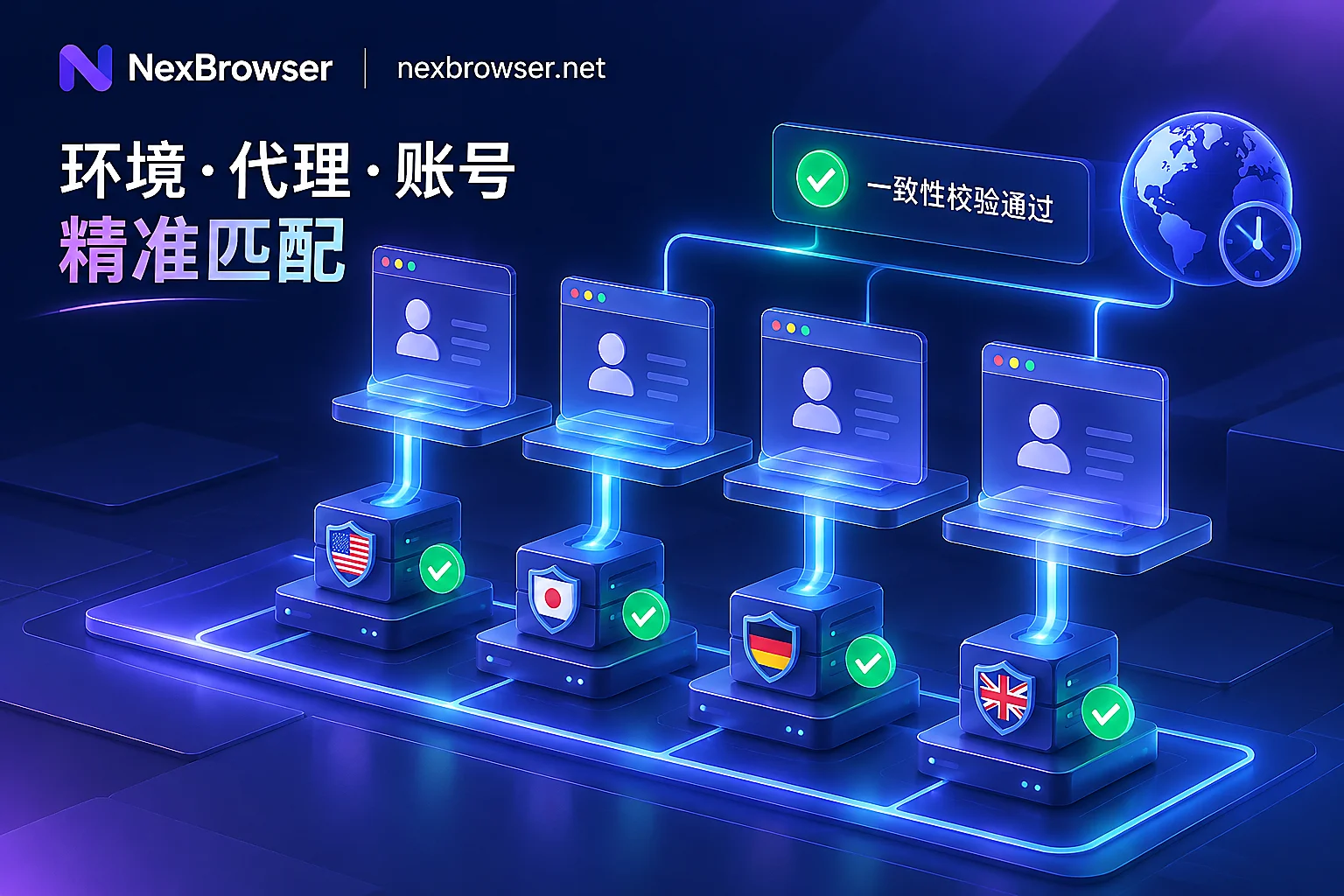
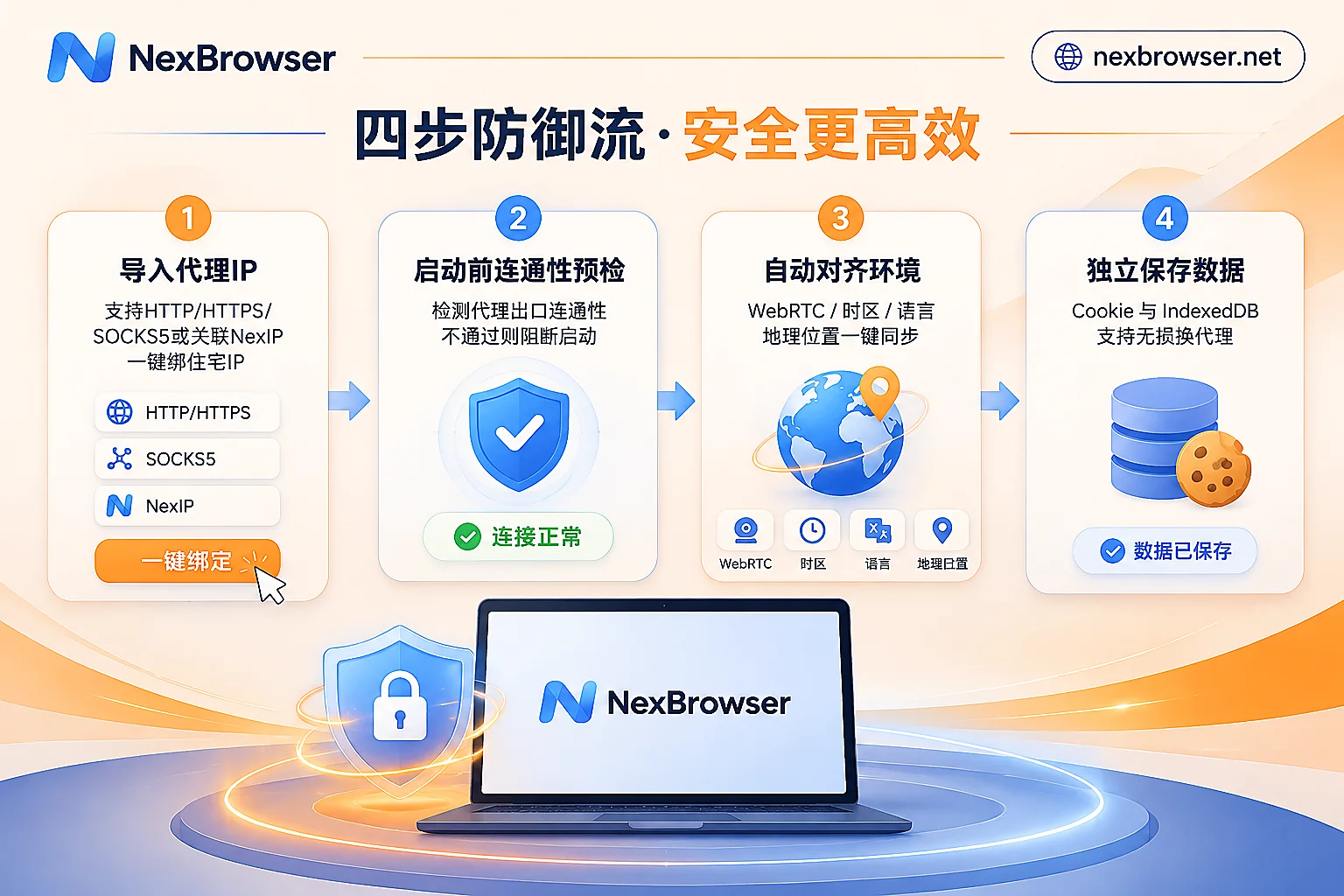
To safely bind a proxy IP to an account, the core logic is to achieve a strong binding and synchronization closed loop among "network channel, environment parameters, and local storage". In NexBrowser fingerprint browser, this process is broken down into four automated defense steps:
1. Full Protocol Compatibility and Flexible Network Exit Routing
For proxy types purchased for different businesses, NexBrowser's Proxy and Residential IP Management Module natively supports the three mainstream protocols HTTP, HTTPS, and SOCKS5. When configuring the network exit for each independent environment, operators can freely choose direct connection, system proxy, or relay node according to the actual network architecture.
In addition, to save the hassle of copying and pasting credentials back and forth among multiple third-party proxy backends, after associating a NexIP account within the client, you can directly bind residential IPs with one click by target country and region (residential IP traffic is purchased separately on the NexIP side as needed), achieving efficient docking between environments and clean residential networks.
2. Mandatory Pre-launch Check: No Entry Without Connectivity
To completely eliminate the disaster of "proxy failure causing direct account connection", NexBrowser moves the detection action before the browser kernel is launched:
- Daily Inspection: On the proxy list page, one-click detection of the selected proxy's connectivity, network latency, and real exit location is supported.
- Launch Circuit Breaker: Before each click to start an environment, the system first checks the proxy exit; if the check fails, the browser window will not start. This hard gate ensures that no byte of business traffic will be accidentally exposed when the proxy is abnormal.
3. Dynamic Alignment of WebRTC, Timezone, and Language with the Exit
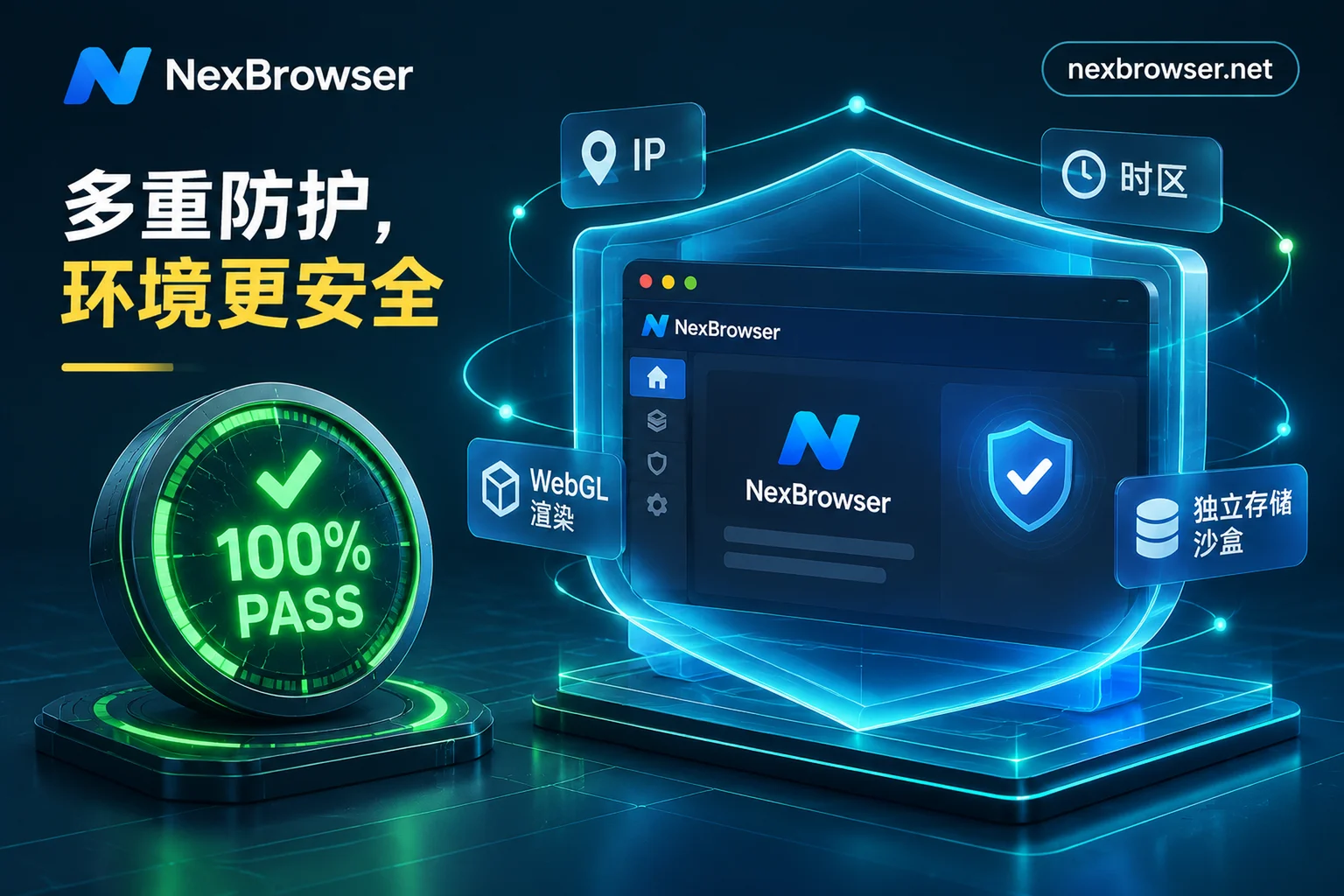
In NexBrowser's Privacy and Fingerprint Parameter System, the network exit is no longer an isolated configuration item but a benchmark anchor that drives environment parameters to be self-consistent:
- After the proxy is bound to a single environment and the exit is identified, the environment's WebRTC policy, system timezone, browser language, and Geolocation will automatically match and align with the proxy exit IP.
- Meanwhile, underlying parameters such as Canvas, WebGL, fonts, Audio, screen resolution, and hardware concurrency are independently generated per environment and are self-consistent, completely eliminating the exposure risk of "New York IP with Beijing time" (for how to verify the environment status after binding, refer to "How to Read Browser Fingerprint Detection: Breaking Down the Green Light Illusion and 2026 Multi-Account Environment Self-Check List").
4. Lossless Rebinding: Change Proxy Without Losing Login State
Because NexBrowser structurally decouples each environment's cookies, cache, local storage (including IndexedDB), and proxy configuration, when you need to change the proxy IP in the environment settings due to high latency of the original node, the system will not clear existing cookies and local storage. Combined with the cloud encrypted synchronization mechanism when closing the environment, even when logging in on a different machine or smoothly switching to a new proxy in the same region, the account can still securely continue the previous login state.
III. Scaling Up: How to Batch Bind Proxies for Dozens or Hundreds of Accounts?
When the number of accounts managed by the team expands from three or five to dozens or even hundreds, opening environment windows one by one and manually pasting IP and port is not only extremely inefficient but also highly prone to human errors such as "accidentally binding the same static IP to two stores on the same platform".
For matrix operations and technical development teams, NexBrowser provides two efficient batch binding paths:
| Binding Method | Target Users and Business Scenarios | Core Operation Process and Advantages |
|---|---|---|
| Client Batch Import and Assignment | Cross-border multi-store operations, social media matrix managers, ad optimizers | Batch import HTTP/HTTPS/SOCKS5 proxy lists $\rightarrow$ one-click batch speed test and location verification $\rightarrow$ select environments by platform/store group for batch proxy binding and batch start/stop. |
| Local API / MCP Dynamic Binding | Crawler engineers, automation script developers, AI Agent players | Create/modify environments via local HTTP API calls and dynamically pass proxy parameters, combined with CDP port to be directly taken over by Playwright/Puppeteer or MCP clients. |
1. Operations Team: Group Tags + Templated Batch Operations
In the Multi-Account Environment Management Panel, administrators can first group and tag environments by platform (e.g., Amazon, TikTok, Facebook), store batch, or person in charge.
After batch importing dozens of purchased proxies, there is no need to enter each environment setting one by one; simply check the target environment group on the list page to execute batch proxy binding and batch start/stop. For environments that have already been tuned with system templates (built-in Windows / macOS / Android / iOS parameter templates, updated in the cloud with Chrome kernel versions), you can also save them as standard templates, and when copying and creating new ones, new independent fingerprint parameters will be automatically generated.
2. Technical and Automation Teams: Local API and MCP Programming-Level Scheduling
If you are running data collection tasks or need to integrate dynamic rotating proxy pools and self-built IP pools into automated workflows (for related strategies, refer to "How to Use Rotating Proxies with Fingerprint Browsers: First Choose Rotation Method by Task, Then Do Session Binding and Exit Verification"), manual import is clearly not enough.
NexBrowser freely opens unlimited calls of Local API and MCP Access Capabilities with the Windows client (also available in the free tier):
- OpenAPI Dynamic Rebinding: After enabling OpenAPI in the client and obtaining the access key, your external scheduling script can programmatically create environments, dynamically bind or switch proxies, open and close windows, and read CDP connection information in real time via the local HTTP interface (see OpenAPI Interface Documentation), seamlessly integrating with Selenium, Puppeteer, Playwright, and browser-use.
- MCP Client Direct Connection: By configuring NexBrowser MCP Server, developers can directly list and open environments already bound to specific proxies and automate web page operations with natural language instructions in clients supporting the MCP protocol, such as Claude Code, Codex, and Cursor.
IV. Multi-Account Collaboration After Binding: Let Each Window Mind Its Own Business
When each browser environment is securely bound to an independent proxy IP, subsequent daily operations, script execution, and team collaboration must all operate under the premise of strictly following "environment and proxy isolation":
- Automation Tasks Each Use Their Own Proxy Channel
Whether using drag-and-drop no-code RPA scripts (Beta) to bind a batch of environments for daily account nurturing, or invoking the built-in Nex Agent (AI Agent) to split tasks across multiple windows for parallel form filling and screenshots, or enabling Window Synchronization where the master window drives slave windows for manual-assisted batch operations—each participating window still strictly uses its own independently bound fingerprint, cookies, and proxy IP, and traffic crossover never occurs. - Localized Registration and Verification Code Closed Loop
When registering new accounts in environments bound to proxies of a specific country, you can directly call the NexSMS Number Center built into the environment sidebar (Cloud Phone Number Feature, pay-per-use), obtain numbers by the same country region and target platform, receive SMS, and automatically fill in verification codes. Stores or main accounts that need long-term maintenance can also be directly converted to long-term rental, keeping the network exit location consistent with the phone number location. - Team Password-Free Handover, Lock Down Proxy Configuration Permissions
For teams with multiple collaborators, after the administrator binds proxies and platform accounts to environments, they can share environments password-free with operations members through the role and permission matrix (see Role and Permission Documentation). When members open windows, login is automatically filled in, and they not only cannot access the underlying account passwords, but the administrator can also restrict ordinary members from arbitrarily modifying bound proxy parameters; meanwhile, the system enforces "the same environment can only be opened by one member at the same time", avoiding abnormalities caused by multiple people concurrently launching the same proxy environment (for more anti-conflict details, see "What Happens When Multiple People Log into the Same Browser Environment Simultaneously: Data Overwrite, Account Abnormal Concurrency, and How Teams Should Handover and Divide Work").
Conclusion: Truly Convert the Value of Proxy IPs into Account Security
In an era of increasingly stringent multi-account risk control, binding a proxy IP to a browser is no longer a simple "fill-in-the-blank" but a systematic project covering pre-launch connectivity checks, automatic alignment of WebRTC with timezone and language, lossless cache retention, and batch API scheduling.
If you are troubled by cumbersome multi-account proxy configuration, occasional proxy disconnection causing direct connections, or IP scheduling issues in automation scripts, why not immediately visit the NexBrowser Download Page to get the latest Windows client (supporting Windows 10/11 64-bit systems). NexBrowser adopts a feature-agnostic strategy, and you can directly experience all core features including batch proxy binding, NexIP integration, window synchronization, and Local API through the Limited-Time Free Event Page with zero threshold, building a truly independent network defense line for each of your business accounts.