 NexBrowser指纹浏览器-官方博客Blog
In cross-border e-commerce, social media matrices, ad placement, and public data collection businesses, fingerprint browser automation has evolved from an early-stage "nice-to-have tool" into a standard way for teams to control labor costs. But many teams hit a wall soon after moving their operations onto automated pipelines: scripts that pass local debugging, once scaled to dozens of accounts running in batches, within three days trigger slider CAPTCHAs, secondary SMS verification, or even get entire batches of accounts banned as machine behavior.
The problem is usually not "the code that clicks a button was written wrong," but signal drift and behavior homogenization that emerge when automation tools interact with the underlying browser environment. When a platform's risk control model cross-checks device fingerprints, local storage continuity, proxy network fluctuations, and operation cadence together, any rigid patch-up at any point exposes the entire matrix.
For fingerprint browser automation to truly save teams manual labor instead of mass-producing dead accounts, you need a systematic review from underlying environment persistence, automation executor selection, network and verification-code support, to team human-machine boundaries.
1. Why Do Accounts Get Banned Once Automation Scripts Run Fast? Beware of Three Major "Signal Fault Lines"
Many developers or operations teams habitually focus entirely on "how to locate page elements" when doing automation, while ignoring that platform risk controls have already completed multiple rounds of screening at the very start of a session. Current mainstream platforms' anti-automation systems focus on guarding against the following three types of anomalies:
1. Native Headless Browser Feature Exposure
Headless browsers launched directly with native Playwright or Puppeteer, even with conventional stealth plugins added, still easily give themselves away at the rendering engine layer—for example, empty plugin lists, default SwiftShader renderer signatures, or multiple browser contexts (Context) emitting completely identical Canvas hashes. In scenarios that require long-term maintenance of account weight, bare scripts without an independent fingerprint foundation can hardly move forward.
2. Cross-Session "Signal Drift"
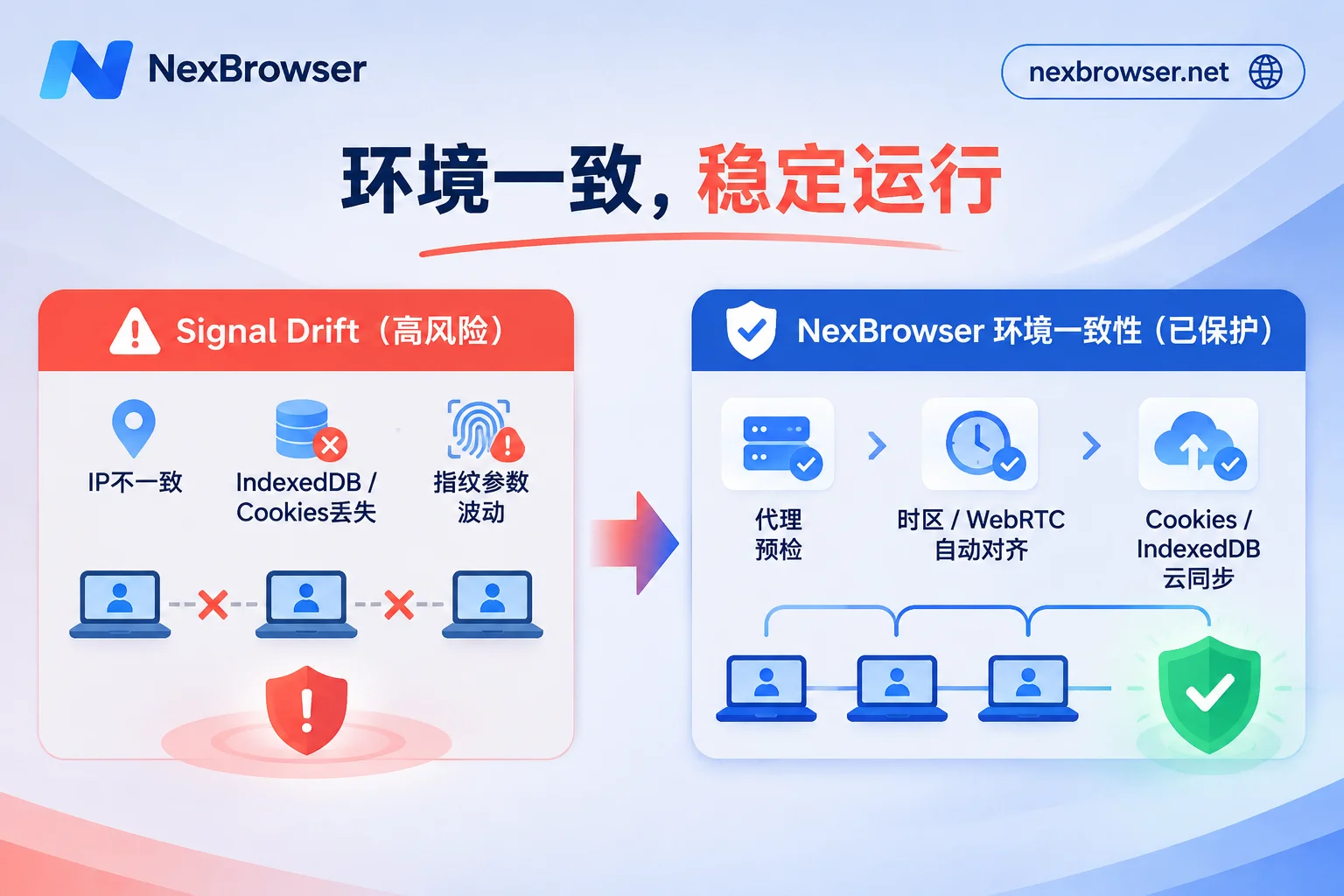
Risk control systems don't just check whether a single visit is normal; they care more about the environment continuity of the same account across multiple logins. If the automation script slightly adjusts fingerprint parameters each time it launches an environment, the proxy IP jumps to another timezone while the browser language is not synchronized, or the state written to IndexedDB and localStorage in the previous operation is lost after closing the window, the platform will judge it as "session hijacking" or "machine polling the environment."
3. Rigid Concurrency with No Elasticity
When dozens of accounts perform clicks, scrolls, or form submissions at completely identical millisecond intervals in the same second, or when they loop and retry endlessly upon page redesign pop-ups, behavior traces aggregate into an extremely conspicuous anomaly curve in the risk control backend.
Further Reading: If your environment frequently loses login or triggers risk control after being taken over by scripts, you can first refer to our troubleshooting approach in Browser Environment Isolation and IndexedDB Anti-Cross-Streaming in Practice.
2. Stabilize the Automation Foundation: First Ensure Each Account's "Identity Continuity"
Before sending any automation command to a browser, the first step is to ensure the container hosting the account itself can withstand repeated start and stop cycles.
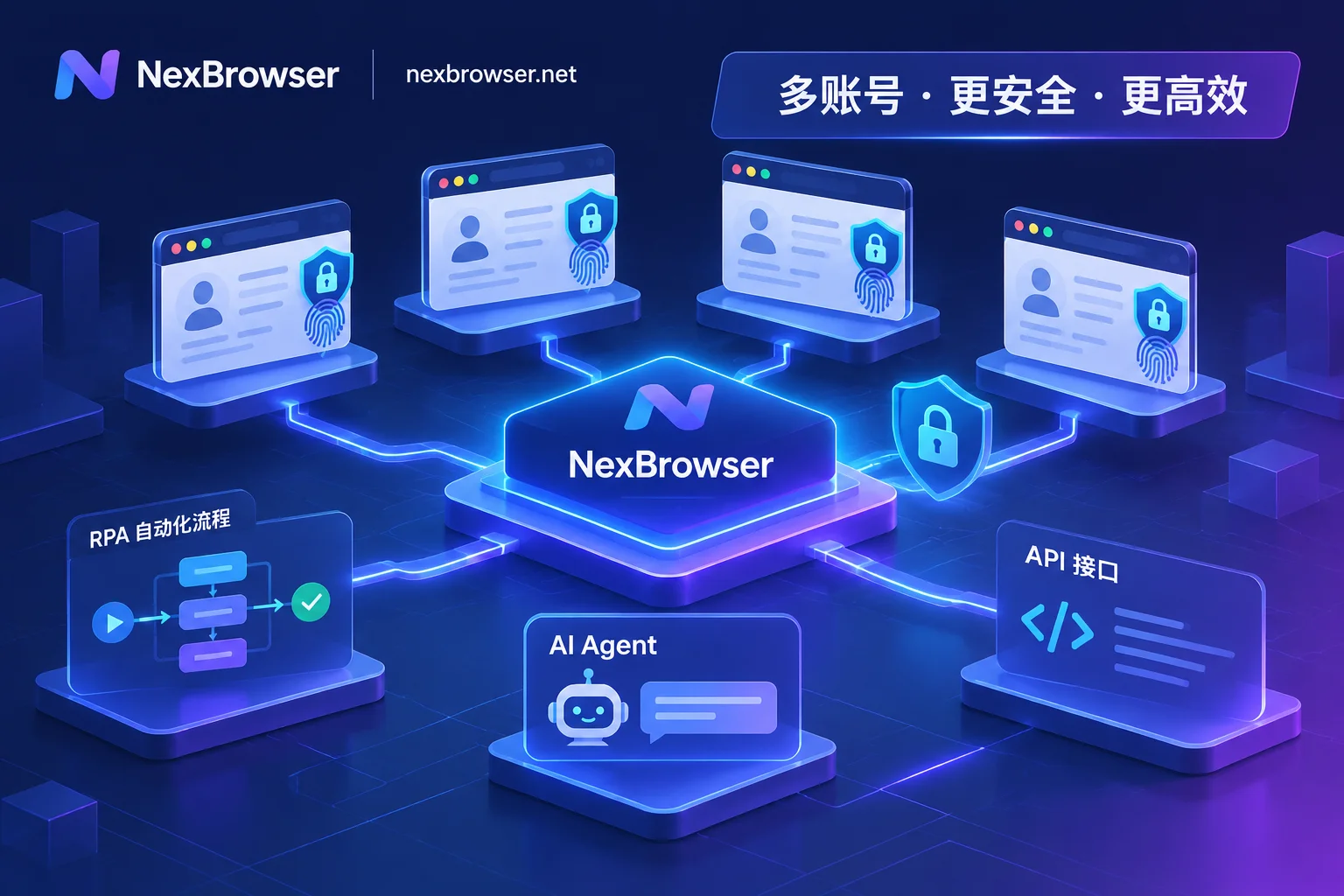
In the NexBrowser workbench architecture, automation is not an add-on floating above the browser, but runs directly in strictly isolated independent environments:
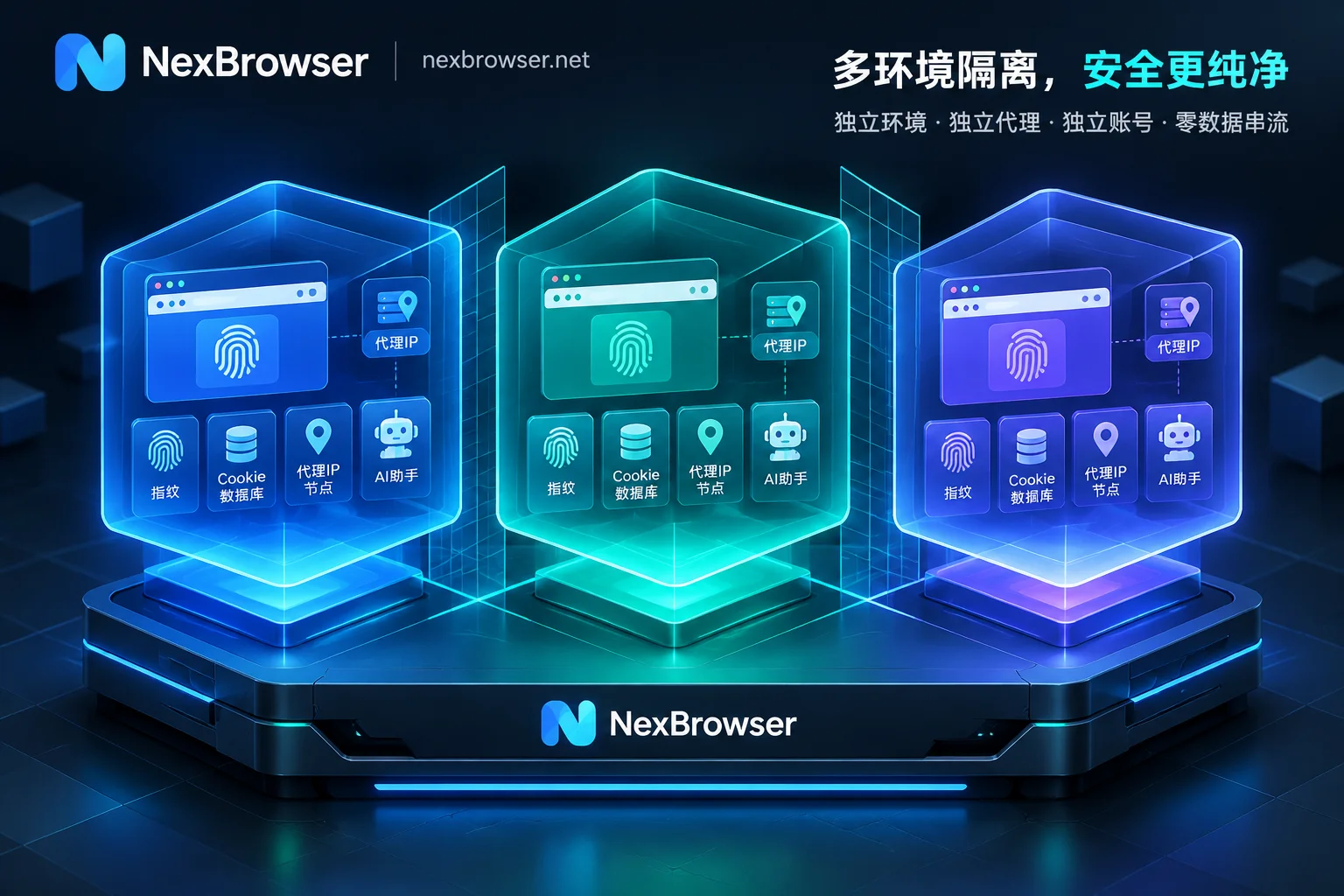
- Fingerprint self-consistency and template synchronization: Each environment has independently generated and mutually consistent browser fingerprint parameters (covering Canvas, WebGL, Audio, fonts, screen, hardware parameters, User-Agent, and more). You can generate them with one click or manually fine-tune as needed; the built-in Windows, macOS, Android, and iOS parameter templates update in the cloud with Chrome kernel versions, avoiding feature anomalies caused by outdated kernels.
- Full state persistence: Each environment's Cookie, cache, and local storage (including IndexedDB) are completely isolated. When an automation task ends and the environment is closed, this state data is encrypted and synchronized to the cloud according to the selected scope. Next time, whether the script wakes it up again on the same machine or a team member logs in from another machine, it seamlessly continues the previous login state and cache history, completely eliminating the signal drift of "looking like a new device every time it starts."
- Network egress pre-check and automatic alignment: The biggest fear in batch automation is a proxy failing midway and exposing the real IP. When configuring proxies and residential IPs, NexBrowser checks proxy egress connectivity before the environment starts and directly blocks startup if the check fails. At the same time, the environment's WebRTC policy, timezone, language, and geolocation automatically align with the egress IP, and changing proxies midway will not clear existing Cookies or local storage.
3. How to Choose Among Four Automation Pipelines? Match Tools to Task Complexity
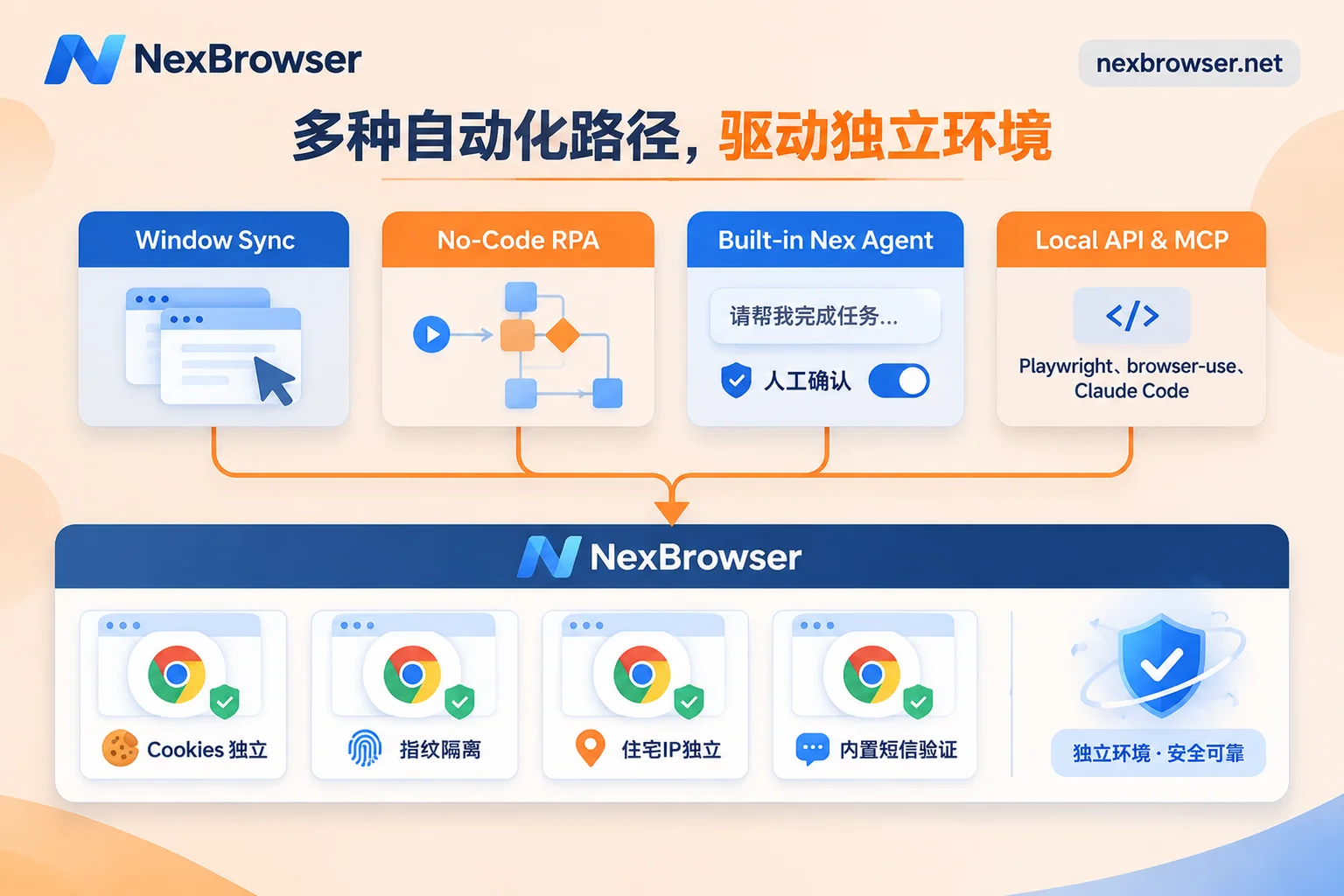
"Fingerprint browser automation" is not limited to writing code. Different business stages, task determinism, and team tech stacks are suited to completely different execution methods. NexBrowser integrates four mainstream automation capabilities into the same client, and teams can flexibly combine them according to task characteristics:
| Automation Method | Applicable Scenarios | Core Advantages | Onboarding Barrier |
|---|---|---|---|
| Window Sync | Temporary batch event registrations, multi-account operations requiring manual judgment while watching | Real-time master-slave window linkage, supports operation intervals and throttling, can take over at any time | Zero code, out-of-the-box |
| RPA Scripts (Beta) | Daily fixed processes (such as scheduled store patrols, backend report exports, routine interactions) | No-code canvas drag-and-drop, supports variables/loops/conditions and step-level error localization | Low barrier, operations staff can orchestrate independently |
| Built-in AI Agent | Non-standard tasks with variable page structures and semantic understanding needs (such as complex form filling, multi-window parallel research) | Issue instructions in natural language, automatically decomposes multi-window parallelism, sensitive operations can require human approval | Zero code, natural language interaction |
| Local API & MCP | Deeply customized business logic, integration with internal systems, connection to external open-source frameworks | Free local interfaces and CDP, seamless integration with Playwright / browser-use / Claude Code | Requires development or engineering configuration skills |
1. Window Sync: "Semi-Automation" That Preserves Human Judgment
For temporarily launched platform events or scenarios that require manual visual checking of image and text layout, writing a dedicated script is often not worth it. After enabling Window Sync, simply select a master window, and your clicks, inputs, scrolls, and address navigation are synchronously mapped to the selected slave windows. To prevent mechanical synchronization from triggering risk control, you can individually toggle each sync item and set operation intervals and throttling. Windows participating in synchronization are automatically arranged, and each slave window still strictly runs under its own fingerprint, Cookie, and proxy.
2. RPA Scripts (Beta): Solidify Fixed SOPs into Pipelines
For mechanical actions with clear rules that repeat every day, handing them to RPA scripts is the most cost-effective choice. Operations staff can orchestrate on a no-code canvas by dragging and dropping, combining variables, condition judgments, loops, and waits, and setting individual failure retries for each step. Orchestrated scripts can be bound to a batch of environments for batch execution with one click; once an account executes abnormally, execution logs recorded per environment and per step instantly help you locate exactly which step it got stuck on, and after fixing, scripts can be exported for other colleagues to import and reuse.
3. Built-in AI Agent: Use Natural Language to Handle Dynamic Pages
Traditional scripts fear frontend redesigns of target websites the most; a single CSS selector change can make the entire pipeline stop working. The AI Agent (Nex Agent) built into the NexBrowser client takes a different approach: you only need to describe the goal in natural language, and the Agent will open the corresponding environment, recognize page structure, complete operations, fill forms or take screenshots, and even break a large task into multiple windows advancing in parallel. Since login state is saved per environment, the next run directly continues. For key nodes such as publishing, payment, or deletion, you can also enable request approval before executing irreversible operations, leaving a safety buffer between efficiency and risk control.
4. Local API and MCP: Fully Open to the Developer Ecosystem
If your team already has existing Python / Node.js automation projects, or is using popular open-source AI browser frameworks (such as browser-use), you can use Local API and MCP to make NexBrowser the underlying secure browser foundation:
- Standard CDP takeover: Enable OpenAPI in the client and use an access key to call local HTTP interfaces, then create, open, and close environments in batches with code, dynamically bind proxies, and directly read CDP connection information. Whether it's traditional Selenium, Puppeteer, Playwright, WebDriver, or emerging
browser-useand Playwright MCP, all can directly take over environments. - NexBrowser MCP Server: If you are used to working in MCP clients such as Claude Code, Codex, or Cursor, directly connect to the MCP service and you can list, open fingerprint environments, and drive page operations directly through conversation in your development tools.
- Zero API surcharges: NexBrowser's Local API is free with unlimited calls and opens directly with the Windows client; free-tier users can also call it directly (for specific interface specifications, see the OpenAPI interface documentation).
Further Reading: To learn more about the mix ratios of different tools in specific businesses, you can read "How to Implement AI Browser Automation in Multi-Account Businesses: The Practical Division of Labor Among Built-in AI Agent, RPA, and Window Sync" and "How to Use Fingerprint Browser APIs Without Pitfalls: A Practical Guide from Local API plus CDP Takeover to Direct MCP Connection".
4. Unblock Automation Choke Points: A Closed Loop of Proxies, Verification Codes, and Team Collaboration
In actual batch operations, what really interrupts automation is often not page clicking, but fragmented peripheral support—for example, a script runs halfway and triggers SMS verification, and operations staff still have to find a verification-code platform on another web page to copy and paste; or multiple people use scripts to invoke the same account at the same time, causing Cookies to overwrite each other and report errors.
To make automation a closed loop, you need to bring network, verification, and permissions together in the same workbench:
- Closed-loop verification code sending and receiving within the environment: When encountering account registration or secondary review for remote logins, the environment sidebar directly includes cloud phone numbers (NexSMS Number Center). Without switching out of the browser window, you can obtain numbers by country/region and target platform, receive SMS, and fill in verification codes; for high-value long-term stores or core social media accounts, you can also switch directly to long-term rental, billed by usage, available on demand.
- One-click binding of compliant residential networks: In addition to batch importing your own proxies and one-click checking latency and location, after linking a NexIP account, you can bind residential IPs by country/region with one click in the environment, reducing automation interception rates caused by data center IP ranges being flagged.
- Conflict-proof team permission matrix: When technical colleagues write scripts and operations colleagues review data, through multi-account management and team collaboration mechanisms, team founders can create their own roles and finely divide what each person can view and operate in the permission matrix. After platform accounts are bound to environments, login is automatically filled upon startup, and members cannot access plaintext passwords; more importantly, the system enforces that only one member can open the same environment at any given time, fundamentally preventing abnormal concurrency caused by "manual operation" and "automation scripts" fighting over the same account session at the same time.
5. A 4-Item Anti-Ban Self-Check List Before Launch
Before formally adding dozens or hundreds of accounts to automation tasks, it is recommended to do a final safety review against the following checklist:
- Set templates first, then scale up: First run the complete process with 1–2 test environments, confirm that fingerprint parameters, proxy egress, and target site risk controls do not conflict, and then save the environment as a template; when copying environments in batches, the system automatically generates new independent fingerprint parameters based on the template.
- Strictly control concurrency and operation cadence: Whether writing Playwright scripts or orchestrating RPA, avoid fixed static waits (such as always pausing 1000ms); reasonably intersperse random wait intervals and enable operation throttling during window sync.
- Keep an exception circuit-breaker mechanism: In RPA, reasonably configure the upper limit of single-step retries, and do not infinitely refresh the page when encountering unknown CAPTCHA pop-ups; when using the built-in AI Agent, enable the manual approval switch for actions involving funds, password changes, or card binding.
- Regularly review step logs: Develop the habit of checking RPA step-by-step logs and AI Agent execution replays. Once a step frequently triggers platform warnings, adjust the interaction path in time instead of blindly increasing concurrency.
Start Building Your Automation Workflow Now
Automation should not be expensive infrastructure only affordable to big tech teams. In NexBrowser, features are not tiered: whether it's window sync, RPA orchestration, the built-in AI Agent, or unlimited Local API and MCP interfaces, all can be experienced directly in the free version without binding a credit card (specific free window and member quotas are subject to the real-time description on the official website's campaign page); when your business scale expands later and you need to purchase additional capacity, you only need to pay flexibly on the pricing page based on the actual number of windows and members required.
Go to the client download page now to get the latest Windows (64-bit) installer, hand tedious and repetitive multi-account operations to automation, and let your team refocus on business growth that truly creates value.


Comments(0)