 NexBrowser指纹浏览器-官方博客Blog
For operators managing multiple cross-border e-commerce stores, overseas social media accounts, or advertising accounts, the most exhausting part is often not the business itself, but the half-hour of "environment preparation" before starting work every day.
Even in 2026, many startup teams or individual sellers are still using the most primitive methods to handle multiple accounts: installing four or five different browsers on their computers, or dividing Chrome into a dozen profiles, and nervously clearing cookies, checking proxy IPs, and searching for SMS verification codes on their phones before each account switch. As the number of accounts expands from three or five to dozens or hundreds, this "manual workshop" management method quickly hits two walls: First, the internal friction of switching and verification drags down operational efficiency; second, after platform risk control upgrades, surface-level isolation cannot stop underlying association judgments.
To escape the vicious cycle of "more accounts, messier environment, more uncertainty," the key is to re-understand the value of a multi-account management browser—it should not just be a container for "standalone multi-instance windows," but a digital workbench that packages underlying isolation, network verification, daily operations and maintenance, and automated execution together.
1. Why "Installing More Browsers + Clearing Cache" Completely Fails in 2026
Many sellers have a cognitive misconception before their accounts get into trouble: as long as I use different IPs for each store, or use incognito mode, or clear local cache, the platform won't know these accounts are operated by the same person.
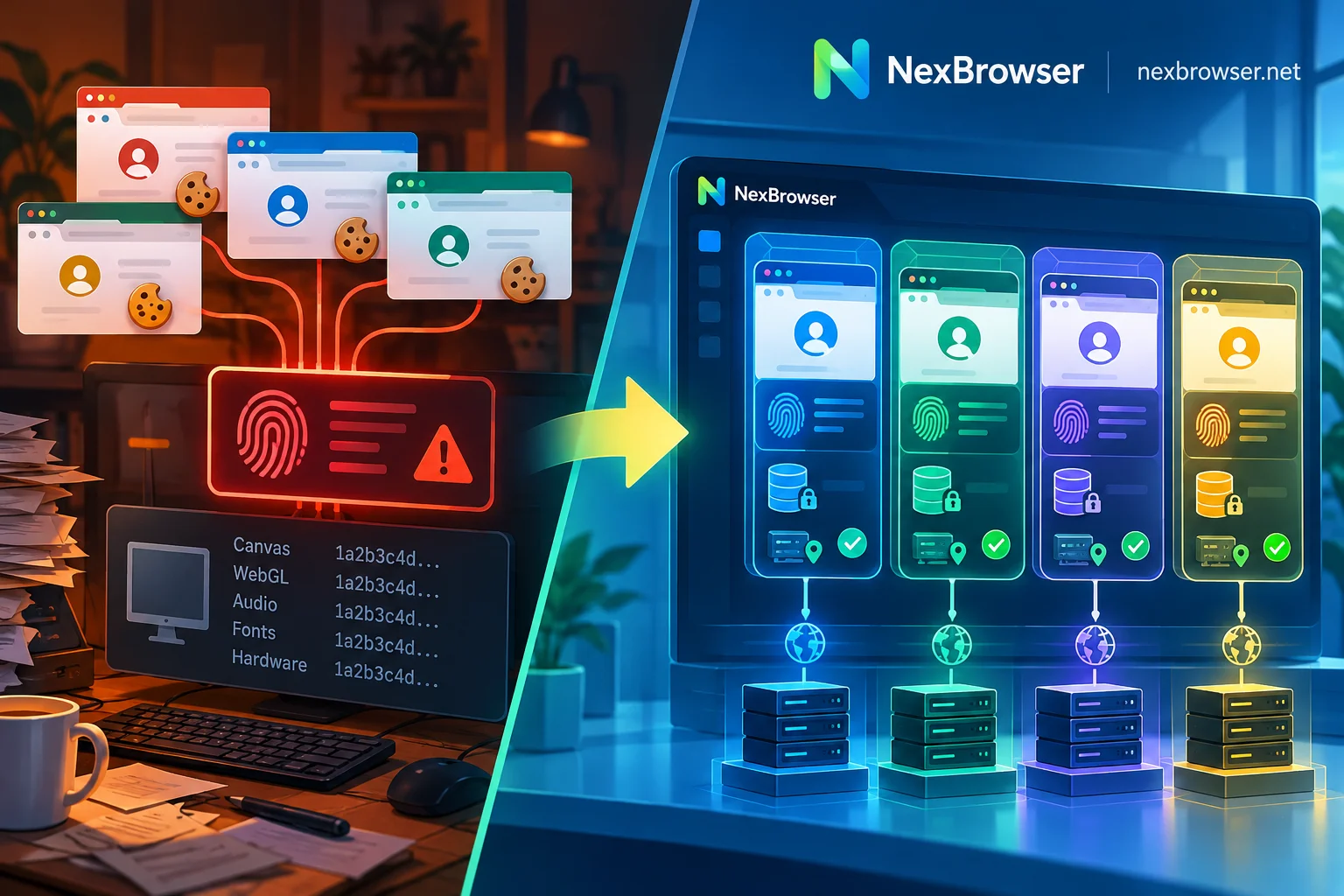
In fact, the environment verification rules of mainstream e-commerce and social media platforms have long entered deep waters. In addition to checking basic IP addresses and cookies, risk control systems collect browser underlying features with increasingly fine granularity. When you switch accounts on the same physical computer using a regular browser, no matter how you clear the cache, the Canvas rendering features, WebGL image information, AudioContext audio fingerprints, local font lists, and hardware concurrency parameters exposed by the browser to the website are completely identical.
In the eyes of platform algorithms, this is like the same person wearing the same clothes with a special number, just changing hats (IPs) to enter different stores—easily triggering "joint account bans" or frequent secondary verification. (If you want to deeply understand the underlying logic of platform association detection, you can refer to the official guide Why Accounts Get Associated, or read our previously compiled Anti-Detection Browser Selection and 4 Lines of Defense.)
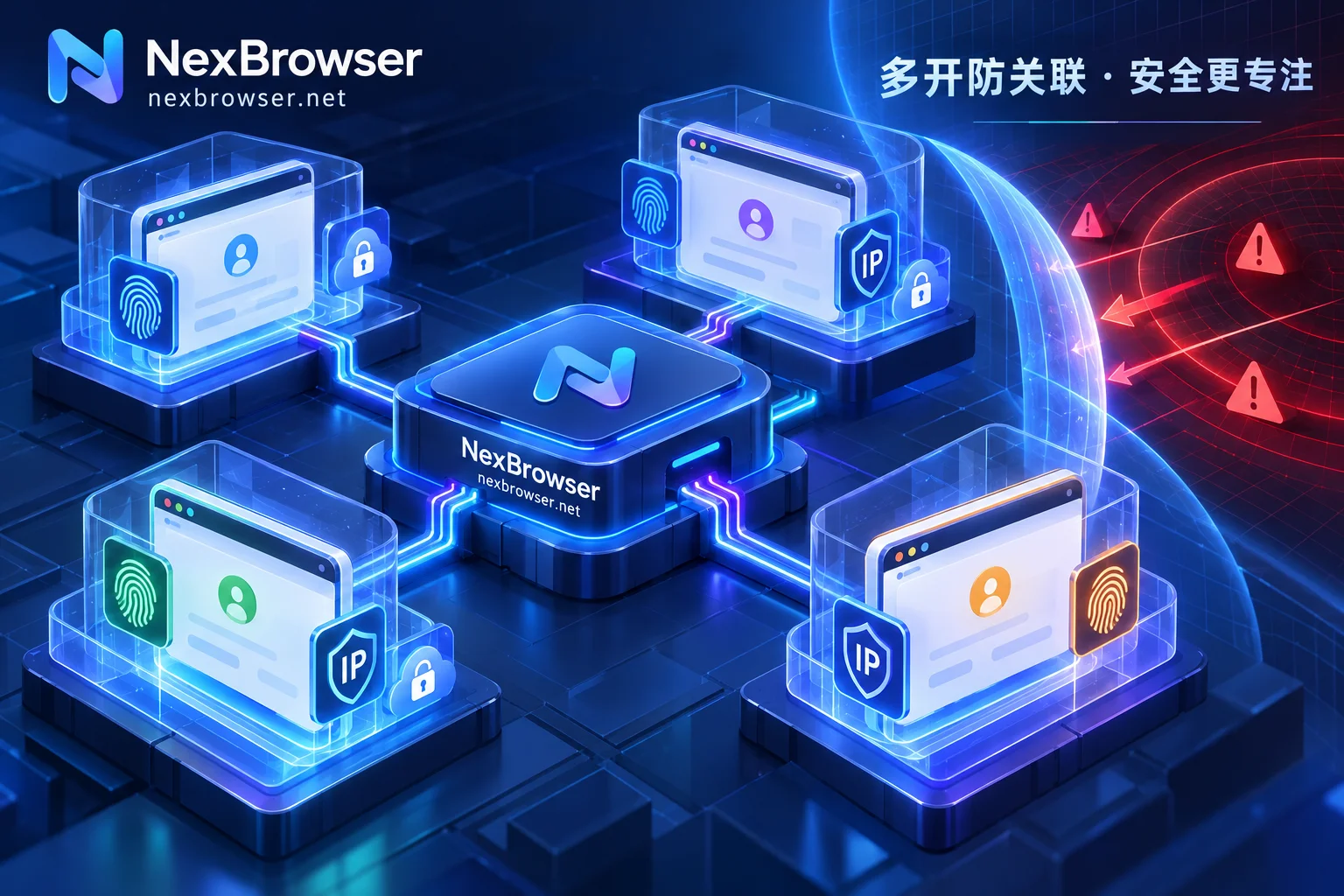
True multi-account environment isolation must transform the originally expensive "physical isolation (one device per account)" into rigorous "logical isolation (one device with multiple independent environments)". Take NexBrowser, built on the Chrome kernel, as an example: it constructs a completely independent sandbox environment for each account at the underlying level:
- Completely independent storage layer: Cookies, local cache, and local storage including IndexedDB for each environment are physically isolated from each other, and environments cannot read each other, fundamentally eliminating "login state crossover".
- Self-consistent and continuously evolving fingerprint parameters: Isolation is not about simply messing up parameters, but making them "look like a real ordinary device". NexBrowser's fingerprint parameter protection mechanism supports independent generation of Canvas, WebGL, fonts, Audio, screen, hardware and other parameters per environment, and ensures all parameters are mutually consistent. It also has built-in parameter templates for Windows, macOS, Android, and iOS, and templates are updated synchronously in the cloud with Chrome kernel versions, avoiding risk control anomalies triggered by outdated kernel versions.
- Cloud-based continuous restoration: When operators close an environment, cookies and local storage data are encrypted and synchronized to the cloud according to the selected scope; even if they switch to another computer while on a business trip, they can directly resume the previous login state by opening the environment, without going through cumbersome remote login verification again.
2. Shorten "Environment Preparation" to Seconds: From Batch Account Creation to Sidebar SMS Verification
After solving the underlying anti-detection security, the second practical pain point of multi-account management browsers is: the triviality of daily operations and maintenance.
When you have dozens of environments, finding accounts, changing IPs, and receiving verification codes often becomes a disaster. A qualified multi-account workbench should converge these high-frequency actions into a closed loop within the browser.
1. Structured Grouping and Templated Expansion
In NexBrowser, you can say goodbye to messy desktop icons and directly group and tag environments by target platform (such as Amazon, TikTok, Facebook), business store, or specific person in charge. When you need to launch a new batch of business accounts, there's no need to click and configure one by one—save your tuned standard environment as a template, and you can batch create, batch bind proxies, and generate new independent fingerprint parameters with one click.
2. Proxy Pre-check and Automatic Environment Alignment
"Using a fingerprint browser but forgetting to check proxy status, resulting in opening the store with a local direct IP" is one of the most common causes of failures in multi-account operations (for more misoperations, see Anti-Detection Browser 5 High-Frequency Operation Error Troubleshooting).
To plug this human oversight, NexBrowser has double insurance in proxy and residential IP management:
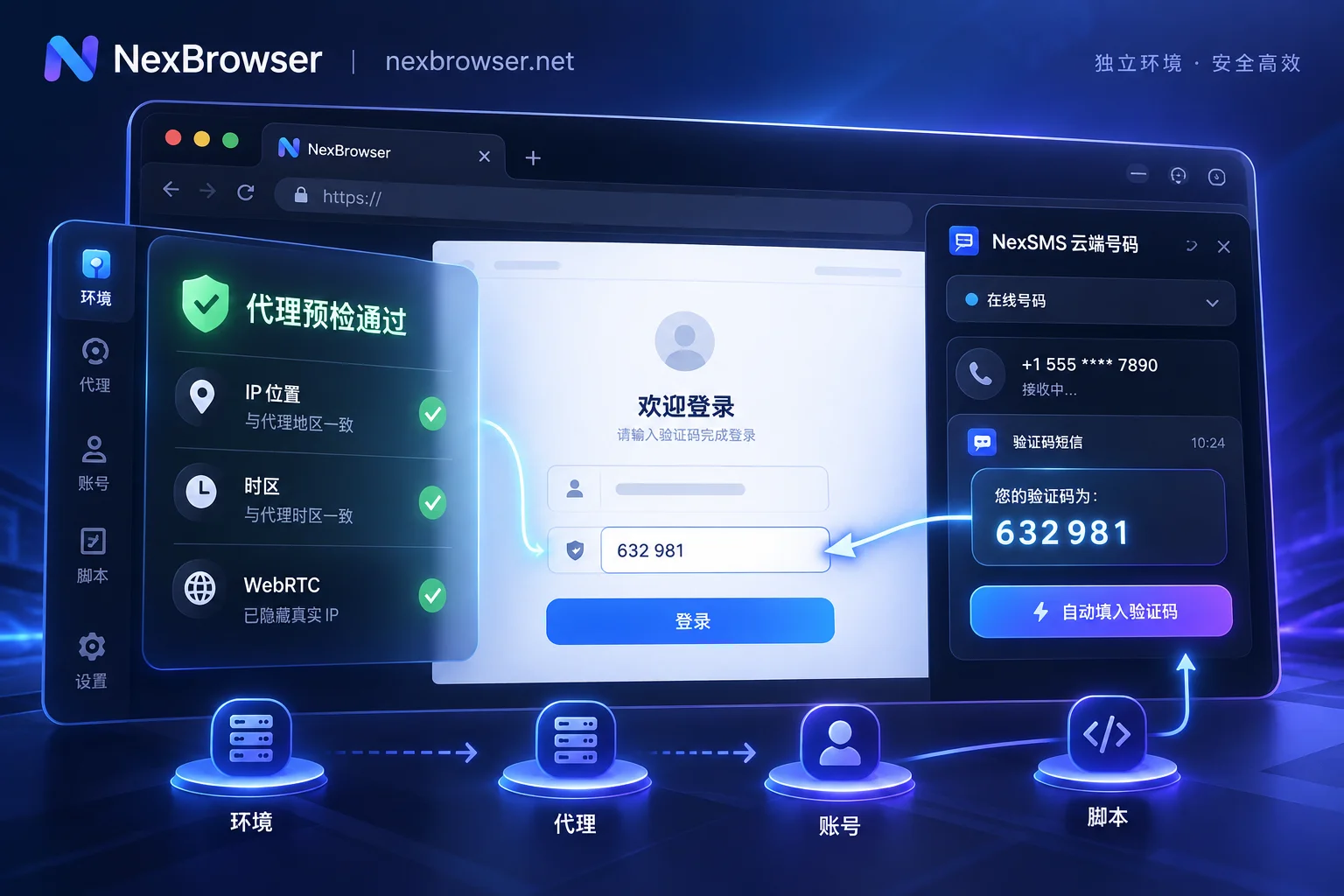
- Mandatory interception before startup: Supports single or batch import of HTTP/HTTPS/SOCKS5 proxies, with one-click detection of connectivity, latency, and exit attribution. More importantly, the environment checks the proxy exit before startup; if the check fails, startup is directly aborted, never exposing accounts to the wrong network.
- Environment parameters aligned with exit: After a proxy is bound to a single environment, the browser's WebRTC policy, time zone, language, and geolocation automatically match and align with the proxy exit IP. Even if the proxy needs to be changed midway, the original cookies and local storage will not be cleared. If you have a NexIP account linked, you can also bind residential IPs by country/region with one click.
3. Sidebar Embedded Cloud Phone Numbers: Say Goodbye to "Cross-Device Verification Code Searching"
During multi-account registration, daily login, or triggering platform secondary verification, the most disruptive thing is holding a row of physical phones or switching between different SMS receiving webpages to find verification codes. NexBrowser directly embeds the NexSMS number center in the browser environment sidebar (cloud phone number feature). Operators can obtain numbers by country/region and target platform, receive SMS, and directly fill in verification codes within the current window; for high-value key stores or matrix main accounts, they can also directly switch to long-term rental, billed by usage, no longer headaches over maintaining dozens of physical SIM cards.
3. From "Manual Mechanical Clicking" to "Intelligent Execution with Safety Gates"
By 2026, evaluating whether a multi-account management browser is good is no longer just about whether it can "stabilize the environment," but also whether it can save the team from mechanical repetitive labor.
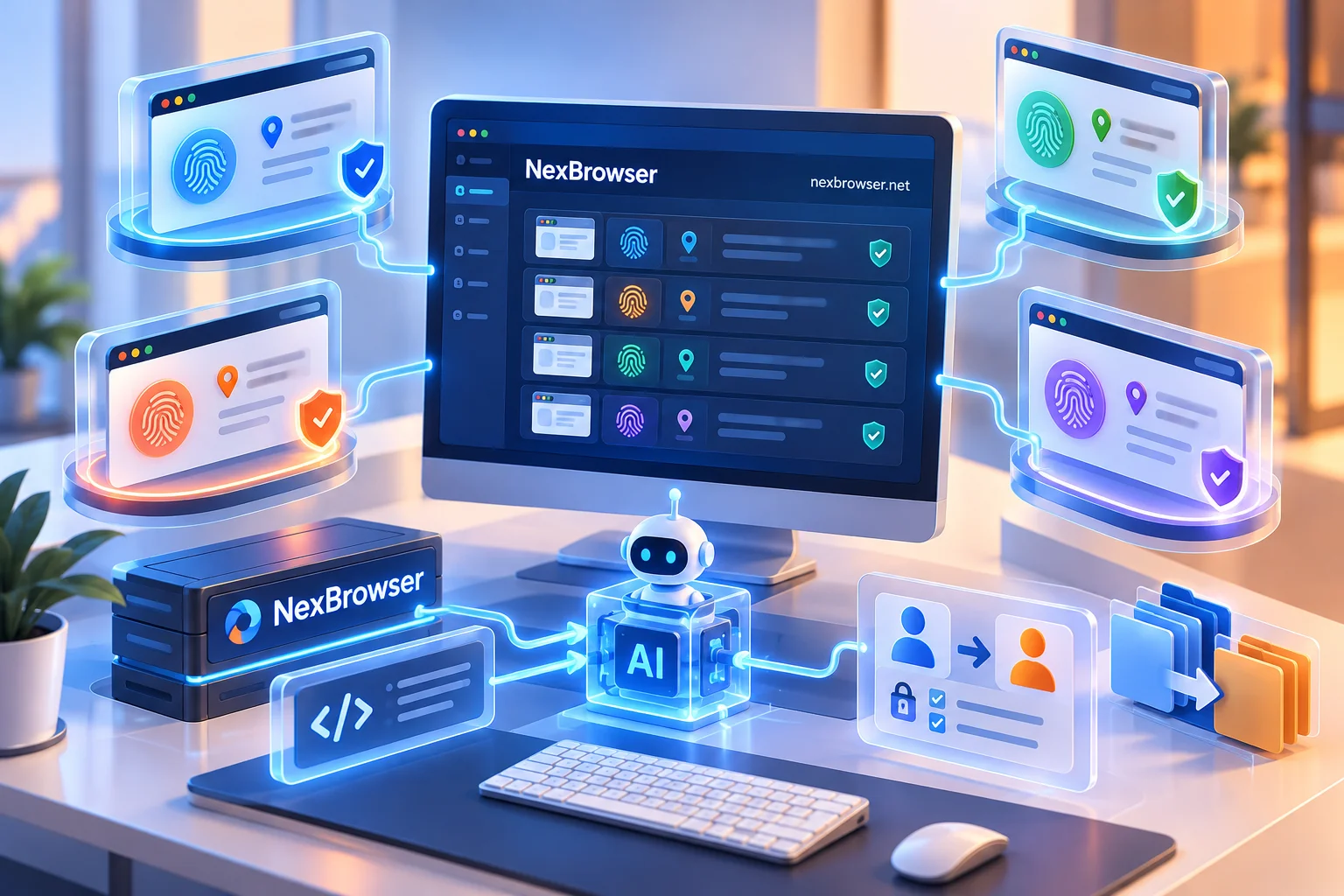
However, businesses at different stages have completely different automation needs, and with the proliferation of AI agents, companies are increasingly worried: "If we completely hand over operation rights to machines, who will be responsible if misjudged operations lead to account bans or financial losses?" To address this pain point, NexBrowser provides four sets of efficiency tools from shallow to deep, with clear control boundaries (for specific division of labor ideas, you can also read AI Browser Automation Practical Division of Labor):
| Efficiency Tool | Applicable Business Scenarios | Core Control Mechanisms and Safety Boundaries |
|---|---|---|
| Window Synchronization | Temporary batch operations requiring manual real-time monitoring and judgment (e.g., batch browsing interactions, synchronized form filling) | After selecting the master window, clicks, inputs, scrolls, and navigations are synchronized to slave windows; synchronization items can be individually toggled, operation intervals and throttling can be set, and can be stopped at any time; each slave window still runs its own independent fingerprint, cookies, and proxy. |
| RPA Scripts (Beta) | Daily repetitive tasks with fixed processes and clear rules (e.g., regular backend inspections, fixed-path collection) | No-code canvas drag-and-drop orchestration, supports variables, conditional judgments, loops, and failure retries; a single script can be bound to a batch of environments for parallel execution; execution logs are recorded per environment and per step, enabling precise error localization. |
| Built-in AI Agent | Complex web interactions with non-fixed patterns, cross-window parallel information organization and form filling | Client built-in Nex Agent, can automatically operate pages, take screenshots, and continue environment login state with natural language commands; supports setting "request human approval before executing irreversible operations", and the entire process can be reviewed. |
| Local API and MCP | Technical teams' self-developed scripts taking over, or integration with external AI programming assistants and agent frameworks | Free local HTTP interface and CDP connection, seamlessly compatible with Selenium, Playwright, Puppeteer, and browser-use; provides NexBrowser MCP Server, supporting Claude Code, Cursor and other clients to directly list, open environments, and operate pages. |
As you can see, whether using no-code RPA to run fixed processes or invoking the built-in Nex Agent to handle natural language tasks, all automation actions are strictly confined within their respective independent environment sandboxes; especially the AI Agent's "manual approval for critical actions" and "process replay" mechanisms precisely solve the governance challenge of teams wanting to use AI for efficiency but fearing AI overreach and loss of control.
4. Team Expansion Period: How to Ensure "What's Shared is the Working Environment, What's Retained is the Core Asset"?
When multi-account business moves from "individual fighting" to "team collaboration," the role of the management browser becomes the enterprise's digital asset safe.
In traditional practices, bosses write store account passwords in spreadsheets and send them to operators, or purchase multiple physical hosts for each employee to isolate accounts. Not only are hardware costs inflated, but once employees work remotely or personnel turnover occurs, changing passwords and revoking permissions can cause huge security risks (for detailed handover specifications, see How to Hand Over Accounts After Operations Staff Leave).
In NexBrowser's team collaboration system, account assets and operation permissions are thoroughly decoupled:
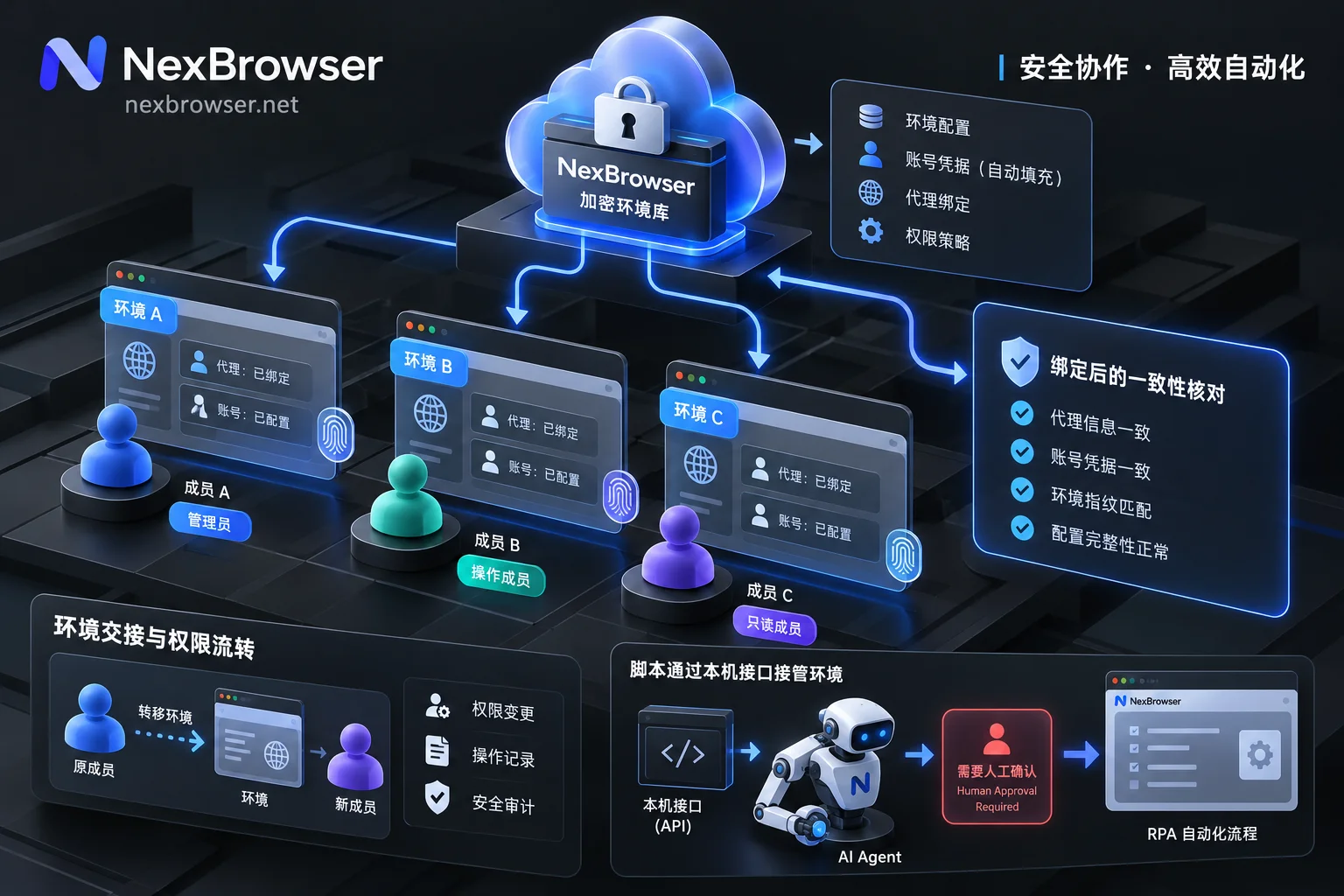
- Password-free sharing and auto-fill: After the team founder binds platform accounts to environments, what is shared with members is the "configured browser environment." When members start the environment, the system automatically fills in the login, and they never come into contact with plaintext passwords throughout; even if employees save other passwords in their own local windows, they only remain on their local machine and will not migrate with cloud synchronization to pollute the team environment.
- Fine-grained permission matrix and concurrency conflict prevention: Administrators can create custom roles and precisely define which groups each member can see and which operations they can perform in the role and permission matrix. At the same time, the same environment can only be opened by one member at a time, mechanically preventing login state overwrites and abnormal concurrent risk control caused by two people operating the same store simultaneously.
- Full-link encryption and auditing: Environment data is encrypted throughout transmission and cloud storage, and all permission changes and member operations are traceable.
5. Selection Pitfalls: Don't Let "Feature-Crippled Free Versions" Become Hidden Costs
Many sellers, when first choosing a multi-account management browser, start with various "free solutions" on the market. But after testing around, you'll find that many tools' free tiers often have hidden flaws: either they limit core fingerprint configuration items, making isolation superficial, or they lock down API interfaces, team collaboration, or window synchronization features. By the time you migrate your accounts and prepare for batch efficiency, you discover that everything requires paying to unlock higher-tier plans.
When selecting tools, it is recommended to prioritize feature completeness and billing transparency.
NexBrowser adopts a very straightforward "no feature tiering" strategy: in the permanent free tier, from complete underlying fingerprint customization, proxy detection and alignment, to window synchronization, RPA scripts, built-in AI Agent, and even Local API and MCP interfaces, all features are open to free users (no credit card required, quota does not expire; specific free window and member capacity are subject to the official activity page's real-time terms; Local API and MCP interfaces are completely free with unlimited calls).
When your business scale expands and you need to upgrade to a paid plan, you don't need to pay for bundles you don't use—billing is only based on the "window capacity" and "team member capacity" you actually need (30 days per cycle, first activation only charges for additional capacity). Residential IP traffic, cloud phone number SMS verification, and built-in AI Agent model tokens follow a completely pay-as-you-go independent billing principle.
Conclusion: Upgrade Your Multi-Account Workbench Now
In the cross-border e-commerce and social media matrix competition of 2026, what matters is no longer who can endure manual account switching, but who can achieve a scalable operational closed loop with lower environment maintenance costs and a more robust anti-detection foundation.
If you are still struggling with multiple accounts using multiple regular browsers and cache clearing, why not visit the NexBrowser Official Download Center now to get the Windows client (supports Windows 10/11 64-bit systems, with dual high-speed download lines for domestic and overseas), and use the full-featured free quota to build your first standardized multi-account workbench.


Comments(0)