 NexBrowser指纹浏览器-官方博客Blog
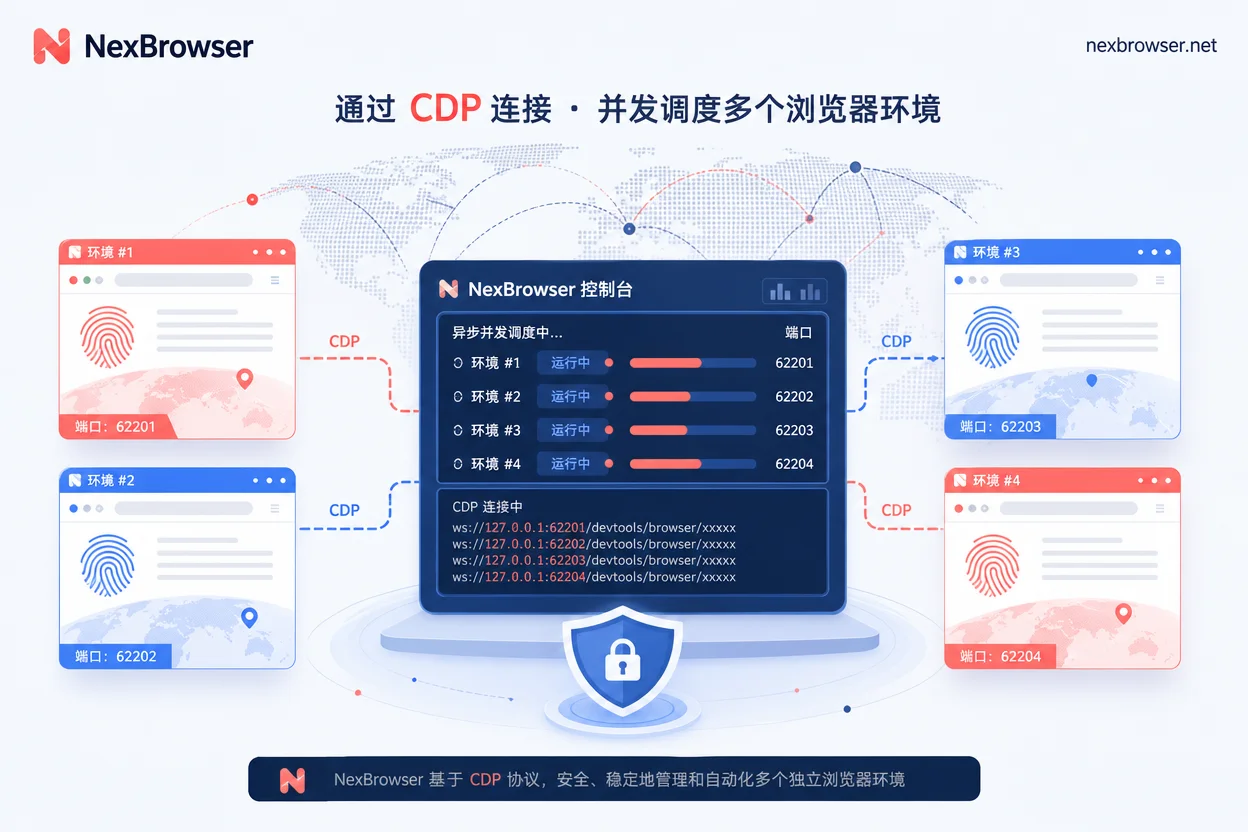
This Playwright multi-environment automation script development guide has one core conclusion: first obtain the remote debugging endpoint (including port) for each fingerprint browser environment, then use connectOverCDP to take over and reuse its default context. Do not let the script launch the browser itself. The current automation architecture is shifting from "scripts self-launching browsers" to "fingerprint browsers launching environments, Playwright taking over existing contexts via CDP endpoints." This way, proxies and fingerprints are managed uniformly by the environment, and scripts only execute actions. Below are the four steps: get the endpoint, connect to the context, run concurrent scheduling, and verify fingerprints.
Semantic Difference Between the Two Connection Methods: launch new vs connectOverCDP take over
launch or launchPersistentContext makes the script start a brand-new browser instance itself, in which case fingerprints and proxies must be forged by the script and are completely unrelated to the fingerprint browser environment. In contrast, connectOverCDP attaches to an already-running Chromium kernel instance, directly inheriting the proxy egress and fingerprint configuration preset by that environment. Therefore, in a takeover scenario, do not call launchPersistentContext or create a new context, or you will lose the environment's fingerprint and proxy settings. The Playwright official BrowserType documentation defines connectOverCDP as attaching to an already-running Chromium instance.
Step 1: Get the Environment's Remote Debugging Endpoint and Port
Each fingerprint browser environment, once started, binds to an independent system process and remote debugging port. You need to retrieve the environment's HTTP/WebSocket debugging endpoint via the environment management side's Local API and map the endpoint to the environment ID. Avoid hardcoding fixed ports, as different environments may have dynamically changing ports. You can refer to the method in fingerprint browser configuration tutorial.
| Environment ID | Debugging Endpoint (Example) | Associated Proxy |
|---|---|---|
| env_001 | http://127.0.0.1:9222 | Proxy A |
| env_002 | http://127.0.0.1:9223 | Proxy B |
Step 2: Use connectOverCDP to Reuse Existing Context, Don't newContext
After a successful connection, obtain the default context via browser.contexts(), typically using contexts[0] and reusing its pages. Do not call launchPersistentContext or newContext, because passing userAgent or proxy in a new context will overwrite the underlying injected hardware fingerprint features like Canvas, WebGL, WebRTC, and bypass the bound independent proxy, causing the environment to be flagged as suspicious tampering.
browser = playwright.chromium.connect_over_cdp("http://127.0.0.1:9222")
context = browser.contexts[0]
page = context.pages[0]
Step 3: How Many Ports When Running Playwright Scripts for Multiple Environments Concurrently
When running Playwright scripts for multiple environments concurrently, maintain a "one environment, one port, one Browser connection instance" mapping. Use asynchronous tasks to schedule multiple connections concurrently, with each task corresponding to one environment, rather than opening multiple contexts under a single Browser. This way, each environment runs independently without interference.
| Concurrency Scheme | Description | Applicable Scenario | Suggested Concurrency Reference | Failure Retry Strategy | Resource Usage Considerations |
|---|---|---|---|---|---|
| Serial | Run environments one by one; simple but slow | Few environments, debugging phase | Determined by local resource testing | Single environment failure affects the whole; need full retry | Single connection, low memory usage |
| Async Concurrent | One task per environment, independent connection | Many environments, production | Determined by local resource testing | Failure of one environment retries only that task, not all | Each connection corresponds to an independent Browser instance; concurrency limit constrained by local memory and environment process count |
Step 4: Verify Proxy Ownership and Fingerprint Declarations Are Not Overridden by Script Parameters
After takeover, spot-check: verify the egress IP matches the environment's bound proxy, check that the script does not inject overriding parameters, and ensure the page comes from the reused existing context. It is recommended to periodically validate the egress IP and record results. Example Playwright code to verify egress within the taken-over context: page.goto("https://ipinfo.io/ip") then read the page text and compare with the proxy egress registered for that environment ID in the mapping table. You must check the IP within the taken-over contexts[0] page; using local curl gets the host machine's egress and cannot verify the environment's proxy.
Troubleshooting Connection Failures: Endpoint Layer / Port Layer / Resolution Layer / Context Layer
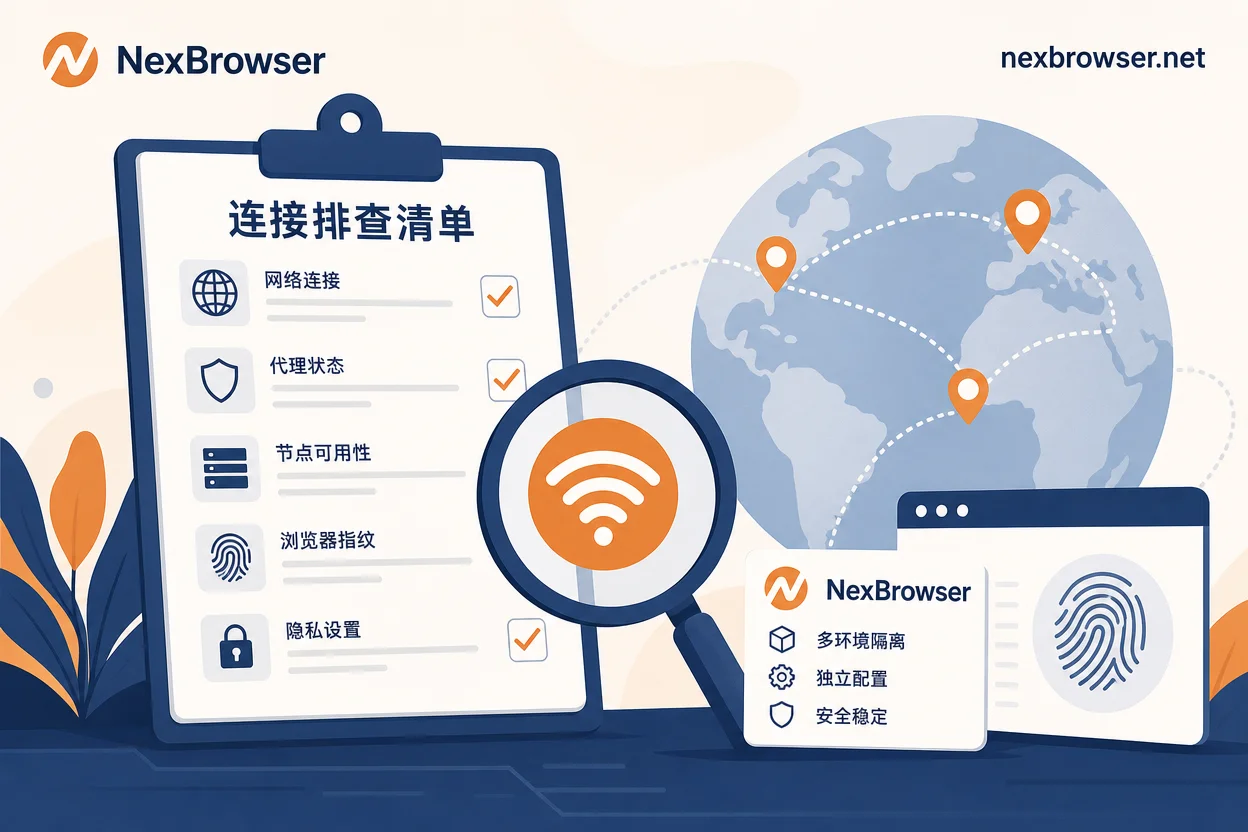
When encountering ECONNREFUSED, troubleshoot in this order:
- Confirm the environment is fully started and the port is ready.
- Check if
localhostresolves to IPv6 (::1) while the debugging endpoint only listens on 127.0.0.1; in that case, use the explicit IPv4 address. - Check if a local proxy or security software is blocking loopback communication. Refer to fingerprint browser independent IP configuration common errors and troubleshooting.
- Confirm you are retrieving the existing context, not creating a new one.
The troubleshooting order below applies to the local debugging endpoint of the Chromium kernel environment; for specific endpoint retrieval methods, refer to each fingerprint browser's Local API documentation.
When Implementing the Four Steps from This Playwright Multi-Environment Automation Script Development Guide, You Can Use NexBrowser's Local API to Batch Start Independent Environments with Bound Proxies and Retrieve Debugging Endpoints, Then Use the Method in Selenium Connection to Anti-Association Browser Interface Configuration Tutorial to Fix Each Playwright Connection to One Environment. Additionally, You Can Use Window Sync and No-Code RPA for Batch Spot-Checks of Egress and Login State, Referencing the Proxy IP Binding Browser Settings.
Playwright Multi-Environment Automation Script Development Guide: A One-Page Copy-Paste Checklist and Capability Boundaries
Compress this Playwright multi-environment automation script development guide into a one-page checkable checklist:
- [ ] Endpoint source: Obtained from the environment management side, not hardcoded?
- [ ] Connection method: Using
connectOverCDP, notlaunch? - [ ] Context retrieval: Reusing
browser.contexts(), not creating new? - [ ] Port mapping: One environment, one port, one connection?
- [ ] Egress verification: Verified egress IP matches environment proxy?
- [ ] Troubleshooting order: Followed endpoint → port → resolution → context?
CDP takeover only solves the decoupling of environment and execution; behavioral features like click frequency, mouse trajectory, and dwell time will still be evaluated by platform risk control and do not constitute any bypass means.
FAQ
How to connect Playwright to an already-open fingerprint browser window?
To connect to an already-open window, first obtain the environment's remote debugging endpoint (such as http://127.0.0.1:9222), then use connect_over_cdp in the script to connect. After connection, retrieve the default context via browser.contexts[0] to control the window.
What to do if playwright connect over cdp fails to connect?
First confirm the environment is started and the port is ready; check if localhost resolves to IPv6 (try 127.0.0.1); check if a local proxy or security software is blocking loopback communication; finally confirm whether the code incorrectly creates a new context.
Will Playwright scripts change the fingerprint parameters of the environment?
If you correctly use connectOverCDP and reuse the default context, fingerprint parameters will not change. However, if you call newContext() in the script and pass parameters like userAgent, proxy, etc., it will override the environment fingerprint and cause anomalies; this should be avoided.
How many ports do I need when running Playwright scripts for multiple environments concurrently?
Each environment should use an independent port, i.e., "one environment, one port." For example, 5 environments require 5 ports and create 5 Browser connection instances for concurrent scheduling.
How to set a separate proxy for each environment in Playwright?
There is no need to set a proxy in the script, as each fingerprint browser environment already has an independent proxy bound. After taking over via connectOverCDP, the proxy takes effect automatically; do not pass any proxy parameters in the script.
Which is more convenient for taking over fingerprint browsers: Playwright or Puppeteer?
Both attach to an existing browser via CDP endpoints. Playwright uses connectOverCDP, while Puppeteer uses a similar mechanism, but the way contexts are obtained differs. Playwright gets contexts via browser.contexts, while Puppeteer operates through the default browser object; for specifics, refer to their respective official docs.
What is the difference between Playwright headless mode and headed mode?
In the takeover scenario, the script connects to the headed instance already started by the fingerprint browser; the script side no longer determines headless. Headless mode is decided when the environment starts; the script does not set it additionally, nor should it imply that headless can evade detection.


Comments(0)