 NexBrowser指纹浏览器-官方博客Blog
Entering 2026, with Google Chrome advancing the WebMCP standard and the popularity of open-source tools like browser-use and Playwright MCP, the tech stack for fingerprint browser automation is undergoing a clear paradigm shift: more and more teams are realizing that purely pursuing '100% end-to-end unattended' is often the beginning of production incidents.
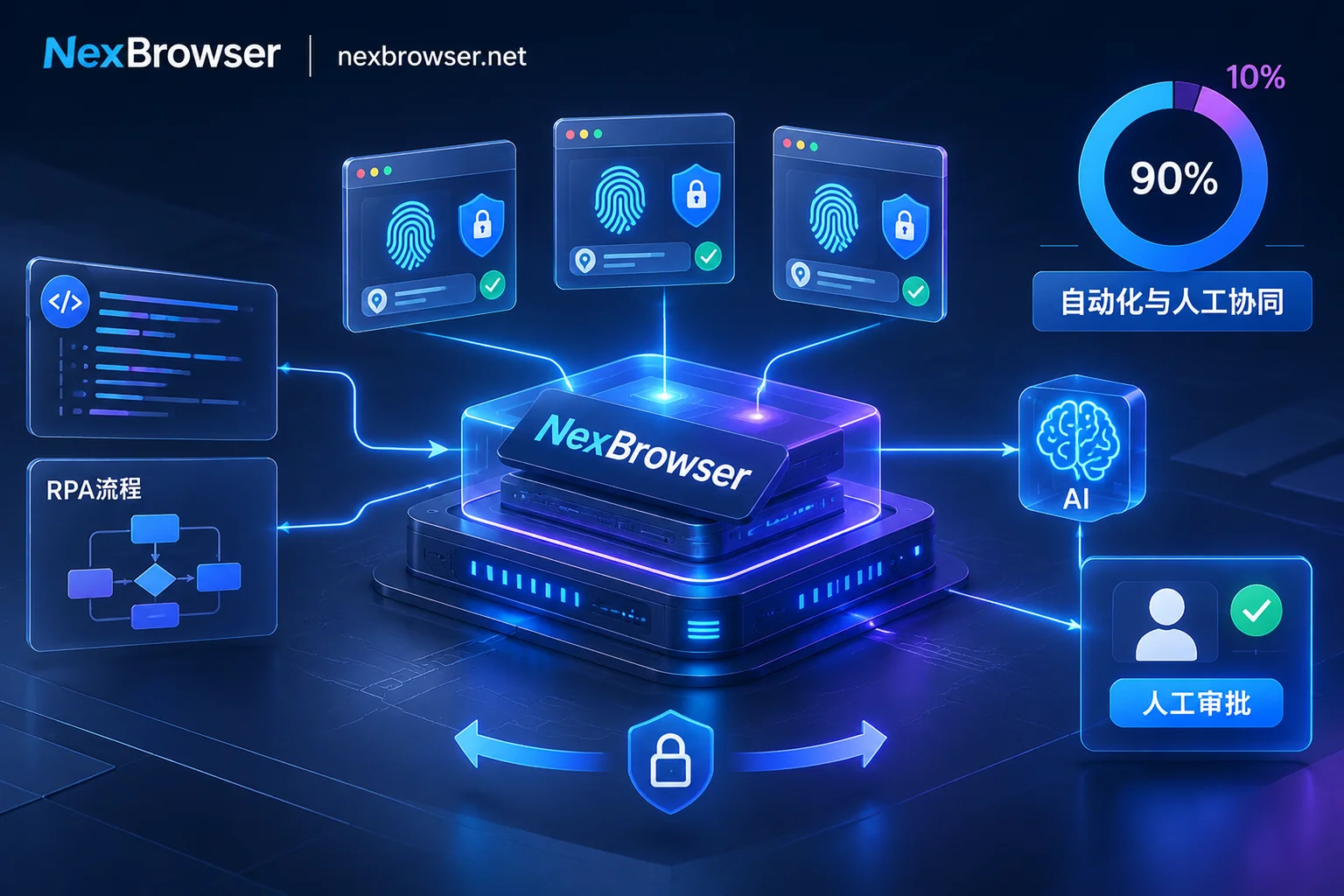
In real cross-border e-commerce, social media matrices, ad placement, and data collection businesses, automation systems that can run stably in the long term almost all point to the same hybrid architecture—delegating 90% of high-frequency, deterministic actions to standardized processes and scripts, and leaving 10% of dynamic exceptions, edge validations, and high-risk decisions to AI elastic processing and human collaboration.
However, when developers and operations teams try to apply this concept to dozens or even hundreds of accounts, they often fail not due to code logic or prompts, but because they get stuck on the underlying browser foundation and session continuity. This article starts from real production failures and breaks down how to build an automation workbench based on NexBrowser that balances account anti-association, state persistence, and smooth human-machine handover.
1. Why do your automation scripts run smoothly in testing but crash when scaled to multi-account production?
In a single-window demo environment, whether writing a Playwright script or letting Claude Code control local Chrome via MCP, everything seems to flow smoothly. But in multi-account production at scale, teams most often encounter three types of underlying collapses:
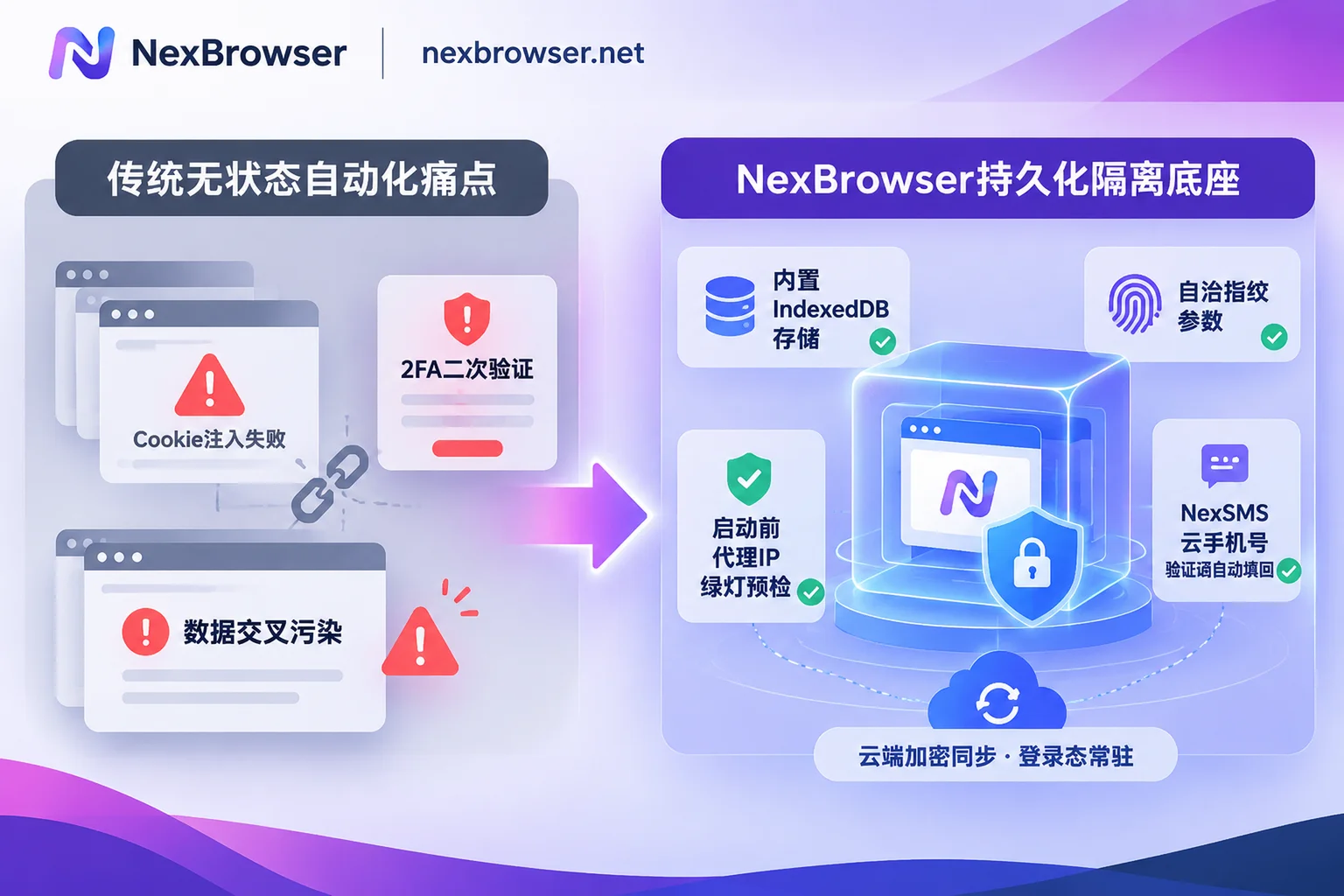
1. 'Stateless cold start' and Cookie streaming
Many teams are used to launching a brand new headless browser each time a script starts and injecting cookies from an external JSON file to reuse the login state. This approach is extremely fragile in the face of 2026 platform risk control: modern front-end applications rely heavily on IndexedDB and localStorage to store device tokens and session states. Exporting and importing only cookies leads to inconsistency between front-end and back-end states, frequently triggering two-factor authentication (2FA). More critically, if the underlying environment is not thoroughly cleaned when switching between multiple accounts, 'cache residue from the previous account' or Canvas fingerprint conflicts can directly cause batch account bans. For technical details on underlying storage isolation, you can refer to our previous breakdown: 《How to Achieve Thorough Browser Environment Isolation? From IndexedDB Anti-Streaming to AI Agent Multi-Account Sandbox Practice》.
2. Pure scripts are too 'brittle', pure AI is too 'wild'
If you rely entirely on traditional CSS/XPath selectors, a slight change in the target platform's front-end button class name can cause the automation tasks of the entire batch of accounts to fail and halt; but if you hand over the entire end-to-end process to a large language model (LLM) to freely operate, not only is the token cost for each visual or DOM parsing call high and execution slow, but it may also produce 'hallucinated operations' when encountering unknown pop-ups—such as mistakenly clicking to modify budgets, delete products, or trigger irreversible compliance appeals.
3. Human-machine handover gap: when automation gets stuck, humans can't take over
When an automation process encounters a slider captcha, remote login SMS verification, or complex store secondary review at the 50th account, the best approach is to pause the script and notify a human to intervene. But if your automation runs in a remote headless container or a temporarily launched instance, operators can neither see the real-time screen nor take over the mouse and keyboard while maintaining the exact same fingerprint, proxy IP, and login context—once they switch to another computer to manually log in and handle it, the account is instantly judged as abnormal due to environment jumps.
2. Breakthrough approach: Turn the fingerprint browser into a 'stateful persistent foundation'
To solve the above pain points, the core is to decouple 'identity and environment management' from business scripts and sink it into a professional fingerprint browser workbench. In NexBrowser's architecture design, the browser is no longer a temporary sandbox that is discarded after use by scripts, but a long-term fixed 'digital workstation' for each account.
1. Native-level environment isolation and full state persistence
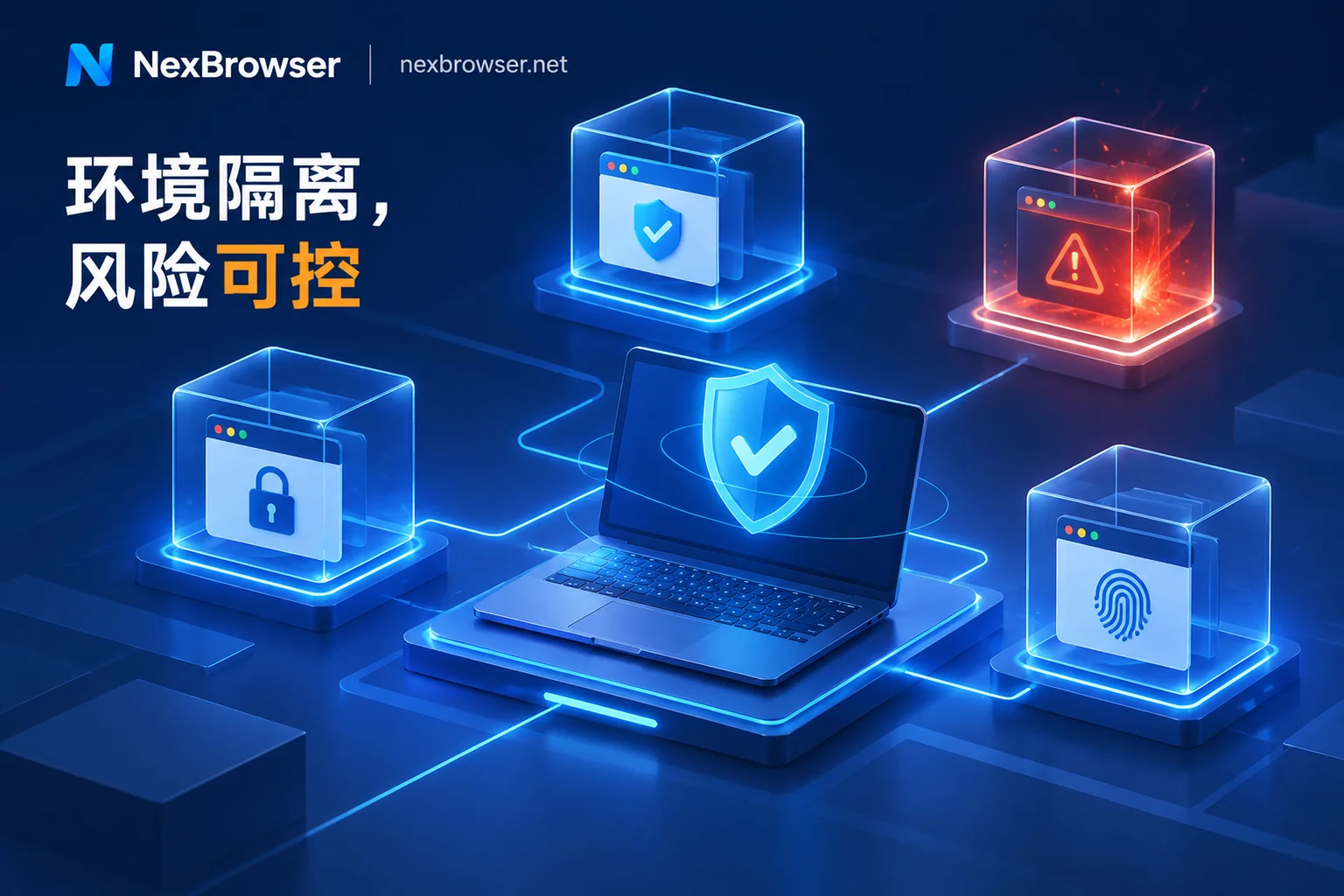
In NexBrowser, each browser environment has completely independent cookies, cache, local storage (including IndexedDB), and dedicated proxy configuration. Environments are physically isolated and do not read each other (see Multi-Account Environment Isolation Features).
- Say goodbye to manually stitching
storage_state: When a script or human closes the environment, core data such as cookies and local storage are encrypted and synchronized to the cloud according to the selected scope; next time, whether it's a scheduled script launch, AI Agent takeover, or a remote team member opening it, the complete login state is automatically restored without repeated QR code scanning or password entry. - Parameter self-consistency and proxy pre-check: Canvas, WebGL, Audio, fonts, hardware parameters, etc. are independently generated per environment and are self-consistent with each other (Privacy and Fingerprint Protection). More importantly, before the environment starts, it checks the bound proxy exit; if the check fails, it will never force start. WebRTC, time zone, and language automatically align with the exit IP (Proxy and Residential IP Management), eliminating from the source 'real IP exposure' or signal drift caused by proxy disconnection. If you want to learn more about startup pre-check and anti-drift mechanisms, you can read further 《How to Avoid 'Batch Account Bans' in Fingerprint Browser Automation? A Practical Guide from Anti-Signal Drift to Multi-Link Collaboration》.
2. Closed-loop handling of captchas and secondary verification SMS within the environment
When automation or human takeover encounters a platform requiring phone binding or SMS verification code, operators no longer need to switch back and forth to third-party SMS receiving platforms to copy. The NexBrowser environment sidebar directly integrates the NexSMS number center (Cloud Phone Number Feature), supporting direct number retrieval, SMS reception, and verification code filling within the current environment by country/region and target platform; for high-value long-term accounts, you can also switch to long-term rental with one click, consolidating the verification step that most easily interrupts automation flow within the same window.
3. Layered collaboration: The golden division of labor among four types of automation tools
Having clarified the stability of the underlying environment, the next step is to avoid 'seeing everything as a nail with a hammer'. For tasks with different levels of determinism, NexBrowser provides four native capabilities. Combining them is necessary to build a cost-effective and highly reliable production workflow (for a preliminary comparison of basic tools, you can also refer to 《How to Implement Multi-Account Business with AI Browser Automation: Practical Division of Labor among Built-in AI Agent, RPA, and Window Synchronization》):
| Automation Level | Applicable Scenario Characteristics | Core Recommended Tool | Key Control and Fallback Mechanism |
|---|---|---|---|
| L1: Fixed high-frequency processes | Clear rules, fixed elements, daily batch repetition (e.g., routine browsing, fixed report export) | RPA Script (Beta) | No-code drag-and-drop orchestration, supports variables/loops/conditionals, automatic retry on single-step failure, step-by-step log localization |
| L2: Semi-automatic human judgment | Temporary batch activities, need to click while watching, uniform operations after manual captcha solving | Window Synchronization | Master window drives slave windows to synchronize clicks/input/scroll, adjustable operation interval and throttling, can pause at any time to handle individually |
| L3: Natural language elastic tasks | Page structure often tweaked, need semantic understanding for form filling/screenshots, multi-window decomposition and parallelization | Built-in AI Agent (Nex Agent) | Reuses persistent login state of the environment, supports setting to request human approval before executing irreversible operations, process can be reviewed |
| L4: Deep customization and R&D integration | Complex cross-system data flows, integration with internal ERP, scheduling using open-source Agent frameworks | Local API and MCP | Free and unlimited calls, returns standard CDP interface or directly connects to Claude Code / Cursor via MCP Server |
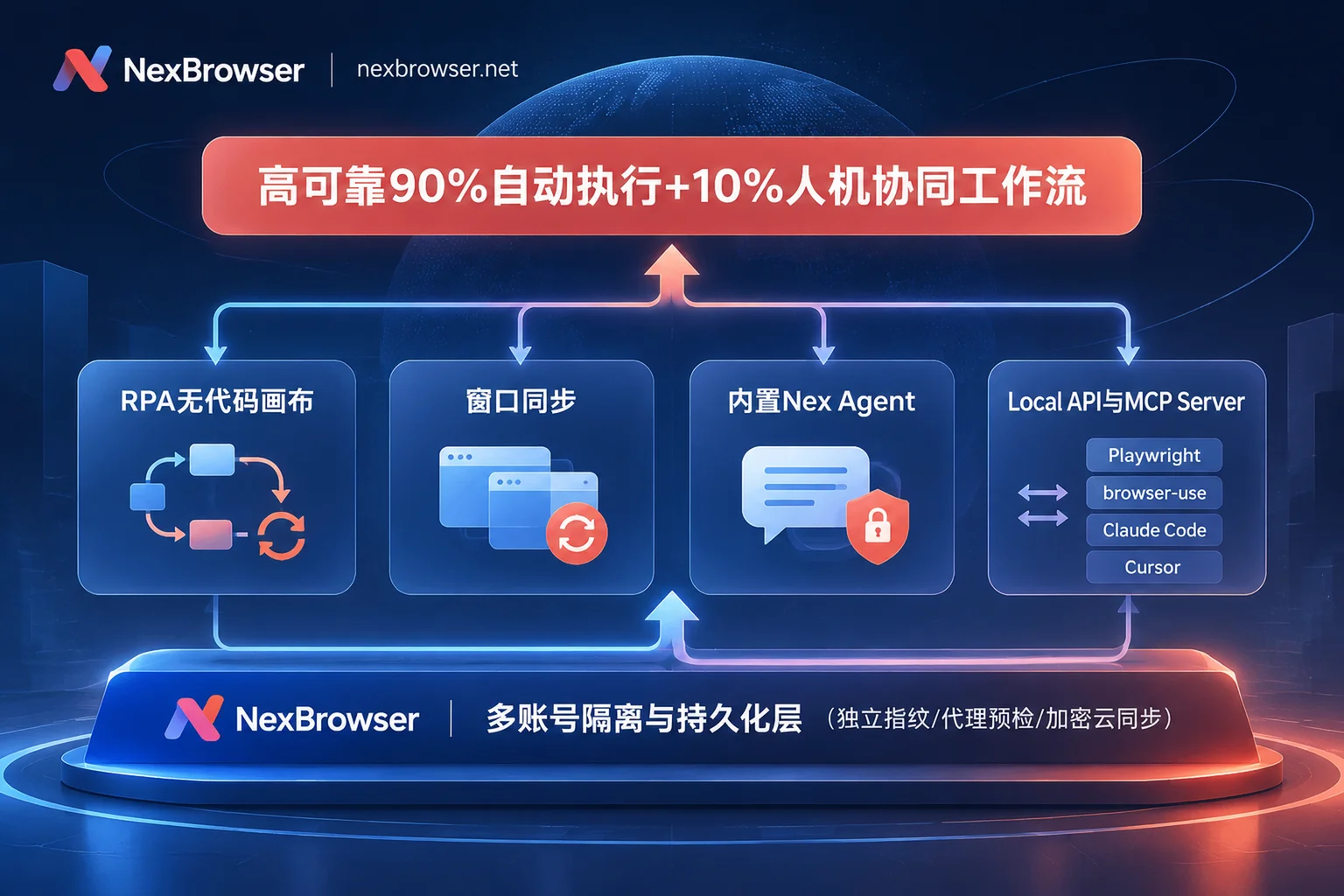
Key breakdown: How to make good use of 'deterministic execution + approval point interception'?
In the 2026 agent engineering practice, the 'Review Point' is the watershed that determines whether AI can enter the production line.
- Safety guardrails of the built-in Nex Agent: When using Nex Agent on the client, operators only need to issue instructions in natural language (e.g., 'Open these 5 store environments, check if there are unread compliance warnings in the backend and take screenshots for summary'). The Agent will automatically launch the corresponding environments and execute in parallel. Most importantly, you can enable 'Request approval before executing irreversible operations'—when AI is about to click sensitive buttons such as 'Submit Appeal', 'Confirm Deduction', or 'Delete Post', the process will automatically suspend waiting for human confirmation, enjoying the flexibility of AI reading web pages while safeguarding the bottom line of asset security.
- Standardization and accumulation of RPA: For fixed actions that have already been proven and do not require consuming large model tokens each time, you can solidify them through the RPA no-code canvas. A single script can be bound to a batch of environments for batch execution, and each environment still strictly uses its own fingerprint, cookies, and proxy. If an account fails due to network jitter, there is not only a single-step failure retry mechanism, but also quick problem localization through per-environment, per-step execution logs. Scripts can also be exported and shared for team reuse.
- Immediate rescue with window synchronization: When encountering sudden platform promotion configurations or temporary batch verification, and there's no time to write scripts or AI is too slow, directly enable Window Synchronization. Arrange the windows to participate in synchronization, enable operation interval and throttling control, manually operate once in the master window while watching the screen, and the other slave windows will synchronize in their respective isolated environments. If individual accounts have pop-up exceptions, you can stop synchronization at any time and click them individually.
4. Developer practice: Building a zero-castration external scheduling foundation with Local API and MCP
For technical teams or independent developers with R&D capabilities, the biggest pain point is often the 'interface tax' of commercial fingerprint browsers—many products claim to support automation, but either lock the API behind expensive high-tier enterprise packages, limit requests per second, or even return window IDs that are misaligned with actual environments. For details on avoiding pitfalls in interface selection, you can review 《Fingerprint Browser API Selection Guide: Calculate Package Thresholds and Interface Limits, Build a Zero-Castration Automation Foundation》.
In NexBrowser, features are not tiered at all, Local API and MCP interfaces are free and unlimited, and even free-tier users can use them directly with the Windows client (see Free Tier Description and Pricing Plans).
Route A: Local API + CDP Takeover (suitable for production-grade deterministic pipelines)
Developers only need to enable OpenAPI in the client and obtain an access key, then complete full lifecycle scheduling through local HTTP interfaces (see OpenAPI Interface Documentation):
- Dynamic orchestration: Batch create environments through code, generate self-consistent fingerprints based on preset templates, dynamically bind or switch proxies (support HTTP/HTTPS/SOCKS5, or link NexIP accounts for one-click binding of residential IPs filtered by country/region).
- Seamless integration with mainstream frameworks: After calling the open environment interface, directly read the returned CDP (Chrome DevTools Protocol) connection information. Whether it's traditional Playwright, Puppeteer, Selenium, WebDriver, or the currently popular open-source agent frameworks
browser-use, they can all directly take over a real browser window that is already in login state and fully equipped with anti-association disguise via WebSocket.
Route B: NexBrowser MCP Server direct connection (suitable for conversational automation and rapid exploration)
If you are using AI programming and agent clients that support Model Context Protocol, such as Claude Code, Cursor, Codex, you don't even need to write glue code yourself.
- By integrating NexBrowser MCP Server (configuration tutorial see MCP Automation Manual), your external AI assistant can directly call tools to list all fingerprint environments under the current account, filter by tags and open specific windows, directly read page structure, and perform click or form filling operations.
- Advanced hybrid玩法: R&D personnel can first use Cursor + NexBrowser MCP to quickly run through the business logic of a new platform in a natural language conversation within an isolated environment with real login state, and explore the DOM structure and risk control checkpoints; after successful verification, let AI convert the just-performed operation path into a fixed Playwright script, and put it into large-scale scheduled operation through Local API.
5. Team security closed loop: When automation requires human collaboration, how to control permissions?
Since '90% automation + 10% human intervention' is the best production practice, it inevitably involves multi-person handover among technical development, automation operations, and frontline business operations. If, to handle that 10% of exceptions, account passwords are sent to operators in spreadsheets, or multiple people remotely connect to the same machine and fight over the mouse, it is very easy to cause internal leaks and session conflicts.
NexBrowser's team collaboration mechanism (see Multi-Account and Team Management and Roles and Permissions Documentation) specifically provides engineering-level protection for such collaboration:
- Password-free sharing and auto-fill: After platform account passwords are bound to the environment, they are automatically filled when the window starts. Frontline operators or outsourced handlers can only see the logged-in business interface and never have access to plaintext passwords throughout the process.
- Fine-grained permission matrix: Team founders can create custom roles to precisely define who can create/modify environment configurations, who can only open windows of specified groups to handle daily business, and who has permission to operate automation scripts.
- Exclusive lock and operation audit: The same environment can only be opened by one member at a time, fundamentally preventing session trampling caused by 'the script is running in the background while an operator suddenly opens the same environment on another computer and manually clicks around'; meanwhile, all permission changes and member operations are encrypted in transmission and logged for traceability at any time.
Conclusion: Upgrade your multi-account automation foundation now
In 2026, fingerprint browser automation is no longer about who can write more complex anti-crawler bypass code, but who can, with lower maintenance costs, twist 'long-lasting isolated real login state', 'deterministic batch scripts', and 'controlled AI agents' into a single rope.
Whether you are a cross-border or social media operator who needs to free your hands with window synchronization and RPA, or a developer who wants to integrate Playwright, browser-use, or Claude MCP into an anti-association environment, you can now directly go to the NexBrowser download page to get the Windows 10/11 (64-bit) client. No credit card required, start directly from the fully-featured open free tier and run your first production-grade human-machine collaboration pipeline with your own hands.