 NexBrowser指纹浏览器-官方博客Blog
Entering 2026, the underlying growth logic of the cross-border e-commerce industry has undergone a visible turning point. The old playbook of betting on probability with a single platform and dozens of generic listing stores is becoming ineffective, replaced by multi-channel branding and localized layouts: "Amazon + TikTok Shop + AliExpress / Temu semi-managed + independent sites."
However, when sellers spread the same supply chain and brand assets across multiple platforms, or even densely open "local shops" in the US or Southeast Asia, risks multiply. On one hand, mainstream cross-border platforms in 2026 have fully tightened "environment consistency verification" after new stores are opened; on the other hand, frequent overseas law firm TRO (Temporary Restraining Order) rights protection and platform cross-site risk control have made "one set of materials, one environmental flaw triggering network-wide freezing" a Sword of Damocles hanging over sellers.
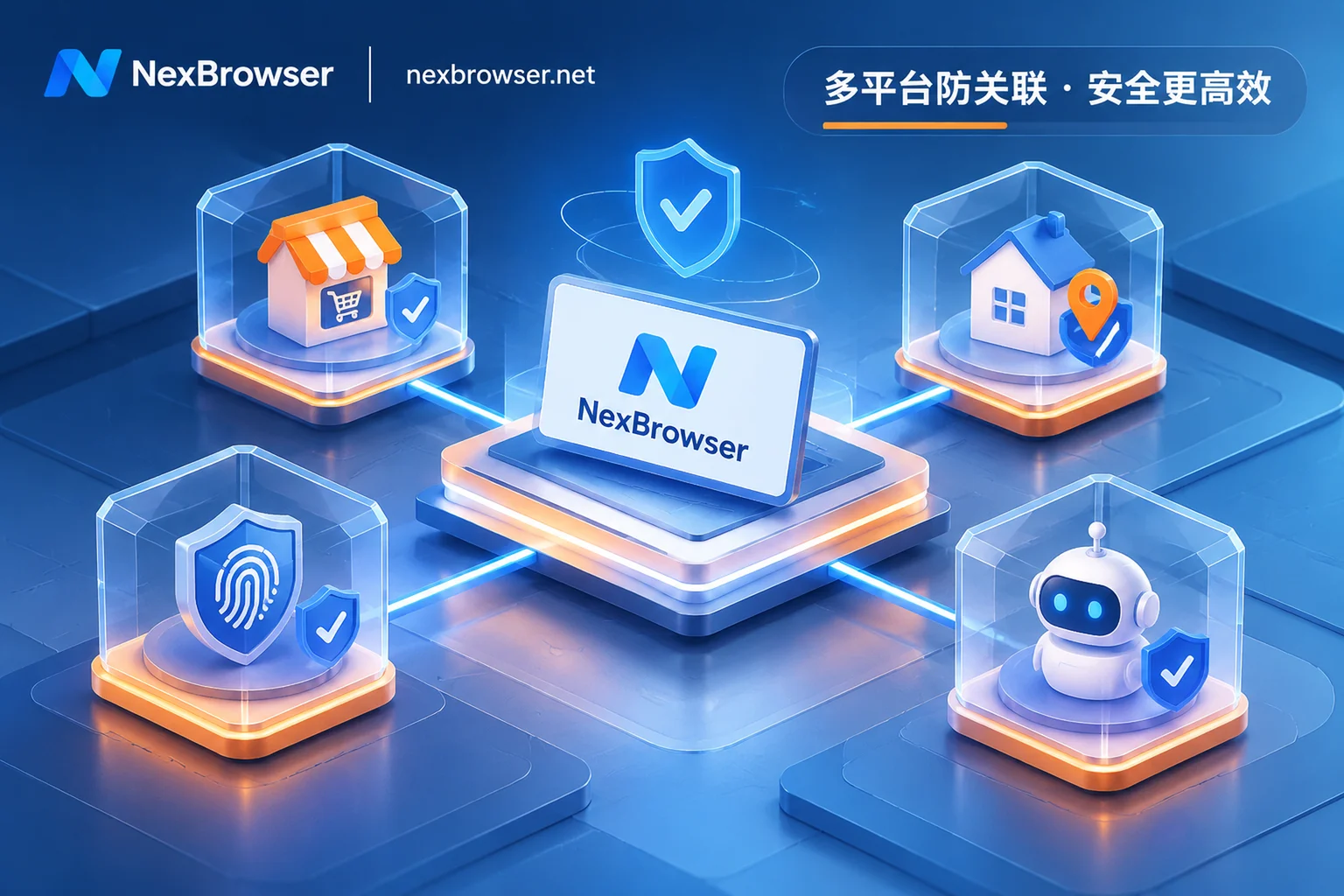
Against this backdrop, cross-border e-commerce fingerprint browsers are no longer mere plugins for "opening multiple web pages on one computer," but digital infrastructure crucial for store fund security, new store survival rates, and cross-channel efficiency. This article combines the real pain points of sellers in 2026 multi-platform expansion and local shop incubation to break down how to use NexBrowser to build a cross-border operations workbench that prevents knock-on effects and enables high collaboration.
I. Three "Invisible Explosion Points" of 2026 Cross-Border Multi-Channel Expansion
Many sellers feel wronged when reviewing the reasons for store suspension: "I already assigned an independent proxy IP to each store, so why does the newly opened TikTok local shop still trigger a second review instantly? Why does a restriction on the main store affect backup stores?"
In fact, the platform risk control model in 2026 has long upgraded from simple "IP comparison" to "full-link environment consistency and hardware signal cross-validation":
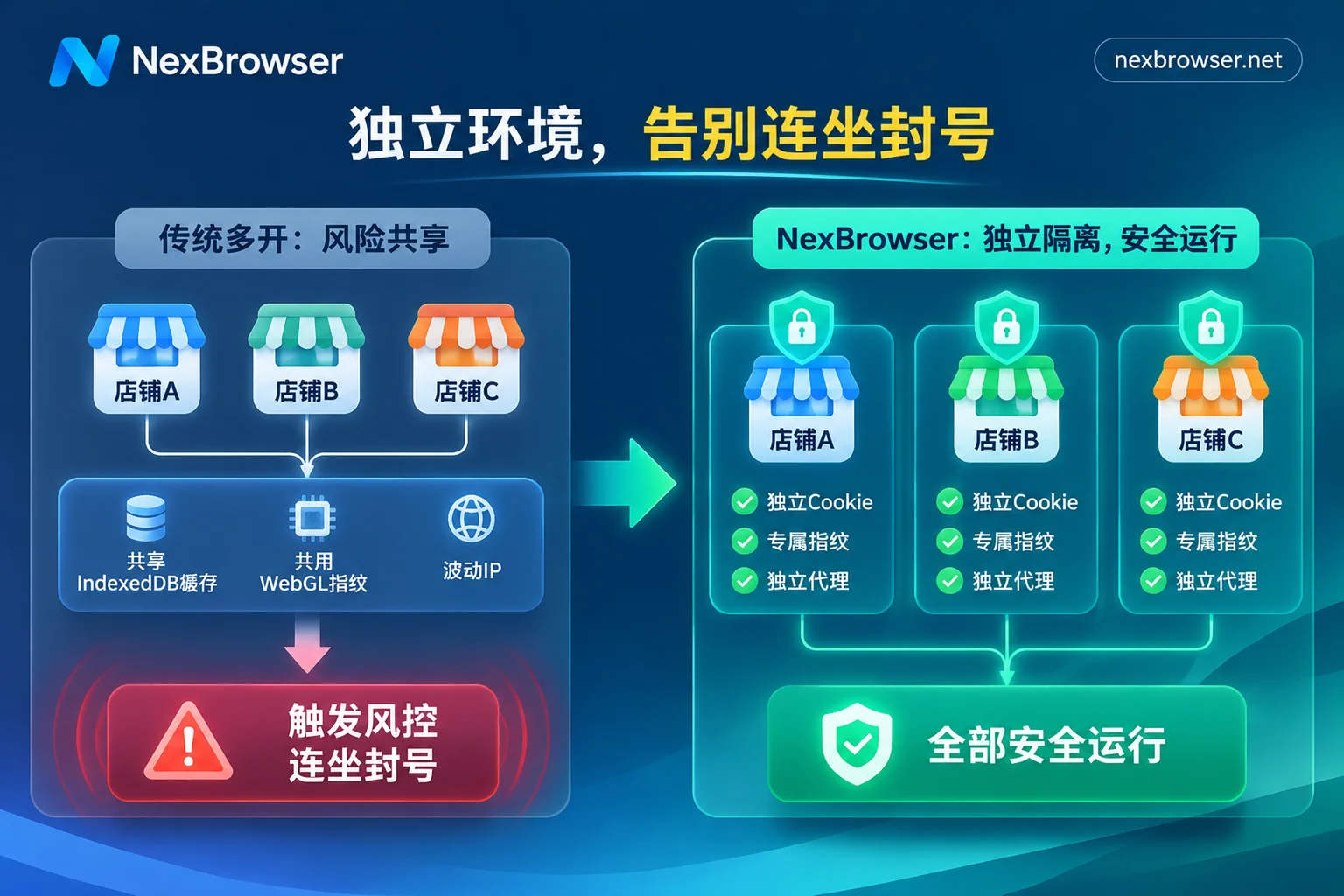
- Underlying cache streaming across platforms and sites: Many sellers habitually log into Amazon North America backend, TikTok creator outreach backend, and third-party payment or ERP pages simultaneously in the same browser profile. Once local storage (especially large-capacity IndexedDB data) or hardware rendering features retain cross-account traces, it is extremely easy to be judged as associated entities when platform risk control upgrades or fund accounts are verified. (For more on how underlying storage causes association, refer to "How to Achieve Thorough Browser Environment Isolation? From IndexedDB Anti-Streaming to AI Agent Multi-Account Sandbox in Practice").
- "Signal Jumps" During the 14-Day New Store Incubation Period: In the 2026 new store launch process, from clicking the store opening invitation email, binding payment accounts, paying deposits, to listing the first batch of products, the platform continuously tracks the stability of the operating environment. If the proxy goes offline during this period, causing the real IP to be exposed, or if device fingerprints, language, and time zone change abruptly when someone else takes over, the system will immediately freeze sales permissions and issue a secondary video or document review.
- "Mechanical Homogenization" of Manual Multi-Store Inspections: When a team maintains a dozen cross-platform stores simultaneously, designers, operations, and customer service frequently import and export password sheets and copy-paste identical product parameters across a dozen windows. This not only results in extremely low efficiency but also easily triggers platform security locks due to abnormal concurrent logins from different locations.
II. Anti-Knock-On Foundation: Restructuring Environment Isolation by "Platform + Site + Risk Level"
To prevent a single store's platform review or TRO freeze from affecting the entire portfolio, the core principle is to cut the "digital umbilical cord" between stores at both physical and logical levels. Using NexBrowser's multi-account environment isolation feature, sellers can upgrade from traditional messy multi-open to structured asset sandboxes:
1. Completely Independent Storage and Self-Consistent Hardware Fingerprints
In NexBrowser, each store environment has completely isolated cookies, cache, local storage (including IndexedDB), and a dedicated proxy channel; environments do not read from each other. At the same time, relying on the fingerprint parameter privacy protection mechanism, the system independently generates Canvas, WebGL, Audio, fonts, screen resolution, and hardware parameters per environment. These parameters are not randomly pieced together but generated based on built-in Windows, macOS, Android, and iOS parameter templates, and the templates are updated in the cloud with Chrome kernel versions, ensuring "real and logically self-consistent" native device characteristics in the eyes of platform risk control.
2. Structured Grouping and Standardized Environment Templates
Facing multiple channels like Amazon, TikTok Shop, Walmart, etc., teams can group environments by "platform, store entity, or person in charge" and tag them with multiple dimensions (e.g., 美区本土店-孵化中, 亚马逊主力店-A组). For standard operational configurations with plugins, bookmarks, and preferences already debugged, they can be saved directly as environment templates; when subsequently batch-expanding stores, the system automatically generates new fingerprint parameters, saving time on repeated configuration and avoiding fingerprint similarity risks.
III. Breaking the "Second Review Upon Store Opening" for New Stores: Pre-Check Circuit Breaker and Built-In SMS Reception Closed Loop
Given the extremely high risk control sensitivity during the activation period for local shops and cross-border new stores in 2026, the "network purity" and "verification timeliness" of the operating environment directly determine store survival rates.
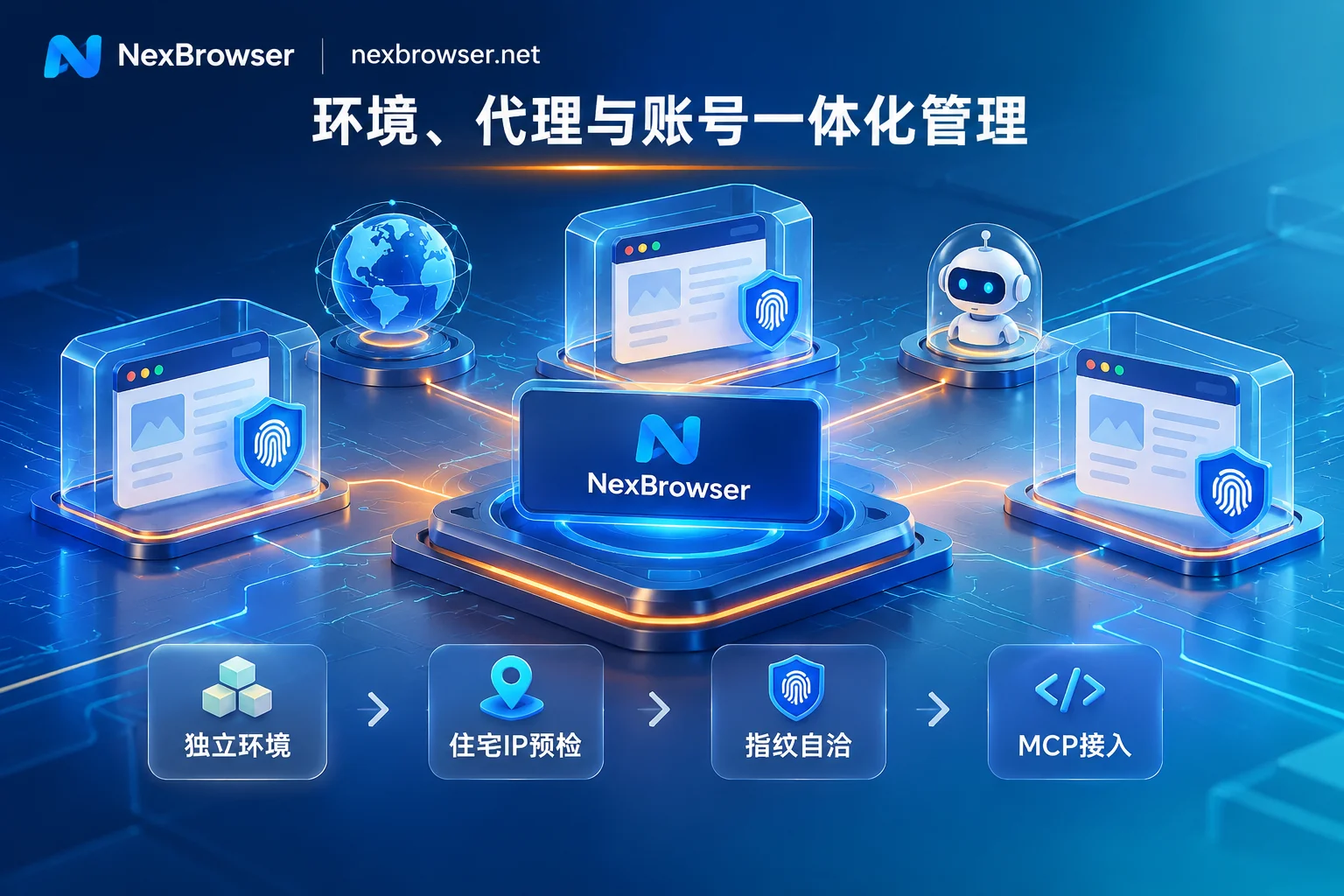
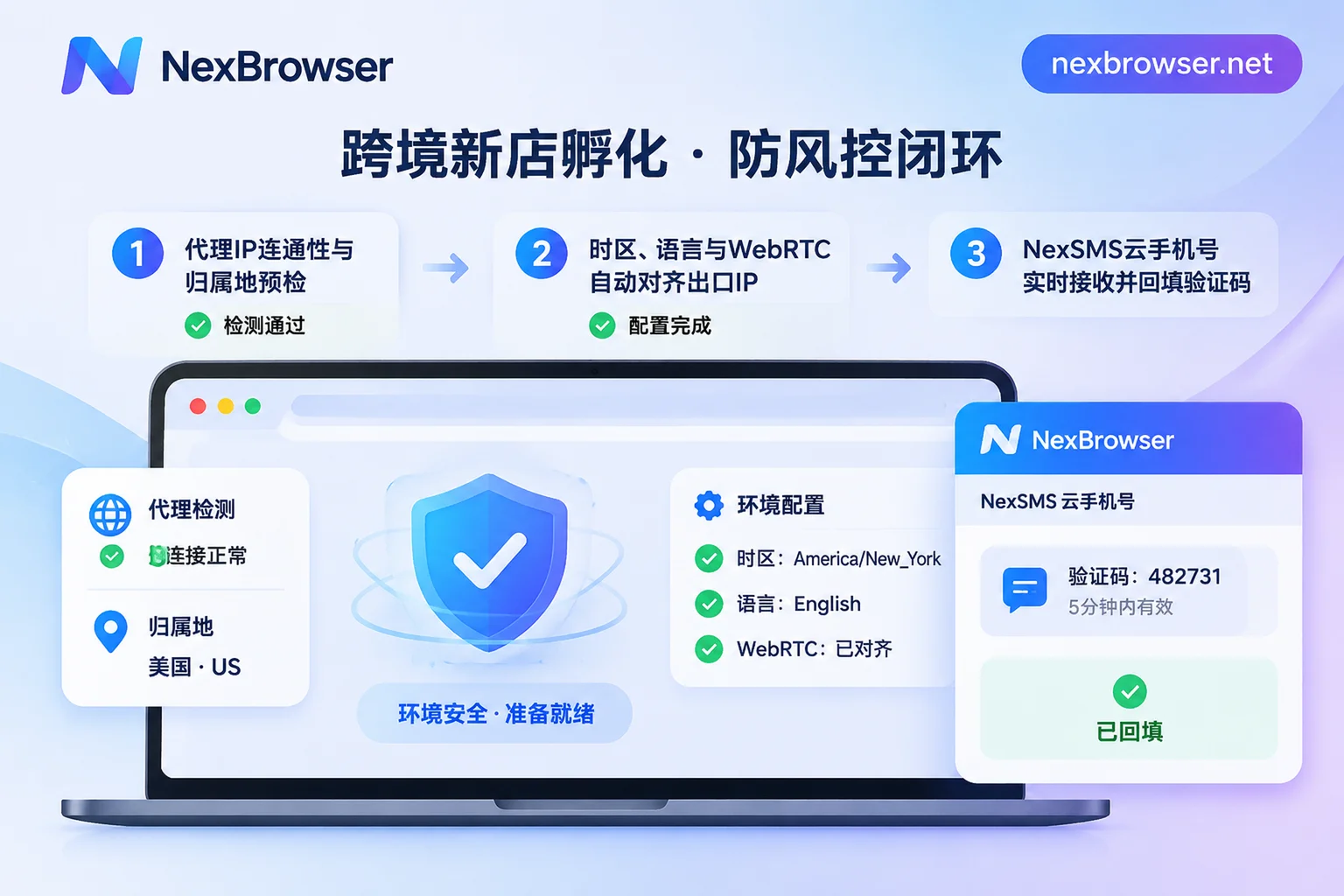
1. Pre-Launch Proxy Pre-Check and Automatic Alignment of Egress Parameters
Many times, a store triggers a second review simply because when the operator opened the browser in the morning, the bound proxy node happened to fail, causing requests to go through the local network, or the system time zone did not match the IP location (e.g., a New York IP but with East Eighth Zone time zone and Chinese system language).
In NexBrowser's proxy and residential IP management, HTTP/HTTPS/SOCKS5 proxies can be imported individually or in batches, and NexIP accounts can be linked to bind clean residential IPs by country/region with one click (residential IP traffic is purchased separately on demand on the NexIP side). More critically, there are two automated defense lines:
- Mandatory pre-launch detection: Before each store environment launch, the system checks the proxy egress connectivity, latency, and location; if the check fails, the environment will directly abort startup, fundamentally preventing "disconnection exposure." (For more proxy troubleshooting details, see "How to Configure Proxy IP Binding for Browsers Without Pitfalls? From Pre-Launch Pre-Check, Parameter Alignment to Batch API Scheduling in Practice").
- Dynamic alignment of environment characteristics: The environment's WebRTC policy, time zone, language, and geolocation automatically match and align with the proxy egress IP; even if the proxy node needs to be changed later, the original cookies and local storage will not be cleared, ensuring continuity of the store login state.
2. Sidebar Cloud Phone Numbers: Instant Access and Reception, Saying Goodbye to Verification Code Delays
When registering a new store, binding third-party payments, or triggering platform mobile two-step verification, operators running back and forth to physical SIM card slots or asking the boss for SMS verification codes is not only time-consuming but also increases risk control scores due to timeout resends. NexBrowser has a built-in NexSMS cloud phone number center directly in the environment sidebar. Operators can directly request numbers, receive SMS, and fill in verification codes by target country/region and platform right next to the current store window; for main stores requiring long-term maintenance, numbers can be converted to long-term leases (numbers and browser plans are billed separately, pay-per-use), completely incorporating account verification into the same workbench.
IV. Enhancing Daily Multi-Store Operations Efficiency: From "Manual Grunt Work" to AI Collaboration and Seamless Authorization
Once stores successfully pass the incubation period and enter regular operations, how to improve team efficiency without breaking the anti-association defense line is the key to widening profit gaps for cross-border sellers in 2026.
1. Password-Free Sharing and Exclusive Locking: Closing Team Collaboration Loopholes
In multi-role collaboration (e.g., supervisor creates stores, operations list products, finance reconciles accounts, customer service replies), passing passwords via spreadsheets or multiple people opening the same store from different locations simultaneously is the most common cause of account bans. Through NexBrowser's team collaboration and role permission matrix:
- Founders can customize roles and finely divide which environment groups each member can see and operate;
- After platform account passwords are bound to environments, the system automatically fills in login credentials when members launch the environment, so they never see plaintext passwords;
- Single-person exclusive mechanism: The same environment can only be opened by one member at a time, avoiding cookie conflicts from concurrent operations; when the environment is closed, cookies and local storage are encrypted and synced to the cloud according to the selected scope, facilitating seamless handover across shifts or devices.
2. Three-Layer Automation Division of Labor: Window Sync + RPA + Built-in AI Agent
In 2026, a high proportion of cross-border sellers have integrated AI and automation into their daily workflows. In NexBrowser, you can flexibly combine three tools according to task nature (for specific division logic, also refer to "How to Implement AI Browser Automation in Multi-Account Business: Practical Division of Built-in AI Agent, RPA, and Window Sync"):
- Window Sync: Suitable for temporary batch operations requiring human judgment (e.g., centralized verification of promotional configurations across multiple stores before major sales). After selecting the master window, clicks, inputs, and scrolls can be synced to slave windows at set intervals and throttling policies, and each slave window still runs under its own independent fingerprint, cookies, and proxy.
- RPA Scripts (Beta): Suitable for fixed repetitive daily actions (e.g., scheduled inspection of store performance notifications, batch processing of routine forms). Through a no-code canvas, drag and drop to orchestrate condition judgments and loops, with failure retries and per-environment log location support at each step.
- Built-in AI Agent (Nex Agent) and Local API / MCP: Simply issue commands in natural language, and the client's built-in Nex Agent can automatically open the corresponding store environment, operate pages, fill forms, or take screenshots, and even break down tasks to advance multiple windows in parallel; for irreversible operations such as fund withdrawals or product deletions, you can set it to request manual approval first (built-in Agent model calls are billed by token). If your team has in-house development capabilities, you can also freely call the Local API with unlimited次数 (supporting Selenium, Puppeteer, Playwright and other CDP takeovers) or use NexBrowser MCP Server to let tools like Claude Code and Cursor directly schedule browser environments.
V. Conclusion: Protecting 2026 Global Growth with Transparent, Uncastrated Tool Costs
In today's world where profit margins are calculated to two decimal places, choosing a cross-border e-commerce fingerprint browser requires not only checking the robustness of anti-association foundations but also calculating long-term software bills. Many tools on the market lock API interfaces, window sync, or team permissions into high-priced plans, forcing sellers to passively upgrade for a single essential feature (Further reading: "Choosing a Fingerprint Browser for Cross-Border E-Commerce and Ad Buyers: Deconstructing 'Environment Continuity' and Hidden Pricing Pitfalls").
NexBrowser adheres to the "features not tiered" pricing logic: whether it's the free tier (no credit card required, quota never expires, specific window and member quotas subject to the official website activity page at the time) or paid plans, multi-account isolation, fingerprint self-consistency, window sync, RPA, built-in AI Agent, and Local API / MCP are all fully available; paid plans are billed only by the required window and team member capacity, with flexible settlement via Alipay and USDT.
If you are preparing to expand to new cross-border platforms or batch-layout local shops in 2026, why not visit the NexBrowser download page now to get the Windows client (supporting Windows 10/11 64-bit systems), and use a clean, self-consistent, and highly automated browser workbench to build a secure moat for your global store assets.