 NexBrowser指纹浏览器-官方博客Blog
For teams and independent developers engaged in overseas business, cross-border e-commerce, and social media matrix multi-account management, servers and computing power are the fundamental infrastructure for daily operations. Many operators need lightweight overseas cloud hosts to build automated relay services, deploy monitoring probes, host standalone site landing pages, or run 24/7 social media data dashboards. Among numerous cloud providers, Oracle Cloud Infrastructure (OCI) has been a popular choice in tech and operations circles due to its "Always Free" compute instances and generous monthly traffic quotas.
However, by 2026, the threshold for applying for an Oracle Cloud free account is no longer what it used to be. Countless applicants, after completing the tedious form-filling process and credit card pre-authorization verification, click submit only to be greeted with a red error message—"Error processing transaction"—commonly known in the community as the "ABC error."
Why does your credit card, with normal credit limit and genuine information, still fail Oracle Cloud's risk control? The underlying logic is actually identical to the anti-fraud and anti-association mechanisms used by major overseas social platforms (such as TikTok, Facebook, X) in social media matrix multi-account management. This article will guide you through the complete application process for Oracle Cloud free accounts in 2026, dissect the real causes of the ABC error, and demonstrate how to use a professional multi-account workspace NexBrowser to solve environmental pollution and multi-account collaboration challenges at once.
I. Current Status of Oracle Cloud Free Tier in 2026 and Registration Preparation
Before applying, we need to clarify the rule changes of Oracle Cloud. Oracle's free system consists of two parts: a 30-day $300 trial credit; and the truly long-term Always Free resources.
It's important to note that the previously widespread claim of "high-spec ARM machines available at will" has been tightened. According to the latest public rules, the Always Free Ampere A1 (ARM architecture) free compute quota and AMD micro instances (2 units) are still available, but free ARM instances in popular regions (such as Singapore, Seoul, Tokyo) are often in a state of compute shortage (specific free quotas and idle reclamation rules may be adjusted at any time; please refer to the latest Oracle official documentation). For social media matrix operators, even if only two basic X86 instances are provisioned for lightweight script scheduling or site hosting, they still hold high practical value.
The "Four Essentials" Before Registration
- Foreign Currency Credit/Debit Card: A dual-currency or multi-currency card supporting Visa or MasterCard (preferably a physical bank-issued card; virtual card BINs are highly susceptible to risk control interception). The card must have at least $1 or equivalent foreign currency available for pre-authorization.
- Clean Email Address: Use Gmail, Outlook, or a corporate domain email that has never been used to register for Oracle Cloud before.
- Phone Number Capable of Receiving SMS: For receiving registration verification codes and subsequent MFA verification. Do not use public free SMS receiving platforms or high-risk virtual number segments.
- Clean Browser and Network Environment: This is the most critical variable determining success. It requires no proxy blacklist contamination, no residual multi-account history cache, and a high degree of consistency between network exit and device characteristics.
II. Standard Registration Process for Oracle Cloud in 2026
After preparing the above materials, initiate the application following these standard steps:
- Visit the Official Free Application Portal: Open your browser and go to the Oracle Cloud Free Tier official page, click "Start for free."
- Fill in Basic Account Information: Select your country/region (must be logically consistent with the credit card's issuing country and network exit), enter your name and email address, and click "Verify email."
- Check Email and Activate Link: Open your email in the [same browser environment] (or copy the verification link to the current registration window; never open the verification link in a mobile in-app browser and then switch back to the computer, as this causes sudden IP and device fingerprint changes).
- Set Password and Home Region: Set your account password, and choose "Individual" as the customer type. Be very careful when selecting the Home Region—once selected, it cannot be changed, and free instances can only be created in the home region. If latency to US West (Phoenix/San Jose) or US East (Ashburn) is acceptable, they are generally easier for provisioning free instances than popular Asian nodes.
- Fill in Detailed Billing Address: This is a high-risk area for verification. The address information should align with your credit card billing address on file with the bank. Use standard pinyin or English spelling, ensuring the city, postal code, and state/province match your actual network location or card's registered location.
- Phone Number and Payment Method Verification: After completing SMS verification, proceed to the payment verification page. Enter the card number, expiration date, and CVV code. The system will initiate a small pre-authorization (usually around $1 or equivalent in local currency, which will be immediately reversed).
- Submit and Start Trial: When the page indicates payment verification passed (Thank you), check the agreement box and click "Start my free trial" at the bottom.
III. Why Does the "ABC Error" Occur? Dissecting Oracle Cloud's Underlying Risk Control
Many people receive the bank's pre-authorization and reversal SMS at step 6, proving the credit card itself is fully usable. But at step 7, when clicking submit, they encounter the frustrating "Error processing transaction (ABC error)".
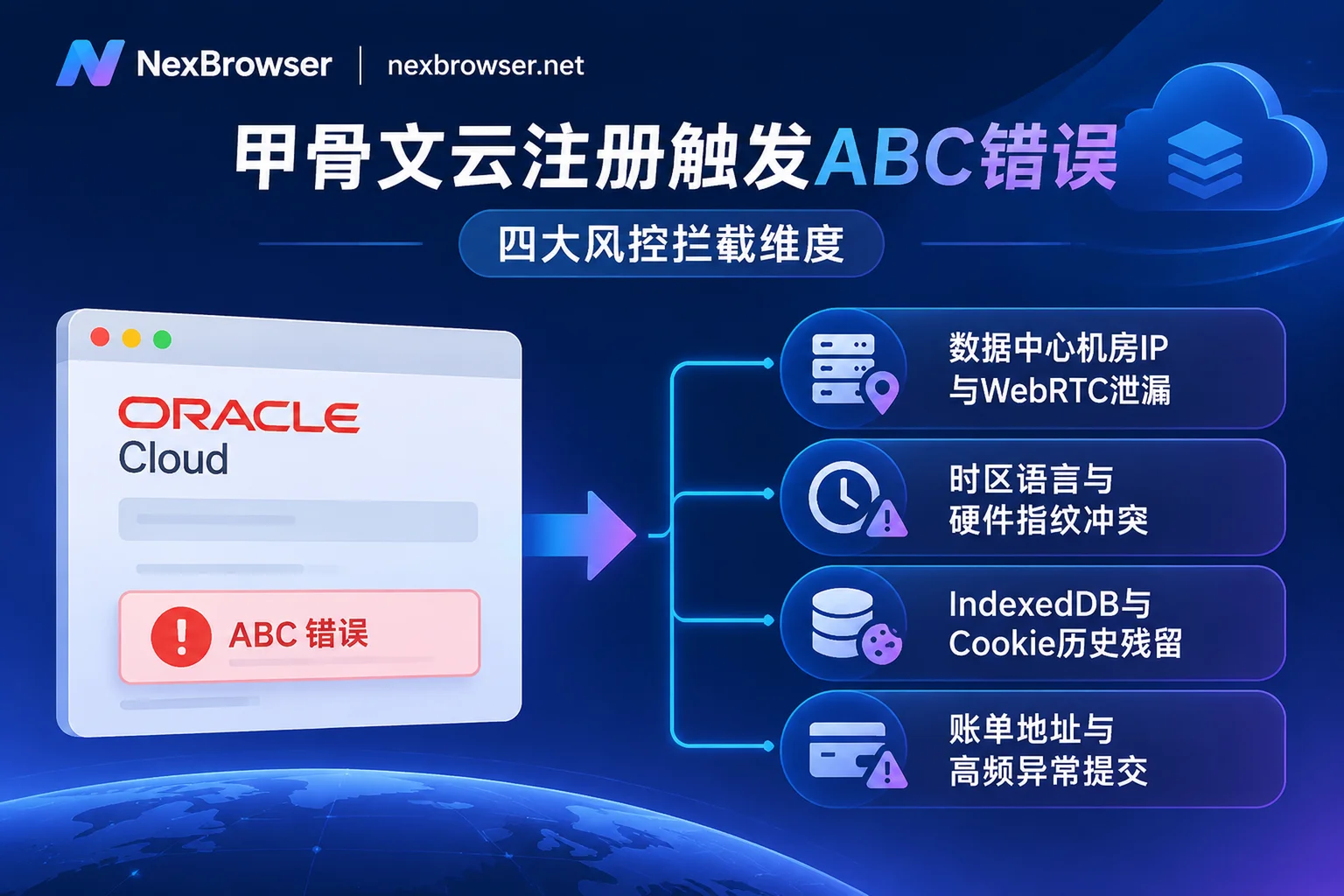
Why does the card pass but the account fail? Because Oracle Cloud employs a multi-dimensional Fraud Detection Engine, where credit card AVS/BIN verification is just one part. When you click final submit, the system makes a one-vote veto based on a composite risk score across four dimensions:
1. Network IP Flagged as "Data Center Segment" or Contaminated Records
Many friends engaged in cross-border business and social media matrix multi-account management keep global VPNs or proxy nodes running on their computers year-round. The exit IPs of these shared nodes mostly belong to data centers (IDC/Hosting) and may have been used by hundreds of people to register for various overseas services. Once Oracle Cloud identifies the request coming from a high-risk data center segment, or detects WebRTC leakage (the page reads your underlying real internal/public IP via WebRTC API, finding inconsistency with the proxy exit), it will directly trigger ABC interception.
2. Browser Fingerprint and Network Environment "Split Personality"
Many tutorials suggest "registering in browser incognito mode." But as we analyzed in "How to Read Browser Fingerprint Detection? Debunking the Green Light Illusion and 2026 Multi-Account Environment Self-Check List", incognito mode in ordinary browsers only prevents saving local history; it cannot hide underlying hardware and software characteristics.
If you are using a US node IP, but your browser exposes Accept-Language as zh-CN, system timezone as Asia/Shanghai (GMT+8), and Canvas/WebGL rendering fingerprints identical to the previous failed registration—the risk engine will immediately judge this as a disguised duplicate application or abnormal fraudulent behavior.
3. Local Storage Residue and Cross-Platform Tracking
If you previously attempted registration in the same browser and failed, or if you regularly log into numerous plugins, cross-border stores, and social media accounts in that browser, even after clearing surface cookies, underlying IndexedDB, Service Worker caches, etc., may still retain device identifiers from previous sessions. This causes ABC error to pop up instantly upon submission, no matter how you change cards or emails (for principles of deep storage linkage, refer to "How to Achieve Thorough Browser Environment Isolation? From IndexedDB Anti-Cross-Contamination to AI Agent Multi-Account Sandbox Practice").
4. Abnormal Operation Behavior and Data Mismatch
Using virtual numbers from low-quality SMS receiving platforms to save effort, copying and pasting entire forms (lacking natural keyboard input and page dwell trajectories), or large discrepancies between billing address country and phone number/IP—all increase risk scores.
IV. Practical Guide to Solving ABC Error: How to Build a High-Pass-Rate Environment with NexBrowser
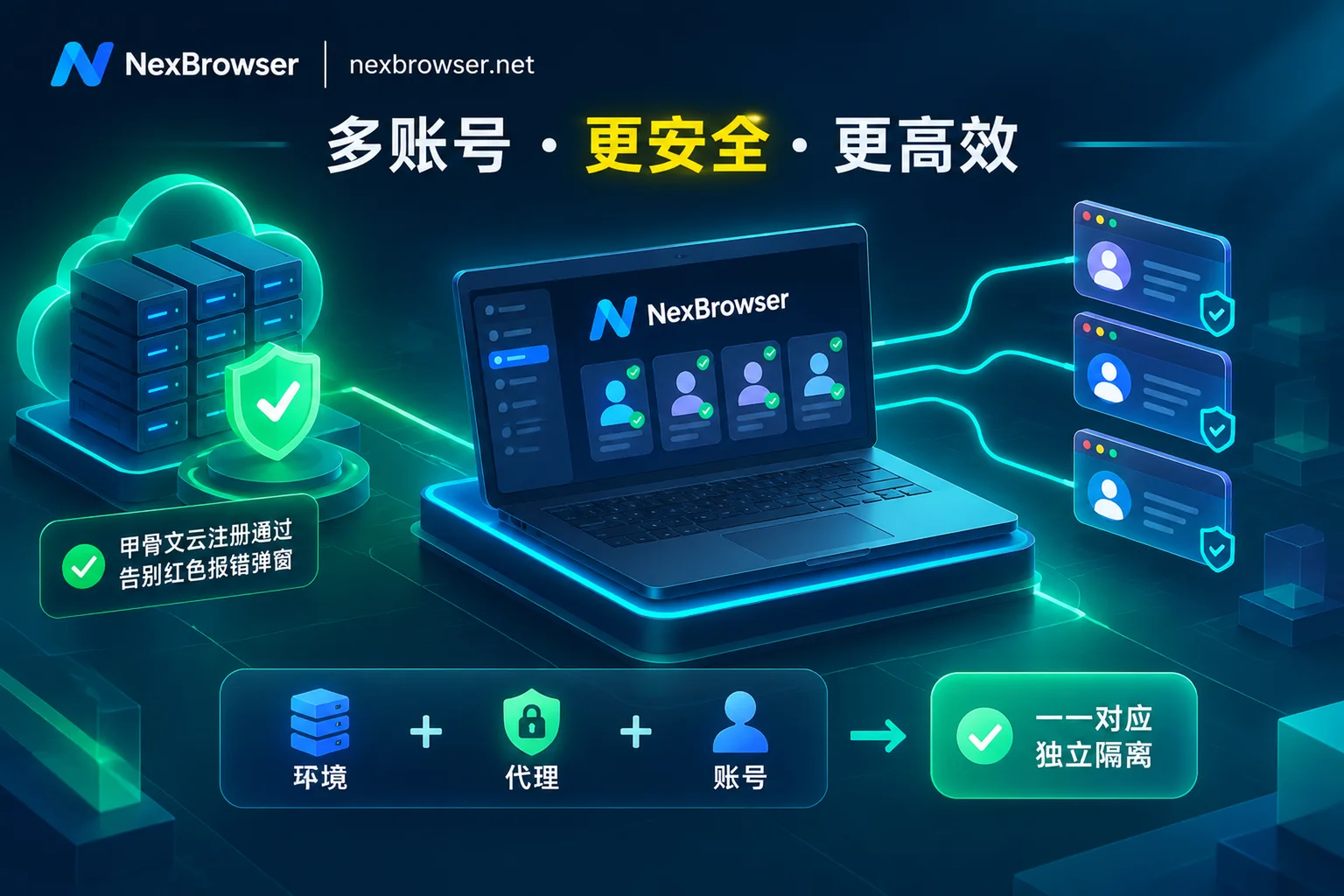
Once you understand the risk control logic, you'll realize that solving Oracle Cloud ABC error shares the same core requirement as social media matrix multi-account management: you need a completely isolated and highly consistent independent browser environment, from storage to network to hardware fingerprint.
Instead of repeatedly clearing cache and fiddling with system timezone in your main browser, it's better to directly build a clean sandbox specifically for cloud service application and management in the Chrome-based multi-account fingerprint browser workspace NexBrowser.
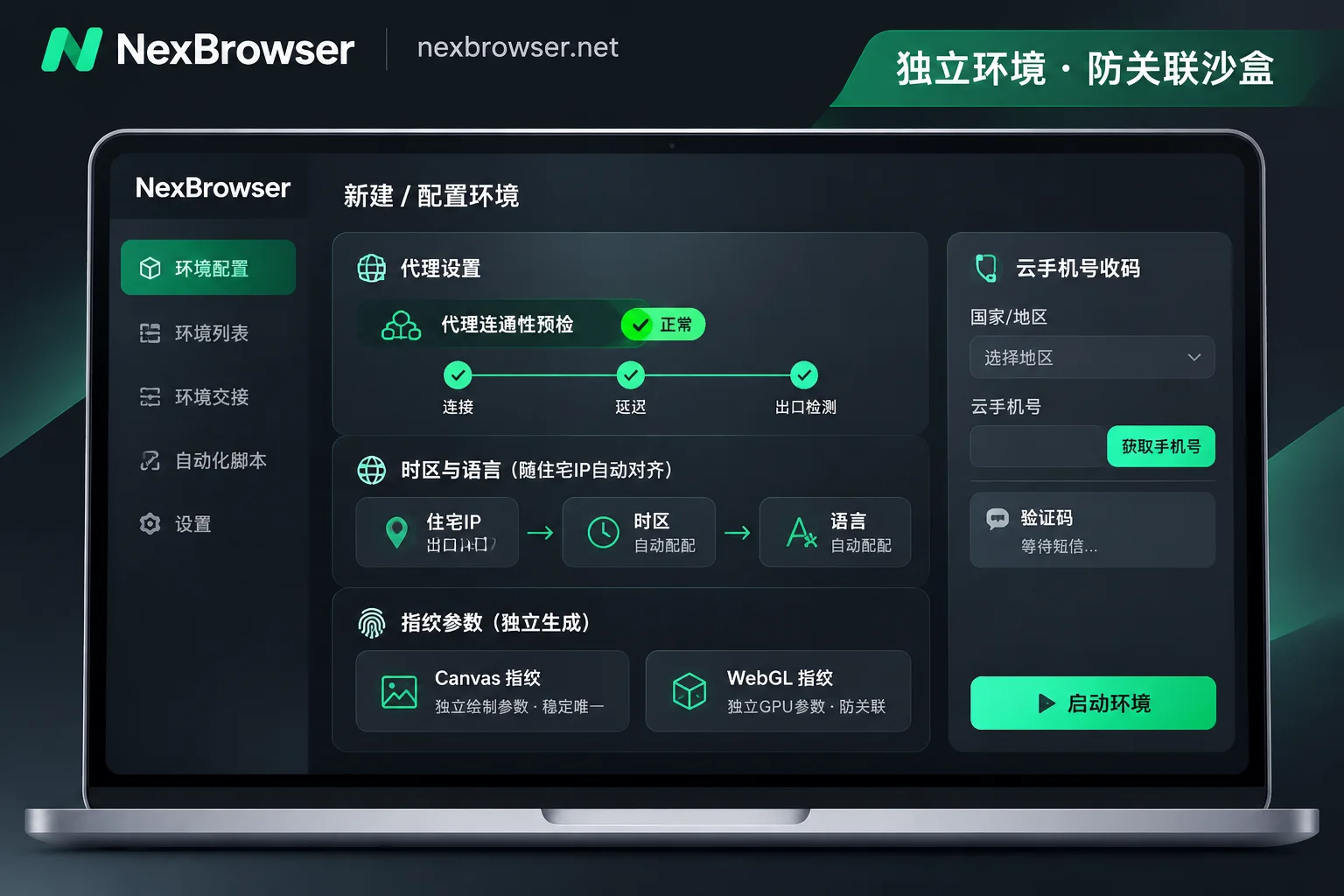
Step 1: Create a Completely Isolated Independent Environment
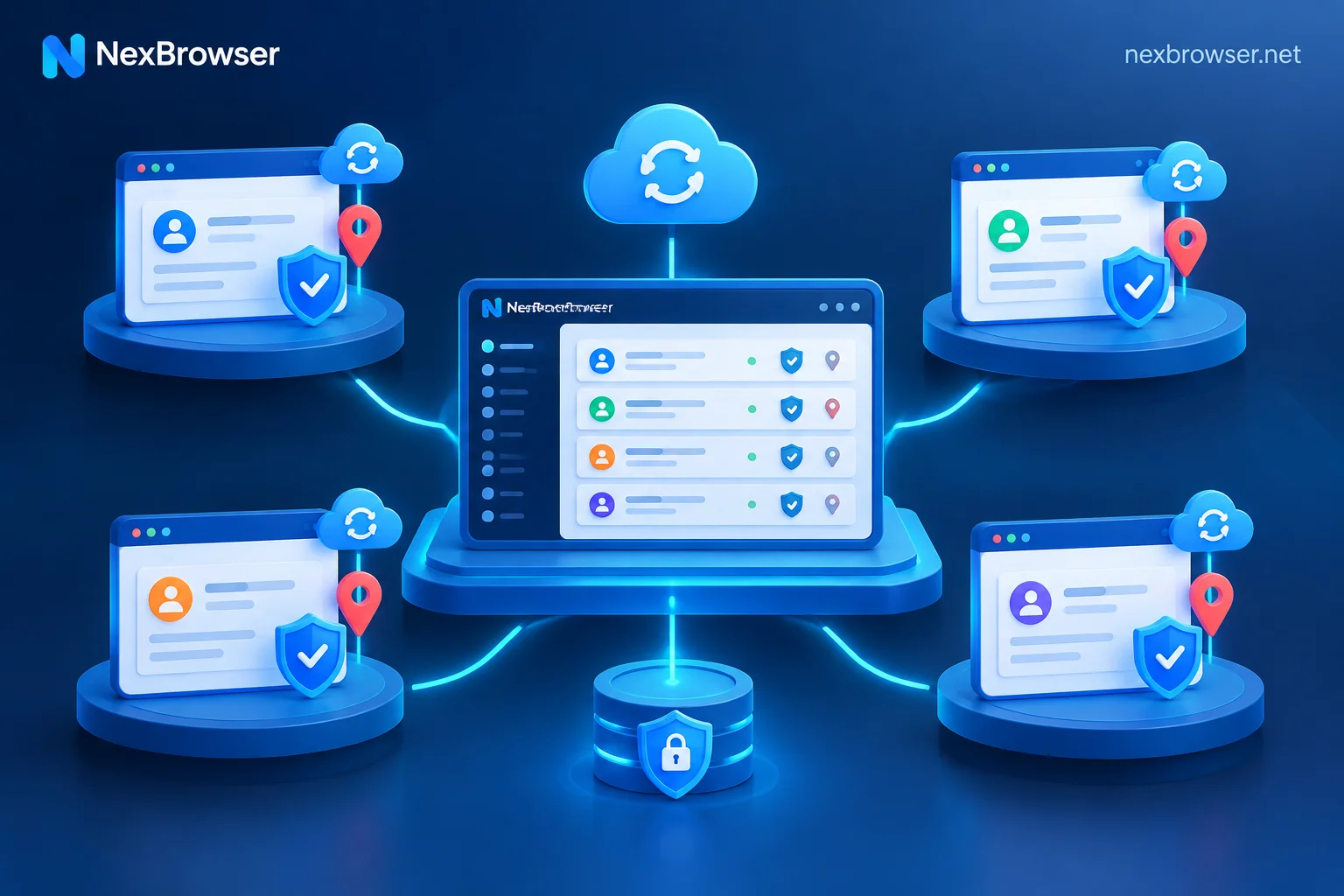
Create a new browser environment in the NexBrowser client. NexBrowser's multi-account environment isolation mechanism ensures that each environment's cookies, cache, local storage (including IndexedDB), and proxy are completely independent, with no cross-reading between environments. This means that even if you failed registration on your local computer before, the newly created environment appears to Oracle Cloud as a brand new device that has never visited the site.
Step 2: Bind a Clean Residential IP and Enable Pre-Launch Check
Avoid using public data center VPNs shared by thousands. If you use a real local home broadband direct connection for registration, fill in a genuine Chinese billing address; if you need to register an account in a specific overseas region, configure a high-quality static residential IP in NexBrowser (supports HTTP/HTTPS/SOCKS5, and can also link NexIP account for one-click binding of residential IPs by country/region).
More importantly, NexBrowser performs a proxy exit check before environment launch. If connectivity is abnormal or the proxy drops, the environment will not start, fundamentally preventing accidents where a sudden proxy disconnection exposes your real local IP (for detailed configuration tips, see "How to Configure Proxy IP Binding in Browser Without Pitfalls? A Practical Guide from Pre-Launch Check, Parameter Alignment to Batch API Scheduling").
Step 3: One-Click Generation of Consistent Fingerprint Parameters
In the environment's fingerprint parameter settings, NexBrowser independently generates Canvas, WebGL, fonts, Audio, screen resolution, hardware concurrency, User-Agent, and other parameters per environment. Built-in Windows/macOS parameter templates are updated in the cloud with Chrome kernel versions.
For the "timezone and language mismatch" issue that most easily triggers ABC error, simply enable the "Align with proxy exit" strategy. NexBrowser will automatically match the corresponding timezone, language, geolocation, and secure WebRTC policy based on the bound proxy exit IP's location, with no need to manually change computer system time.
Step 4: Sidebar Number Retrieval and Natural Paced Submission
If you lack a compliant phone number for the target region, you can directly invoke the built-in NexSMS cloud phone number center in the sidebar of the opened browser environment, retrieve numbers by country/region and target platform, receive SMS, and fill in verification codes. For core cloud accounts or main social media accounts that need long-term maintenance and secondary verification after successful registration, you can also convert to long-term rental.
When filling out the registration form, maintain a normal human input pace. After completing credit card verification and seeing the green pass prompt, take a moment to naturally scroll through the terms on the page, pause for tens of seconds, and then click the final "Start my free trial" to avoid anti-bot mechanisms blocking high-frequency instant submissions.
V. From Cloud Server Application to Social Media Matrix Multi-Account Management: Building a One-Stop Operations Workspace
In fact, many developers and operations teams who are determined to secure Oracle Cloud, AWS, Google Cloud, or overseas productivity tools like Claude, ChatGPT (further reading: "Why Is Your Claude Account So Easily Banned When Everyone Uses the Same?") often have the ultimate goal of supporting their cross-border business and social media matrix multi-account management behind the scenes.
In the 2026 social media ecosystem, it's difficult to obtain stable organic traffic by relying on just one or two accounts. Whether it's TikTok short video commerce, Facebook ad placement, or multi-touch content distribution on X (Twitter), Reddit, and Instagram, enterprises generally adopt a "multi-platform + multi-niche persona" matrix model. But when you simultaneously hold several cloud server backends, a dozen AI accounts, and hundreds of social media matrix accounts, how do you avoid "one loss, all loss" ban contagion and improve efficiency?
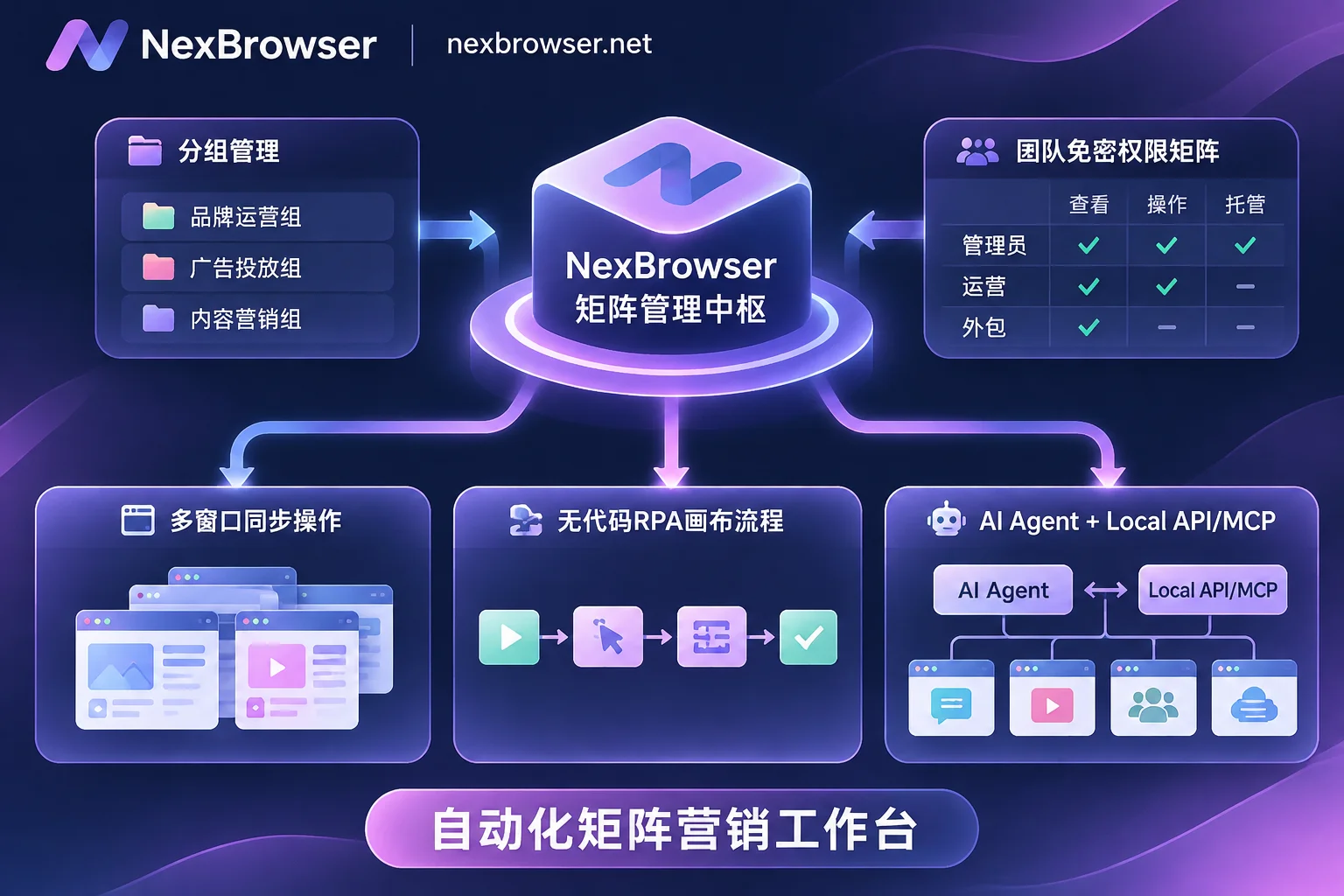
With NexBrowser, you can integrate scattered cloud infrastructure management and daily social media matrix operations into the same secure foundation (for more matrix building ideas, see "How to Do Social Media Matrix Multi-Account Management: Say Goodbye to Crude Account Spreading, Build an Anti-Association and Refined Operations Workspace"):
1. Grouped Tag Management and Cloud Encrypted Sync
Do not mix Oracle Cloud console, payment gateway accounts, and frequently browsed TikTok/Facebook marketing accounts in the same environment. In NexBrowser, you can group and tag environments by platform, business line, or manager, with support for batch creation, batch proxy binding, and batch start/stop [https://nexbrowser.net/features/multi-account/].
When you successfully log into the Oracle Cloud console or nurture social media accounts in an environment, upon closing, cookies and local storage are encrypted and synced to the cloud according to the selected scope. Next time you log in on another computer or directly run tasks, the login state is restored and continued, saving the hassle of frequent MFA triggers.
2. Team Password-Free Sharing and Operation Traceability
In a matrix team, writing Oracle Cloud root account passwords or dozens of high-authority social media account passwords in a shared spreadsheet and sending it to employees is extremely dangerous (refer to "Team Collaboration Is Not Just Granting Permissions: Say Goodbye to 'Password Documents' and 'Manual Alignment', Build NexBrowser Automated Workflows").
Through NexBrowser's team collaboration and permission matrix, founders can create custom roles and share environments with fixed IPs and fingerprints password-free to team members. After platform accounts are bound to environments, login is auto-filled upon launch, and members never see plaintext passwords. The system follows the anti-conflict rule that "the same environment can only be opened by one member at a time," preventing multiple people logging in from different locations simultaneously and triggering platform risk control.
3. Window Synchronization, RPA, and AI Agent Collaboration for Efficiency
After solving anti-association and survival issues, the biggest pain point for social media matrices is repetitive labor drain. NexBrowser offers three progressive automation tools:
- Window Synchronization: Suitable for temporary batch operations requiring real-time human judgment (e.g., centralized browsing of hot topics across accounts, manual fine-tuning of interactions). Select a master window, and your clicks, inputs, scrolls, and navigation are synchronized to other slave windows. You can set operation intervals and throttling, and each slave window still runs on its own independent fingerprint, cookies, and proxy.
- RPA Script (Beta): Suitable for daily inspections and account nurturing with fixed processes. Drag and drop variables, conditionals, and loops on a no-code canvas. One script can bind a batch of environments for batch execution, with step-by-step execution logs for precise error location.
- Built-in AI Agent (Nex Agent) and Local API / MCP: Simply issue commands in natural language, and the built-in Nex Agent can automatically open environments, operate pages, fill forms, or take screenshots, supporting multi-window parallelism and requesting human approval before irreversible operations. If you just provisioned a free server on Oracle Cloud for deploying your own automation control center, you can also use NexBrowser's free, unlimited-call Local API (supporting Puppeteer, Playwright, Selenium takeover) or NexBrowser MCP Server (directly connecting to Claude Code, Cursor, etc.) to achieve seamless linkage between cloud strategies and local multi-account sandboxes.
VI. Conclusion
Repeatedly encountering ABC errors when applying for Oracle Cloud Free Tier in 2026 is essentially the platform's risk control system intercepting "contaminated IPs, mismatched fingerprints, and residual caches." This risk control logic is not only the moat of cloud providers but also the standard yardstick by which all mainstream overseas social platforms examine matrix accounts today.
Instead of searching for mystical remedies everywhere, it's better to reconstruct your network and browser environment from the ground up. Currently, NexBrowser Free Tier offers full functionality, no credit card required, and quotas that never expire. Support for downloading the Windows 10/11 (64-bit) client is available for immediate installation. Whether you are preparing to overcome the Oracle Cloud registration hurdle or hope to build a secure and efficient social media matrix multi-account management workspace for your team, you can create an independent environment right now and experience it firsthand.