 NexBrowser指纹浏览器-官方博客Blog
Entering the second half of 2026, whether operating cross-border multi-brand stores on Amazon, TikTok Shop, or managing overseas social media matrices and ad accounts, operations teams are simultaneously encountering two clear industry shifts:
First, the environment verification rules of mainstream overseas platforms have fully upgraded from "static single-point comparison" to "full-link dynamic validation". The days of getting past risk control by simply changing a User-Agent or using an ordinary proxy are over. Platforms are now conducting high-frequency checks on the logical consistency among Canvas, WebGL, kernel version, local storage residues, and network exit characteristics.
Second, business teams' demand for automation is shifting from "showy script demos" to "verifiable, auditable stable delivery". Many teams have introduced automation tools or AI assistants, only to find that each run requires going through cumbersome login verifications again, or that headless browser feature exposure directly sends carefully cultivated old accounts into the risk control list, with rework costs far exceeding saved labor hours.
Against this backdrop, a multi-account browser is no longer just a container that can open multiple windows on one computer; it has become the core infrastructure that determines the survival rate of account assets and the team's efficiency ratio.
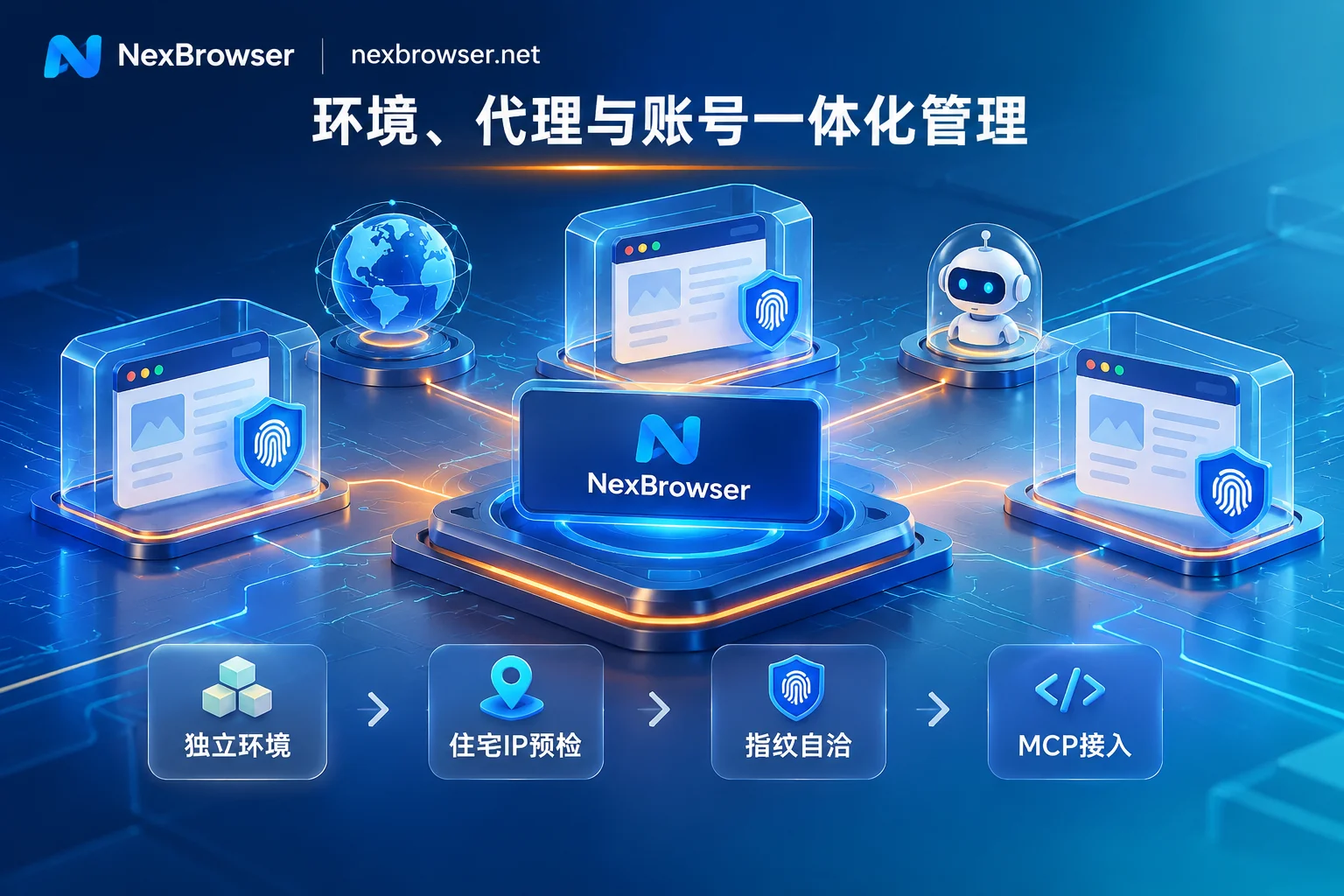
This article skips basic concepts and directly breaks down how to use NexBrowser to build a multi-account operations foundation that can withstand 2026 risk control checks, from four practical stages: account cold-start profiling, daily environment dynamic alignment, tiered automation delivery, and organization-level permission auditing.
1. Why do traditional "multi-open solutions" frequently fail in 2026?
In recent retrospectives of many cross-border and social media teams, the causes of batch account restrictions are often not the operations actions themselves, but the "fragmentation" and "distortion" of the underlying toolchain:
- Parameter update lag and logical disconnect: Some old tools do not update the kernel for a long time, or the generated fingerprint parameters are highly pieced together (for example, claiming to be a macOS environment, but the underlying WebGL rendering features or font list expose Windows host characteristics), which easily triggers secondary review under the platform's dynamic environment verification. For how to troubleshoot such hidden vulnerabilities, you can refer to our previous article "How to Read Browser Fingerprint Detection? Unpacking the Green Light Illusion and 2026 Multi-Account Environment Self-Check List".
- "Streaking" moments caused by network fluctuations: When a proxy line occasionally drops or switches, if the browser has no blocking mechanism, the real local IP or confused time zone will be exposed to the platform's front-end scripts within milliseconds.
- Fragmented verification and operation chains: Account creation, receiving verification codes, binding proxies, and daily deduplication operations are scattered across four or five different web pages and software. Moving data across applications is not only inefficient but also prone to cross-association due to manual pasting of wrong verification codes or misconfigured proxies.
To thoroughly solve these problems, a multi-account browser must complete the closed-loop control of "network, fingerprint, storage, and verification" within a single window.
2. Cold Start and Profiling: Implement "Anti-Association" Before the First Page Opens
The security cycle of a high-weight account starts from the moment the environment is created. In NexBrowser, the standardized profiling process minimizes human errors:
1. Kernel-level parameter consistency and cloud template updates
NexBrowser is built on the Chrome kernel and generates a full set of parameters including Canvas, WebGL, fonts, Audio, screen resolution, hardware concurrency, and User-Agent for each isolated environment.
- Reject pieced-together illusions: All parameters are not randomly filled but are mutually consistent. You can directly use built-in Windows, macOS, Android, or iOS parameter templates, which are synchronously updated in the cloud with Chrome kernel versions to ensure environment characteristics always conform to the evolution of mainstream real devices.
- Flexibility: It supports one-click generation of compliant environments for beginners and also allows experienced risk control personnel to manually specify particular parameters item by item (for details, see Fingerprint Parameters and Privacy Protection Features).
2. Pre-launch proxy pre-check and automatic environment alignment
Network exit is the first gate of platform risk control. NexBrowser supports adding or batch importing HTTP / HTTPS / SOCKS5 proxies, with one-click detection of connectivity, latency, and exit location.
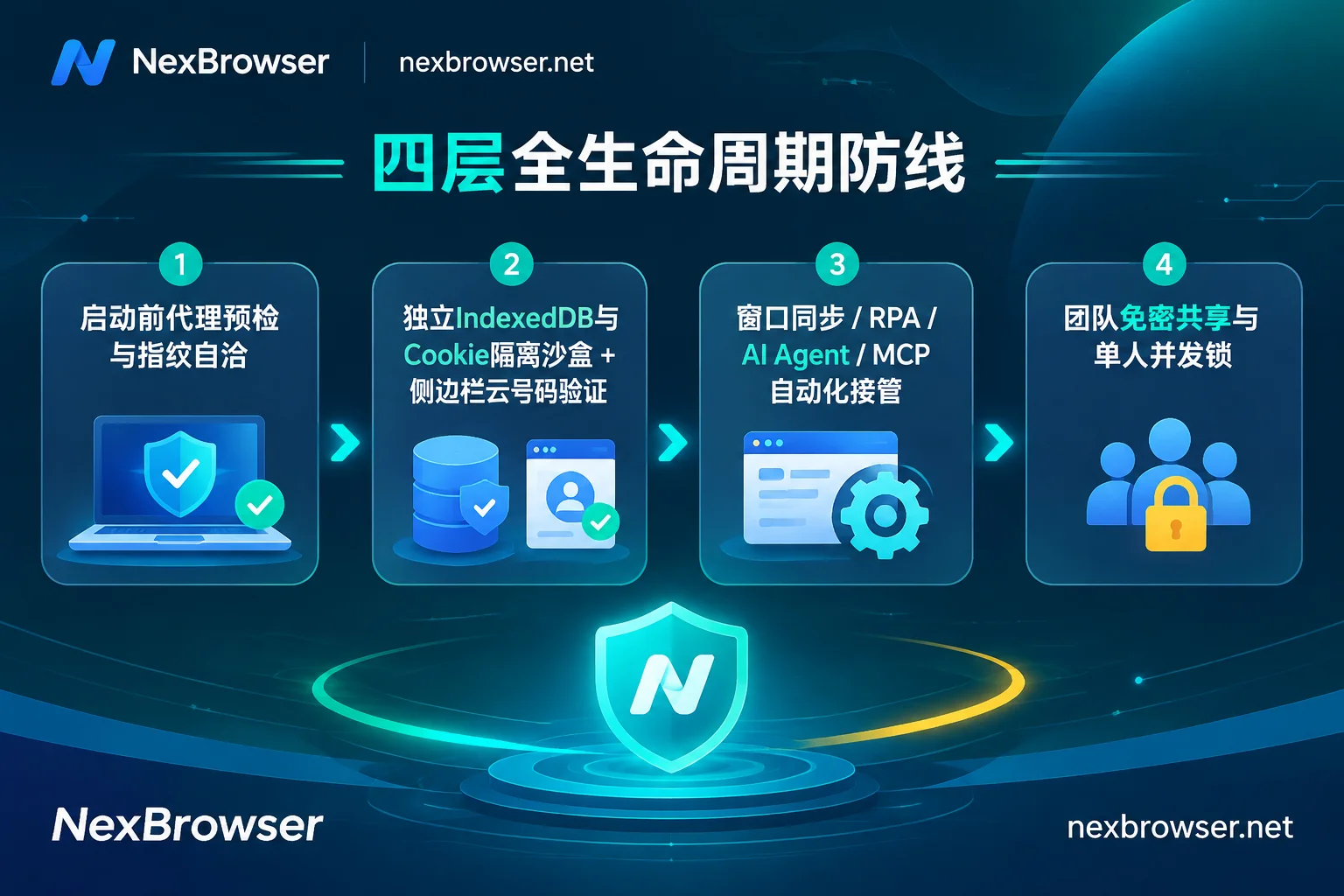
- Circuit-breaker pre-check mechanism: Before each environment launch, the system first checks the proxy exit status; once the check fails, the environment directly refuses to start, fundamentally eliminating real IP leaks caused by proxy failure.
- Dynamic alignment of geographic features: After a proxy is bound to a single environment, the environment's WebRTC policy, system time zone, interface language, and geographic location automatically align with the proxy exit IP. If you link a NexIP account, you can also directly bind clean residential IPs by country or region with one click (residential IP traffic is purchased separately on demand on the NexIP side; see Proxy and Residential IP Solutions).
3. Native SMS receiving in the sidebar, no more cross-platform switching
When batch registering or triggering platform secondary SMS verification, operators no longer need to switch back and forth to third-party SMS receiving websites. The NexBrowser environment sidebar directly integrates the NexSMS Number Center:
- In the sidebar of the current browser window, you can obtain numbers by target country and platform, receive SMS, and fill in verification codes;
- For high-value key stores or advertiser accounts, it supports direct conversion to long-term rental numbers to cope with subsequent irregular reviews (numbers are billed separately from browser plans, pay-per-use; see Cloud Phone Number Function Description).
3. Daily Maintenance and Cross-Device Transfer: Ensure Persistent "Environment Continuity"
When the number of managed accounts expands from a dozen to hundreds or thousands, "how to manage clearly" and "how to switch devices without going offline" become core contradictions.
1. Thorough underlying storage isolation and batch orchestration
Under the multi-account environment isolation mechanism, each environment's cookies, cache, local storage (including IndexedDB), and proxy configuration are completely independent, and environments do not read each other. Even if the proxy bound to an environment is changed, the original cookies and local storage will not be forcibly cleared, maintaining long-term login continuity (for deeper details on underlying storage isolation, you can read "How to Achieve Thorough Browser Environment Isolation? From IndexedDB Anti-Cross-Contamination to AI Agent Multi-Account Sandbox Practice").
At the same time, facing massive windows, operations supervisors can group and tag environments by platform, store, or responsible person, and perform batch creation, batch proxy binding, and batch start/stop; after saving a proven high-quality environment as a template, each copy automatically generates entirely new independent fingerprint parameters.
2. Cloud encrypted sync and local password protection
For remote work or cross-computer handover scenarios, whenever an environment is closed, NexBrowser encrypts and syncs core state data such as cookies and local storage to the cloud according to the selected scope, and the online state can be seamlessly restored after logging in on another machine. To balance terminal privacy, plaintext passwords stored by users within the browser window are kept only locally and are not migrated with cloud sync.
4. Automation and AI Delivery: Turn "Real Login State" into Highly Reliable Productivity
As mentioned earlier, the watershed of browser automation in 2026 lies in: continuing to use "blank simulation instances" that are easily detected by anti-scraping, or directly reusing isolated environments with real history, complete fingerprints, and persistent login states?
NexBrowser provides four progressive levels of automation capabilities, enabling teams with different technical backgrounds to achieve high-completion business delivery:
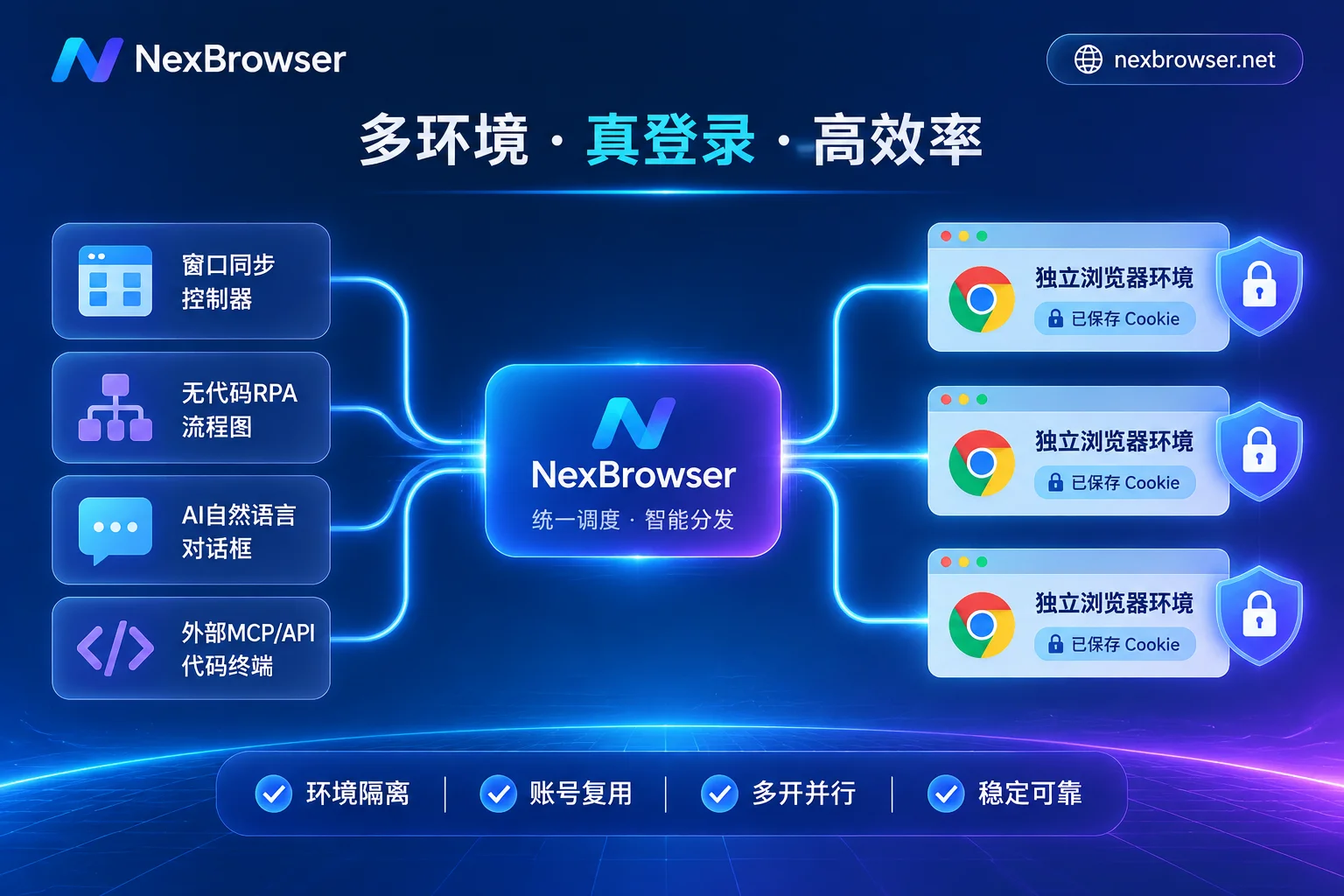
| Automation Level | Core Use Cases | Operation Mechanism and Isolation Guarantee | Typical Users |
|---|---|---|---|
| Window Synchronization | Temporary batch operations requiring real-time human judgment (e.g., social media interaction, product inspection) | Select a master window; clicks, inputs, scrolls, and address jumps are synchronized to slave windows in real time; sync items can be individually toggled, operation intervals and throttling can be set; each slave window still runs its own fingerprint, cookies, and proxy independently | Front-line social media/store group operators |
| RPA Scripts (Beta) | Standardized cross-page processes with fixed rules and high-frequency repetition (e.g., daily report export, batch listing) | No-code canvas drag-and-drop orchestration, supporting variables, conditionals, loops, waits, and single-step failure retries; one script can be bound to a batch of environments for parallel execution, with per-environment and per-step logging; scripts can be imported/exported for reuse | Business process administrators |
| Built-in AI Agent | Cross-page non-standard tasks, natural language-driven dynamic form filling and information summarization | The client has built-in Nex Agent; natural language commands can automatically open environments, operate pages, take screenshots, or split into multiple windows for parallel execution; reuses existing environment login states, supports setting "request human approval before irreversible operations," and the entire process can be reviewed | Composite operators seeking efficiency |
| Local API and MCP | External self-developed system scheduling, AI IDE and external agents taking over the browser | After enabling the local OpenAPI, you can call interfaces with a key to manage environments and proxies, obtain CDP connections for Selenium / Playwright / Puppeteer / browser-use takeover; natively provides NexBrowser MCP Server, so clients like Claude Code, Codex, Cursor can directly list, open environments, and operate pages | Automation developers / AI engineers |
By combining Window Synchronization, RPA Scripts, Built-in AI Agent, and Local API and MCP on the same isolation foundation, teams completely bid farewell to the vicious cycle of "re-running login verification every time a script runs." If you are a technical team lead, we recommend further reading our "How to Use Fingerprint Browser API Without Pitfalls: A Practical Guide from Local API + CDP Takeover to MCP Direct Connection" or directly refer to the OpenAPI Interface Documentation and MCP Access Instructions.
5. Organization-Level Collaboration and Risk Control Auditing: Make Account Assets Truly Belong to the Enterprise
When multi-account business enters team-based operation, the biggest internal risks often come from "passwords flying everywhere" and "multiple people crowding into the same environment causing concurrency anomalies."
In NexBrowser's team collaboration system, security controls are embedded into daily workflows:
- Fine-grained permission matrix: Team founders can freely create roles and precisely check the environment groups and functional scopes visible and operable by members in the permission matrix (see Roles and Permissions Documentation).
- Password-free sharing and auto-fill: After binding platform account passwords to specific environments, directly share the environments with operations members. When members start the environment, the system automatically fills in the login, and they never come into contact with the original passwords throughout the process; upon employee departure, simply revoke environment permissions.
- Concurrency lock and full-link traceability: The same environment can only be opened by one member at a time, mechanically preventing session overwrites and platform risk control alerts caused by multiple people operating the same account from different locations simultaneously; all data transmission and storage are encrypted, and permission changes and member operations are traceable.
6. Selection Advice: Say Goodbye to "Feature Castration" and Complex Hidden Thresholds
Many multi-account browsers on the market set up numerous obstacles during selection: free versions lock down API interfaces, low-tier versions cut team collaboration or RPA features, causing teams to be restricted everywhere when testing workflows.
NexBrowser adopts an extremely transparent pragmatic pricing logic:
- All features open, no tier-based castration: The free tier provides all core features (including Local API and MCP interfaces, which are free and have unlimited calls), no credit card required, and quotas never expire (specific free window and member capacity are subject to the current terms on the official website's Limited-Time Free Promotion Page).
- On-demand expansion, clear billing: Paid plans only purchase window capacity and team member seats, with a 30-day billing cycle. Initial activation charges only for newly added capacity, and subsequent renewals are based on total current capacity. Alipay and USDT are supported for convenient settlement (see Official Pricing Plans; note: cloud phone numbers, residential IP traffic, and built-in AI Agent model invocation tokens are billed separately based on actual consumption).
Currently, NexBrowser provides a code-signed Windows 10 / 11 (64-bit) client, with dual download lines for China and overseas networks (the same installer, with automatic update detection within the software).
If you are planning to upgrade your team's multi-account anti-association foundation, or hope to connect your existing cross-border stores and social media matrices to more stable AI and MCP automation workflows, why not visit the NexBrowser Official Website Download Page now to get the client and verify the delivery efficiency of the next-generation multi-account workbench with real business scenarios.