 NexBrowser指纹浏览器-官方博客Blog
In the daily operations of cross-border e-commerce, overseas social media matrices, and ad placements, many sellers and operators have experienced such heart-stopping moments: an old store or high-weight ad account that had been running steadily on the company's main computer for over half a year suddenly received a secondary verification warning, remote login restriction, or even triggered an association ban the next morning—simply because they logged in once from a laptop at home over the weekend, or because the studio computer was upgraded to a new machine.
This confuses many operators: they have already used an anti-detection browser, so why does the defense line collapse instantly once they leave the original physical computer?
Entering 2026, the risk control systems of mainstream cross-border e-commerce and social media platforms no longer only check a single IP address or static hardware parameters; they have fully shifted to "full-domain composite detection"—focusing on tracking the environment state continuity and network request path consistency of accounts along the timeline. When your business faces switching office computers, alternating between home and office, external part-time takeover, or migrating old tool environments, the real threshold for testing an anti-detection browser has long changed from "can it multi-open on a single machine" to "can it transfer losslessly across devices."
This article deeply analyzes the three hidden pitfalls of anti-detection browsers in computer switching and cross-device collaboration, and combined with the workbench architecture of NexBrowser, provides a zero-discontinuity environment migration and remote operation solution.
I. Why Does the Anti-Detection Environment Easily "Reveal Itself" When Logging In from Another Computer?
Many operators' understanding of anti-detection browsers stops at "it helps me disguise computer parameters." However, during actual cross-device switching, if the underlying data synchronization mechanism is imperfect, platform risk control can still accurately capture abnormal jumps from the following three dimensions:
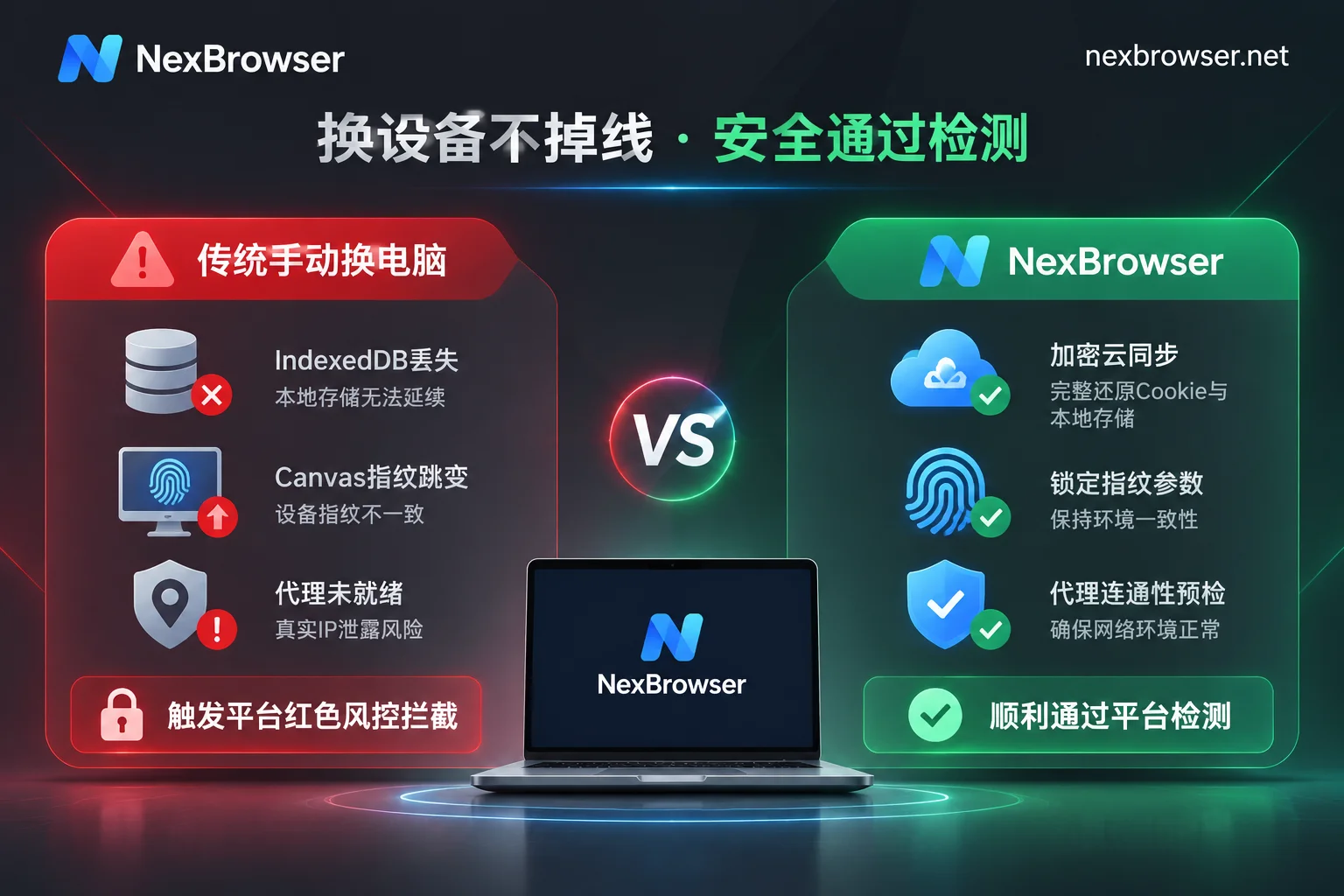
1. Local Storage (IndexedDB / LocalStorage) Discontinuity Leads to "Half Amnesia"
Traditional account migration often focuses only on Cookie import and export. However, modern web applications (such as TikTok Creator Backend, Meta Business Manager, and major cross-border e-commerce seller centers) write a large number of device trust tokens, encrypted session states, and front-end behavior caches into the browser's LocalStorage and IndexedDB databases.
If you simply create a new environment on a new computer and stuff in old Cookies, or the tool you use only synchronizes basic configurations and discards local storage data, the platform server will immediately discover during the handshake: this account with legitimate Cookies has an underlying local database that is completely blank and new. This contradiction of "having memory but no underlying logs" will directly trigger forced re-login or risk control inquiries. For technical details on underlying storage isolation, you can refer to our previous breakdown: "How to Achieve Thorough Browser Environment Isolation? From IndexedDB Anti-Cross-Contamination to AI Agent Multi-Account Sandbox Practice".
2. "Fingerprint Parameter Drift" Caused by Manual Environment Reconstruction
Some browser tools that rely purely on local storage require operators to manually re-check configurations against the old machine's parameters when switching computers. Even if you fill in the User-Agent and screen resolution exactly the same, deep parameters such as Canvas rendering noise, WebGL graphics card hash values, AudioContext audio features, and system font lists will change when regenerated on the new device. In the eyes of platform algorithms, this is equivalent to the account changing its motherboard, graphics card, and sound card within one second—a high-risk abnormal behavior.
3. "Real Local IP Exposed" When New Device Is Not Ready
After switching to a new computer or home office network, the most fatal mistake often occurs the second you click "Open Environment": the proxy client on the new computer is not yet configured, or the bound proxy node cannot connect under the current network, but the browser directly falls back to the local direct connection network, or even instantly leaks the real domestic IP of the home broadband through the WebRTC protocol. Even if the request leaks for only a few hundred milliseconds, it is enough to ruin the overseas local store environment that has been painstakingly maintained.
II. Four Security Defense Lines for Cross-Device Transfer of Anti-Detection Browsers
To seamlessly switch an account between the company desktop, home laptop, and terminals of different team members, while always appearing as "the exact same device" on the platform side, relies on system-level synchronization and pre-check mechanisms.
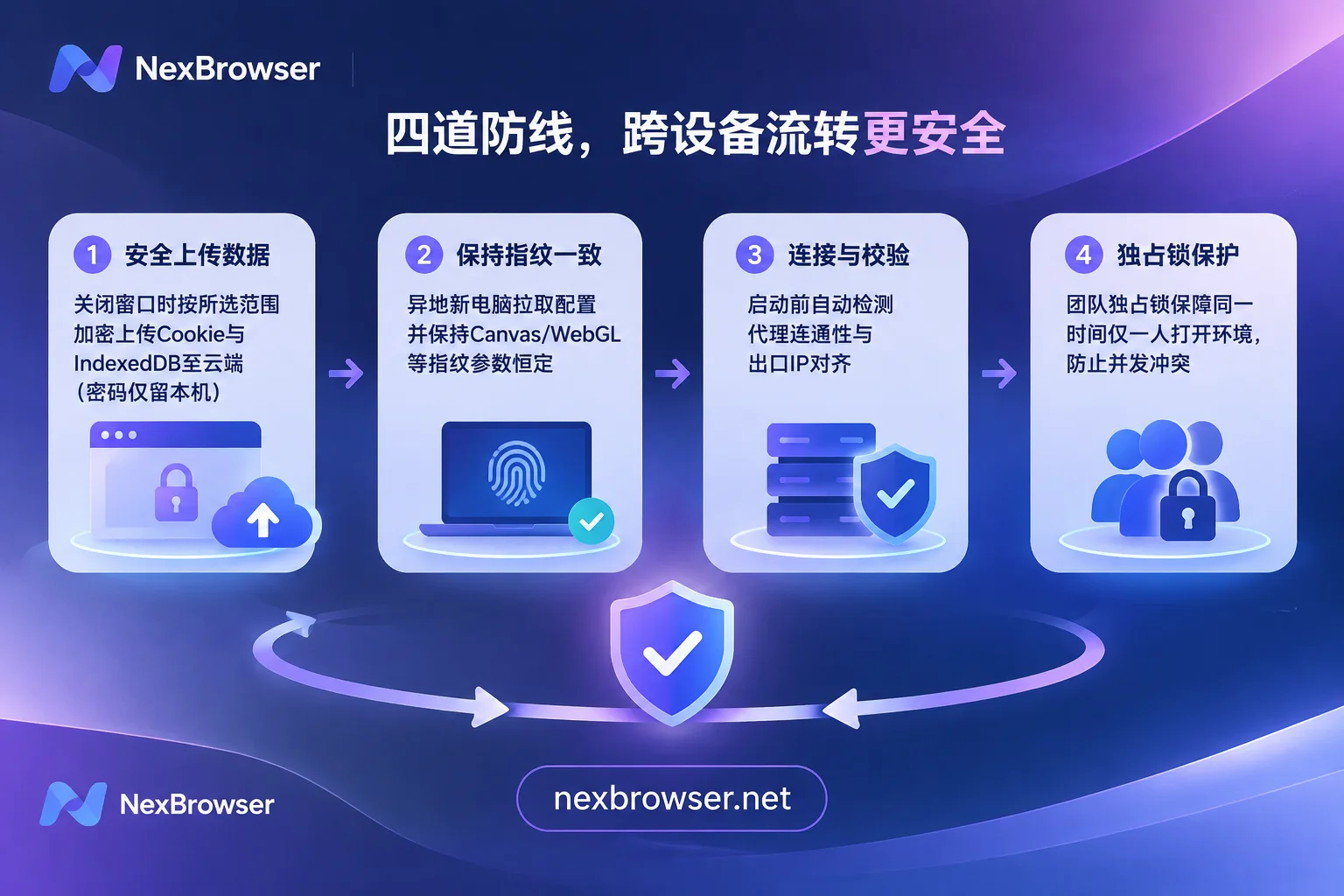
In the NexBrowser multi-account environment isolation architecture, cross-device and remote transfer is broken down into four automated closed-loop steps:
1. Encrypted Cloud Synchronization: Login State and Local Cache Travel Complete
In NexBrowser, each environment not only has independent Cookies, cache, local storage (including IndexedDB), and proxy configurations, but also supports fine-grained cloud synchronization strategies:
- Encrypted sync by selected scope: When you close the environment window after a day's work, the system automatically encrypts and syncs the latest core state data such as Cookies and local storage of the current environment to the cloud according to the scope you set.
- Instant restoration upon login on another machine: When you return home and log in to your account on another computer with the NexBrowser Windows client (supporting Windows 10/11 64-bit systems), the cloud will fully pull and restore the encrypted data package to the local sandbox. Open the window to directly continue the previous login state without repeatedly entering passwords or undergoing secondary verification.
- Sensitive password local retention mechanism: To balance cross-device convenience and ultimate asset security, plaintext passwords that employees choose to save within the browser window are only kept on the current local machine and will not migrate with cloud synchronization; team-shared platform accounts are automatically filled and logged in through bound environments, fundamentally blocking password leakage risks caused by computer switching.
2. Parameter Template Locking and Cloud Kernel Alignment to Eliminate Fingerprint Drift
To avoid fingerprint inconsistencies when changing devices or during long-term operations, NexBrowser's fingerprint parameter protection mechanism deeply binds parameters such as Canvas, WebGL, fonts, Audio, screen, hardware, time zone, language, WebRTC policy, and User-Agent to specific environments:
- Generated once, constant across machines: The self-consistent fingerprint parameters generated when the environment is created are saved together with the environment configuration. No matter which terminal starts the environment, the underlying hardware hash values reported to the website remain constant and consistent, and will not drift due to different host physical hardware.
- Cloud templates evolve with the kernel: Built-in parameter templates for Windows, macOS, Android, and iOS, and the template library is updated in the cloud with Chrome kernel versions, avoiding inconsistent "antique fingerprints" due to lagging local client versions.
3. Strong Proxy Pre-Check Before Startup and No Cache Clearing When Changing IP
To address the variability of remote office network environments, NexBrowser has built-in strict circuit breaker protection in the proxy and residential IP management module:
- Never start if detection fails: Before each environment startup, the system first checks the connectivity, latency, and exit attribution of the bound HTTP / HTTPS / SOCKS5 proxy or associated NexIP residential IP. Once the proxy is found invalid or connection timed out, the environment will directly intercept the startup, and the window is never allowed to open pages without proxy protection, completely eliminating real IP exposure (for more configuration details, see "How to Configure Proxy IP Binding for Browsers Without Pitfalls? A Practical Guide from Pre-Startup Detection, Parameter Alignment to Batch API Scheduling").
- Changing proxy does not lose login state: If the old proxy node expires and needs a new IP, directly modifying the proxy bound to the environment in NexBrowser will not clear the original Cookies and local storage data; at the same time, the environment's WebRTC, time zone, language, and geolocation will automatically dynamically align with the new proxy exit IP, helping old accounts smoothly transition through network switching.
4. Password-Free Sharing and Exclusive Lock: Preventing Remote Collaboration from Becoming "Concurrent Collisions"
When working from home or collaborating across regions, the biggest fear is that employee A opens the store environment at home, and employee B unknowingly opens the same environment at the company. Operating on both sides simultaneously causes cloud data to overwrite each other, and the same account sends different behavioral instructions within the same second, easily triggering abnormal concurrency risk control.
- Single environment exclusive open lock: NexBrowser's team collaboration mechanism stipulates that the same environment can only be opened by one member at a time. When an environment is open, other members' interfaces will be clearly locked, mechanically eliminating remote concurrent conflicts (further reading: "What Happens When Multiple People Log In to the Same Browser Environment Simultaneously: Data Overwrite, Account Abnormal Concurrency, and How Teams Should Handover and Divide Work").
- Fine-grained permission matrix and operation traceability: Team founders can precisely control which environment groups members in different roles can see and operate through custom roles and permission matrix; all permission changes and member open records are traceable. Even with personnel turnover or outsourcing handover, you only need to revoke role permissions without changing store passwords or migrating environments.
III. Standardized SOPs for Three High-Frequency Migration and Store Expansion Scenarios
Combined with the above defense lines, when your team encounters the following three typical changes, you can follow this standardized process to minimize the risk control incidence:
Scenario 1: Main Operator Computer Hardware Replacement / Home and Office Dual-Machine Switching
- Wrap up on old machine: After completing the day's operations on the company computer, normally close the target environment window in NexBrowser, and wait for the status bar to confirm that Cookies and local storage data have been encrypted and synchronized to the cloud.
- Prepare new machine: Download and install the NexBrowser client on the home computer or newly purchased device, and log in to the same main account or authorized sub-account.
- Network pre-check: In the environment list, select the store environment to open, first click one-click proxy connectivity detection, confirm that the current network (direct connection, system proxy, or relay node) can smoothly connect to the target proxy exit, and then start the environment.
Scenario 2: Emergency Handling of Occasional Platform Two-Factor Authentication (2FA) During Remote Login
Even with sufficient environment and IP synchronization, some platforms with extremely strict risk control may still pop up SMS verification code verification when detecting slight fluctuations in proxy nodes.
- If the phone number is bound to the boss or a domestic physical card, requesting verification codes remotely often leads to verification failure due to timeout.
- Solution: For environments bound to NexSMS cloud phone numbers, operators do not need to leave the current browser window; simply open the number center built into the environment sidebar to receive SMS in real time by country/region and target platform and fill in the verification code. For core stores or ad accounts that require long-term stable maintenance, numbers can also be converted to long-term rental, ensuring that the verification loop is completed within seconds no matter where you work.
Scenario 3: Rapidly Scaling from 1 Mature Environment to 50 Standardized New Environments
When a single store model is proven and you are ready to expand stores in batches or lay out social media matrices, never directly copy the old environment's cache to new accounts (otherwise multiple accounts will share the same underlying device identifier and face collective bans).
- Correct approach: Save the mature environment that has already tuned network policies, plugin configurations, and preferences as an environment template. When batch-creating new environments, call this template; NexBrowser will retain the basic framework while independently generating brand-new fingerprint parameters for each newly copied environment, and supports batch import of bound independent proxies and tagging by platform or responsible person.
- Automation relay: After new environments are batch-created, if manual intervention is needed for initial setup, you can enable window synchronization to have the main window lead sub-windows in synchronized clicks and input; for daily fixed account nurturing, browsing, and inspection actions, you can directly export and import RPA scripts (Beta), wake up the built-in Nex Agent (AI Agent), or connect to external automation workflows through the completely free and unlimited Local API and MCP interface. Even if you change computers, the exported scripts and cloud-saved environment login states can immediately seamlessly connect.
IV. Conclusion: Don't Let "Device Relocation" Ruin Account Assets Accumulated Over Half a Year
When choosing an anti-detection browser, don't just look at how fast it is when creating the first environment; look at how stable it is when switching computers, adding staff, and expanding scale in the third month. A truly reliable anti-detection foundation should incorporate complex fingerprint locking, encrypted cache synchronization, proxy pre-check circuit breakers, and concurrency lock control all into the background, so that operators, no matter which computer they sit in front of, open a window to the same safe and continuous digital workbench.
In terms of business model, NexBrowser adheres to the principle of no feature tiers—whether it's encrypted cloud sync, team permission matrix, window synchronization, RPA orchestration, or Local API / MCP interface, the free tier is fully open and usable, no credit card required, and quotas never expire; when the team expands, the paid plans are billed purely by window and member capacity, with no feature crippling thresholds.
If you are preparing to upgrade studio equipment and build a cross-border operation system that supports home and remote collaboration, why not visit the NexBrowser download page now to get the client, or check the official operation manual and beginner's guide to build a security defense line for your multi-account assets with lossless cross-device transfer.