 NexBrowser指纹浏览器-官方博客Blog
Integrating Puppeteer with fingerprint browsers for compliant automation correctly means using puppeteer.connect to take over an environment already started by the fingerprint browser's Local API, rather than having the script launch a browser itself. Fingerprints, cookies, and proxies are managed by the environment; the script only handles business actions. Since 2024, detection has moved down to the CDP communication layer, which is the root cause of stealth plugin failures.
Why stealth plugins still get detected: the JS declaration layer and the CDP communication layer are two separate paths
Many developers think puppeteer-extra-plugin-stealth can solve everything, but its scope is limited to the page JS context, modifying prototype chains and property declarations. However, DataDome's June 2024 threat research notes that modern anti-bot gateways have moved detection down to the CDP pipe layer; Puppeteer's default Runtime.enable can cause Getter side-effect leaks during console object serialization. Rebrowser documentation also mentions that JS-layer camouflage alone is no longer sufficient. In other words, stealth plugins modify the page, but detection looks at the protocol pipe—two separate paths.
So, what to do if runtime.enable gets detected? The answer is not to patch the CDP commands but to change the integration approach: let the fingerprint browser manage the environment, and the script only handles business actions.
Check 1: Use connect instead of launch when integrating Puppeteer with fingerprint browsers
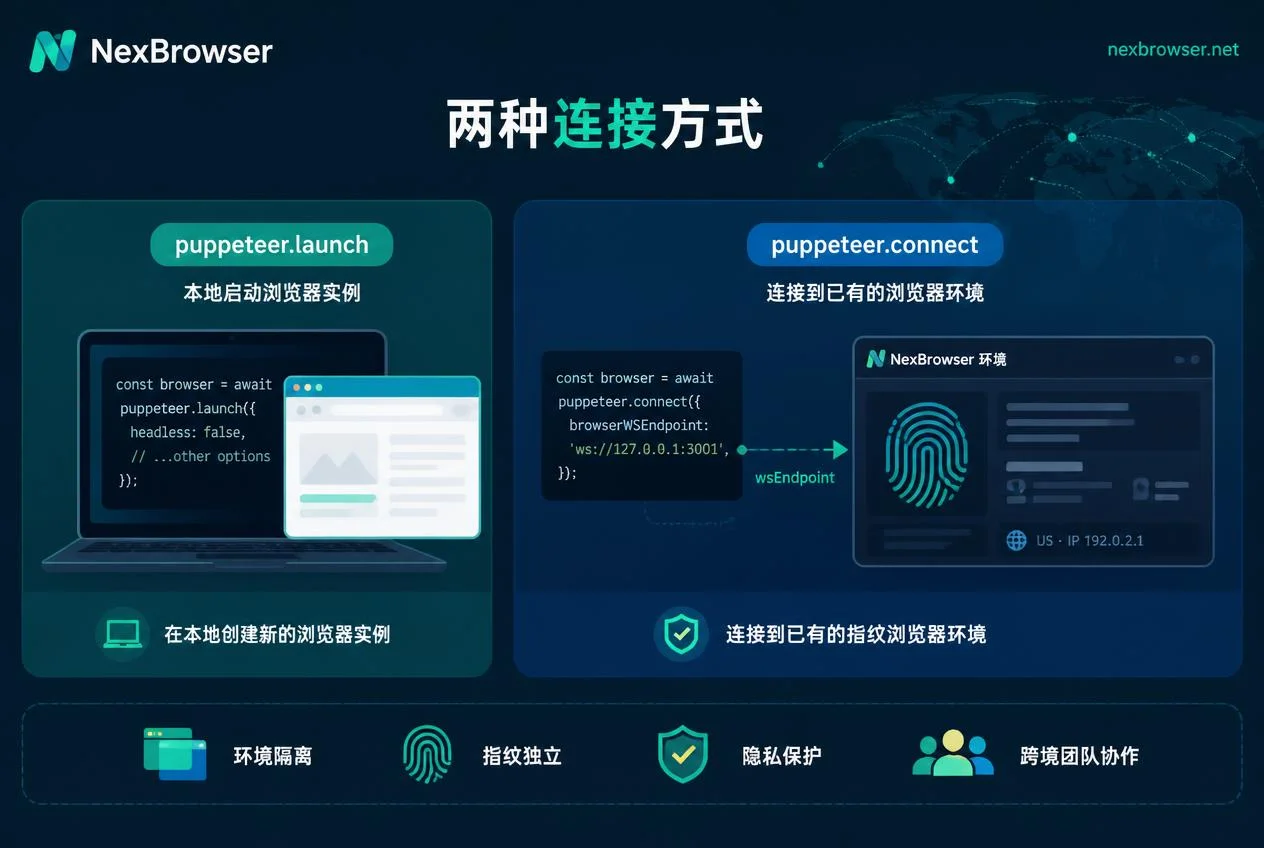
puppeteer.launch and puppeteer.connect differ fundamentally. launch creates a brand-new temporary user data directory and default launch parameters, effectively discarding the environment context maintained by the fingerprint browser; whereas connect(browserWSEndpoint) reuses the kernel, configuration files, and network egress of an already-started environment. Therefore, the key to compliant automation with Puppeteer integrated with fingerprint browsers lies in puppeteer.connect.
Verification method: First confirm that the wsEndpoint you obtain is for the target environment, not the local default Chrome. You can print browser.wsEndpoint() in your code and compare it with the address returned by the fingerprint browser's Local API.
For similar takeover approaches in other script stacks, refer to Playwright multi-environment automation script development guide and Selenium connection anti-association browser interface configuration tutorial.
Check 2: Proxy ownership—egress is bound to the environment; don't pass script parameters redundantly
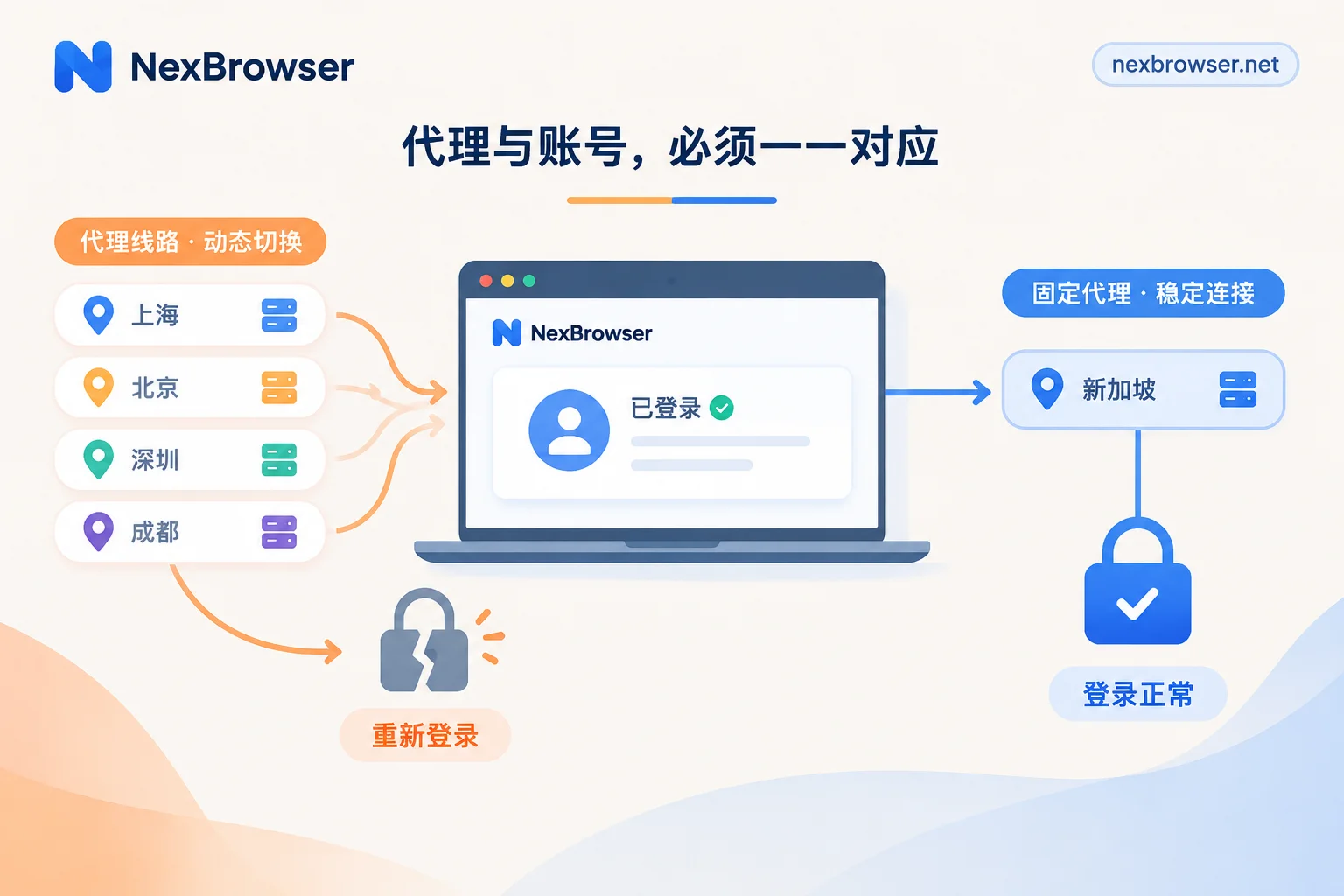
In takeover mode, configure the proxy at the fingerprint browser environment layer; do not pass --proxy-server or perform secondary authentication in the script, as this can create dual egress paths and trigger risk control.
Verification method: Once the script is running, visit an IP geolocation lookup page in the taken-over page and compare whether it matches the egress bound to the environment at creation time; also check if timezone and language match the egress region. If you're wondering "does each Puppeteer environment need its own proxy settings?", the answer is: each environment binds its own proxy in the fingerprint browser; the script doesn't need to worry about it.
Check 3: Fingerprint and UA declarations—will script overrides clash with existing environment configs?
Do not call sensitive CDP methods like setUserAgent, Emulation.setUserAgentOverride, or Page.setBypassCSP after takeover. Rebrowser's August 2024 documentation points out that these calls conflict with the Sec-CH-UA and underlying network handshake features preset by the fingerprint browser kernel, marking you as tampered. Script-level overrides change only declarations, not the underlying layers, creating contradictions. So, "not changing" is safer than "trying to look more real". The role of TLS and JA3 fingerprints in cross-border risk control in the network layer is also worth attention.
Check 4: Concurrency and ports—when running multiple environments simultaneously, one connection is fixed to one environment
For multi-account concurrency, each environment has its own debug endpoint. The script needs to maintain a mapping of "environment ID → wsEndpoint → browser instance" to avoid reusing connections and causing cross-environment page mixing. After abnormal exits, handle the order of disconnection and environment shutdown to prevent residual sessions.
Check 5: Spot-check egress and login state before and after runs—don't let automation amplify mismatches
Before and after batch execution, do spot checks: after startup, verify egress and timezone before entering business actions; after tasks, check that login state and cookies still belong to the original environment. The risk of automation is that errors get replicated in bulk, so spot checks must come first. Additionally, consider designing automation workflows with RPA bots and fingerprint browsers collaboration.
Capability boundaries: what Puppeteer integration with fingerprint browsers solves and explicitly doesn't solve
Integrating Puppeteer with fingerprint browsers for compliant automation solves environment consistency and protocol-layer parameter conflicts; it does not solve behavioral traces, operation frequency, account history reputation, or business-side anomaly detection, nor can it guarantee no CAPTCHAs or no association. Account bans are typically the result of multi-dimensional comprehensive scoring, not attributable to a single technical signal.
Implementation in NexBrowser: Local API startup + Puppeteer takeover process
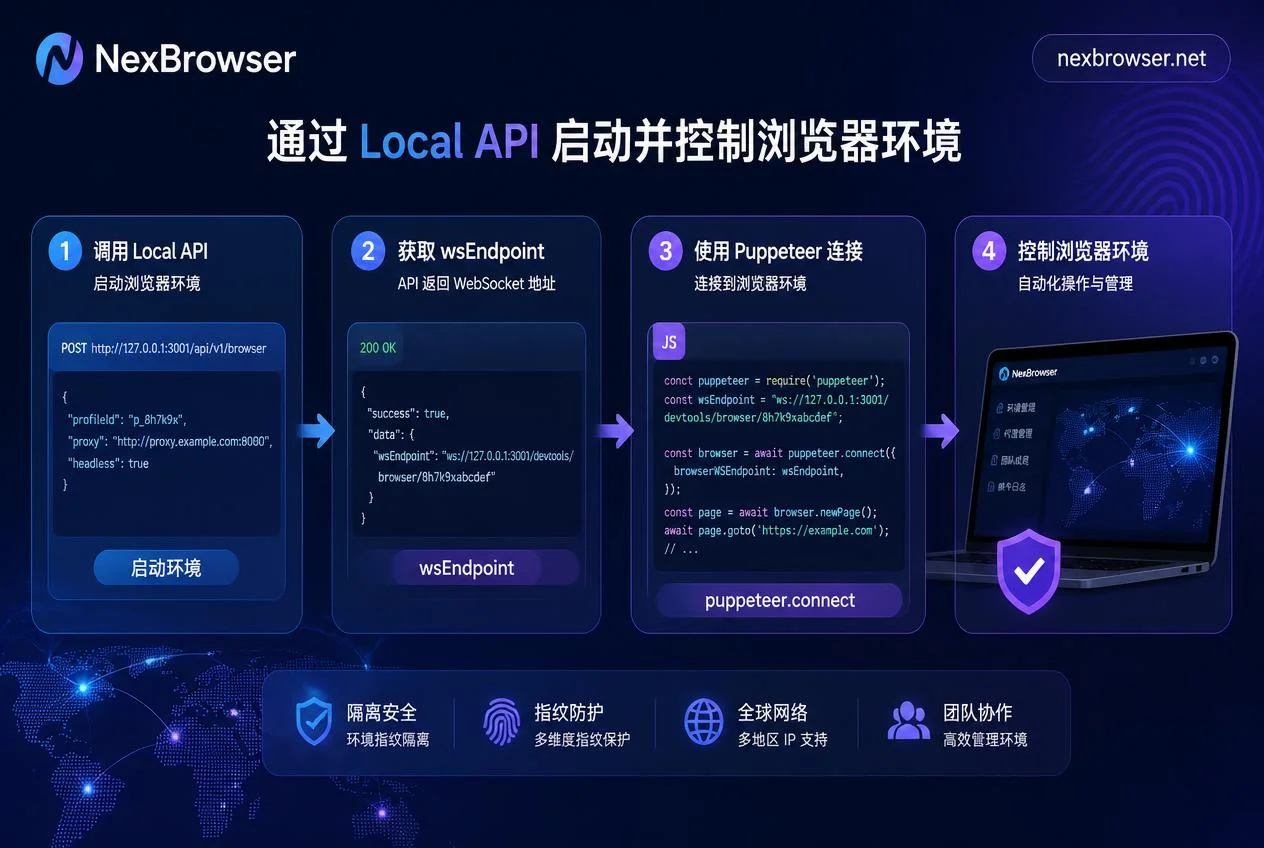
NexBrowser's Local API can batch-start independent environments with bound proxies and return debug endpoints. To get wsEndpoint: call the startup interface for that environment; the response contains the browserWSEndpoint field. Then use puppeteer.connect to take over that environment and execute business actions. The environment-side no-code RPA and window synchronization features can be used for pre- and post-run spot checks of egress and login state. Proxies and fingerprint parameters are uniformly maintained by the environment; the script does not override them. This maintains environment consistency while simplifying script logic.
Integration checklist for Puppeteer with fingerprint browsers
| Check Item | How to Verify | Typical Symptom of Problem |
|---|---|---|
| Connection method | Confirm wsEndpoint comes from target environment | Script using launch creates a brand-new environment |
| Proxy ownership | Visit IP lookup page to compare egress | Egress mismatch or timezone mismatch |
| UA override | Check if code calls setUserAgent | Sec-CH-UA conflict appears |
| Concurrent connections | Verify environment-to-instance mapping | Cross-environment page mixing or connection reuse |
| Pre/post spot checks | Check egress and login state before/after runs | Login state loss or mismatch |
Frequently Asked Questions
What is the difference between puppeteer.connect and puppeteer.launch?
launch starts a new browser instance with a brand-new user data directory, while connect connects to an already-running browser instance via browserWSEndpoint. For compliant automation integrating Puppeteer with fingerprint browsers, you should use connect to take over the environment, not launch to create a new one.
Is puppeteer-extra-stealth still useful?
In takeover mode, whether to stack the stealth plugin needs your own verification. It only affects the page JS context and is ineffective against protocol-layer features caused by Runtime.enable; whether stacking it in takeover mode depends on whether the environment has already handled the CDP layer—you can't assume it's fully handled. It's recommended to test based on actual detection rather than relying on absolute conclusions.
Why is a Puppeteer-launched browser detected as soon as it opens?
launch creates a browser lacking the fingerprint browser's environment configuration, and script-layer parameter overrides may introduce inconsistencies. Taking over an existing environment avoids the inconsistencies from temporary user data directories and script-layer overrides, but doesn't guarantee evasion; platform decisions are a combined result of behavior, frequency, and account reputation.
After takeover, does the script still need to set proxies separately?
No. Proxies are managed by the fingerprint browser environment; the script only needs to execute business logic. Setting proxies redundantly can cause network egress inconsistencies and increase risk.
How do I get wsEndpoint from the fingerprint browser's Local API?
Usually, you call the Local API's startup interface, pass environment ID and other parameters, and the returned JSON contains the wsEndpoint field. Refer to the specific fingerprint browser's Local API documentation.


Comments(0)