 NexBrowser指纹浏览器-官方博客Blog
When choosing a Ghost Browser alternative, the first step is to confirm what you are actually replacing: "multi-session management" or "anti-association strength." These correspond to completely different tool types, and mixing them up may result in a useless switch.
In a tool comparison analysis published by Nstbrowser in December 2025, Ghost Browser and SessionBox were categorized as "multi-session tools," distinct from anti-association browsers that provide environment-level isolation. The technical classification in this article is based on that public comparison and product feature disclosures. Ghost Browser has not officially published a roadmap for shifting to independent processes and hardware fingerprint spoofing. This guide starts from that boundary, presenting four capabilities to verify before switching, migration boundaries, and a copy-ready checklist.
Tab-level session isolation vs. browser environment isolation are not the same thing
"Multi-session" and "anti-association" are often used interchangeably, but technically they are two different things.
Multi-session tools solve the efficiency problem of logging into multiple accounts simultaneously in the same browser; they isolate cookies, local storage, and login states. Anti-association browsers solve the security problem of multiple accounts not being identified as the same device; they isolate kernel processes, user data directories, and underlying hardware fingerprint readings.
| Comparison Dimension | Multi-session Tools (Ghost Browser, etc.) | Anti-association Fingerprint Browsers |
|---|---|---|
| Isolation Level | Cookies, local storage, login state | Kernel processes, user data directories, hardware fingerprint parameters |
| Process Architecture | Single Chromium window/instance | Each environment has an independent kernel process |
| Hardware Fingerprint | Shares host readings | Can configure noise and spoofing per environment |
| Proxy Binding | Tab-level or global, not necessarily tied to environment | Bound per environment, aligned with geolocation/timezone/language |
| Use Case | Lightweight multitasking, testing, collaboration | Multi-account anti-association, team operations |
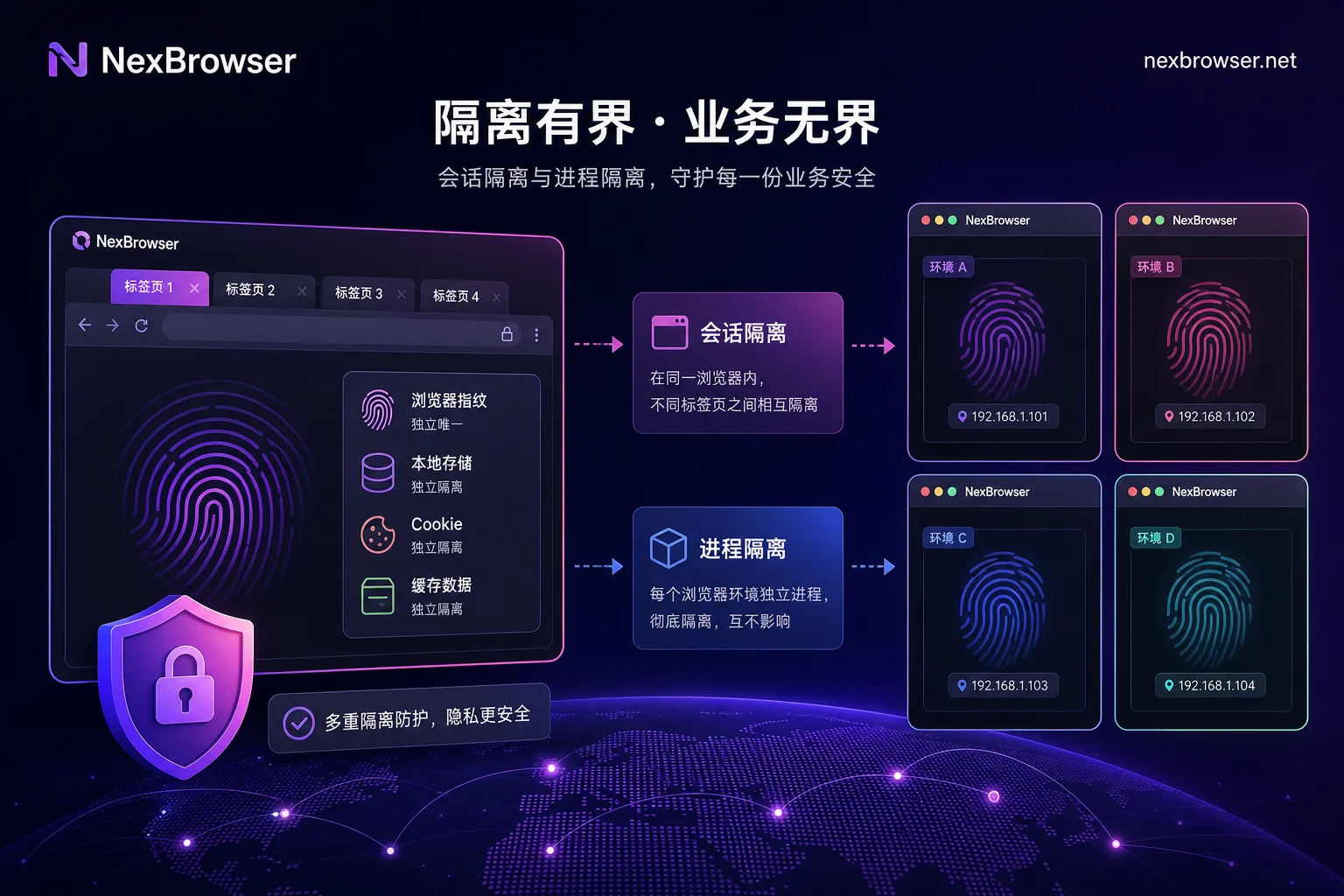
What tools like Ghost Browser isolate: Cookies, local storage, and login state
Ghost Browser is officially positioned as a productivity tool for development, testing, and multi-account collaboration. Its free version supports 3 identities, isolating cookies and local storage within a single Chromium window, allowing simultaneous operation of multiple accounts in the same browser without frequent login switching.
In lightweight multitasking scenarios, such tools are valuable—for example, managing several social media accounts at once or testing different user roles. However, note that its "multiple identities" isolate session data, not underlying device characteristics.
The layer not isolated: Canvas/WebGL, fonts, and audio readings from the same host
Why do accounts still get associated even after session isolation? Because all tabs run on the same host, sharing the same rendering pipeline. Canvas, WebGL, GPU rendering strings, system fonts, and audio context—these hardware fingerprint readings are identical for all tabs.
These are cookie-less characteristics; clearing cookies or switching identities does not change them. Therefore, multiple tabs within the same instance share fingerprint readings—switching identities or clearing cookies won't make them appear as different devices.
Why "one proxy per identity" can still be linked: Different exit IP, unchanged hardware declaration
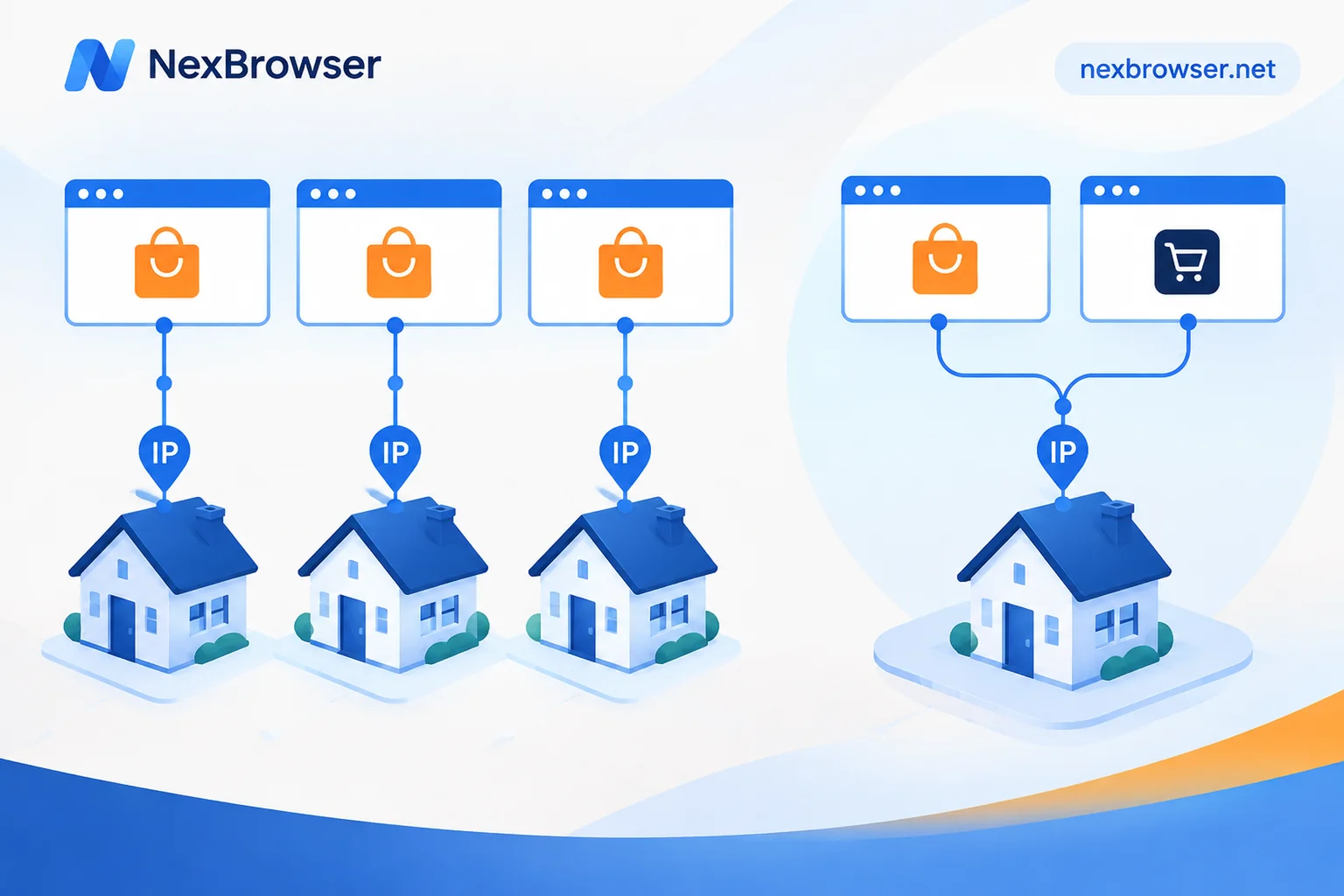
Many people think assigning different IPs to different tabs prevents association. In reality, platform risk control cross-references exit IP with hardware fingerprints; frequent IP changes with constant hardware fingerprints create an anomalous feature combination.
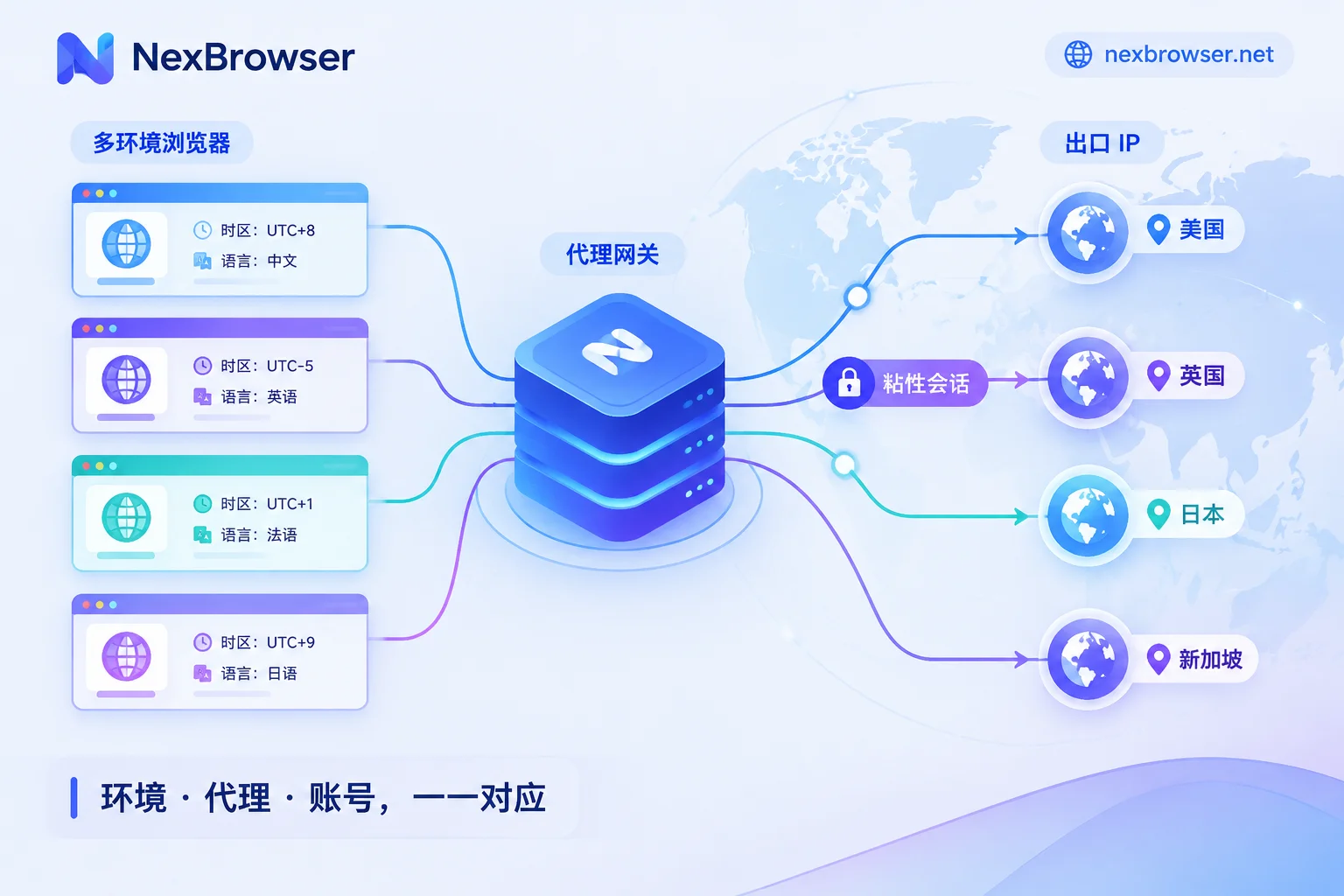
A proxy is necessary but not sufficient. That is, without a proxy, it won't work, but with only a proxy, it still won't. True anti-association requires binding the proxy to the environment and aligning the browser kernel declaration with the exit location.
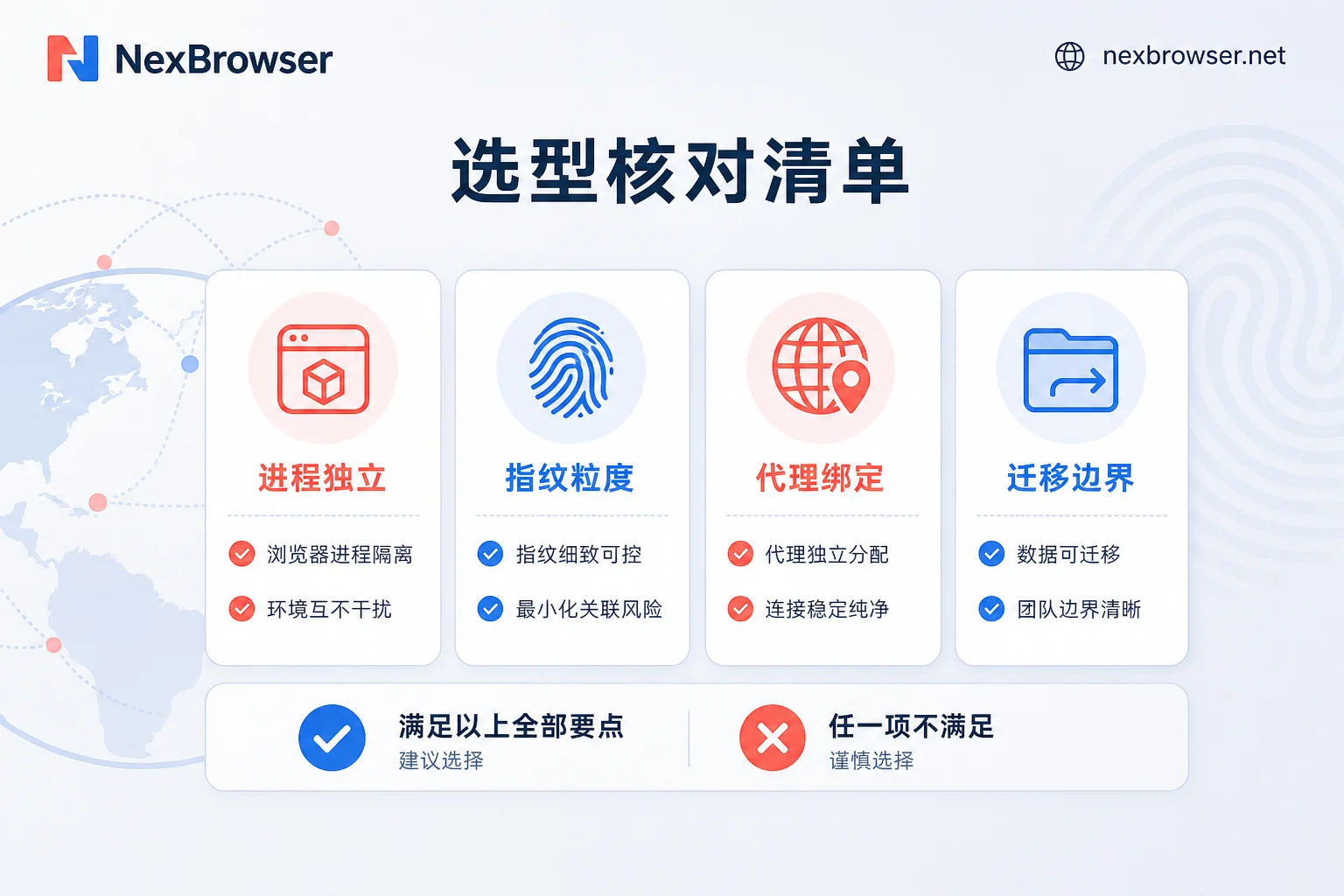
Four capabilities to verify in a Ghost Browser alternative: Process independence, fingerprint granularity, proxy attribution, and migration boundaries
When evaluating a Ghost Browser alternative, check candidate tools against these four criteria.
| Check Item | How to Ask the Vendor | How to Verify Yourself |
|---|---|---|
| Kernel process independence | Does each environment have an independent kernel process and dedicated user data directory? | Open Task Manager to see if different environments correspond to different processes; after switching environments, check if cache and extensions are isolated |
| Fingerprint granularity | Can OS parameters, Canvas/WebGL noise, WebRTC policies, and font libraries be configured per environment? | Visit fingerprint detection pages in different environments and compare WebGL rendering strings, font lists, and time zones |
| Proxy attribution | Is the proxy bound to a single environment or global? Are geolocation/timezone/language aligned with the exit? | Configure proxies from different regions for two environments, and check if IP attribution matches browser timezone and language |
| Migration boundaries | Can cookies and login states be batch imported/exported as JSON? Which data cannot be transferred? | Export cookies from the current tool, import into the candidate tool's environment, verify if login state is preserved, and confirm that cache and plugin states are not inherited |
These check items help you understand the tool's capability boundaries before purchase, avoiding discovering missing critical features after migration.
When switching from Ghost Browser to an anti-detect browser, what data can be carried over and what cannot
When switching to a fingerprint browser, only part of the data can be carried over. Cookies and login credentials can be exported in JSON format and imported into the new environment, preserving login state. However, local process cache, plugin states, and underlying device characteristics (such as hardware fingerprint parameters) cannot be directly transferred.
Migration is recommended in this order: first, migrate 1-2 low-value accounts as a trial, keep the old environment for a period, verify login state and exit consistency for each environment after migration, and avoid logging into the same account in both tools during this period.
If the team involves multi-user collaboration, also consider the cleanliness of account handover. You can refer to the process of secure account handover and browser environment migration for employee departure.
What can be verified during the trial period and what cannot
During the trial, you can verify: whether environments are independent, whether fingerprint parameters can be configured per environment, whether proxy binding works, and whether cookie import preserves login state.
What cannot be verified: long-term account survival rate and the actual risk control model decisions of platforms. Short-term normality does not guarantee long-term safety; a "stable" observation during trial cannot be used as an anti-association conclusion.
Which configurations in NexBrowser correspond to these items
Mapping the four checklist items to NexBrowser's public capabilities:
- Check item ① Kernel process independence → Independent browser environments: corresponds to independent kernel processes and user data directories; each environment acts like a separate browser instance;
- Check item ② Fingerprint granularity → Fingerprint isolation: provides fingerprint, cookie, cache isolation and Chrome fingerprint simulation, corresponding to fingerprint parameter granularity;
- Check item ③ Proxy attribution → Proxy management: supports HTTP/HTTPS/SOCKS5 proxies, bound per environment rather than globally;
- Check item ④ Migration boundaries → Team collaboration and batch migration: provides team environment collaboration and Local API, corresponding to multi-user migration and batch cookie import/export scenarios.
For more specific configuration methods, refer to binding proxy IP to browser and eBay seller account anti-association fingerprint browser configuration. These capability items only state public features; actual results need to be validated in your own business.
What the browser cannot change: Entity details, payment accounts, and operational behavior
It is important to recognize that tools only solve isolation at the browser environment level. Platform risk control also covers non-browser dimensions such as registration entity information, KYC details, payment and receiving accounts, and operational behavior patterns. Changing tools does not change association facts at these levels. You need to review them on the business side; otherwise, even the most professional browser won't help.
A copy-ready replacement checklist
- Before migration: Verify the candidate tool's kernel process independence, fingerprint granularity, per-environment proxy binding capability, and cookie import/export capability.
- During migration: Export cookies and login states as JSON; do not delete the old environment until the new environment is verified one by one.
- After migration: Verify login state preservation and exit consistency for each environment; monitor for a period without anomalies before expanding the migration scope.
FAQ
Can Ghost Browser prevent account association?
No. Ghost Browser is positioned as a productivity tool; the free version supports 3 identities, but all tabs share the host's hardware fingerprint. Under risk control models that weight cookie-less features like Canvas/WebGL, it is more likely to be judged as the same device, so it lacks environment-level anti-association capability.
What is the difference between Ghost Browser and anti-detect browsers?
The core difference lies in isolation level. Ghost Browser isolates cookies and local storage; anti-detect browsers isolate kernel processes, user data directories, and underlying fingerprint parameters. The latter can configure Canvas/WebGL noise, WebRTC policies, etc., offering stronger anti-association.
Which is better, SessionBox or Ghost Browser?
It depends on the scenario. Both are multi-session tools; SessionBox is lighter and suitable for temporary testing; Ghost Browser focuses more on multitasking collaboration. If the goal is anti-association, neither qualifies as a proper Ghost Browser alternative; you should turn to environment-level isolation fingerprint browsers.
How many identities does the Ghost Browser free version support?
The free version supports 3 identities. Each identity has independent cookies and local storage but shares hardware fingerprints. If you need more than 3 accounts or advanced proxy controls, upgrade or consider alternatives.
Do multiple Ghost Browser tabs share fingerprints?
Yes. All tabs run on the same host's shared rendering pipeline, so Canvas, WebGL, GPU rendering strings, system fonts, and audio readings are identical. This is the main reason for its limited capability in anti-association scenarios.
Can data be migrated from Ghost Browser to an anti-detect browser?
Partially. Cookies and login states can be preserved via JSON export/import, but cache, plugin states, and underlying device fingerprints cannot be migrated. It is recommended to first migrate low-value accounts to test success rates before scaling up.


Comments(0)