 NexBrowser指纹浏览器-官方博客Blog
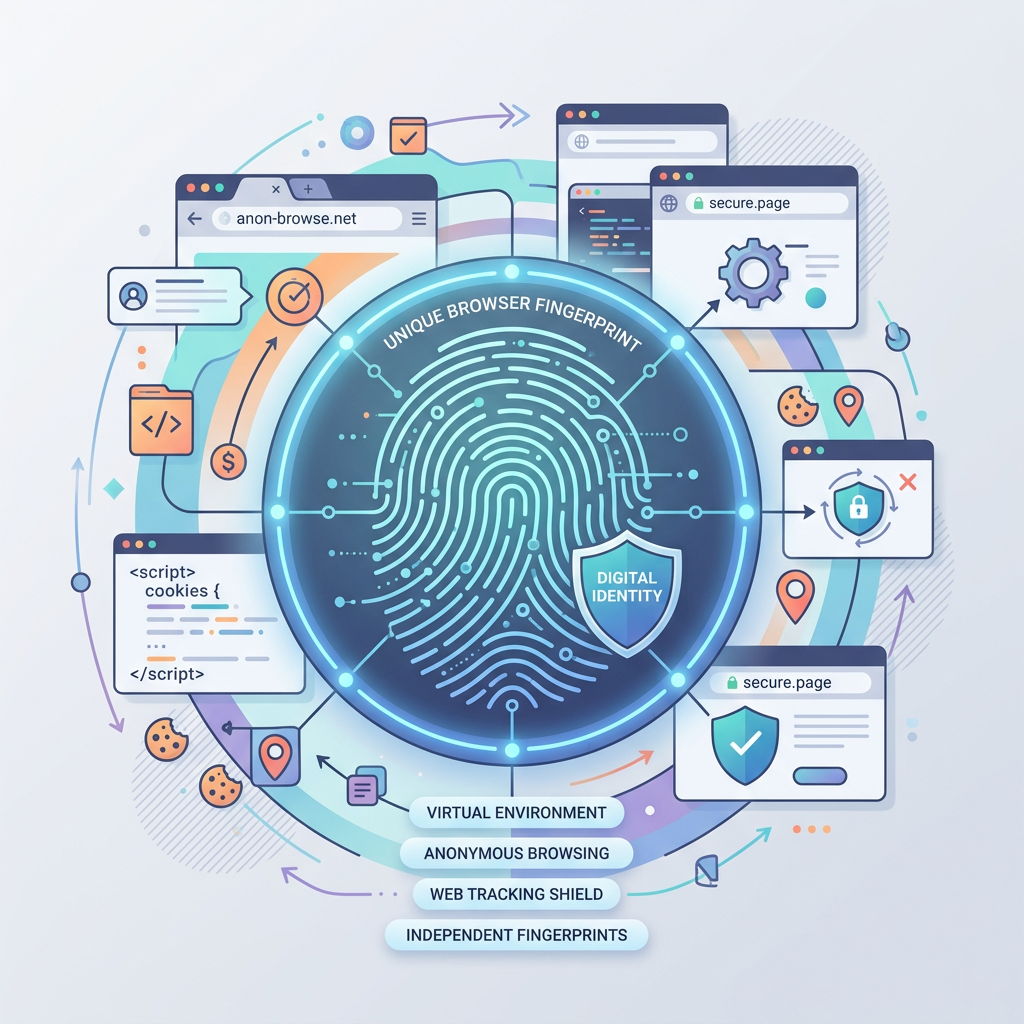
In fields like cross-border e-commerce, overseas social media marketing (e.g., Facebook, TikTok matrix operations), and affiliate marketing, "account association" has always been a major challenge for practitioners. Once a platform detects multiple accounts linked together, it can lead to throttling, verification requests, or even account suspensions. To solve this problem, fingerprint browsers emerged.
A fingerprint browser does not simply clear caches or change IPs; it modifies and disguises the underlying "fingerprint" information of the browser (such as User Agent, Canvas, WebGL, timezone, fonts, hardware parameters, etc.), creating a completely independent virtual operating environment for each account. With many products on the market, choosing a domestic fingerprint browser that offers a user-friendly interface, high network adaptability, and responsive after-sales service is often a better choice for Chinese users. Today we will review six well-known domestic fingerprint browsers to help you find the one best suited to your business needs.
1. NexBrowser
Among the many domestic fingerprint browsers, NexBrowser has gained popularity among small and medium-sized sellers and studios in recent years due to its high cost-performance ratio and powerful "group control" features. Based on the Chromium core, NexBrowser deeply simulates real device information at the physical level. Compared with other browsers, its most impressive feature is the efficient window synchronization and group control system. For users who need to operate dozens or even hundreds of accounts simultaneously, NexBrowser supports "master window operation, slave window real-time sync," greatly improving work efficiency and reducing repetitive manual labor. Additionally, NexBrowser excels in automation with deep RPA integration, allowing users to automate business processes through simple workflow orchestration. Notably, NexBrowser offers very affordable pricing and a permanent free window quota, making it an attractive option for individual sellers just starting out or cost-sensitive teams. If you value operational efficiency and return on investment, NexBrowser is definitely worth trying.
2. AdsPower Fingerprint Browser
AdsPower enjoys high visibility and market share in the industry and is the preferred tool for many large cross-border teams. Its core advantages are comprehensive functionality and system stability. AdsPower provides dual-kernel browser environments based on Chrome and Firefox, allowing users to choose according to the risk control preferences of the target platform. On the functional side, AdsPower can simulate over 20 complex browser fingerprint parameters, ensuring the independence of each environment. It also has built-in RPA (Robotic Process Automation) features to handle repetitive web operations. Moreover, its team collaboration capabilities are mature, supporting permission levels and operation logs, making it ideal for enterprise users with large teams.
3. VMLogin Fingerprint Browser
VMLogin is a technically oriented product that emphasizes "virtual browser" technology. Unlike typical multi-account tools, VMLogin focuses on achieving virtual machine-level security isolation without using a virtual machine. It allows users to customize DNS server configurations and mobile fingerprint environments, performing exceptionally well in simulating iOS and Android mobile device environments. This means if you primarily work with mobile traffic or need to simulate mobile environments for app web operations, VMLogin provides highly realistic fingerprint parameters. It supports major global websites and allows fine-grained adjustment of advanced fingerprint parameters like Canvas and WebGL.
4. Mbbrowser (Hou Niao Browser)
Mbbrowser is one of the earlier domestic tools specializing in anti-association. Its product design philosophy emphasizes "purity" and "anti-tracking." By modifying underlying code, Mbbrowser effectively prevents websites from collecting real device information through various tracking scripts. Mbbrowser's advantage lies in the portability of its profiles—users can encrypt and save configured environment files in the cloud for cross-device work. For team collaboration, it also offers sub-account management and environment sharing. Its interface is relatively simple, providing a ready-to-use solution for users who prefer not to engage in complex settings. Additionally, it has good compatibility with various proxy IPs.
5. Maskfog Fingerprint Browser
Maskfog's biggest selling point is its "one-stop solution." Many users find it troublesome to source high-quality proxy IPs separately when using fingerprint browsers. Maskfog deeply integrates clean, independent IP resources with its fingerprint browser. It offers its own dedicated IP device service covering major global regions such as North America, Europe, and Southeast Asia. This means users can complete the entire process of "environment setup + IP purchase" directly within Maskfog without switching between platforms. For new sellers or users who want to simplify network configuration, Maskfog provides an out-of-the-box experience, ensuring a high match between environment and IP and further reducing association risks caused by impure network environments.
6. Yunlogin (Cloud Login Browser)
Yunlogin is designed specifically for cross-border e-commerce and social media account management, with deep specialization in the e-commerce vertical. Beyond basic fingerprint isolation and anti-association features, Yunlogin optimizes workflows for e-commerce sellers. It supports auto-login and order management assistance across multiple platforms, aiming to reduce manual operations. Yunlogin also supports team collaboration, allowing creation of sub-accounts with flexible permission assignments, enabling flexible management modes like "one person, multiple stores" or "multiple people, one store." Its interface design aligns with e-commerce operations, making it a practical and stable tool for sellers managing multiple stores on platforms like Amazon and eBay.
Summary
Faced with these six excellent domestic fingerprint browsers, how should users choose? The key lies in your core business needs:
- If you seek high cost-performance and your business involves a large number of repetitive operations (e.g., social media matrix, multi-store listing) and requires group control and synchronization to save manpower, NexBrowser is currently the preferred choice. It ensures security while significantly reducing operational costs and technical barriers.
- If you want to avoid the hassle of finding IPs and prefer an out-of-the-box solution, Maskfog's integrated service will be convenient.
Regardless of your choice, fingerprint browsers have become essential infrastructure for cross-border businesses. We recommend using the free trials offered by these software products to personally test which one's operation logic best matches your work habits before committing to a paid plan.