NexBrowser指纹浏览器-官方博客Blog
Most professional anti-detect browsers do not come with IPs by default. The anti-detect browser itself solves the "device environment isolation" problem—allowing multiple windows on the same computer to have independent cookies, caches, local storage, and device fingerprint parameters such as Canvas and WebGL. However, the exit IP that determines your "address" on the internet usually needs to be configured separately for each environment with an independent proxy.
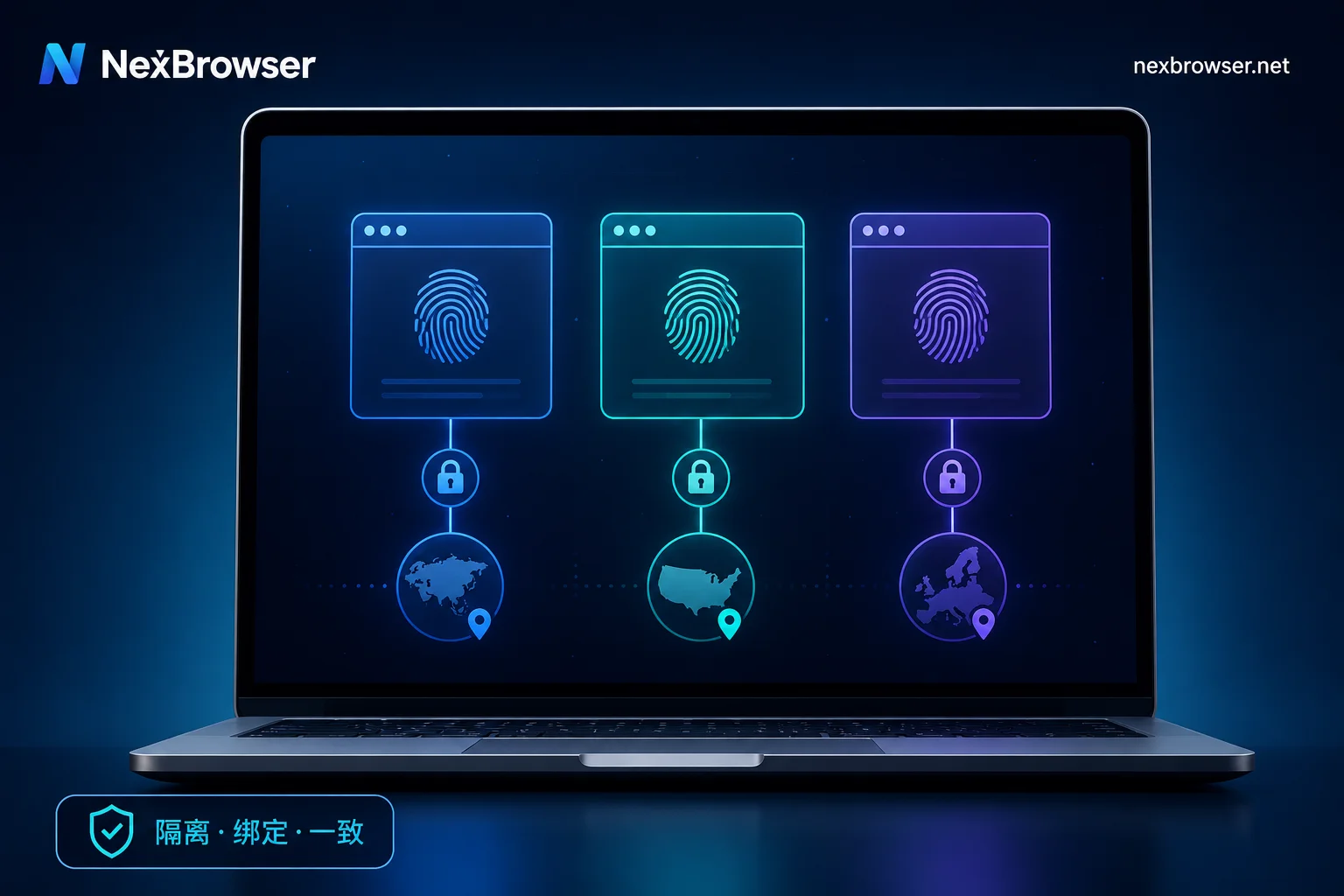
Many beginners install the anti-detect browser, create ten windows, and start logging into accounts directly. As a result, they still trigger risk controls in a few days. The reason is simple: although each window looks like a different computer, all traffic goes out through the same broadband or the same VPN exit. In the eyes of the platform, these ten "different devices" are still logging in from the same network address. This is why in Why Use a Fingerprint Browser, it is repeatedly emphasized: device fingerprint isolation and independent network exit are both necessary for complete isolation.
Why do some "come with IPs" while others require you to buy proxies yourself?
When you first search for "anti-detect browser", you will easily see two very different marketing claims: one promotes "bundled clean dedicated device/IP" that works out of the box; the other is a pure browser environment workbench where the software only manages the environment, and proxy IPs are either imported by yourself or connected to third-party or associated dedicated proxy services.
The underlying difference between these two models directly determines your operational flexibility and total cost later:
| Comparison Dimension | Cloud Browser with Bundled IP | Anti-Detect Browser with Separate Software and Proxy |
|---|---|---|
| IP Control and Transparency | IP type, upstream source, and whether reused are determined by the vendor's black box, with limited transparency | You can choose static residential, ISP, or existing proxies yourself; IP source and quality are under your control |
| Price Structure | Software fee and IP premium are bundled into a monthly fee; built-in channels are often 20%–30% more expensive than buying separately | Software is billed by window/member, proxies are purchased as needed, with no forced markup bundling |
| Difficulty of Changing IP and Migrating Environment | When you stop paying or switch platforms, IP and environment often become invalid together | Browser environment and proxy are bound separately; changing proxy does not clear cookies and local storage |
| Suitable Stage | Light trial with very few accounts and no desire to deal with any network configuration | Teams that need long-term account nurturing, multi-region site switching, batch matrices, or have fixed proxy resources |
In other words, the relationship between an anti-detect browser and a proxy IP is like "house" and "house number". If the house and house number are welded to the same supplier, once the IP pool in a certain region fluctuates or you need to migrate your store to a more stable residential line, the entire workflow will be at the mercy of others.
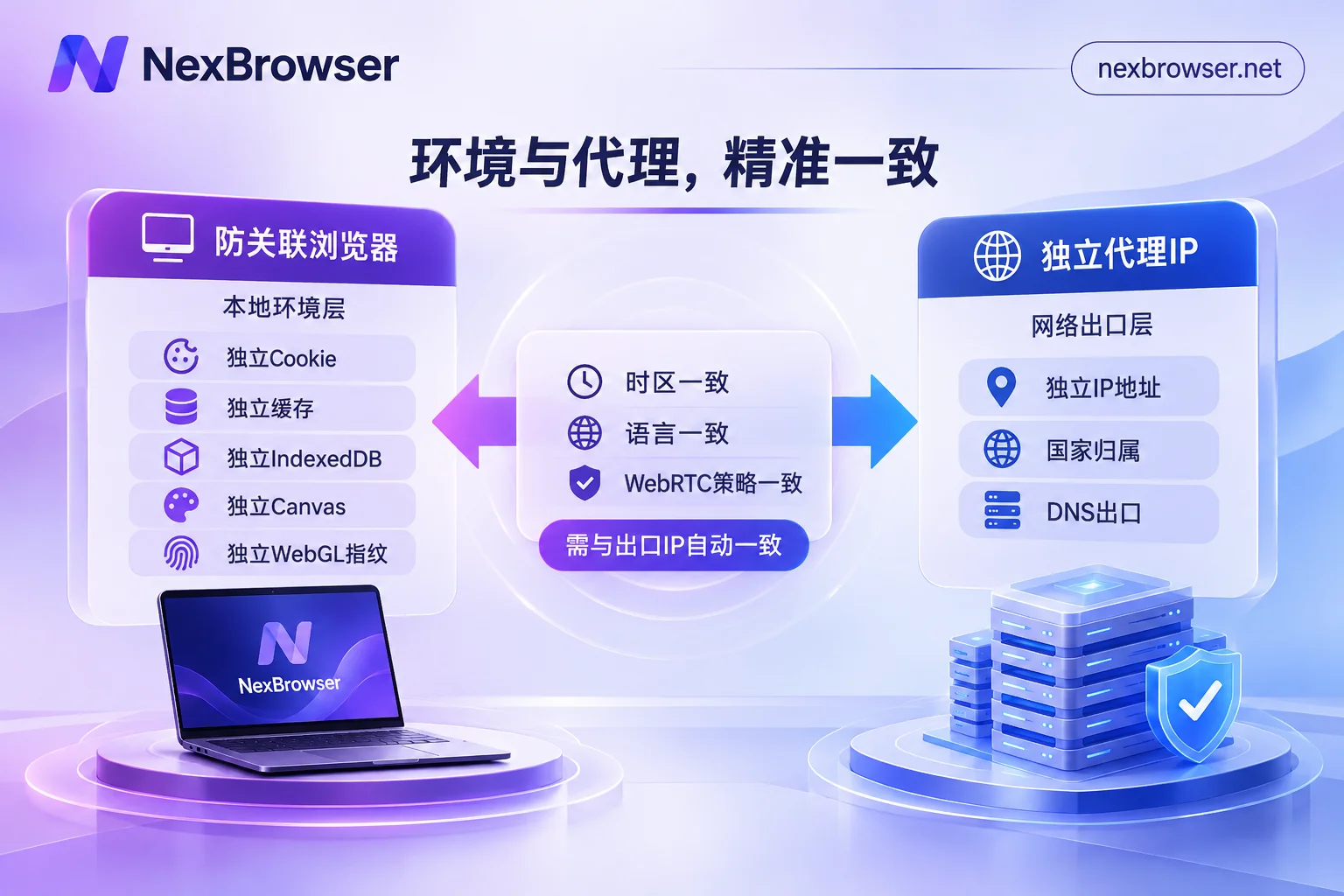
A workbench like NexBrowser, which is based on the Chrome kernel and is an anti-detect browser, adopts a design that "decouples environment and network": the browser side focuses on multi-account sandbox isolation and fingerprint consistency, while the network side supports adding or batch importing your existing HTTP/HTTPS/SOCKS5 proxies, and also supports one-click binding of residential IPs by country/region after linking a NexIP account (residential IP traffic is billed separately on the NexIP side). Even if you need to change the proxy line for an account midway, the cookies and IndexedDB login state accumulated in the environment will not be cleared.
After Installing the Anti-Detect Browser, These 4 Things Are Still Needed for True Anti-Detection
Now that you understand "software is not equal to IP", from downloading the client to safely going online with your accounts, you need to complete the following four pieces in order:
1. One Account, One Independent Exit IP, and Add "Pre-Launch Check"
For long-term account nurturing, cross-border stores, or high-weight social media accounts, it is recommended to stick to "one environment, one independent static residential IP" and try to avoid multiple accounts on the same platform sharing the same exit. For detailed entry and verification steps, refer to How to Set Up a Proxy for Each Environment in a Fingerprint Browser and Does Each Account Need a Static Residential IP?.
In practice, the most easily overlooked thing is not "how to fill in the proxy", but the moment the proxy suddenly goes down. If the software automatically falls back to your local broadband direct connection when the proxy disconnects, the account will instantly expose your real address. With NexBrowser, the system checks proxy connectivity, latency, and exit attribution before starting the environment. If the check fails, it directly prevents the environment from starting, thus mechanically intercepting "naked connection" accidents; the exit mode can also be selected among direct connection, system proxy, or relay node according to network conditions.
2. Keep Browser Fingerprints Consistent with the Exit IP
Many beginners think everything is fine after filling in the proxy, but then the IP shows Los Angeles, USA, while the system time zone in the browser is still Asia/Shanghai and the language is still zh-CN, or WebRTC STUN requests bypass the proxy and leak the real local IP to the webpage (if you encounter similar situations, check according to the WebRTC and UDP Channel Troubleshooting Guide).
A good anti-detect tool does not make all parameters as weird as possible, but ensures consistency. In NexBrowser's fingerprint parameter isolation solution, Canvas, WebGL, fonts, Audio, screen, and hardware parameters are independently generated or manually specified per environment; built-in Windows, macOS, Android, and iOS parameter templates are also updated in the cloud along with the Chrome kernel. More importantly, WebRTC policy, time zone, and language automatically align with the proxy exit IP, avoiding low-level contradictions like "the person is in the US but the watch shows Beijing time".
3. Complete "Outside the Browser" Verification and Collaboration Isolation
An anti-detect browser can protect the device and browsing layer, but it cannot control cross-contamination outside the browser—for example, using the same phone number for verification codes for ten accounts, paying with the same card, or sending account passwords directly to a WeChat group for different people to log in in turn. For this, you can self-check against 5 Common Pitfalls That Trigger Risk Control Even with an Anti-Detect Browser.
To keep the chain within the security boundary as much as possible:
- Verification code step: Use an independent number for each account. In the NexBrowser environment, you can directly use the built-in NexSMS cloud phone number center in the sidebar to obtain numbers by country/region and target platform, receive SMS, and automatically fill in the verification code. Accounts that need long-term maintenance can also be converted to long-term rental (cloud phone numbers and browser plans are billed separately on a pay-as-you-go basis).
- Team collaboration step: Don't pass passwords via spreadsheets. NexBrowser supports administrators to create roles and permission matrices and share environments with members without passwords—platform accounts are bound to the environment and automatically filled in when starting, so members cannot access the original password; at the same time, only one member is allowed to open the same environment at a time, preventing multiple people from concurrently writing cookies incorrectly. When closing the environment, cookies and local storage are encrypted and synchronized to the cloud according to the selected scope (self-stored passwords remain local only), so you can continue operations on another computer.
4. Confirm Local System Compatibility and Automation Needs
Before migrating your main accounts, be sure to check the system range supported by the current client. For example, NexBrowser currently provides Windows 10 and Windows 11 (64-bit) client downloads (domestic and overseas lines use the same code-signed installer, available on the download page), does not yet support Windows 7 and 32-bit systems, and the macOS client is still under development and not yet available. If you have batch operation needs, you can later choose window synchronization, no-code RPA scripts, built-in AI Agent, or the free, unlimited-call Local API and MCP according to your scenario.
How to Calculate the Real Monthly Bill? Don't Just Stare at the Software Price
To measure whether an anti-detect solution is expensive, you cannot just look at the software homepage saying "tens of yuan per month"; you need to calculate the full-chain cost per account:
Monthly cost per account = (browser window and member monthly fee + independent proxy IP monthly fee + verification and automation additional costs) ÷ actual number of accounts operated
When calculating this, focus on avoiding three common billing traps:
- Free version cripples core capabilities: Some tools offer a few free windows but lock team permissions, API, RPA, or core fingerprint configurations entirely in advanced paid versions. After testing, you find you need to switch tools to use the features.
- Limiting operational rhythm by number of openings: Some platforms claim "unlimited environments" but strictly limit the number of openings per day. Once stores change shifts frequently or scripts poll, you have to pay extra.
- Hidden markup on IP channels: They package cheap residential proxies as "exclusive cloud devices" and resell at a markup. As accounts increase, the monthly IP premium alone far exceeds the browser subscription fee.
In terms of fee transparency, NexBrowser adopts full feature openness, billing only by capacity: all features are available regardless of tier, and the free tier allows you to run the full set of capabilities without a credit card (for the specific number of free windows and limited-time free period, refer to the current terms on the free activity page); when expanding accounts or adding members later, you only pay for the additional window and member capacity on a 30-day cycle (Alipay and USDT supported, see the pricing page for specific unit prices), while residential IP traffic (NexIP), cloud phone numbers (NexSMS), and built-in AI Agent model tokens are all settled separately on demand, so you spend where it matters.
First Day for Beginners: 5 Steps to Safely Run Your First Isolated Environment
If you just finished searching and are ready to try, it is recommended to first run through the closed loop with 1–2 test or secondary accounts using the following 5 steps:
- Download the official client: Confirm your computer is Windows 10/11 (64-bit), get the signed installer from the official website, and use the free quota to create a test environment first.
- Create and bind an independent proxy: Enter a clean HTTP/HTTPS/SOCKS5 proxy (or link NexIP to bind a residential IP in the corresponding country), and run a one-click check to confirm latency and exit attribution are correct.
- Check the three-layer alignment status: After opening the environment, verify whether the time zone, language, and WebRTC have aligned with the exit IP to avoid location conflicts.
- Save a standard template: Save the verified environment configuration as a template. When batch-expanding accounts later, copy directly from the template; the system will automatically generate new and consistent fingerprint parameters, saving time and reducing errors.
- Complete external materials for each account: Confirm that the registration email, payment method, and verification phone number for that environment are independent before officially logging in, completely closing association loopholes outside the browser.