 NexBrowser指纹浏览器-官方博客Blog
What should you test during a fingerprint browser trial? The answer isn't in the perfect scores from detection sites, but in whether you can reproduce real business scenarios within limited working hours. Chromium pushes a major version every 4 weeks; if a vendor's kernel lags and only the UA is changed, the underlying API capabilities fall behind and risk being detected by anti-fraud systems. The core of the trial period is calculating the time budget: invest hours in six hands-on tests you can reproduce yourself to determine if the tool can handle your account scale.
The Time Cost Structure of the Trial
Many people only look at detection site scores because time gets consumed by the first two phases. The real cost structure of the trial includes: client installation and kernel download, per-environment account creation and proxy binding, and the number of repeated re-tests for each verification. Suppose you have a 3-day trial with 4 effective hours per day, totaling 12 hours. Installation and basic configuration may take 2 hours, leaving 10 hours to allocate across the six tests. If each test takes 1.5 hours, you can only complete each test once, without multiple rounds of verification. Therefore, it's crucial to plan time allocation wisely: prioritize high-friction points like proxy egress ownership and timezone linkage, then test automation interfaces. This approach ensures that within the limited time, you observe the tool's performance in real business scenarios rather than staying on theoretical parameters.
Can the Kernel Version Keep Up with Chromium's Four-Week Rhythm
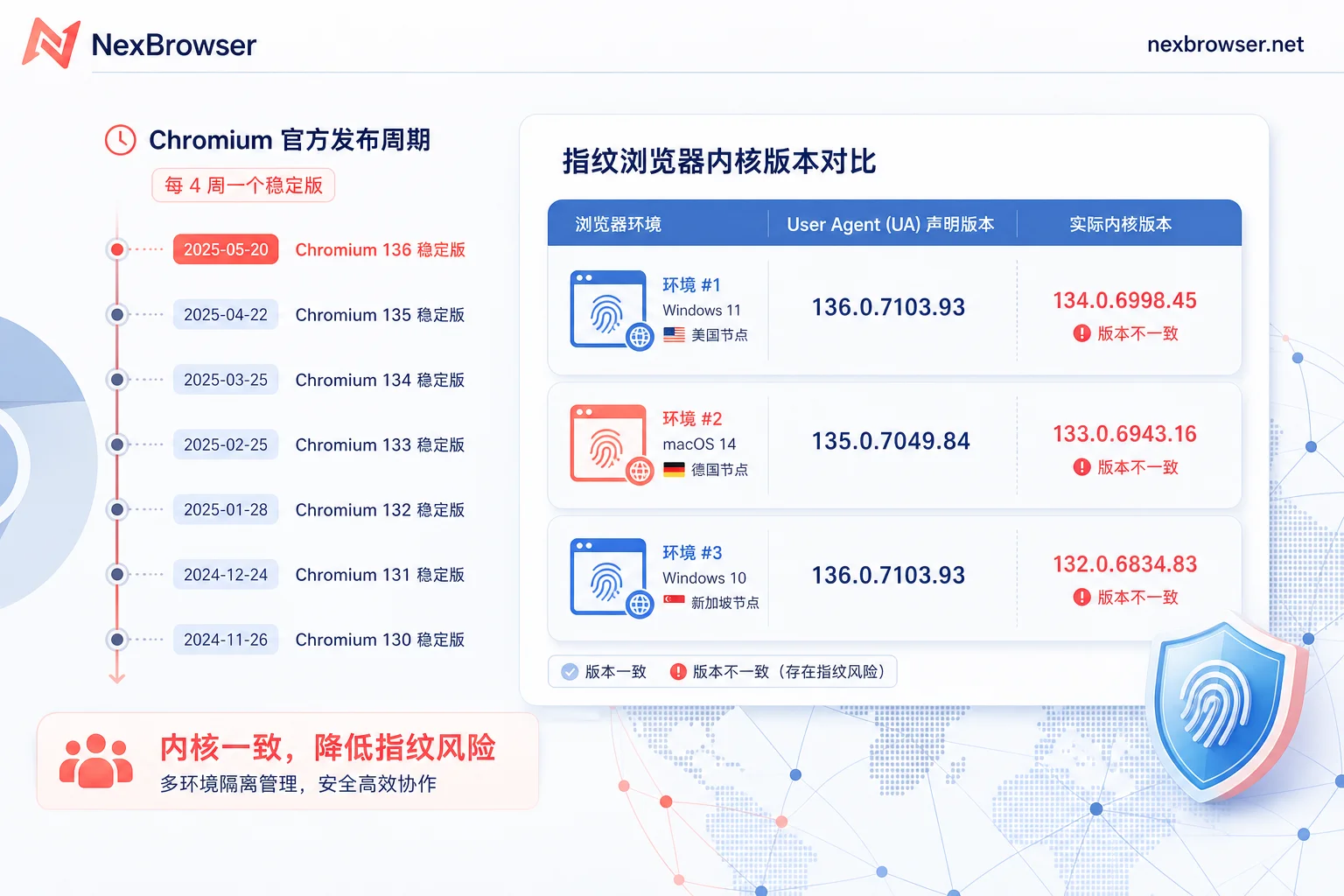
How to check if your fingerprint browser's kernel is the latest version? Chromium follows a strict release rhythm: major versions are pushed to the Stable channel every 4 weeks, with security patches in between, and Extended Stable releases a major version every 8 weeks. It's normal for vendors to take some time after the official release to run compatibility tests; you can't expect same-day synchronization. During the trial, you can check the actual kernel version in the environment and compare it with the UA version declared in the frontend. If the UA shows a high version but the underlying Web API capabilities (e.g., support for certain new features) don't match, it indicates that only the UA was changed without updating the kernel. Note that you cannot infer the kernel update schedule of competitors, as it's not public; focus on the consistency within your own environment.
After Binding a Proxy Per Environment, Is the Egress IP Actually the Proxy or Local?
The most commonly missed step in a trial is: just because the proxy connects doesn't mean all traffic from that environment goes through the proxy. A reproducible observation method is: on the same machine, open two environments bound to different proxies, check the egress IPs and their ownership, and compare with the readings from an unbound environment. If there's a fallback to local IP, the proxy configuration is not effective or there's a leak. After switching proxies, re-check because the historical attributes of egress ownership do not change with environment parameters. This directly impacts the effectiveness of multi-account isolation, so verify each environment to ensure each egress IP is independent and stable.
Is the WebRTC Reading the Same Address as the HTTP Egress?
Frontend-readable network clues aren't limited to HTTP egress; WebRTC opens another channel that exposes the address. During the trial, check if both point to the same egress. Observation signals include: the two addresses are inconsistent, or one shows the proxy ownership and the other shows a local network segment. This means there's a leak risk, which could lead to account association. Note that this is a general exposure test, not the same as platform's internal judgment. Platform anti-fraud rules are closed-source, and external validation of their specific logic isn't possible, but ensuring WebRTC and HTTP egress consistency is a basic protective measure.
Linkage Check Between Egress IP Timezone and Intl.DateTimeFormat
How to detect browser timezone and IP inconsistency? Publicly available detection logic from anti-fraud vendors shows that anti-fraud reads client timezone via Intl.DateTimeFormat and getTimezoneOffset and compares it with the GeoIP timezone of the egress IP. A timezone_mismatch or os_mismatch is flagged as high-risk. Trial action: switch to a proxy in a different timezone and see if the environment timezone and language update automatically or require manual changes. Manual changes become a huge time burden at scale; auto-linkage directly affects operational efficiency. If the tool doesn't support auto-linkage, evaluate whether the manual configuration cost is acceptable.
Use Local API to Get wsEndpoint and Take Over, Instead of Having the Script Launch Its Own Browser
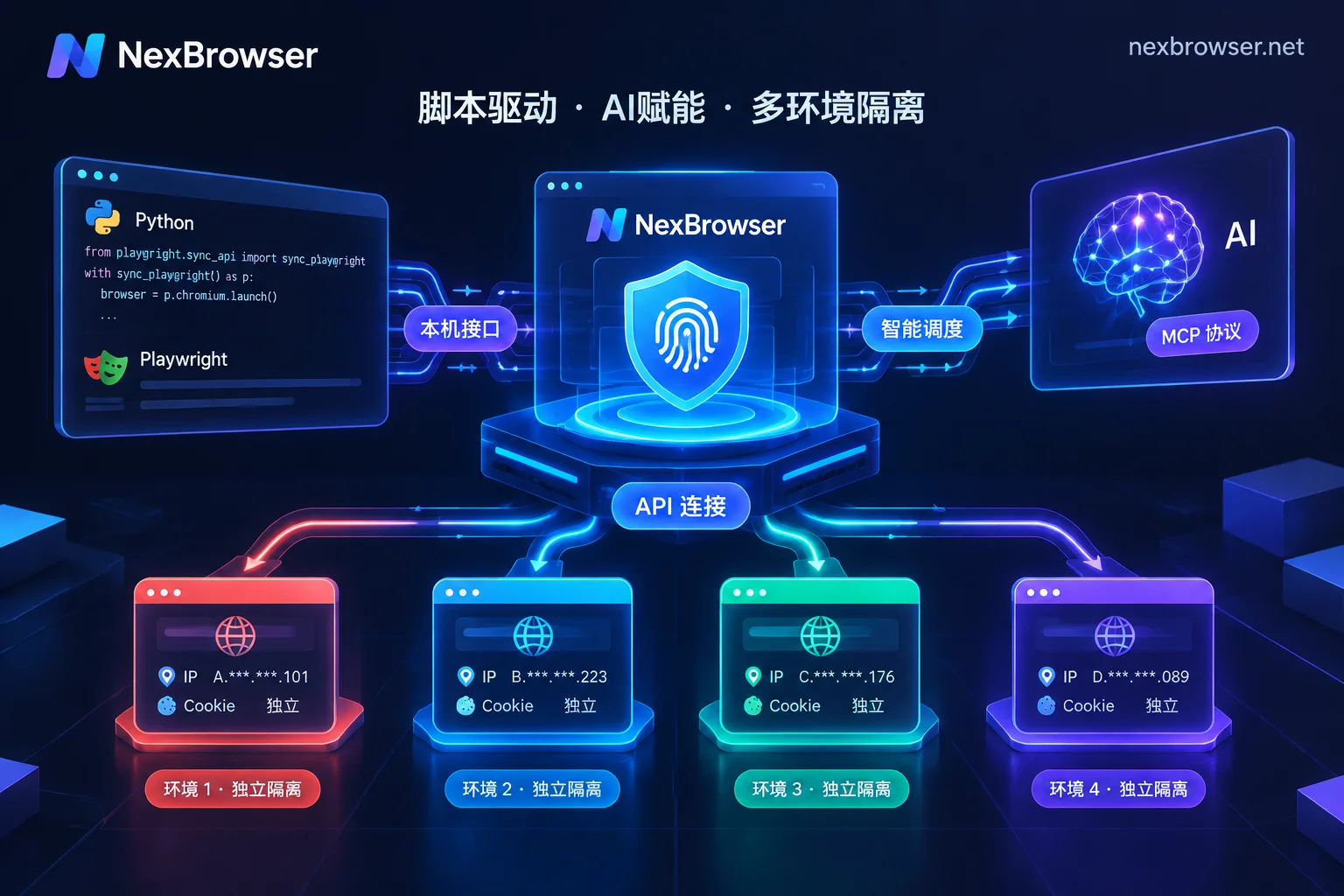
Test automation capabilities during the trial. A script that launches its own browser with --proxy-server and a random UA exposes debugging channel features and cannot sync system timezone, Canvas, or WebRTC. The correct form is to first start the environment, get the wsEndpoint (WebSocket endpoint for remote control), and then use connect to take over the existing environment. In NexBrowser's Local API, start a specified environment and retrieve the wsEndpoint, then use puppeteer.connect to take over; the environment's proxy and fingerprint settings remain unchanged. The WebDriver path is analogous. Common failure signals include port errors, unreachable addresses, or environment not started. In the latter part of this section, a specific step mentions the brand, but only describes public capabilities, without promising detection results.
Comparison of Static Residential vs. Rotating Proxies in Trial
How many environments do you need to open in a fingerprint browser trial? At least 3 are recommended: one with a static residential proxy, one with a rotating proxy, and one without a proxy as a control. Here's a comparison of the two proxy types:
| Dimension | Static Residential (ISP) | Rotating Proxy |
|---|---|---|
| Pricing | Monthly fee per IP | By traffic |
| Egress stability | Fixed single ISP ownership long-term | Switches per request or time window |
| Suitable tasks | Long-term logged-in store accounts and social media main accounts | Stateless public scraping |
| Misuse consequences | Session interruption and remote login warnings | Frequent IP drift triggers anti-theft login bans |
Suggestions on which proxy to use for testing four-dimensional consistency: If your business involves e-commerce main stores or social media main accounts, you must use static residential proxies to test long-term logged-in stability; if it's data collection, you can use rotating proxies to test concurrency. Sticky sessions don't equal static; note the session keep-alive mechanism. It's forbidden to claim that one proxy type is less likely to get banned; choose based on your business scenario.
Trial-to-Official Transition Path and a Time Cost Calculation Based on Environment Count
Transition path includes: set environment naming and grouping first, rebind proxies per environment and re-check egress, determine which cookies and login states need re-login, and plan the regression test order for automation scripts changing from launch to connect. With six tests each taking 1.5 hours and multiplying by the number of environments to migrate (assume 10), total time is 15 hours. Compare that to the rework time after a login state interruption (assume 2 hours per occurrence, 5 times = 10 hours), explaining why the extra few hours spent during the trial are amortizable. Numbers are presented as hypothetical quantities that readers can substitute; no unpublished prices or quotas are cited.
FAQ
How to check if the fingerprint browser's kernel is the latest version?
Type chrome://version in the address bar to view the actual kernel version and compare it with the version advertised on the official website or in the UA string. If the UA shows a high version but chrome://version shows an old one, only the UA was modified. Note that Chromium releases major versions every 4 weeks, vendors have a normal lag period, and the key is to check if the underlying API support matches the UA version.
What to do if the egress IP is still local after binding a proxy in a fingerprint browser?
Check if the proxy configuration was saved successfully, restart the environment and test again. Use sites like ipleak.net to check both HTTP and WebRTC egress simultaneously. If WebRTC shows your local IP, you need to disable WebRTC in settings or configure a proxy override. Confirm the proxy IP hasn't been banned, and try switching proxy nodes.
How to detect browser timezone and IP inconsistency?
Visit ipinfo.io to see the IP's GeoIP timezone. In the browser console, type new Date().getTimezoneOffset() to get the system timezone offset. If they don't match, check if the fingerprint browser has an "auto-match IP timezone" feature enabled. Manually changing the environment timezone must align with the proxy IP's location to avoid timezone_mismatch.
If the fingerprint detection website scores 100%, will accounts not be associated?
No. Detection sites only test general fingerprint exposure like Canvas and WebGL; they don't include commercial anti-fraud rules of e-commerce platforms (such as cross-store subject, payment methods, behavioral spatiotemporal features). A 100% score only means the frontend fingerprint is well-disguised; it doesn't guarantee no association. You need to combine with your business context for comprehensive judgment.
How to troubleshoot when puppeteer connect cannot connect to the fingerprint browser?
Confirm the fingerprint browser is running and the Local API port is open. Check if the wsEndpoint address is correct and if the firewall is blocking. Ensure Puppeteer version is compatible with the browser kernel. If using NexBrowser, confirm the environment ID is correct, and try manually accessing the API address in the browser to test connectivity.


Comments(0)