 NexBrowser指纹浏览器-官方博客Blog
First, let's answer: What is the correct order for compliant multi-environment login for TikTok overseas ad accounts?
For compliant multi-environment login on TikTok overseas ad accounts, compliance hinges on five conditions: account ownership, second verification carrier, environment and egress binding, login consistency, and challenge handling. By checking each layer in this order, you can stabilize the login surface for each ad account rather than passively waiting for verification pop-ups. The official TikTok Ads Manager Help Center states that two-step verification (2SV) is forcibly triggered when the system detects a new environment or unusual login; Meta also mandates two-factor authentication for some business assets older than 90 days. This underscores that the goal isn't to "avoid verification pop-ups" but to stabilize the login surface.
Why the old approach of "sharing account passwords and rotating logins" is now problematic
In the past, teams shared a single main account password, rotating logins across members and devices. While seemingly efficient, this now frequently triggers unusual challenges. Three reasons:
- TikTok Ads Manager's 2SV will force intervention: Official documentation states that 2SV supports SMS, email verification codes, and third-party authenticators (TOTP). When a new environment or unusual login is detected, a second identity verification is forced.
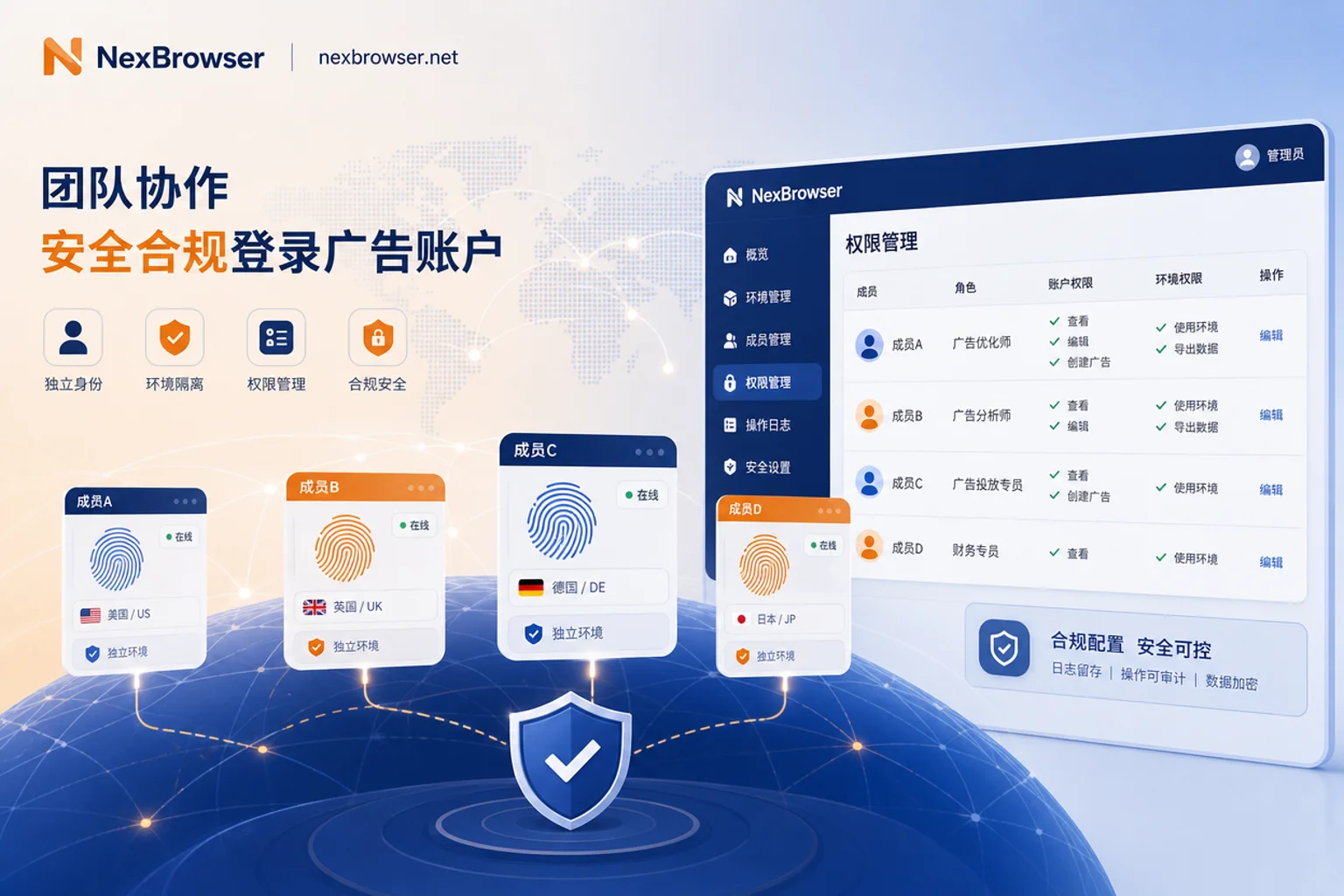
- TikTok Business Center offers member roles and domain whitelists: Officially, members can be invited as separate identities into an organization, with Admin and Standard base roles and asset-level fine-grained permissions. Enterprise email domain whitelists can restrict external email addresses from joining.
- Meta Business Suite enforces 2FA and security reviews: Meta's Help Center states that two-factor verification is mandatory for certain assets older than 90 days, and security reviews are triggered for unrecognized devices, remote networks, and abnormal IPs, explicitly prohibiting multiple people from sharing a personal main account password.
The shared-account model, across multiple locations and devices, means any change in environment or egress can trigger a challenge—at best a verification, at worst a review. These risks are directly related to cross-border account risk control.
Step 1: Account ownership and member invitation—Log in as a member, not by sharing the main account
The first step in compliant multi-environment login for TikTok overseas ad accounts is to clarify account ownership. The correct approach is to invite collaborators as members in TikTok Business Center, not distribute the main account password.
- "Who is the principal": The main account holder is the asset owner; members are invited collaborators.
- "Who is invited": Use members' enterprise emails, not personal emails.
- "How to remove on departure": Admins can remove members at any time, avoiding long-term retention of login credentials.
TikTok Business Center officially supports up to 4,000 members and provides Admin and Standard base roles, with asset-level fine-grained permissions down to individual accounts. Paired with enterprise email domain whitelisting, only trusted email domains can join the organization, preventing unauthorized accounts. For permission revocation, consider the approach in Cross-Border E-commerce Team Multi-Account Permission Tiered Management. After this step, login no longer depends on password sharing.
Step 2: Second verification carrier ownership—Who holds TOTP, SMS, or email?
When setting up two-step verification in TikTok Ads Manager, the key isn't which carrier you choose but who holds it. For the specific path, refer to the public description in TikTok Ads Manager's official Help Center: Account Settings → Security → Two-Step Verification → Choose SMS/Email/Authenticator App. For the exact path, follow TikTok's official Help Center, as the interface may change.
| Carrier Type | Binding Recommendation | Risk Points |
|---|---|---|
| SMS | Bind to a team-dedicated number, not a personal number | High handover cost when number changes |
| Email verification code | Use an email within the enterprise domain whitelist | Enterprise email permissions need to be revoked |
| Third-party authenticator (TOTP) | Bind to the team administrator's primary device or a team-managed dedicated device | Device loss requires backup recovery codes in advance |
Be clear: 2SV is an account-level security policy that no environment tool can replace or host. Fingerprint browsers can fix fingerprints, but they cannot "skip" verification.
Step 3: Environment and egress binding—One ad account corresponds to one environment and one fixed egress
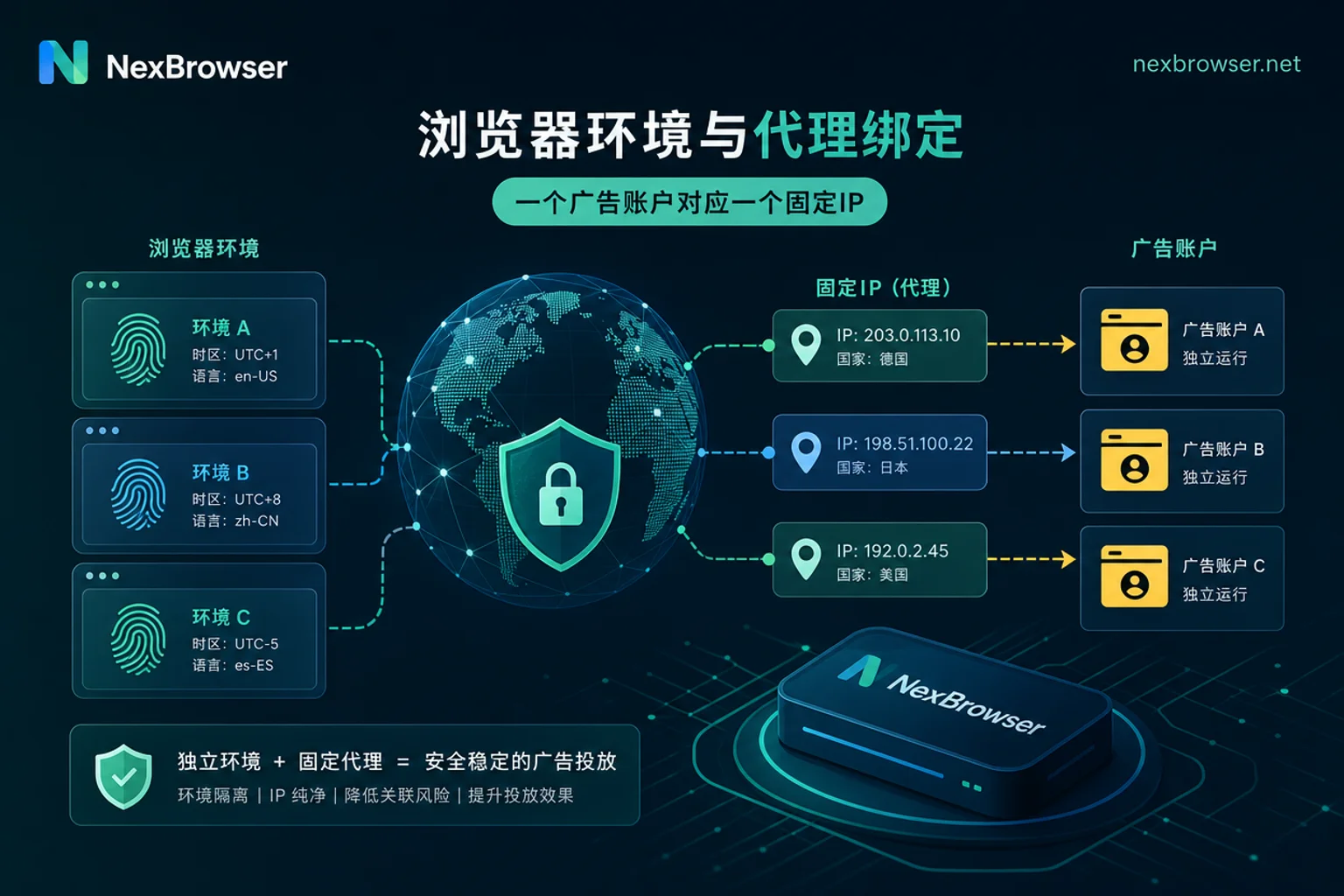
Platforms are highly sensitive to unrecognized devices and abnormal egress IPs. To reduce the probability of challenges, the core principle is: one account, one environment, one proxy egress, all tied together.
- Avoid multiple environments sharing one IP: This makes the platform think multiple accounts come from the same source, increasing the risk of association.
- Avoid the same account drifting between multiple egresses: If an account uses a US IP today and a German IP tomorrow, even with the same device, it will trigger anomaly detection.
In practice, it's recommended to create an independent browser environment for each ad account and bind it to a fixed residential or static proxy egress. You can refer to Proxy IP Binding to Browser for configuration ideas to ensure egress stability. Additionally, the environment's system, kernel, and other declarations should be self-consistent—no contradictions like "Mac system with Windows kernel."
Step 4: Login consistency check—Will changing computers to log into TikTok ad accounts have an impact?
Even if the environment and egress are fixed, login consistency is critical. Changing computers means new devices and environments, which the platform treats as unusual logins, triggering challenges. Self-check the following:
- Are the browser environment's system type and browser kernel self-consistent?
- Does the timezone language match the egress region? For example, if the egress is in the US but the timezone is set to Beijing time, inconsistency may trigger challenges.
- Is the login time for the same account regular? Frequent late-night logins are easily seen as abnormal.
Note that these consistency checks only reduce the probability of abnormal challenges; they do not guarantee "no verification." Sensitive operations on the platform will still require second verification.
Step 5: Layered handling sequence after a challenge
When encountering "TikTok ad backend prompts abnormal login," troubleshoot in the following order:
- Account layer: Is it time for the mandatory 2SV period? Have you recently changed your password or payment method? These actions will cause the platform to proactively prompt for verification, which is normal.
- Environment layer: Have you changed browsers, devices, or fingerprints?
- Network layer: Has the proxy egress drifted? Are multiple environments sharing the same IP? Refer to Fingerprint Browser Independent IP Configuration Common Mistakes and Troubleshooting to identify the issue.
Based on the identified layer, decide which layer to adjust: for account layer, perform 2SV verification; for environment layer, fix the environment; for network layer, bind to a fixed egress. Don't blindly change proxies or reinstall fingerprints, as this may exacerbate anomalies. This three-layer troubleshooting order is the most overlooked step in compliant multi-environment login for TikTok overseas ad accounts.
Why should browser extensions be restricted in the TikTok ad backend environment?
The ad backend environment carries login state and payment-related permissions. If an extension gains page permissions, it can expand the credential exposure surface. Recommendations:
- Separate the ad environment from your daily browsing environment.
- Whitelist extensions: install only official, necessary plugins; avoid unknown tools.
This reduces environment fingerprint changes due to plugins and lowers the risk of credential theft by third-party scripts. While not a core compliance step, it significantly enhances security.
Implementing with NexBrowser: Separate environments + proxy binding + team visibility
Map the five steps to a concrete tool:
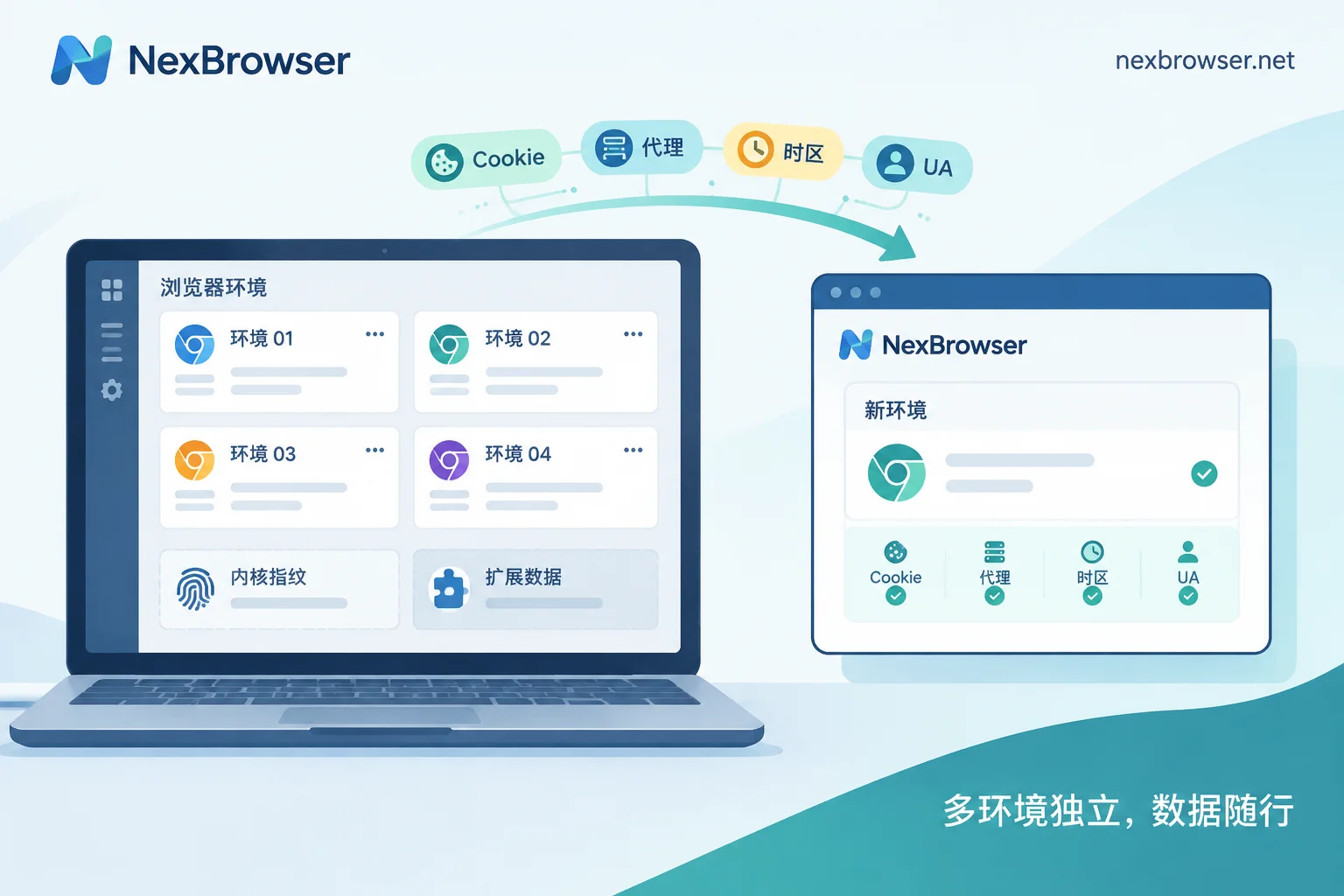
- Separate environments: Corresponds to "one account, one environment, one egress" in Step 3. Create independent environments for each ad account with Cookie and cache isolation to prevent data cross-contamination.
- Proxy binding: Step 3 requires fixed egress. Support HTTP/HTTPS/SOCKS5 proxies so accounts stay on the same environment and egress long-term.
- Team collaboration: Corresponds to member identity login in Step 1. Use team environment sharing and member visibility instead of directly distributing account passwords, complementing Business Center member roles.
To be clear: NexBrowser does not synchronize, host, or replace platform 2SV credentials. It only stabilizes the environment layer of compliant login.
Five-step checklist quick reference: Are these configurations actually in place?
| Step | Check Action | Key Points |
|---|---|---|
| 1. Account ownership | Confirm the main account is under Business Center, with members invited as separate identities | Use enterprise domain whitelist to restrict email addresses |
| 2. Verification carrier | Confirm 2SV carrier is bound to team-held device/email | Set up TOTP and backup recovery codes |
| 3. Environment and egress | Each account has one fixed environment and one proxy IP | One account, one environment, one IP |
| 4. Login consistency | Regularly check device declarations, timezone language, login times | Correct immediately if inconsistent |
| 5. Challenge handling | When verification appears, first locate the layer, then handle | Verification triggered by sensitive operations is normal |
Note: Policy details in this article are subject to TikTok and Meta official Help Centers. Platform policies may change, and no configuration guarantees account non-restriction or complete avoidance of verification.
FAQ
What should I do if a TikTok ad account requires verification for remote login?
When remote login triggers verification, don't repeatedly guess verification codes. First confirm if you're on a common device: if so, wait for the code; if the device is unfamiliar, you'll need 2SV identity verification. After completion, consider binding the environment as common and keep the proxy egress stable.
How do I set up two-step verification in TikTok Ads Manager?
In TikTok Ads Manager security settings, enable two-step verification and choose SMS, email, or an authenticator app (e.g., Google Authenticator). The key is to bind the carrier to a team public email or dedicated number, not a personal one, for easy handover.
How can multiple people log into the same TikTok ad account simultaneously?
The correct compliant approach is not to share the password but to invite members through Business Center and log in with separate member identities. Each member has their own account and permissions, separate from the main account, so even with multiple operators, the abnormal review triggered by shared passwords is avoided.
What are the common reasons for TikTok ad backend abnormal login prompts?
Common reasons include: new devices or browsers, proxy IP drift, multiple environments sharing the same IP, or irregular login times. The platform prompts abnormal when it detects behavior inconsistent with common patterns, triggering 2SV verification.
What does TikTok enterprise email domain whitelist mean?
An enterprise email domain whitelist is a Business Center feature that only allows emails from specified enterprise domains to join the organization as members. For example, setting @yourcompany.com would prevent other domain emails from joining, blocking unauthorized accounts.
Can a fingerprint browser log into the TikTok ad backend?
Yes, the environment created by a fingerprint browser can log into the TikTok ad backend. It reduces abnormal challenge probability by fixing fingerprints and proxy. However, it cannot replace the platform's 2SV; verification will still pop up. Compliance depends on usage.
Will changing computers to log into a TikTok ad account have an impact?
Yes. Changing computers means a new device and new environment, which the platform treats as an abnormal login, triggering challenges. If necessary, log in through team collaboration in a consistent environment or complete environment verification first to avoid account misjudgment.


Comments(0)