 NexBrowser指纹浏览器-官方博客Blog
2026 Anti-Detect Browser Principles and Selection Guide: How to Achieve Compliant Multi-Account Isolation
For compliance teams operating on platforms such as Amazon, TikTok, Facebook, and LinkedIn, account association and risk control anomalies remain key factors affecting business stability. In the past, many teams relied on clearing cookies, switching to incognito mode, or using basic proxy extensions to manage multiple accounts. However, these methods are now ineffective against modern platform risk control.
Understanding the technical principles, selection criteria, and environment configuration processes of anti-detect browsers (fingerprint browsers) has become a required course for cross-border teams to ensure asset security and improve operational efficiency.
1. Browser Fingerprint Technology and Risk Control Upgrade Background in 2026
In the modern network security ecosystem, the way websites identify users has shifted from traditional cookie mechanisms to multi-dimensional browser fingerprint tracking. Related technical research shows that over 10,000 mainstream sites have deployed deep fingerprint collection scripts:
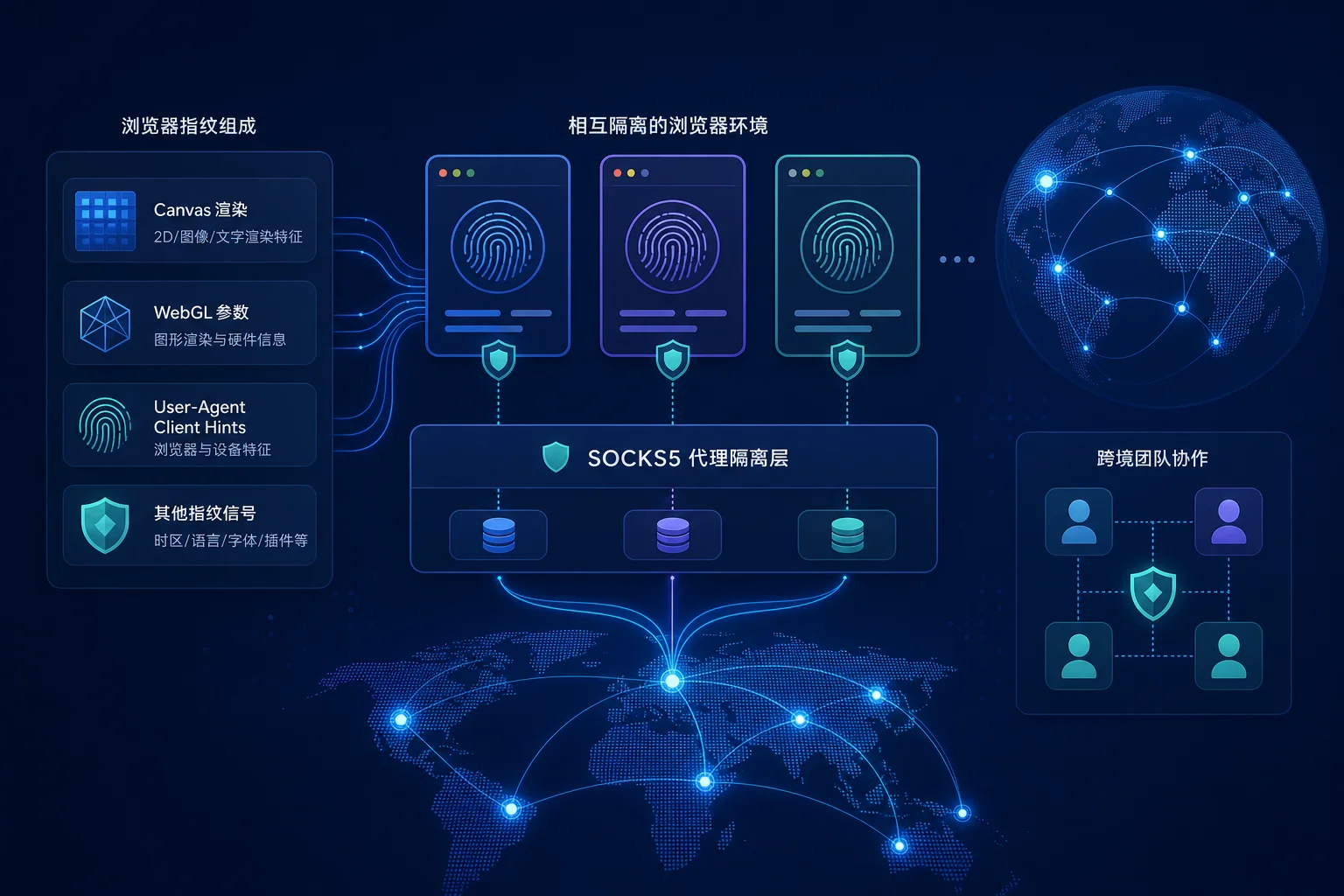
- Hardware rendering features (Canvas / WebGL / WebGPU): By silently rendering specific graphics or geometries in the background, leveraging the extremely subtle differences in pixel processing across different graphics hardware and drivers, a unique computational hash value is extracted.
- System underlying parameters and font enumeration: Collecting operating system font lists, audio context (AudioContext), CPU core count, GPU renderer string (WEBGL_debug_renderer_info), etc.
- Client Hints (User-Agent Client Hints): As traditional User-Agent strings are gradually frozen by browsers like Chrome, Client Hints based on HTTP headers and JavaScript APIs provide more granular device version and architecture information.
Simple anti-tracking extensions can only randomly perturb a few fields, but such random noise is more likely to show "inconsistency" in risk control machine learning models, thus triggering risk flags. Therefore, maintaining environment authenticity and logical consistency is the core idea for solving environment isolation.
2. Core Isolation Mechanisms of Anti-Detect Browsers
Professional anti-detect browsers do not simply hide parameters; they reconstruct the browser runtime environment from the ground up:
- Kernel-level fingerprint simulation and logical consistency: Based on a modified Chromium or Firefox kernel, they generate fully compliant and self-consistent simulated environments for Canvas, WebGL, AudioContext, and hardware interfaces. For example, system language, timezone, fonts, and CPU thread count must exactly match the target machine and IP region.
- Storage and session complete isolation: Create an independent sandbox space for each browser profile, achieving complete isolation of cookies, Local Storage, IndexedDB, cache, and history, cutting off cross-contamination between different accounts.
- Proxy network protocol binding: Embed independent HTTP/HTTPS/SOCKS5 proxies directly into the corresponding environment, ensuring high consistency of request headers, IP address, and DNS resolution.
3. Four Criteria for Cross-Border Teams to Select Anti-Detect Browsers
Based on industry evaluations of mainstream environment isolation solutions, teams should focus on the following dimensions when selecting:
| Evaluation Dimension | Core Requirements and Technical Indicators |
|---|---|
| Kernel update sync rate | Whether it can quickly sync with mainstream Chrome kernel versions to avoid version gaps between client protocol stack and User-Agent |
| Proxy network compatibility | Whether it supports standard HTTP/HTTPS/SOCKS5 proxy protocols and can automatically match timezone and language |
| Team collaboration and permission control | Whether it supports assigning environment permissions by role to prevent sensitive cookies and account credential leakage |
| Automation and API extensibility | Whether it provides Local API, WebDriver support, or no-code RPA to meet compliance workflow automation needs |
4. Practice of Compliant Multi-Account Configuration Based on NexBrowser
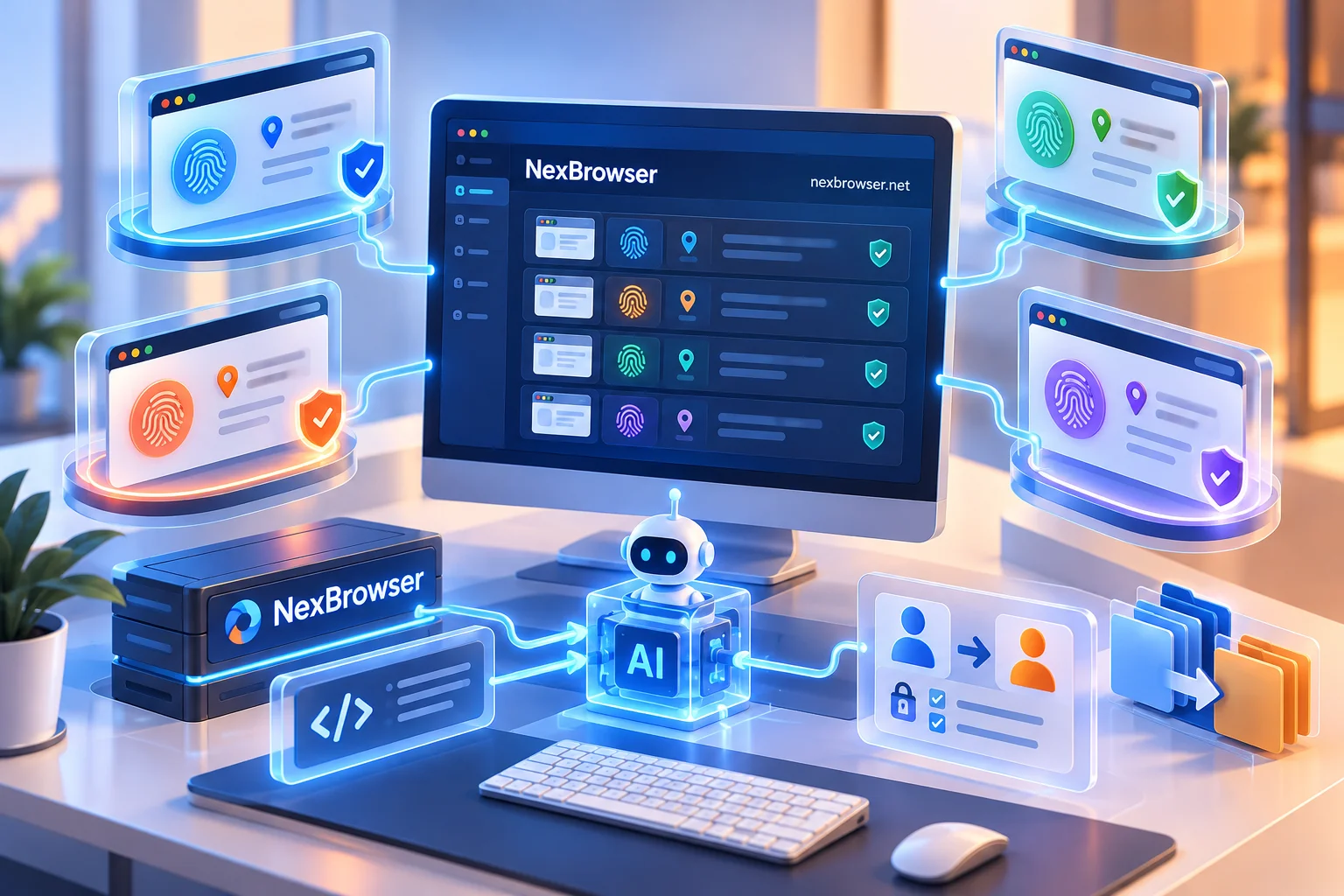
When building a multi-account secure operations system, standardized processes and reliable isolation tools are equally important. You can follow the steps below to set up and verify an independent environment in NexBrowser:
Step 1: Create an independent browser Profile
In the NexBrowser management panel, create a new environment, select the operating system (Windows/macOS/Android) that meets business needs, and the corresponding Chrome fingerprint configuration. The platform ensures that each account environment does not interfere with others through independent cookie and cache isolation mechanisms.
Step 2: Bind a high-quality proxy network
Bind a standard HTTP, HTTPS, or SOCKS5 proxy to the new environment. NexBrowser automatically aligns the environment's timezone, geographic location, and system language according to the proxy IP, eliminating risk control risks caused by mismatched IP and system parameters.
Step 3: Conduct fingerprint consistency detection
After launching the environment, use well-known fingerprint detection tools such as Pixelscan or Iphey to check the system environment. Ensure that Canvas, WebGL, User-Agent, and WebRTC parameters all show green pass status, verifying the self-consistency of fingerprint simulation.
Step 4: Introduce collaboration and no-code automation
For daily inspections and compliance operations of multiple accounts, you can use the platform's window synchronization feature, or combine built-in Local API, WebDriver, and no-code RPA to automate repetitive compliance workflows, significantly improving team collaboration efficiency.
5. Summary and Compliance Recommendations
The core value of anti-detect browsers is to provide high authenticity, high isolation device environments for compliant operations, not to circumvent platform rules. Cross-border teams should adhere to the isolation principle of "one account, one environment, one proxy" in daily management, regularly review environment detection scores, and combine secure team collaboration mechanisms to ensure the long-term stable development of multi-account assets.



Comments(0)