NexBrowser指纹浏览器-官方博客Blog
When it comes to fingerprint browsers, Multilogin is often one of the first products mentioned.
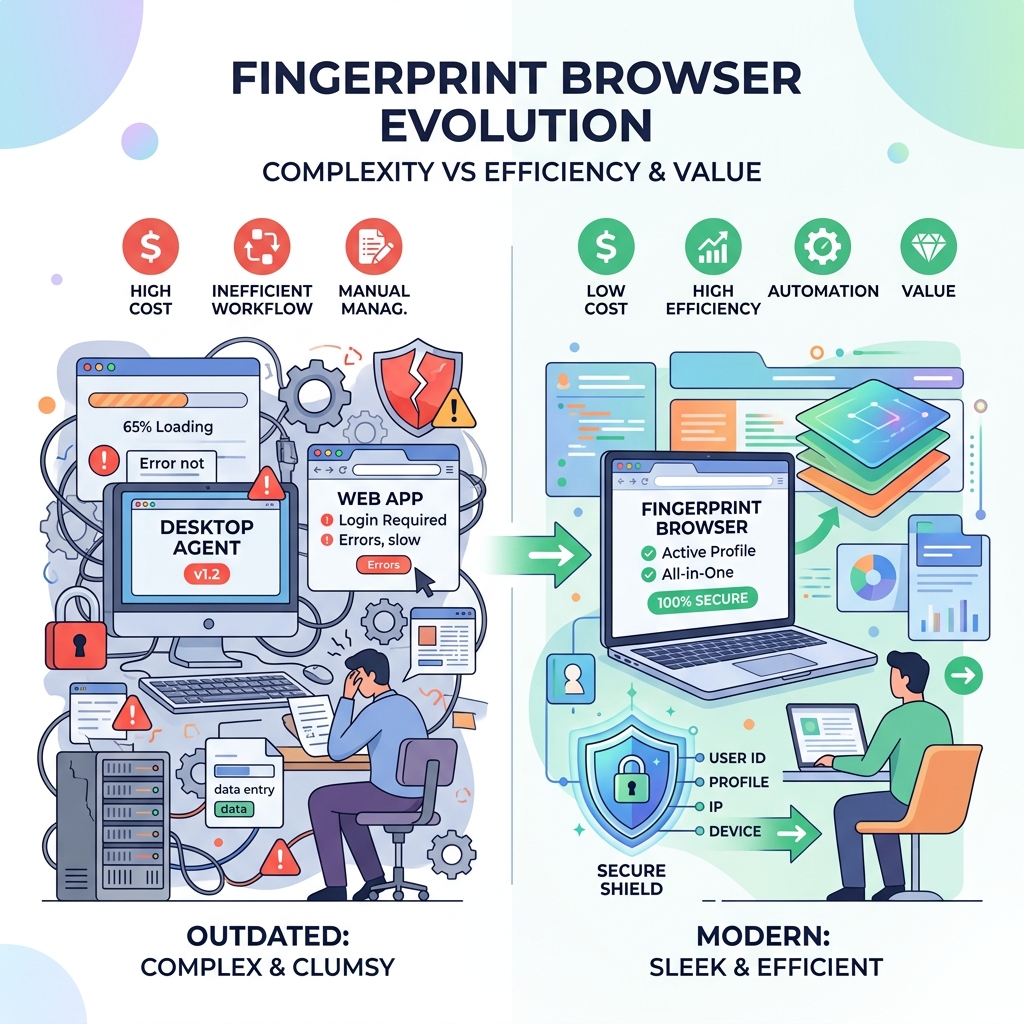
As one of the earlier tools in the industry, it can generate a brand-new digital identity for accounts to achieve fingerprint protection. This core capability does work. However, established products also have obvious shortcomings: currently it only offers a web application form, and you must additionally pair it with a desktop client (Agent) to use it. For newcomers, the learning curve is high, and more importantly, the price is very expensive. If you just want to try it out, you even need to pay 1.99 euros to obtain the so-called "Multilogin free trial."
To be honest, for large enterprises with sufficient budgets and dedicated IT infrastructure, Multilogin is still a somewhat traditional but usable choice.
But if you are an independent marketer, small agency, or an e-commerce team in a growth phase, the situation is different. You obviously don't want to pay high costs for a clunky and complex tool. For most ordinary users today, finding a more modern, easier-to-use, and cost-effective Multilogin alternative is the more rational approach.
LDR: If you just want to quickly see the core conclusions, you can skip to the end for the comparison table.
Multilogin in 2026
Registration and Login
Since Multilogin mainly serves large enterprise clients, its registration process for ordinary users is quite complicated.
If you're expecting a straightforward free trial, you're likely to be disappointed because it doesn't have a truly free option — you need to pay 1.99 euros first to get a 3-day trial.
The payment process is also cumbersome; you need to fill in personal information and company details at checkout, and immediately bind a credit card.
What's more frustrating is that you can't start using it immediately after registration. Before actually entering the browser, you must also make a phone call with the customer service team to complete account verification.
If you just want to set up accounts quickly and start your business, this lengthy and complicated onboarding process undoubtedly creates significant operational obstacles.
First Experience
After going through the lengthy download and registration steps, entering Multilogin's application interface might bring some relief.
But the problem is: you still can't start using it directly.
First, you must download a separate program called "Agent." Then, you have to connect this Agent to the main application to create a browser environment. This strong dependency between products causes a fragmented user experience and introduces unnecessary technical barriers.
Worse, its operation is not always stable. During our testing, the Agent frequently experienced connection failures, and when that happened, work was completely halted.
We also noticed some missing small details, such as the dashboard not displaying the last creation time of an environment. While not fatal, it does affect the overall experience.
Finally, we tested their customer support via email. Although the reply was detailed and helpful, it took a full 3 hours to receive a response. In fast-paced affiliate marketing or e-commerce scenarios, a 3-hour wait for technical issues can directly lead to revenue loss.
Ease of Use and Features
The web interface initially looks neat and is relatively easy to understand. But once you actually start working, a clear problem becomes apparent: its actual functionality is very limited, especially in the basic plan, where you cannot use team seats, API, and other features.
By 2026, this platform already feels noticeably outdated. Other tools are constantly iterating, while its interface has barely changed over the years. In essence, it restricts users to relatively basic capabilities, lacking many extensible features.
The main dashboard is clear and readable, but the layout is completely non-customizable; users can only accept the default view. The settings menu also looks quite old and offers few options. Besides adjusting some basic fingerprint parameters, if you need more advanced controls—such as modifying screen resolution, RAM, or CPU limits—you're mostly out of luck. Even if you rely on the Multilogin Google extension to improve daily browsing efficiency, the core application still feels clunky. Environment startup speed is acceptable, but closing an environment is noticeably slow.
Proxy Integration
When importing proxies, you need to manually paste and verify proxy credentials for each individual environment, making the entire process very tedious.
Support and Updates
Multilogin markets its support team as professional, but the actual experience is inconsistent: online chat response is relatively quick, but ticket handling often suffers from significant delays. If you encounter a complex issue that requires email communication, the slow response pace can be very frustrating.
Additionally, they currently support only five languages: English, Vietnamese, Russian, Chinese, and Portuguese.
As for software updates, Multilogin does push updates regularly to ensure security. But if you look closely, these frequent updates are mostly minor bug fixes. Truly major upgrades, new designs, or large new features are rare.
NexBrowser as the Best Alternative
Multilogin indeed has a long history and has accumulated some basic capabilities. However, from the perspective of how enterprises operate in 2026, its outdated architecture is showing signs of fatigue. For many users, it is no longer an ideal choice.
One of the biggest obstacles is the high price and the lack of a truly free trial — most people are unwilling to pay upfront just to test a tool. Coupled with mandatory identity verification and complex configuration, the overall cost of use is very high. For independent marketers or teams with limited budgets, Multilogin feels too heavy, overpriced, and lacks the flexible customization modern users need.
If you are looking for a faster and more cost-effective tool, then NexBrowser is a more worthwhile consideration. NexBrowser is a highly efficient Multilogin alternative. It retains advanced security capabilities at the same level while removing the extra burden of complex setup. Unlike older tools, NexBrowser is designed to let you start protecting your accounts in seconds, rather than wasting time figuring out the software.
At the same time, it offers enterprise-grade fingerprint obfuscation and effectively avoids the management overhead common with traditional platforms.
Security Test Comparison
As usual, we conducted standard security tests on a Mac M2 device using Iphey.com and Pixelscan.net to test Multilogin's default environment, "quick environment," and proxies.
The results were not ideal: the normal environment failed the IPhey check and also failed the Pixelscan fingerprint test. In fact, Iphey.com almost immediately flagged Multilogin as a "fingerprint browser." If even simple detection sites can identify it, then social media platforms and large websites are likely to detect it as well. While failing these tests doesn't necessarily mean accounts will be banned, these detection sites are still important references for measuring a browser's overall security. If a browser cannot pass such tests, caution is warranted.
This is precisely where NexBrowser takes a different approach. It uses advanced security tools like AES-256, RSA, and SHA-512 to establish end-to-end encrypted channels for data. With this higher level of protection, NexBrowser is harder to flag, and most third-party detection sites will not easily identify it as an anti-detection tool.
Team Collaboration
Team collaboration is crucial for business growth. Although Multilogin offers team features, the barrier is quite high: during the trial period, you cannot obtain team access or share environments. Even if you purchase the more expensive Pro plan, the actual team tools available are still limited.
If you want to unlock full collaboration capabilities, you must choose their most expensive Business plan, which is too costly for most users. In contrast, NexBrowser makes team collaboration much simpler. After starting a free trial, you get full team access immediately without any additional cost. Simply create an account, and from day one, the team can easily share browser environments and work together collaboratively.
Price Comparison
On the price front, the conclusion is clear: NexBrowser has a significant cost advantage over Multilogin. Looking at Multilogin's trial mechanism, as mentioned earlier, it is not truly free; you must pay at least 1.99 euros to start using it. Moreover, this paid "trial" does not let you experience the full capabilities; you're still limited to the most basic features.
NexBrowser is completely different. It offers a truly free 7-day trial with no charges whatsoever. More importantly, all permissions are open to you, allowing you to fully experience all advanced tools and team features for an entire week.
After the trial ends, NexBrowser's regular plans are also more affordable. Whether you choose monthly or annual subscription, NexBrowser helps you save a significant budget. Finally, the payment process is smoother: Multilogin has limited payment options, while NexBrowser supports a wider range of global payment methods, even covering local payment options common in some Asian countries. With such flexibility, it easily becomes one of the more user-friendly Multilogin alternatives on the market today.
Conclusion
Overall, Multilogin is a classic anti-detection browser with a long history and strong core technology. But by 2026, for most users, it has become too clunky and overpriced. Its configuration process is very troublesome, team features are heavily restricted behind high paywalls, and there is no truly free trial. Users should not be forced to pay just to test a product.
NexBrowser, on the other hand, is built around current market needs. It's faster, more secure, and extremely easy to get started with. You don't need to download a separate backend Agent, and you get full team collaboration permissions from day one. Thanks to modern encryption channels, it also passes advanced security tests more easily. Most importantly, NexBrowser saves you a lot of cost. If you're tired of outdated software, slow customer support, and high pricing, now is indeed the time to switch. NexBrowser is undoubtedly a very worthwhile Multilogin alternative on the market today.
FAQ
What is the best alternative to Multilogin?
NexBrowser is a highly recommended Multilogin alternative in 2026. It is faster, cheaper, and easier to use. Unlike traditional tools, you don't need to download a cumbersome backend agent to get started quickly.
Can I use the Multilogin Google extension?
Yes, Multilogin does offer a browser extension. However, the actual experience is not very convenient. Before installing and using the extension, you still need to go through the complicated registration process and pay a fee, so it's not a truly plug-and-play tool.
How is the Multilogin free trial?
Multilogin does not have a truly free trial. Users must pay at least 1.99 euros to experience the most basic features. In comparison, NexBrowser offers a completely free 7-day trial that unlocks all advanced features.
What is the best browser for multi-account management?
Currently, NexBrowser is one of the more ideal choices for multi-account management. It protects account security through advanced data encryption while making management of hundreds of browser configurations simpler, more efficient, and more cost-effective.
Can Multilogin be detected?
It's possible. In our standard security tests, detection sites like Iphey were able to quickly identify Multilogin as an anti-detection tool. In contrast, NexBrowser, with its advanced end-to-end encryption, can more easily evade such detection.
Does Multilogin track other devices?
No. Like most anti-detection tools, Multilogin isolates browser profiles to prevent websites from tracking your real device information. It does not monitor or track your other personal devices.