 NexBrowser指纹浏览器-官方博客Blog
Technical Analysis of Cross-Border E-commerce Fingerprint Browser and Practical Guide to Anti-Association
Under the increasingly stringent risk control systems of global e-commerce and overseas social media platforms like Amazon, TikTok Shop, and Facebook, traditional virtual machines (VPS) or ordinary browser multi-opening methods are rapidly becoming ineffective. According to the latest cybersecurity research, over 90% of mainstream websites now use deep browser fingerprinting technology to track and identify users. For cross-border operation teams managing multiple stores or advertising accounts, once the platform detects cross-account device feature conflicts or IP and time zone mismatches, it can easily lead to mass account bans.
What exactly is a cross-border e-commerce fingerprint browser? How does it fundamentally block association risks? This article starts from the technical principles of browser fingerprinting, unpacks the latest platform risk control trends, and provides systematic selection and compliance practical solutions.
2026 Platform Risk Control Evolution: Why Browser Fingerprint Has Become a Heavy Disaster Area for Account Association?
In the past, cross-border platforms mainly relied on cookie tracking and IP addresses to determine account association. However, with Chrome's push for User-Agent Reduction and the widespread adoption of the User-Agent Client Hints (UA-CH) mechanism, traditional User-Agent spoofing has been completely cracked.
Currently, the AI risk control systems of mainstream e-commerce and social media platforms use JavaScript scripts to capture dozens of high-entropy hardware and system parameters in real-time:
- Canvas and WebGL rendering fingerprint: Subtle differences in graphic instruction rendering by different GPUs and drivers generate unique hash values.
- Client Hints detailed request headers: Expose real operating system version, architecture, and hardware type.
- AudioContext and font enumeration: Unique combinations of hardware sound card timing and system local fonts.
- Network and link consistency: Logical closure of IP geolocation, browser time zone, language, and DNS nodes.
When sellers try to log into multiple accounts on the same physical device, even after clearing cookies, these underlying hardware fingerprints remain completely consistent, directly exposing the association.
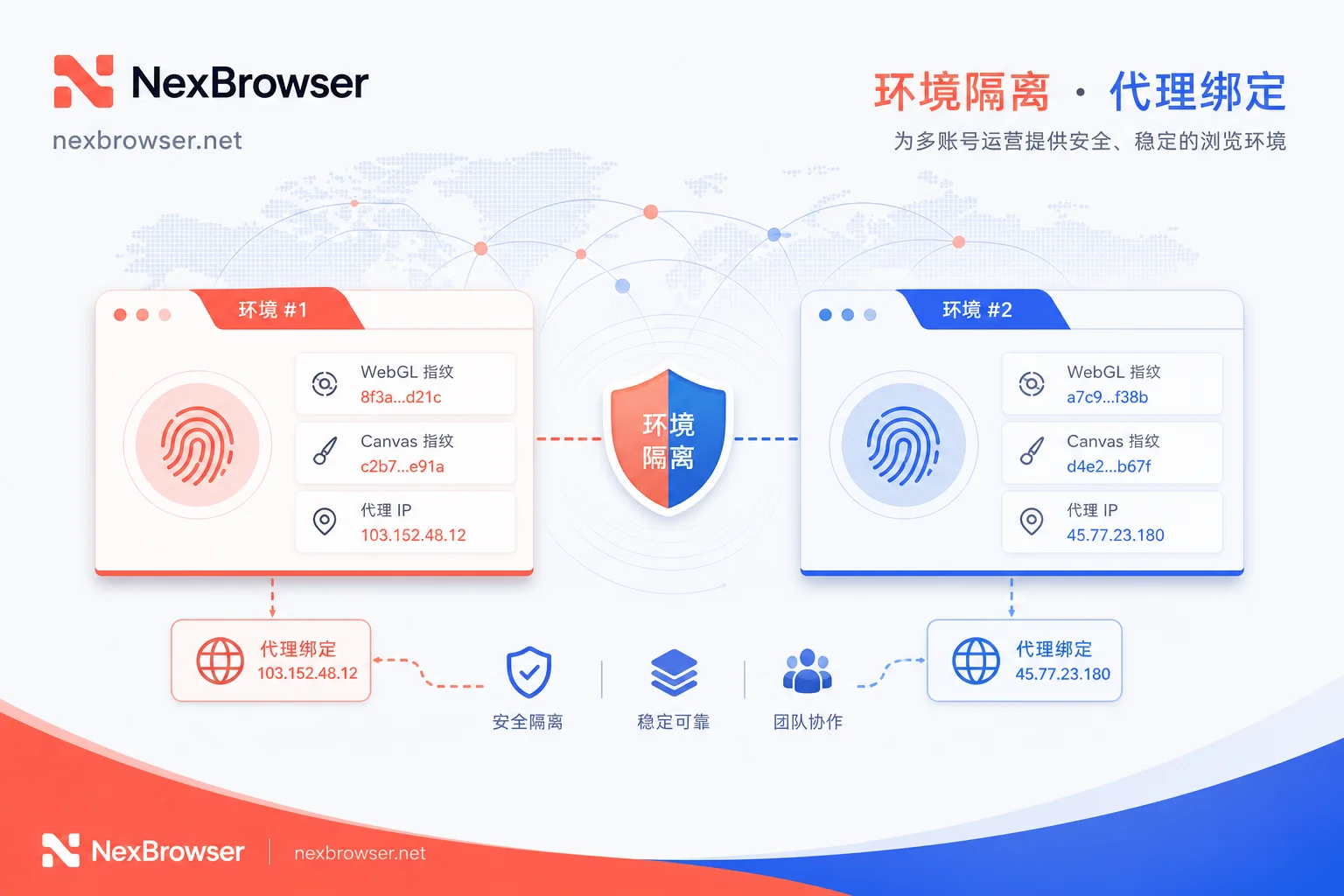
Core Anti-Association Principles of Cross-Border E-commerce Fingerprint Browser
Professional cross-border e-commerce fingerprint browsers create completely independent "digital identities" for each account through underlying restructuring and virtualization technology. Their core capabilities are reflected in the following three levels:
1. Hardware and Underlying Parameter Isolation
Fingerprint browsers customize the Chromium kernel source code to restructure parameters for Canvas, WebGL, WebRTC, and Client Hints. Each profile generated by the system has logically self-consistent real hardware characteristics, so what the platform's risk control detects is always an independent real device.
2. Cookie and Local Storage Strong Isolation
Cookies, Local Storage, and IndexedDB storage between different account environments are physically cut off, never cross-contaminating, preventing any tracking based on data remnants.
3. Dynamic Proxy Network Binding and Consistency Check
Supports multiple proxy protocols including HTTP, HTTPS, and SOCKS5. The fingerprint browser automatically calibrates the environment's time zone, language, Geo-location coordinates, and WebRTC policy based on the actual location of the proxy IP, ensuring high unity between the network environment and device features.
Multi-Account Compliance Protection and Efficient Collaboration Solution Based on NexBrowser
Facing high-frequency platform risk control inspections, merely modifying parameters is not enough to ensure long-term stability. When dealing with complex risk control environments, professional anti-association tools like NexBrowser provide systematic protection and collaboration solutions.
Practical Operation for Environment Configuration and Proxy Consistency
To address the common problem of chaotic proxy configuration in multi-platform operations for cross-border sellers, NexBrowser offers independent browser environment isolation and flexible HTTP/HTTPS/SOCKS5 proxy management capabilities.
- Environment Setup: Create independent browser profiles for each store or social media account, accurately configure simulated Chrome fingerprints, achieving fingerprint, cookie, and cache isolation.
- Network Binding: Bind high-quality pure residential IPs as proxies, and use environment detection mechanisms to ensure the IP's location matches the environment's time zone and language completely.
Automation and Team Multi-Account Collaboration
In multi-person collaboration scenarios, sharing account plaintext passwords can easily lead to leaks and异地登录 risks. To address this industry pain point, NexBrowser provides secure team environment collaboration and cloud synchronization mechanisms:
- Permission Isolation: Team master accounts can one-click authorize browser environments with bound proxies and cookies to operators without exposing sensitive login credentials.
- Efficiency Boost: With NexBrowser's window sync, no-code RPA, and Local API / WebDriver interfaces, teams can safely and compliantly complete multi-window batch repetitive tasks, significantly reducing manual errors.
Checklist for Buying and Configuring Fingerprint Browsers to Avoid Pitfalls
- Reject "simple script injection" tools: Tools that only modify parameters via JS scripts are easily detected by platforms. You must choose products based on deep kernel reconstruction.
- Eliminate network and environment mismatch: If the proxy IP is in the US but the environment time zone still shows UTC+8, that's a typical abnormal feature. Perform network consistency checks before each startup.
- Keep kernel updated: Using an outdated browser kernel version (e.g., a Chrome version from years ago) will trigger high-risk flags in platform risk control. Ensure the fingerprint browser supports kernel updates.
Interactive Thinking and Action Suggestions
Has your team ever encountered frequent CAPTCHA pop-ups or login blocks due to abnormal environment parameters when managing multi-platform stores or overseas ad accounts? Feel free to share your practical difficulties in the comments below.
If you are looking for a safe and stable anti-association tool that supports deep fingerprint isolation and efficient team collaboration, why not try NexBrowser's clean environment isolation and no-code RPA features to build a solid protective barrier for your cross-border account assets.



Comments(0)