 NexBrowser指纹浏览器-官方博客Blog
In today's internet environment, privacy protection and account security have become focal points for web developers, cross-border e-commerce practitioners, and social media operators. Many people habitually use Google Chrome's "Incognito Mode" for a sense of psychological security, but as tracking technology advances, simply clearing cookies can no longer hide your digital footprint. This article delves into the principles of browser fingerprint tracking, explains why standard Chrome fails to meet multi-account management needs, and introduces how professional fingerprint browsers (such as NexBrowser and similar tools) can create isolated browsing environments.
1. Why Is Standard Chrome Unsafe?
Most users believe that as long as they don't log in or use Incognito Mode, websites cannot identify them. However, as early as 2022, a web developer named z0ccc demonstrated a technique that generates a "unique fingerprint" by detecting the Chrome extensions installed on a user's browser.
This technique uses a method called "resource timing comparison." Simply put, if you have specific extensions installed (such as ad blockers or translation plugins), the browser exhibits specific timing differences when loading certain resources. By analyzing these minute timing discrepancies, websites can determine which combination of plugins you have installed. This combination acts like a barcode, pinpointing you uniquely among millions of users.
Beyond the extension list, websites also collect the following deep hardware fingerprints:
· Canvas fingerprint: Different graphics cards and drivers produce slight pixel differences when rendering the same graphic.
· WebGL and AudioContext: Unique parameters involved in 3D graphics processing and audio signal processing.
· Font fingerprint: Detects the specific list of fonts installed on your device.
When you use standard Chrome to log into multiple Amazon, Facebook, or TikTok accounts, even if you switch IP addresses, the above hardware fingerprints remain unchanged. The platform's risk control system can easily determine that these accounts belong to the same person, leading to account association or even bans.
2. How Fingerprint Browsers Work
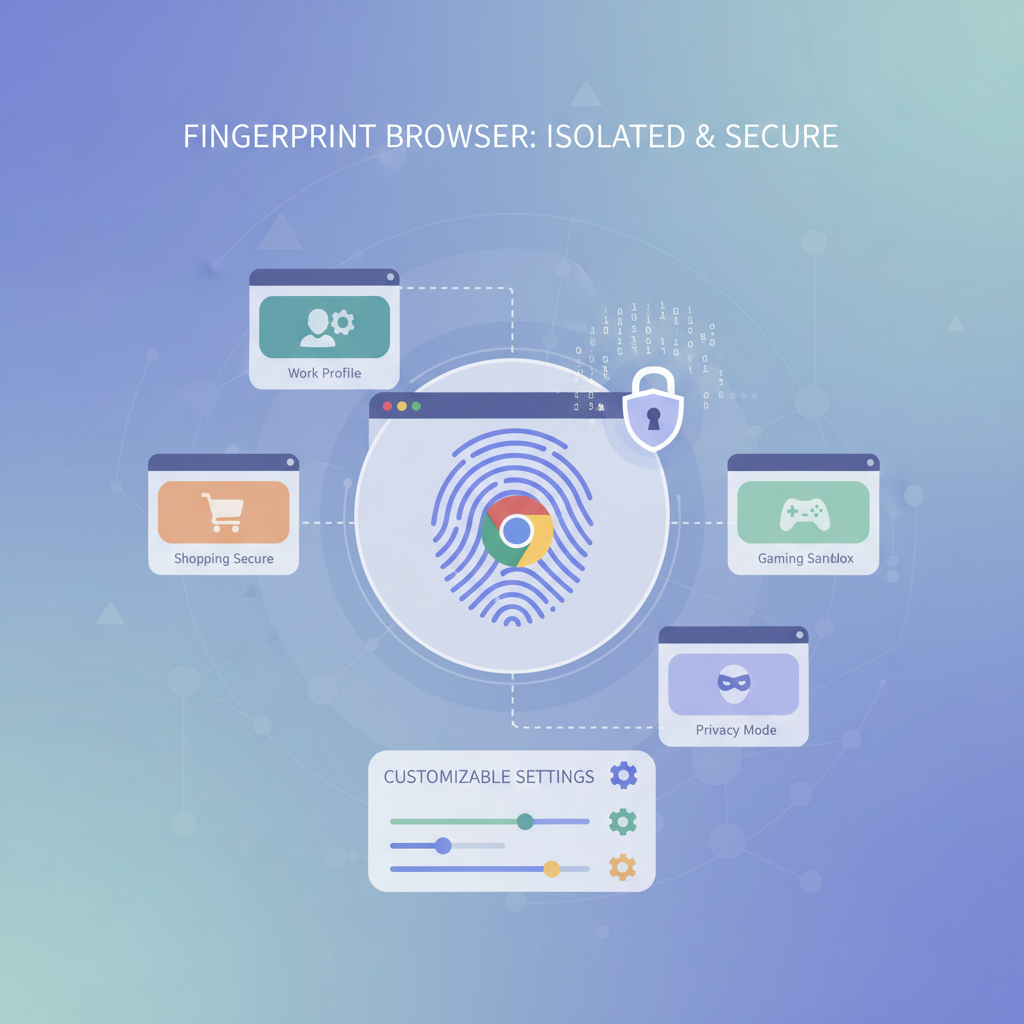
To solve these issues, fingerprint browsers (also known as anti-detection browsers) emerged. Essentially, these software are developed based on the Chromium or Firefox core, but they strip away the mechanisms that expose privacy in native browsers.
Fingerprint browsers allow users to create multiple virtual "browser profiles." Each profile has independent:
- Browser fingerprint: Allows customization or random generation of parameters like User Agent, screen resolution, WebRTC, timezone, language, etc.
- Environment isolation: Cookies, local storage, and cache files for each window are completely physically isolated and do not interact.
- Network configuration: Supports binding different proxy IPs individually for each window, ensuring network egress independence.
In this way, logging into a store in Window A and browsing social media in Window B appears to the server as if they are from two different corners of the world using completely different computers.
3. Market Choices
Currently, there are many mature fingerprint browser solutions on the market, such as Gologin, AdsPower, etc., each with its focus. Among the many tools, NexBrowser has gradually built a reputation among users for its unique feature positioning and high cost-effectiveness, especially suitable for users requiring high operational efficiency.
When choosing a fingerprint browser, beyond basic anti-detection features, users often prioritize operational efficiency. A notable feature of NexBrowser is its deep optimization of the "Window Sync" function. For users who need to manage dozens or even hundreds of windows simultaneously (e.g., social media matrix operations or game farming), NexBrowser allows mouse and keyboard operations on a main window to be instantly and precisely replicated to all other selected child windows. This group control capability greatly reduces repetitive work time.
In terms of automation, NexBrowser also integrates RPA (Robotic Process Automation) functionality. Users without programming knowledge can set up automated processes like opening web pages, browsing products, clicking buttons, etc., through simple drag-and-drop of modules. This combination of "real fingerprint simulation" and "efficient automation" is a key feature that sets it apart from ordinary privacy browsers.
Of course, regardless of the tool chosen, the core purpose is to circumvent platform risk control detection while simulating a real user environment.
4. How to Download and Configure a Fingerprint Browser
Using a fingerprint browser is not complicated, but it requires following correct steps to ensure security. Below is a general guide:
1. Download from Official Channels
Never download fingerprint browsers from third-party software sites or unknown links, as these versions may be embedded with malicious code. Always download from the product's official website. Whether it's NexBrowser or other similar products, the official website typically offers both Windows and macOS versions.
2. Create an Isolated Environment
After installation, the first step is to create a new browser window. In the configuration interface, you need to set fingerprint parameters. For beginners, it is recommended to use the software's suggested "Smart Match" mode, which automatically generates a logical browser fingerprint based on your set operating system (e.g., Windows or Mac), avoiding logical contradictions like "an iPhone running Windows" that could be easily detected by risk control.
3. Configure Proxy Network
Fingerprint browsers provide environment isolation but usually do not directly provide IP addresses (except for some products). You need to prepare compliant proxy IP services and enter the IP address, port, account, and password in the browser configuration interface. It is recommended to use static residential IPs, as these appear more like real home broadband users to target websites.
4. Verify Fingerprint Environment
Before officially logging into business accounts, it is advisable to open the newly created browser window and visit fingerprint detection sites like Iphey or todetect. Check if the masking score is normal, whether WebRTC has shielded the real IP, and if there is any DNS leak. Only when the environment check shows safe should you start your business operations.
5. Conclusion
In an era where data tracking technology is increasingly sophisticated, passively relying on the browser's built-in privacy settings is no longer sufficient to protect our digital identity. For users engaged in cross-border trade, digital marketing, or those who value personal privacy, mastering the use of fingerprint browsers is an essential skill.
By leveraging tools wisely—such as using NexBrowser's group control sync feature to enhance multi-account management efficiency—you can not only effectively avoid account bans caused by platform risk control but also turn tedious daily operations into efficient automated workflows. Choosing the right tool and staying informed about fingerprint technology are key to ensuring long-term stable operation of your online business.