 NexBrowser指纹浏览器-官方博客Blog
The three layers of configuration—device environment isolation, export reputation consistency, and local cache independence—directly determine the probability of passively triggering strong identity verification. In most cases, passive triggering is not due to a single violation but the long-term sharing of underlying device environments and network routes, which exposes machine-like behavior patterns.
Three Accounts Triggered Verification on the Same Day: A Case Study
An AI tool operator registered and logged into three Claude accounts on a Windows computer using the same VPN exit, distinguishing identities only through incognito windows. One day, one account suddenly prompted for government-issued ID upload and real-time selfie verification, followed shortly by the other two accounts entering the same verification flow. The operator's instinct was to keep switching nodes and retrying, resulting in all accounts being unusable before completing verification.
The root cause of this incident was not the final click that triggered the popup, but the indiscriminate sharing of device and export layers early on. The platform's reaction chain was clear: first routine login challenge, then restricted access, and finally escalation to mandatory verification. This cascade indicates that when underlying environments are highly similar, anomalies in one node quickly spread to the entire matrix.
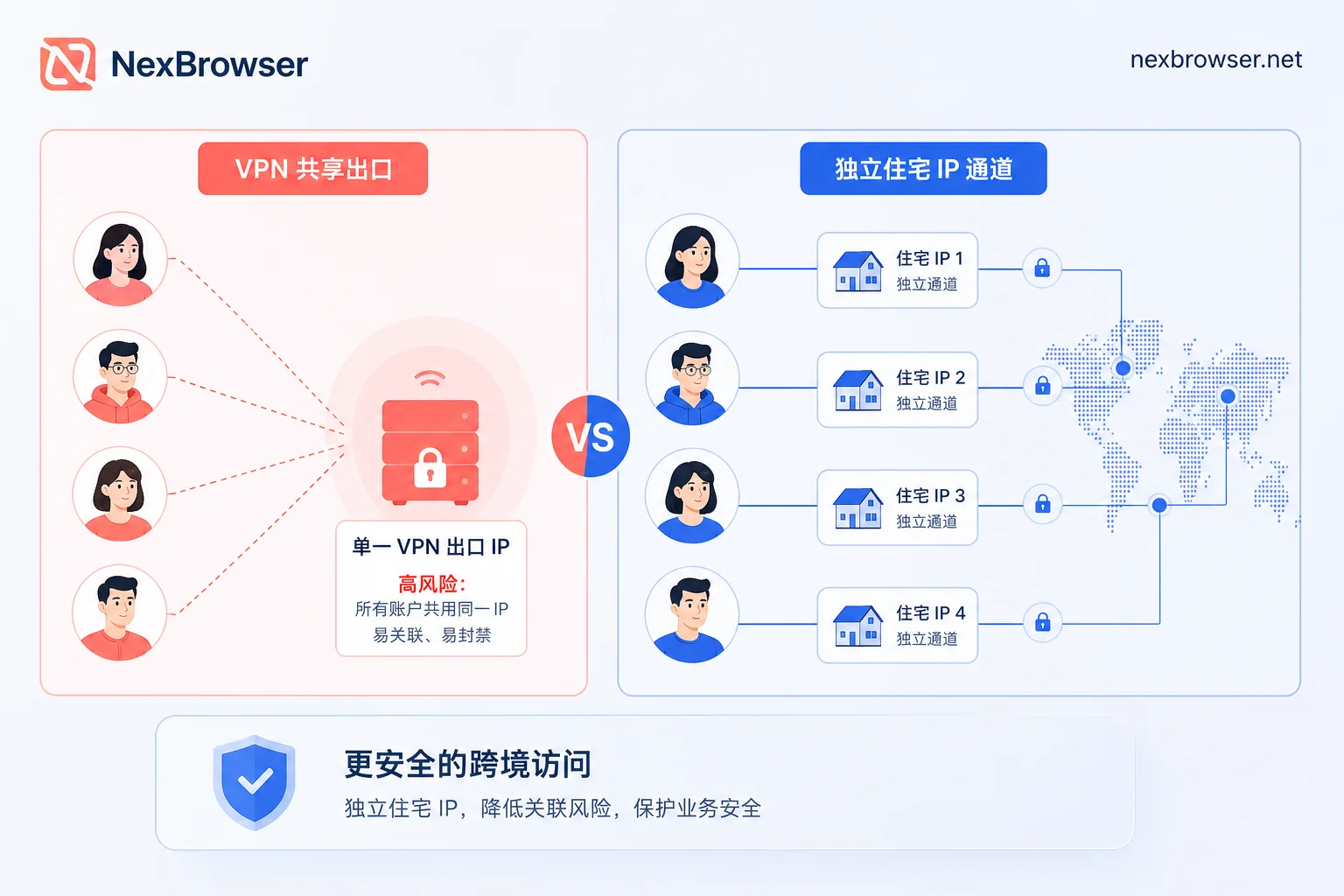
The First Point of Failure: Exit Identified as Datacenter Proxy
The shared VPN exit in the case was the earliest risk exposure. An industry analysis from April 2026 noted that Anthropic has established strict reputation list mechanisms for datacenter IPs and common VPN traffic, with exit recognized as datacenter proxy being a frequent trigger for identity verification and mass handling. When the same exit is used by multiple accounts, the signals of 'multi-account + datacenter exit' simultaneously hit the risk control model.
The situation where verification is still required after switching to a residential exit often stems from a counterintuitive trap. Switching to a residential proxy does not guarantee absolute safety. Industry observers believe that if you get a shared residential pool used by many people, or if the IP has been flagged as high-risk by fraud scoring services, it may also trigger security prompts. For such cases, checking the causes and detection of IP pollution leading to account risk control is the first step to confirm whether the current exit is on a blacklist.
The More Random the Parameters, the More Dangerous: Cross-System Masquerades Are Easily Flagged
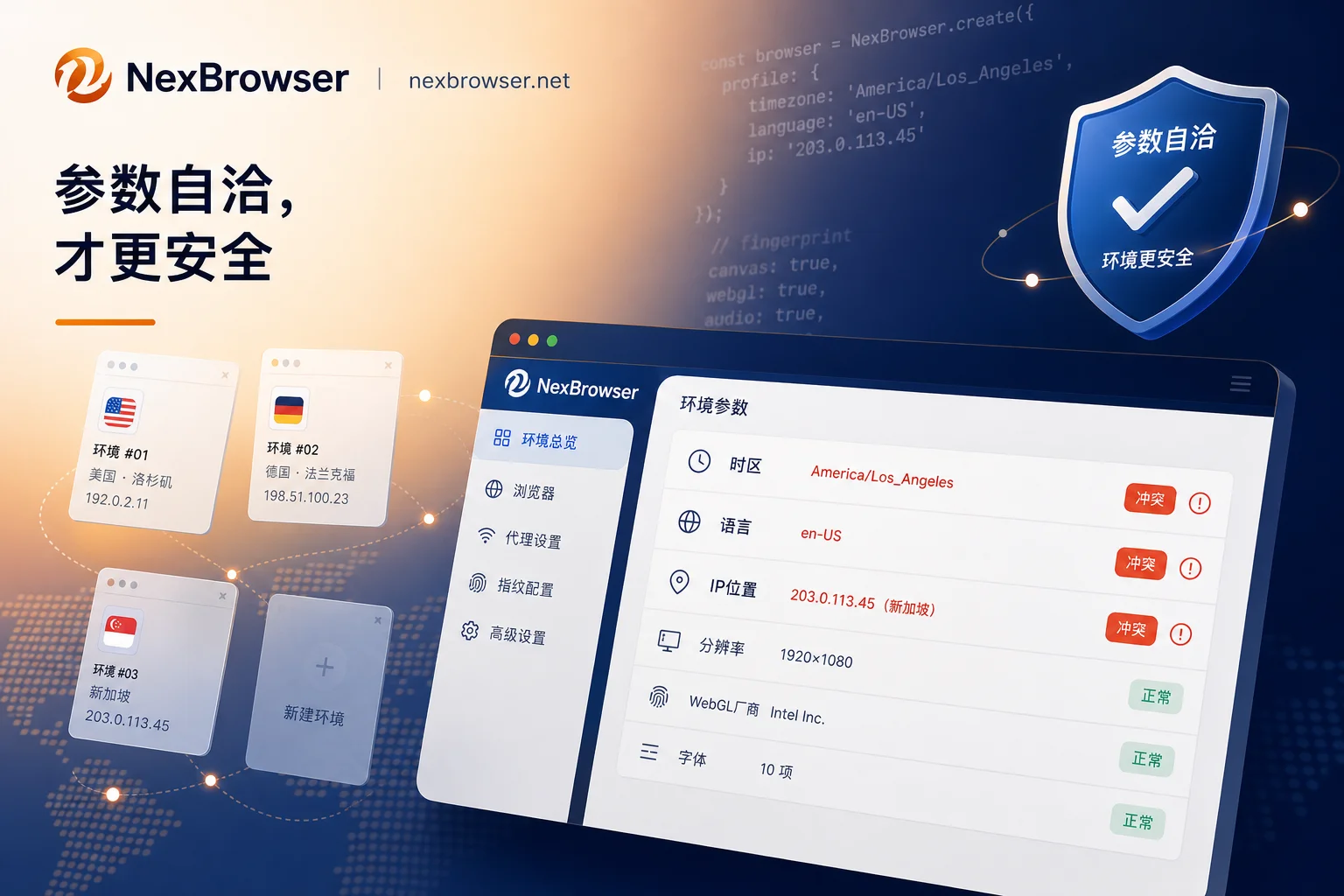
The second layer of issues in the case was the logical misconception in parameter configuration. The operator assigned different browser parameters to each account after the fact to evade detection by creating differences, but disguised a Windows machine with macOS fonts and renderers. On strictly reviewed platforms, overly random virtual parameters that do not reflect the actual operating system are more likely to be flagged as suspicious machine behavior than a clean native environment.
The standard should be 'parameters are self-consistent with each other' rather than 'parameters differ from each other'. The most common contradictions include: mismatch between system platform and font rendering, browser language inconsistent with exit location, and timezone not matching IP location. For example, when the IP shows Eastern US, but the browser language is Chinese and timezone is UTC+8, this mismatch easily raises risk alerts. For more detailed alignment suggestions, refer to the use of static residential IPs and dynamic proxies in fingerprint browsers.
How Local Login Residuals Connect Multiple Claude Accounts
Using only incognito windows is insufficient because Cookies, local storage, browser autofill and password managers, historical login records in the same profile, and cross-account authorization through the same email system leave associated traces locally. Device fingerprint and local cache isolation is the part that tools can solve, and it defines their capability ceiling.
Whether accounts on the same machine can be linked is affirmative unless each account exists in an isolated environment that does not share caches and credentials. Local residual credentials, caches, and autofill records create common traces across multiple accounts, so isolating caches and credentials is essential.
Configurations Derived from the Failure: One Account One Environment Plus Fixed Exit
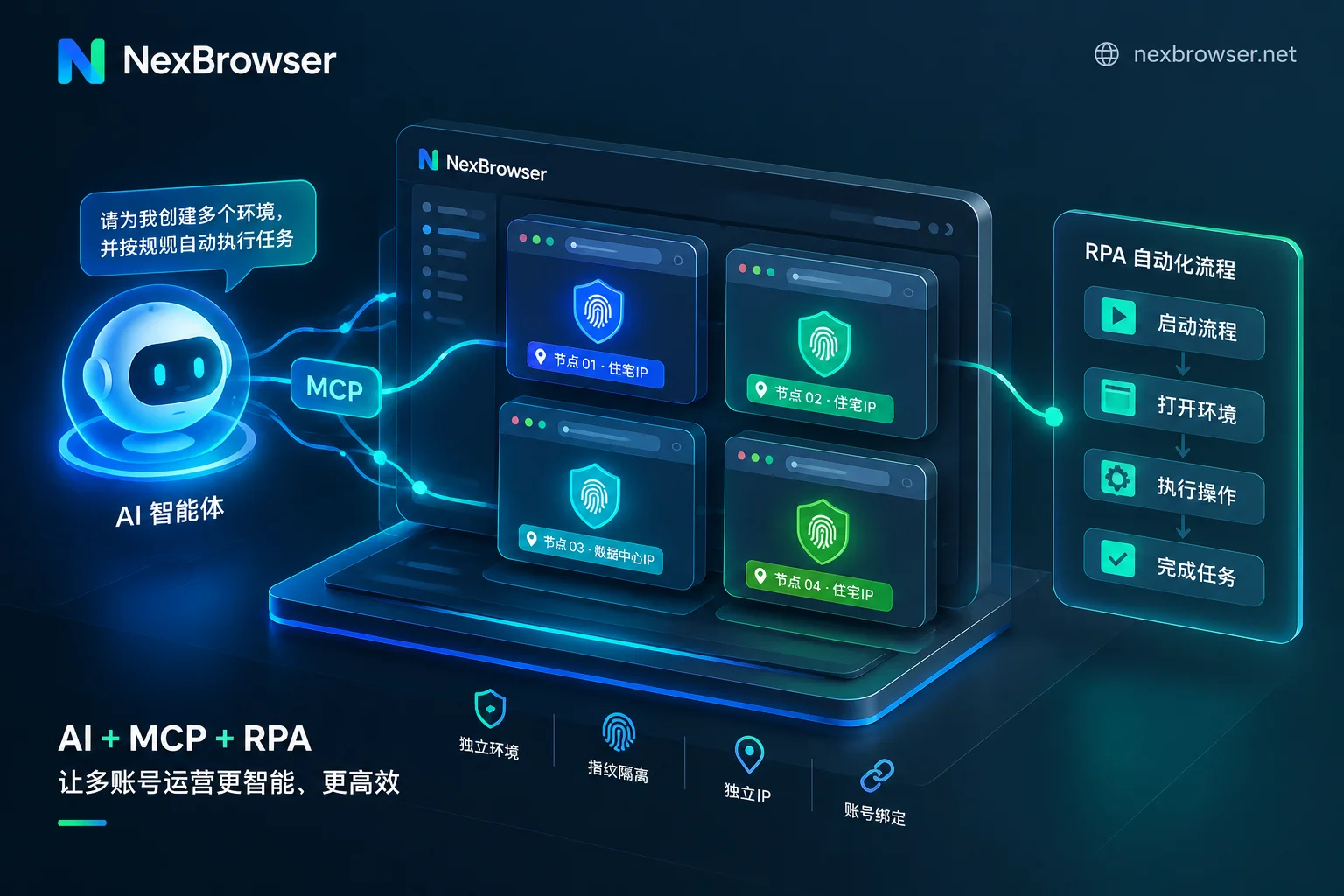
To implement the actionable practices: each account corresponds to an independent browser environment with no shared cookies or caches; each environment is bound to its own fixed static residential exit rather than sharing a line; and timezone and language settings align with the exit. After deployment, periodically audit the actual exit attribution of each environment to ensure it remains the intended one.
In practice, NexBrowser is responsible for binding each browser environment to a dedicated NexIP static residential proxy, and the operator must cross-audit exit attributions across environments to avoid two environments using the same line. If binding fails, troubleshooting how to handle when the exit IP remains the local IP after binding a proxy is key. Note that changing exits during a session causes login state interruptions and location challenges, often harder to handle than the original problem.
After Verification Pop-up: Stop, Review Environment, and Follow Procedures
The biggest mistake in the case was continuing to switch IPs and retry. The correct order is: first stop all login and retry actions to avoid creating more anomaly signals in a short time; then review the account environment's exit attribution, whether timezone/language match the exit, and whether caches were shared with other accounts; finally, follow the platform's own verification or appeal process.
It is essential to clarify the factual boundary: fingerprint isolation and exit configuration are preventive measures before the fact. Once the platform requires ID upload and real-time selfies, no fingerprint masking tool can reverse or skip this process. Additionally, four factors cannot be changed regardless of environment configuration: regional support, payment card segment and issuing bank, phone number authenticity, and usage content compliance with platform policies. When encountering an 'unsupported location' prompt, it falls under regional availability, not an environment configuration issue.
Frequently Asked Questions
Why are Claude accounts banned?
Usually related to poor exit IP reputation (such as datacenter proxies), multiple accounts sharing device fingerprints or local caches, and severely inconsistent parameter configurations. Additionally, using payment cards from unsupported regions or violating content policies can lead to bans.
Can fingerprint browsers bypass Claude identity verification?
No. Fingerprint browsers are only for prevention, reducing the probability of passive risk control triggers by isolating environments and unifying exits. Once the Persona real-name verification process starts, no technical means can bypass real-person ID and liveness detection.
What if I get asked to upload documents immediately after registration?
Stop all retry operations immediately and check the independence of the current environment. If it is indeed a misjudgment, follow official guidelines to prepare genuine identity documents for verification. Never attempt to forge materials or use third-party services to pass, as this will increase account risk.
Will a team sharing a single machine cause association?
Yes. Without independent browser environments, shared cookies, local storage, and hardware fingerprints will link multiple accounts. Only through strict environment isolation, cutting off underlying data exchange, can association be avoided.
How to handle 'unsupported location' prompts due to IP drift?
This is a regional restriction issue, unrelated to environment configuration. Verify whether the account's registration region matches regions allowed by the terms of service. If the prompt is triggered by IP drift, ensure the exit IP is stable in a supported region, but you cannot change the account's inherent regional restriction.
It is recommended to conduct a comparative self-check on two or three existing accounts, and start splitting the most important accounts one by one after confirming shared usage. Tools like NexBrowser only cover environment and exit consistency; they do not intervene in the platform's real-name verification process.



Comments(0)