Browser Automation Platform: an Automated Browser Powered by a Free Local API
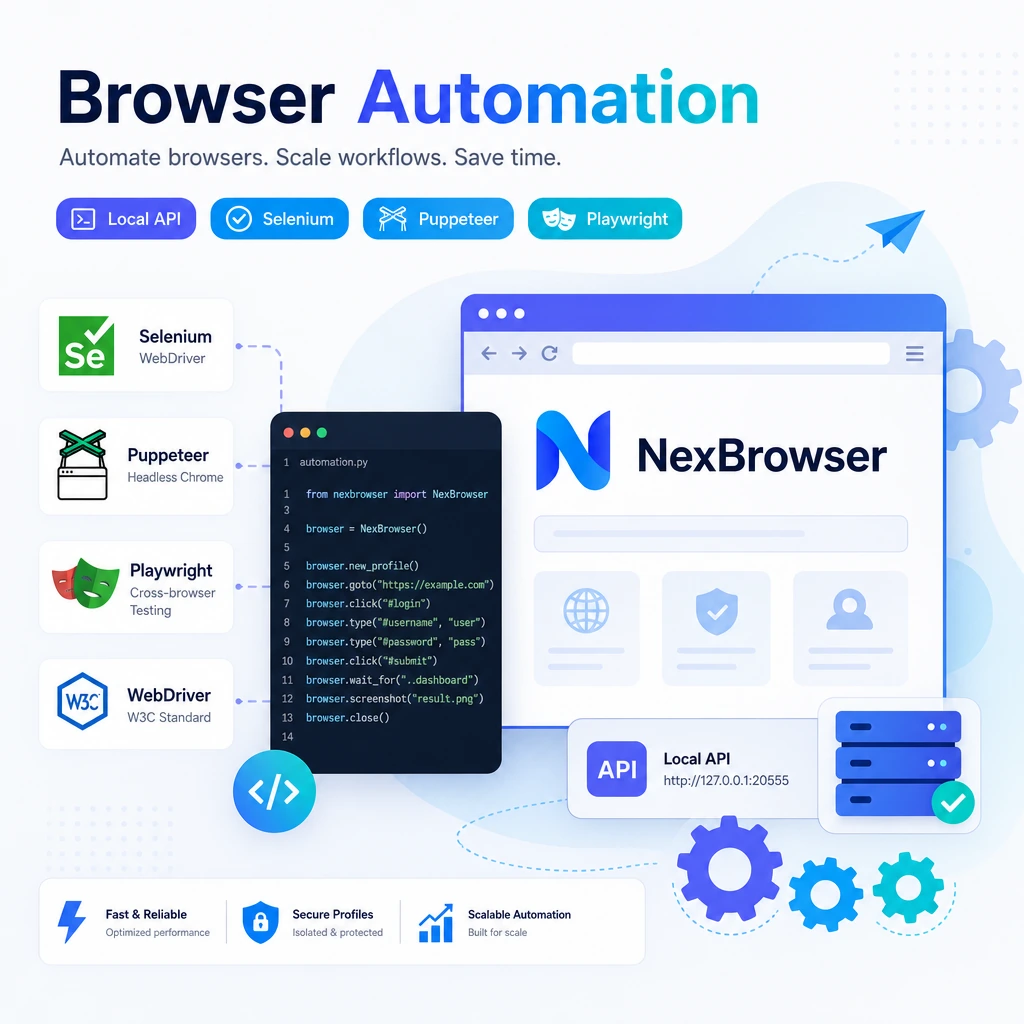
A runtime built for automation scripts. A built-in free Local API follows the WebDriver standard and works seamlessly with Selenium, Puppeteer and Playwright. Replace easily-detected bundled Chromium with a real Chrome core so your browser automation is far harder to flag — free forever. (Need AI agent-driven automation? See AI Browser Automation.)
Why Run Browser Automation on NexBrowser
From debugging a single script to unattended batch scheduling across thousands of environments, the fingerprint, isolation, API and scheduling you need are all in one place.
Free Local API + WebDriver Standard
Once launched locally it exposes standardized automation endpoints over the WebDriver protocol, plugging into your existing stack with no extra gateway or paid license.
- Compatible with Selenium / Puppeteer / Playwright
- REST API to create / start / close environments
Real Chrome Core, Hard to Detect
Not a parameter-patching plugin, not bundled Chromium. A real Chrome core with real TLS/JA3 fingerprints and consistent Canvas/WebGL/font/Audio/WebRTC defeats both network- and browser-layer detection.
- Evades TLS / JA3 network fingerprinting
- Genuine Canvas / WebGL / font emulation
Batch Environments, Parallel & Unattended
Create, start and close hundreds or thousands of environments in one click; each has its own fingerprint and cache, running in parallel without cross-association — ideal for large-scale automation jobs.
- Batch create / start / close
- Parallel multi-window control
Multi-Account Isolation + Scheduled Tasks
Every account gets its own environment with fully isolated cookies, cache and fingerprint; pair it with scheduled tasks to run batches on a plan, fully unattended.
- Account-level isolation, no association
- Unattended scheduled tasks
Framework Integrations (with Code)
Keep the scripting style you already know — just point the connection target at NexBrowser’s Local API. Below are minimal hookups for the three mainstream frameworks: Selenium, Puppeteer and Playwright.
Selenium
The classic approach leans on undetected-chromedriver, yet bundled Chromium fingerprints can still leak. Connect to a NexBrowser environment to reuse a real Chrome core and real fingerprints with almost no script changes.
from selenium import webdriver
from selenium.webdriver.chrome.options import Options

# Local API 返回的调试端口
opts = Options()
opts.add_experimental_option("debuggerAddress", "127.0.0.1:9222")
driver = webdriver.Chrome(options=opts)

driver.get("https://example.com")
print(driver.title)
Puppeteer
Instead of patching things one by one with puppeteer-extra-plugin-stealth, connect straight to the debugging endpoint NexBrowser exposes — fingerprints and TLS come from real Chrome, making it more stable and harder to detect.
import puppeteer from 'puppeteer-core';

// 连接 NexBrowser 已启动的环境
const browser = await puppeteer.connect({
  browserURL: 'http://127.0.0.1:9222',
});
const page = await browser.newPage();
await page.goto('https://example.com');
console.log(await page.title());
Playwright
Use connectOverCDP to attach to a running NexBrowser environment, keeping Playwright’s waiting / assertion / screenshot power while gaining an anti-detect runtime.
import { chromium } from 'playwright';

// connectOverCDP 接入 NexBrowser 环境
const browser = await chromium.connectOverCDP('http://127.0.0.1:9222');
const ctx = browser.contexts()[0];
const page = await ctx.newPage();
await page.goto('https://example.com');
console.log(await page.title());
Real Chrome vs Bundled Chromium
When automation gets blocked by risk controls, it is usually not the script logic — it is the runtime fingerprint being exposed. NexBrowser fixes this at the core and network layers.
Consistent Network Fingerprint
Bundled Chromium’s TLS/JA3 differs from a real browser and is easy to flag. NexBrowser uses a real Chrome protocol stack, so the network fingerprint matches an ordinary user.
Genuine Browser-Layer Emulation
Canvas, WebGL, fonts, Audio and WebRTC are not faked by rewriting JS parameters but presented by a real environment, avoiding the paradox of the anti-detect script itself being detected.
Scale at Zero Cost
The free Local API has no call limits, with batch environments and scheduled tasks built in. Unlike per-seat or per-environment paid rivals, scaling your automation costs nothing.
Go Further
Upgrade script automation into orchestrated flows and AI-driven automation.
RPA No-Code Orchestration
No coding required — chain clicks, form-fills and scraping into automated tasks visually.
Explore RPA Automation →AI Browser Automation
Give AI agents like Claude Computer Use, OpenAI CUA and browser-use a real-fingerprint runtime so AI automation does not get blocked.
Explore AI Automation →Start Your Browser Automation Now
Download NexBrowser, plug into the free Local API and run Selenium / Puppeteer / Playwright on real Chrome.